I forgot to mention this last month, but I have two tricks for you when it comes to the modeling of interiors:
1. Use ALT+B to draw a rectangle over the part of the scene that you need. (I know about this for so long already, but I only thought of using it at the end of last months challenge…would have saved me a lot of troubles!)
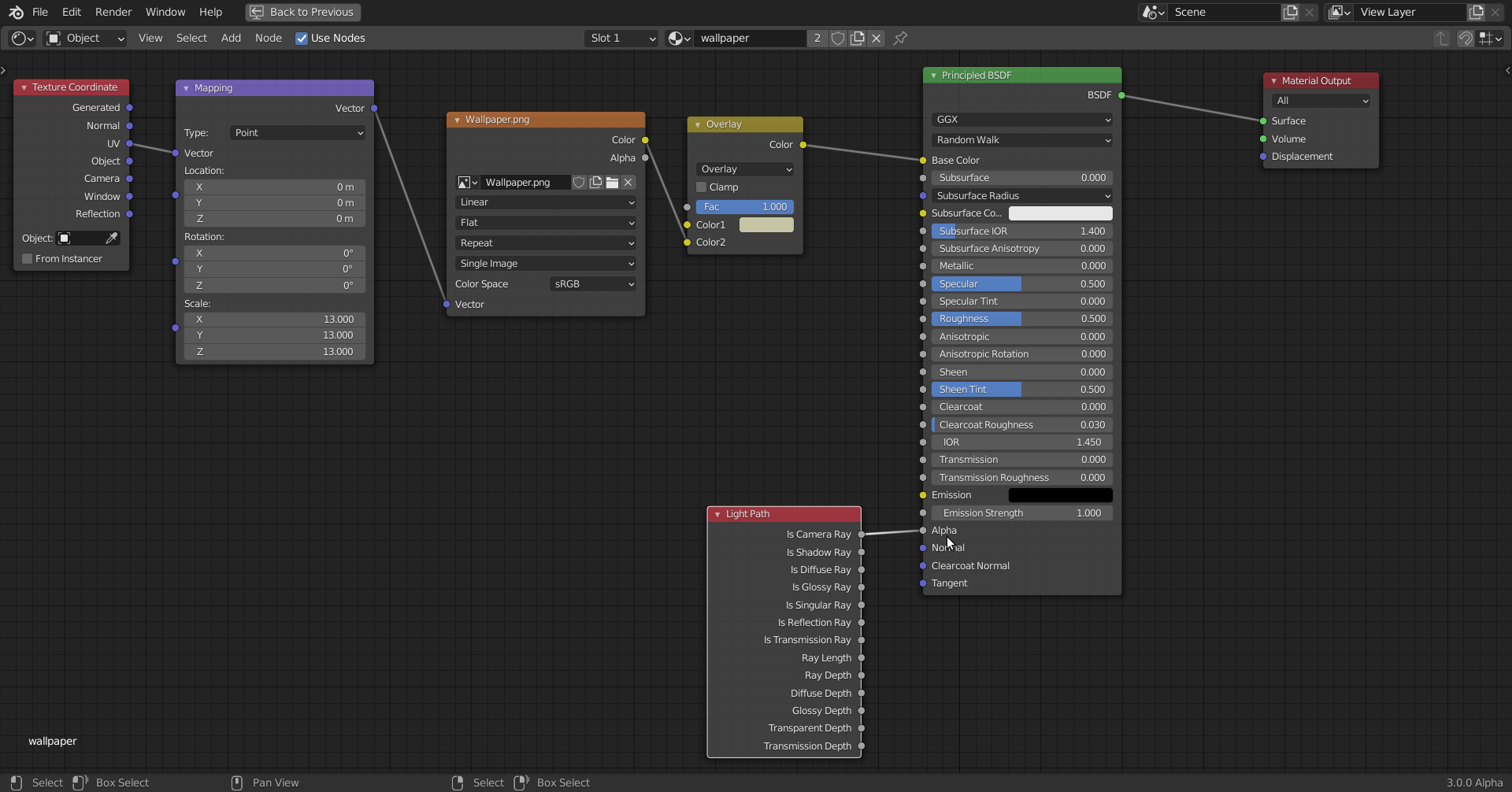
2. Above screenshot was lit with an HDRI! I often like to see early on, what my scene looks like rendered with some basic placeholder materials, but I don’t want to set up lighting yet. But the walls and so block the light from the HDRI.
So I use the Light Path Node like this (for walls, ceiling…):