“Grid Fill” has two basic working modes:
The first one is the one described above by @spikeyxxx where you select all your vertices around the hole which you want to close and where you can tweak the filling with the settings for “Span” and “Offset” after the fill command.
The second one is where you select on your hole rim two parts with an equal number of vertices. The two unselected parts should also have an equal number of vertices:
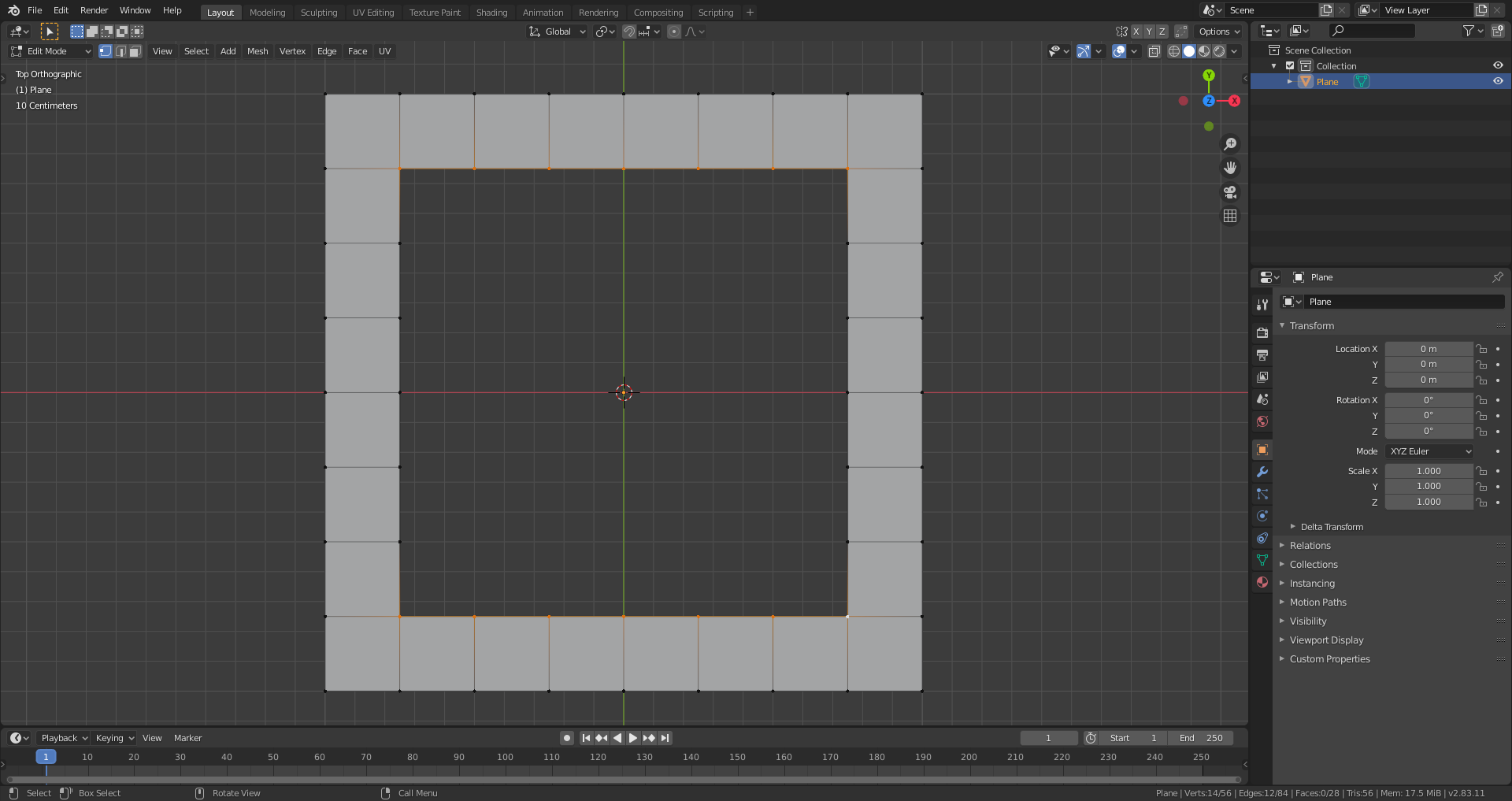
When you now select “Grid Fill”, Blender connects the marked rim parts as it would do with “Bridge Edge Loops” and does the same with the unselected rim parts:

The “Span” and “Offset” settings now have no effect since you’ve already given Blender a hint on how to fill your gap. Like this, you obtain an absolutely predictable result.

