
Reply To: Geometry Nodes Panel Toogle not working 🤔
Forum Archive › Geometry Nodes Panel Toogle not working 🤔 › Reply To: Geometry Nodes Panel Toogle not working 🤔

So my “Geo Nodes Procedural Resistor” personal project is almost done, and i finally found in which circumstances some input variables are hidden / revealed, as demonstrated in these two screen captures :
1) Custom Body Color is hidden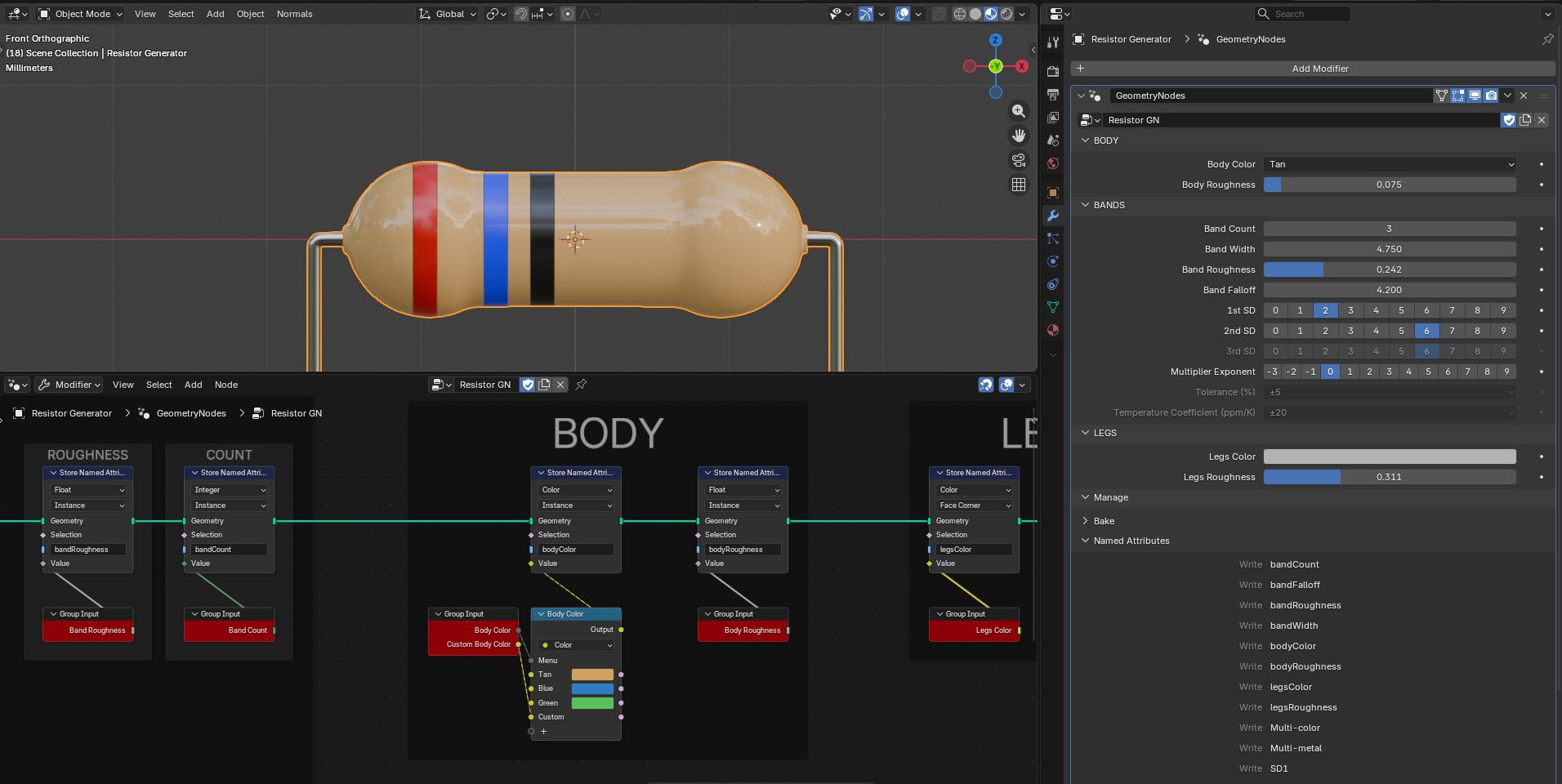
As you can see in the Geo Nodes modifier, the input variable “Body Color” is set on tan, one of the possibilities of the Body Color Menu Switch node.
2) Custom body color is revealed
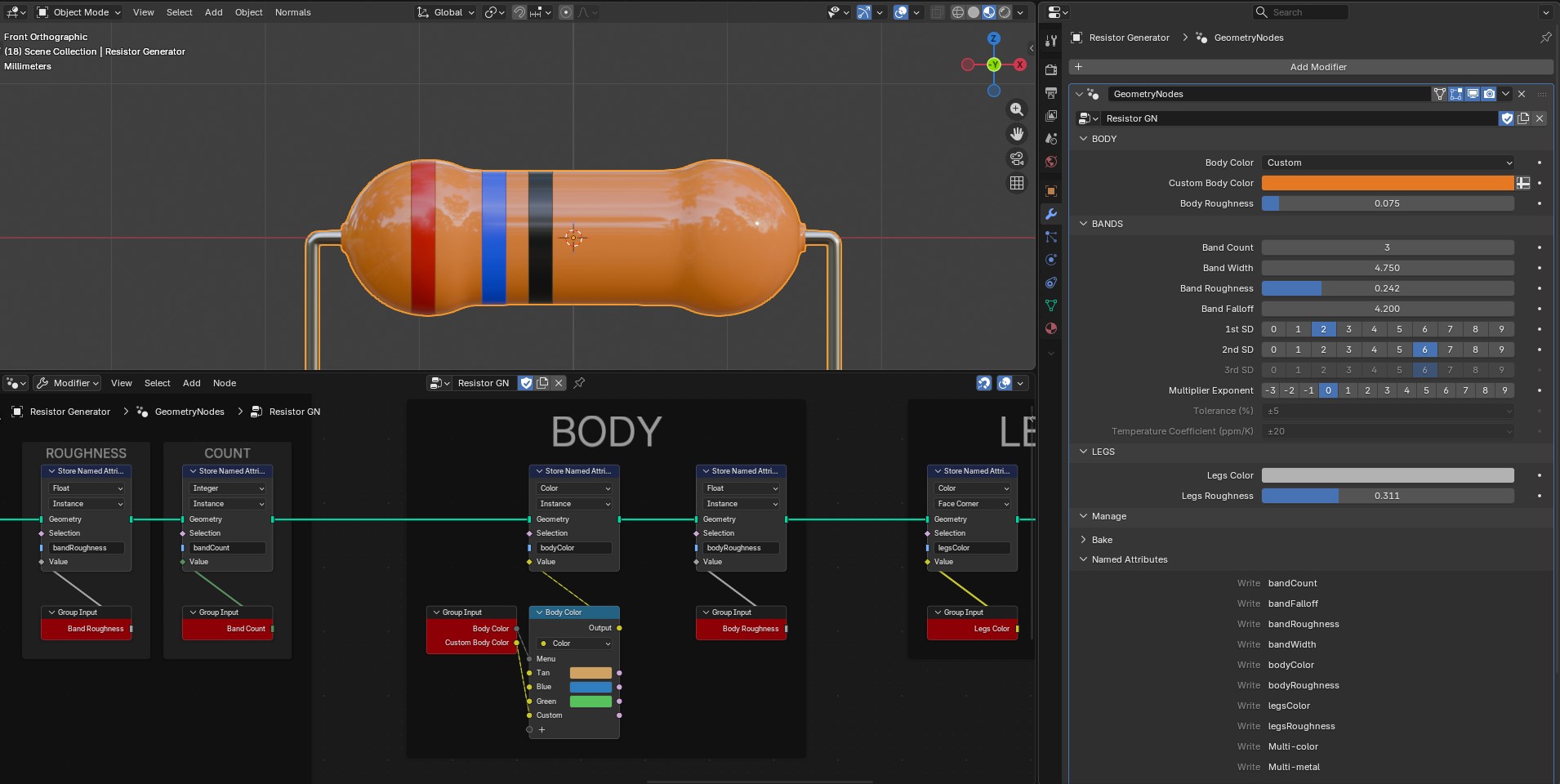
As soon as i pick “Custom” in the Menu, this implies to choose… well, a custom body color. The variable is revealed in the modifier, under “Body Color”.
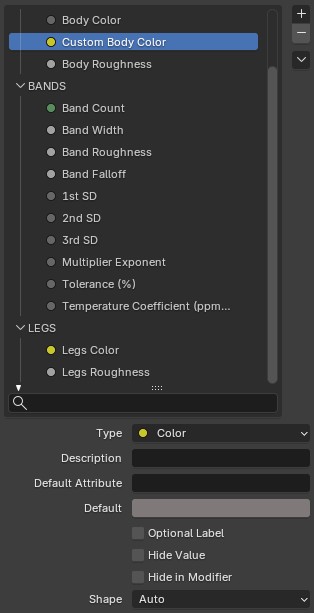
And i didn’t need to modify the default settings, which are all untoggled as you can see.
As you can also see in the first two images, some variables (3rd SD, Tolerance and Temperature Coefficient) are greyed out, because they are not used here since this is a “cheap” resistor with only 3 bands.
Here is how i achieved this result with the 3rd SD for instance :
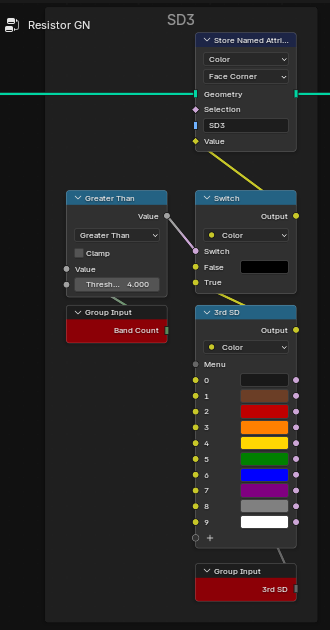
The input variable 3rd SD (SD = significant digit) is plugged into a menu switch, which in turn is plugged into the “True” socket of a switch.
The said switch is governed by a comparison between the Band Count (integer, geo nodes modifier input) and the Threshold of 4.
I.E. : the band for the 3rd SD will be displayed only if there are more than 4 bands on the resistor.
For 3 or 4 bands, the 3rd SD input will not be used, and thus it will be greyed out.
I hope it helps other Geo Nodes nerds out there 😅.