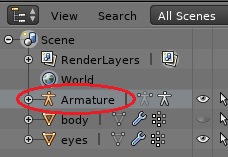
Additional to clicking the little eye icon in order to make the character visible, you must go to Object Properties – Display and change “Maximum Draw Type” from “Wire” to “Solid” or “Textured” ! Had to find this myself…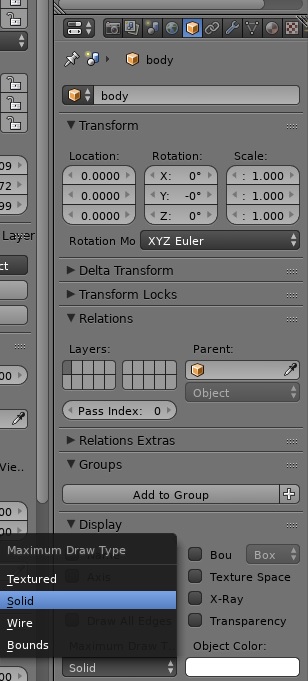
As for the armature you can just delete the whole thing from the Outliner (Right click on the “Armature” and select delete).