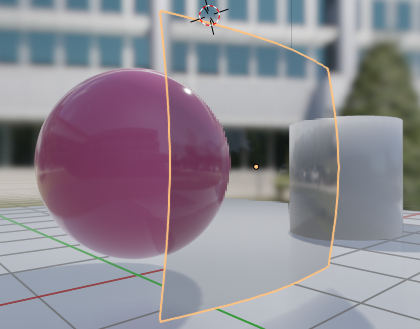
And another tip that may be useful for my fellow comrades. It was my answer to Grady’s homework but I think someone could use this info too. Since we are mostly doing cars this week, somebody may want to know, how to enable transmission in EEVEE to make some transparent windows.
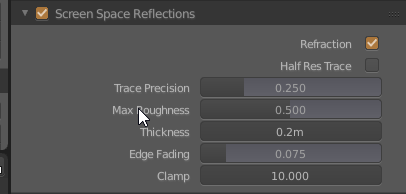
First of all, you should enable Screen Space Reflections and check the “Refraction” on.
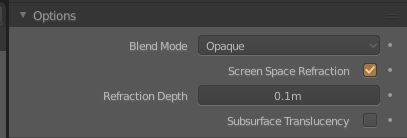
The second – you should go to your materials tab (for your “window” object) and enable “Screen Space Refraction” checkbox under the options dropdown. You can also set the approximate “glass” thickness here (refraction depth).
And then you can tweak your principled bsdf node transmission, IOR etc. values to get what you want.