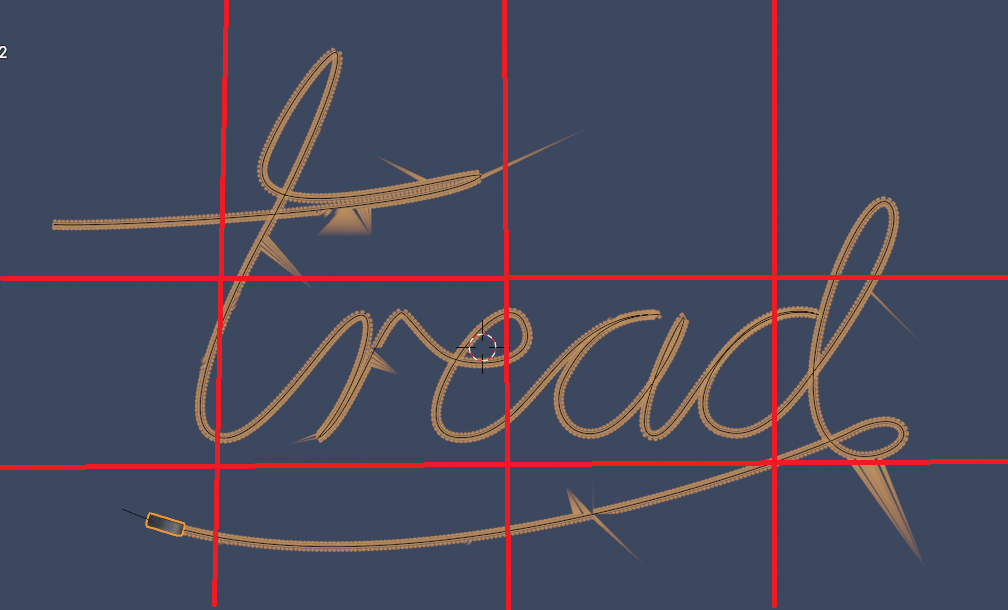
 As someone who use to do weird things because I had a really low spec PC, here is something you might want to try. Divide your plane up into smaller planes.(See image) Put each plane on separate scenes or blend file. Make sure the same camera is linked to each scene. Select camera, Ctrl+L->Scene->Select scene. Note: It may be Shift+L I don’t remember off the top of my head. If you use multiple blend files, then do the camera animation and brush animation in one file and use F4->Link->Select file with the camera and animation in it. This way you can break up the piece into smaller chunks. Render with Transparent background on all except the bottom layer. Then you can combine in VSE or compositor with alpha over nodes, whichever one you’re more comfortable with using.

