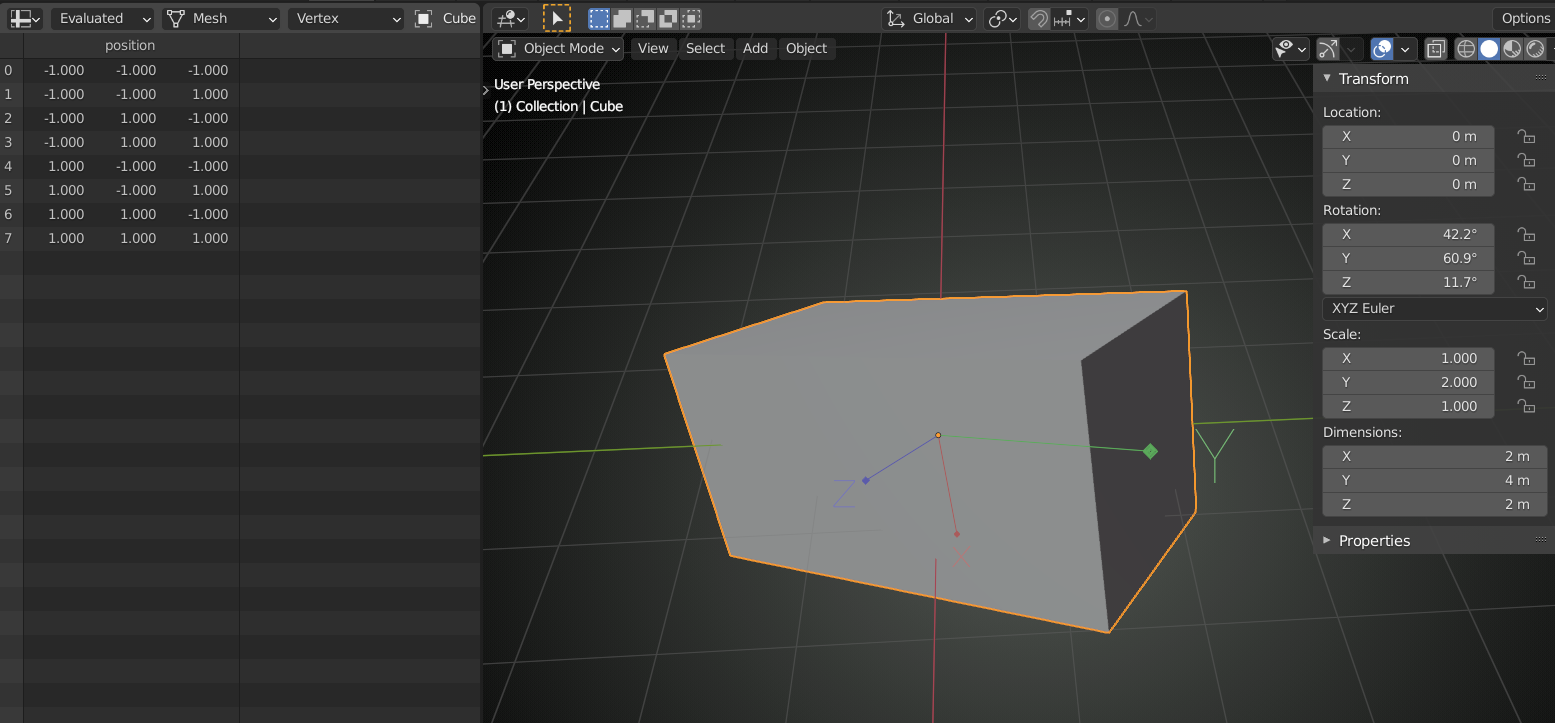
is there any way to undo apply rotation?
@sageart apart from CTRL+Z, no.!
That is why it is important to not Apply the Rotation, unless you have a good reason to do so.
Look at it this way:
Any Object has an Origin, that shows as an orange dot, but is in fact a ‘personal’ Coordinate system for that Object, with an X-, Y- and Z- axis. When you rotate an Object in Object Mode, You are actually rotating the Object Origin’s axes. And if you then scale on the (local) Y- axis by 2, for instance, the Object Data (where are the Vertices of this Object) doesn’t change, but a step in the Y direction will be twice as long as a step int the X-, or Z- direction: