If you select the Camera, then you can move it with G and rotate with R. As far as I know you cannot move anything that is not selected.
What you can also do is to go to camera view (Numpad 0) and then enable Lock Camera to View:
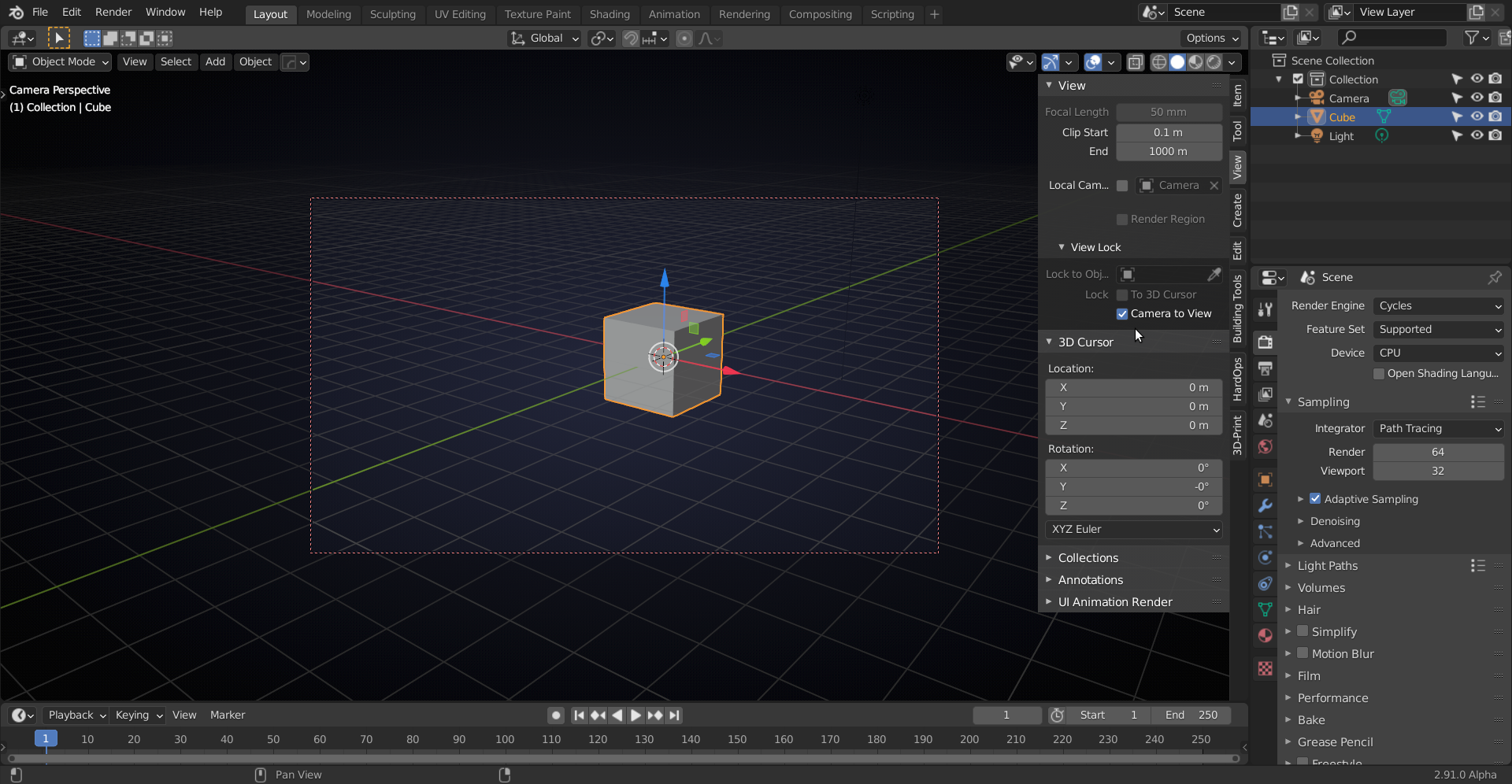
now you can navigate your viewport as usual, but your Camera will see ‘the same’ as you see in the Viewport. Notice the red ‘rectangle’ around the Camera View. Don’t forget to turn that of again when you are happy with the Camera position.

