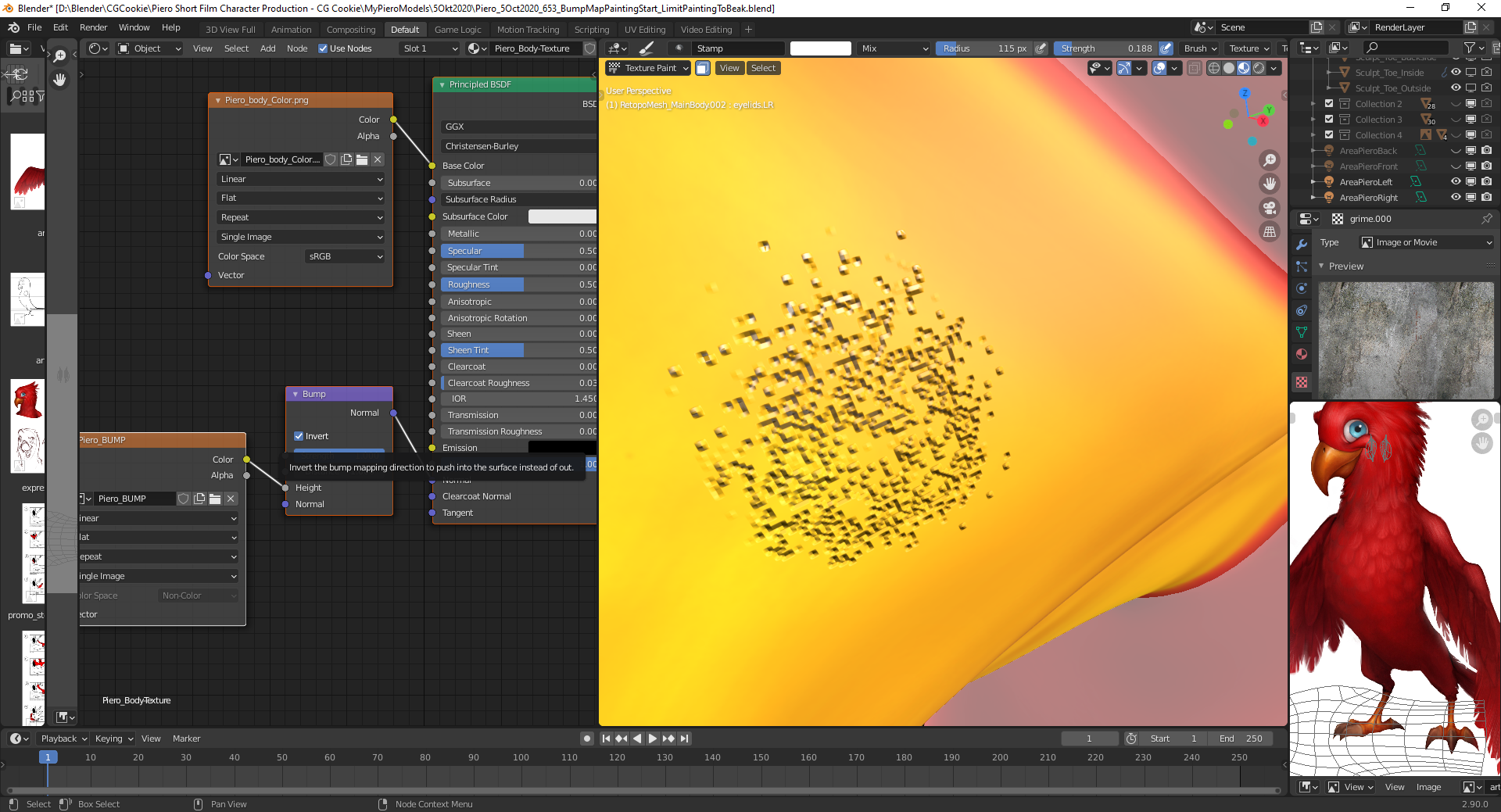
Finally, I could solve the problem:
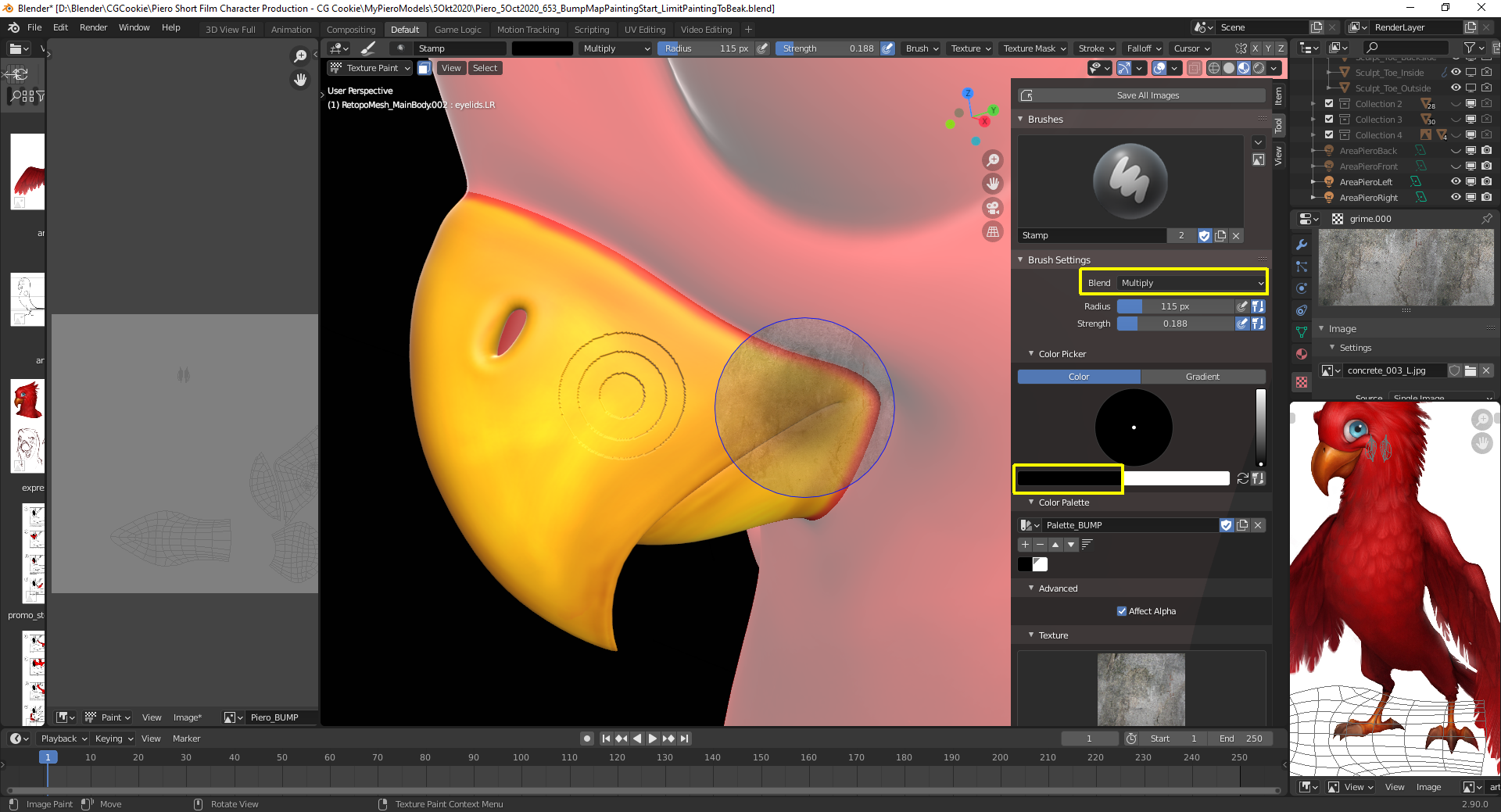
I had the “Blend Mode” of my brush set to “Multiply” which for some strange reason mixes in the “Falloff” of the brush. Since the “First Brush Color” was set to “Black”, the “Brush Image Texture” didn’t have any effect:
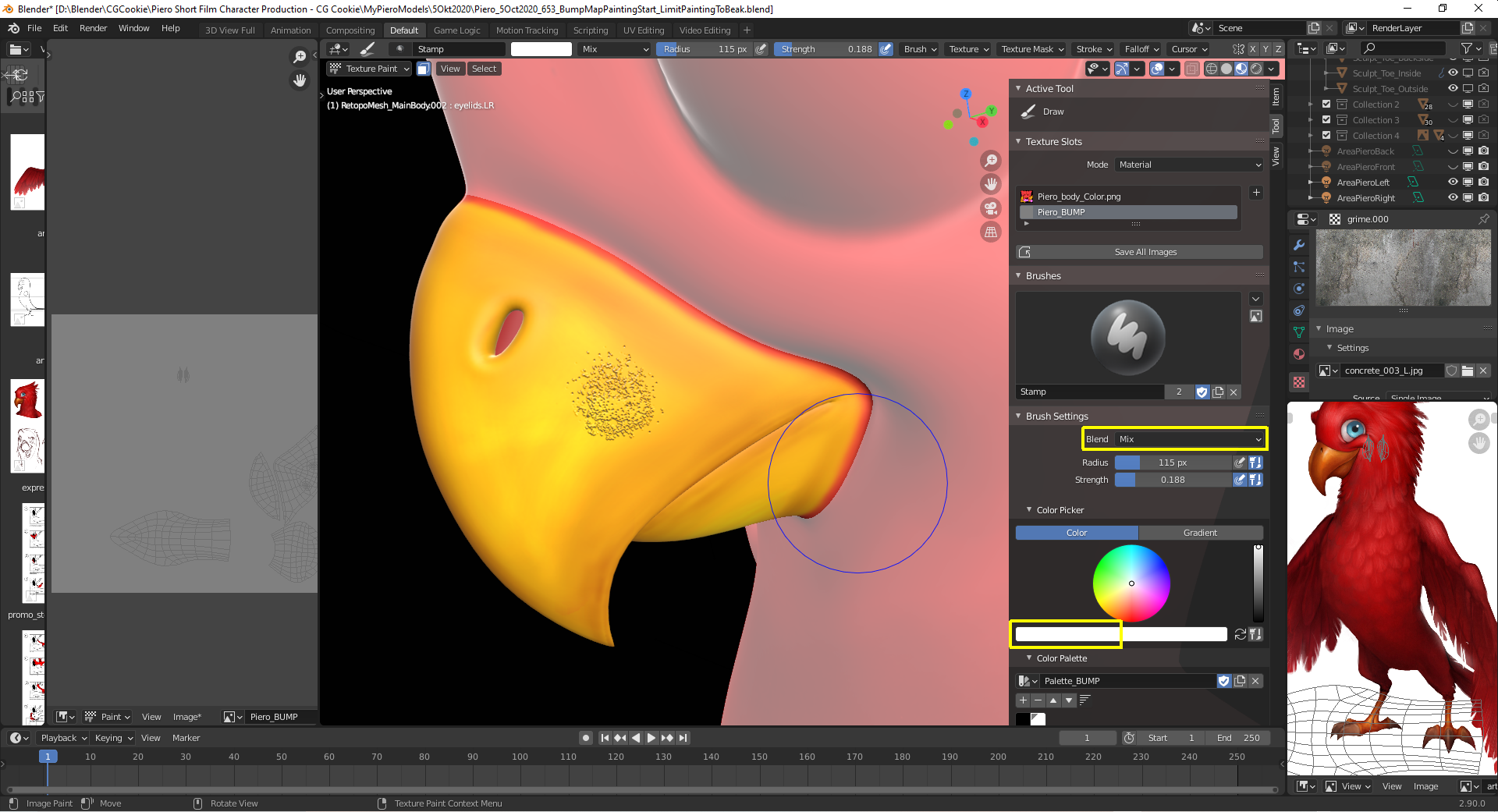
With “Blend Mode” set to “Mix” and the “First Brush Color” set to 100% “White”, the brush texture becomes visible:
You can invert the effect by checking the “Invert” box in the “Bump Node” of your material: