So I’m not sure if I missed some of the steps or anything, but the problem for me indeed was the alpha channel. It seems that the alpha wasn’t including the lighting that I put in, so the image saved ends up different.
Here’s how I fix it, I just used one of the color channel as the new alpha and the saved image is fine and dandy.
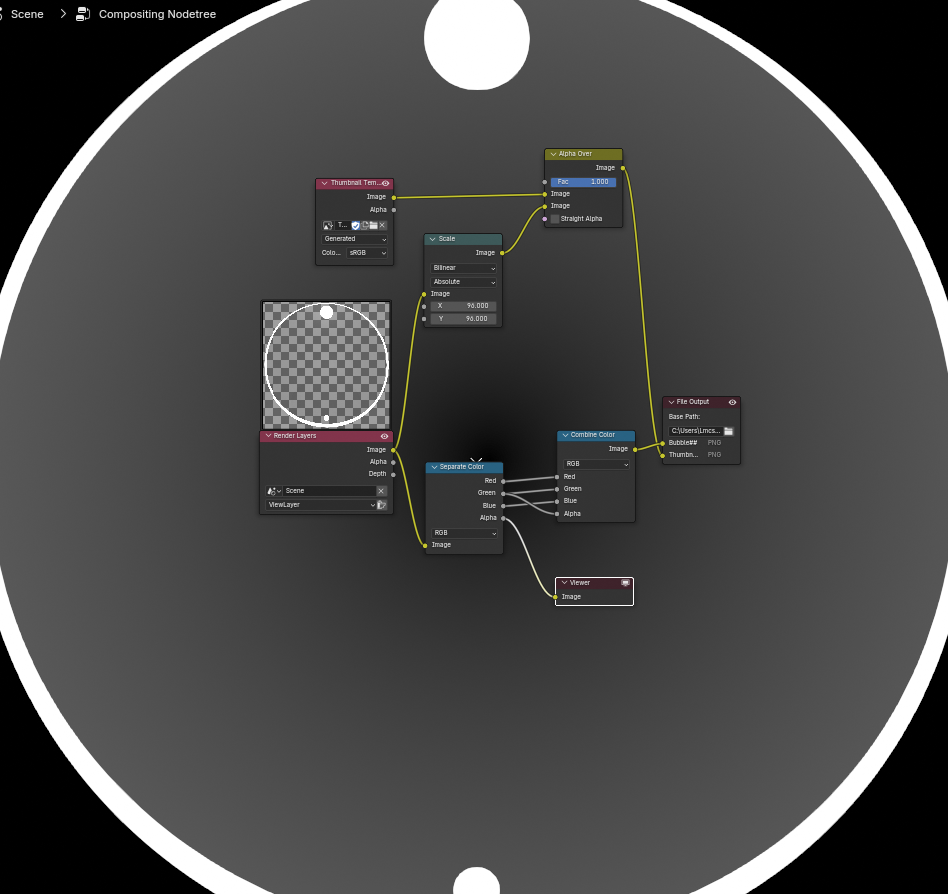
You can see the alpha in the bg here and how it doesn’t have the lighting on it.
What’s weird is that it looks correct in the render result in the image editor and in the 3D scene view.
Would appreciate a more proper fix if anyone comes across it or know why this happens.

