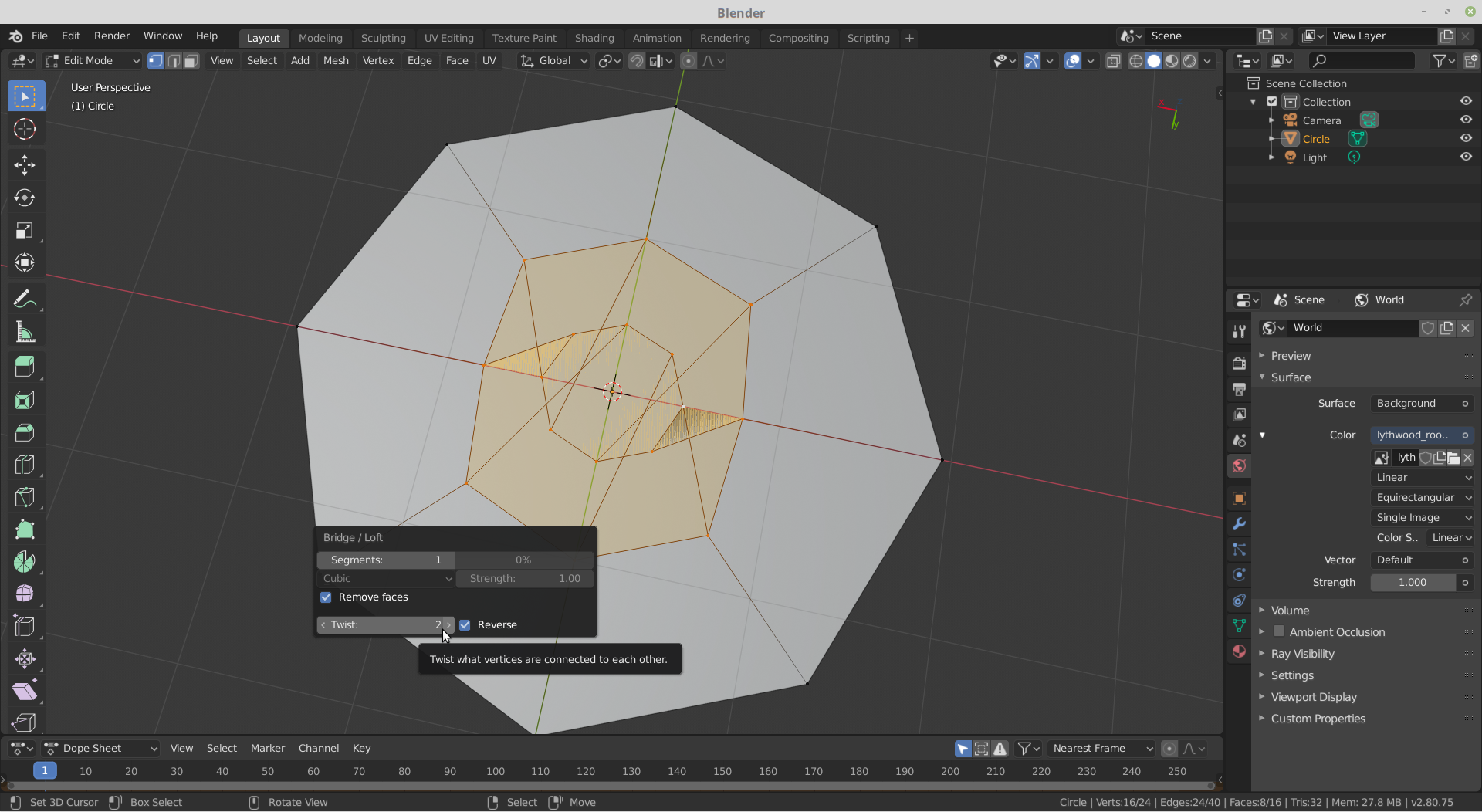
@ryzen7 Hi.
This is happening, because the order of the vertices of the two edge loops is not consistent; one is going clockwise and the other anti-clockwise.
You could, before connecting them, rotate the inner edge loop 180° around the Y-axis. That should fix it.
Alternatively, enable the Loop Tools Addon (highly recommended!).
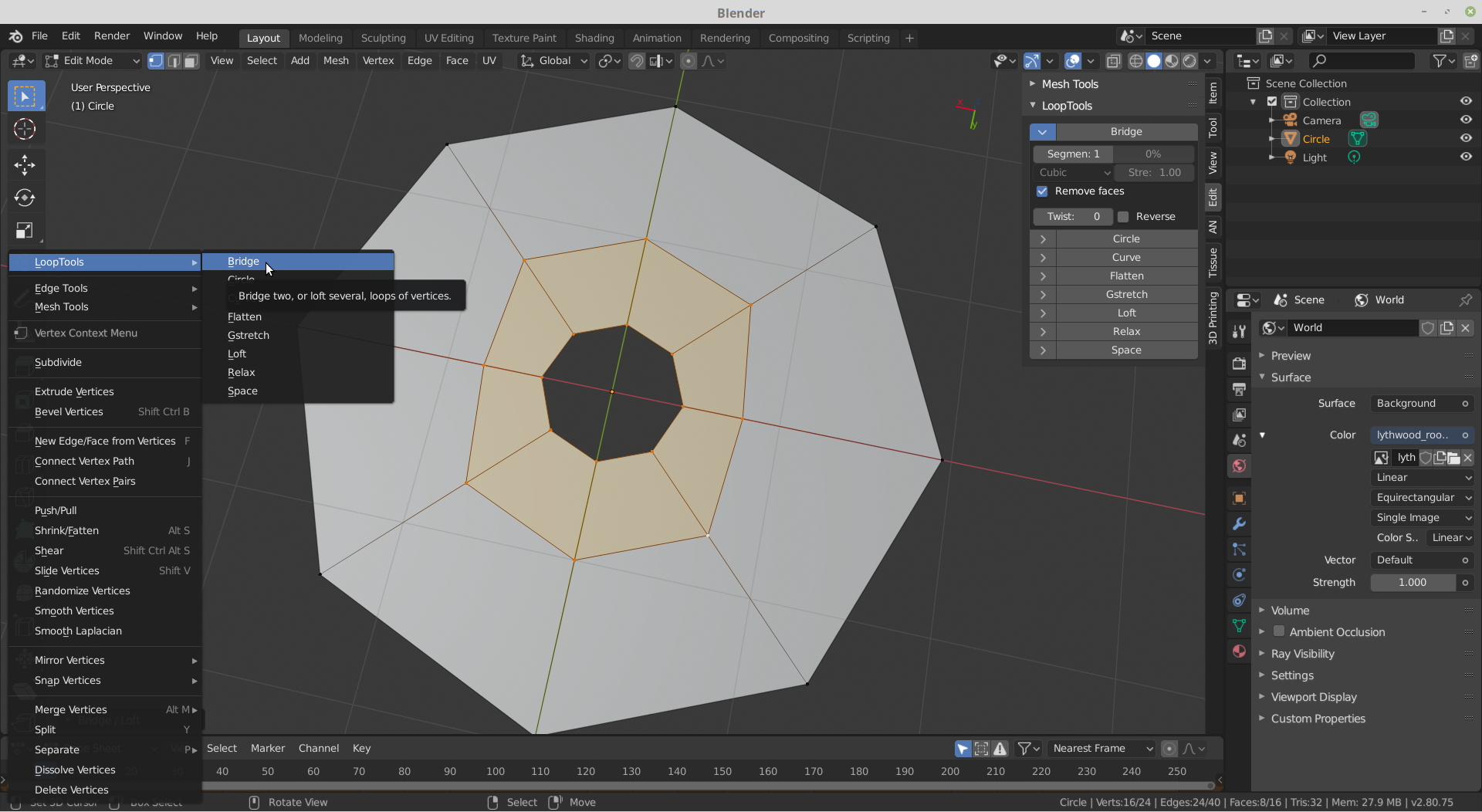
Then if you go into the Context Menu, or look in the N-Panel under Edit you can Bridge from there, which not only gives you the Twist option, but also a Reverse checkbox.
With F9 (F6 if you are still using Blender 2.79 or earlier), you can change those: