Hi Dani! I’ll have to refresh my own memory and see if I mentioned holdout materials as a solution for helping with this. In case I didn’t, here’s the quick rundown:
First – yes, do the fill as you’ve done it for your mask. Then on the same layer, use a holdout material and fill in this small area that you want to punch a hole through. Here’s some screengrabs:
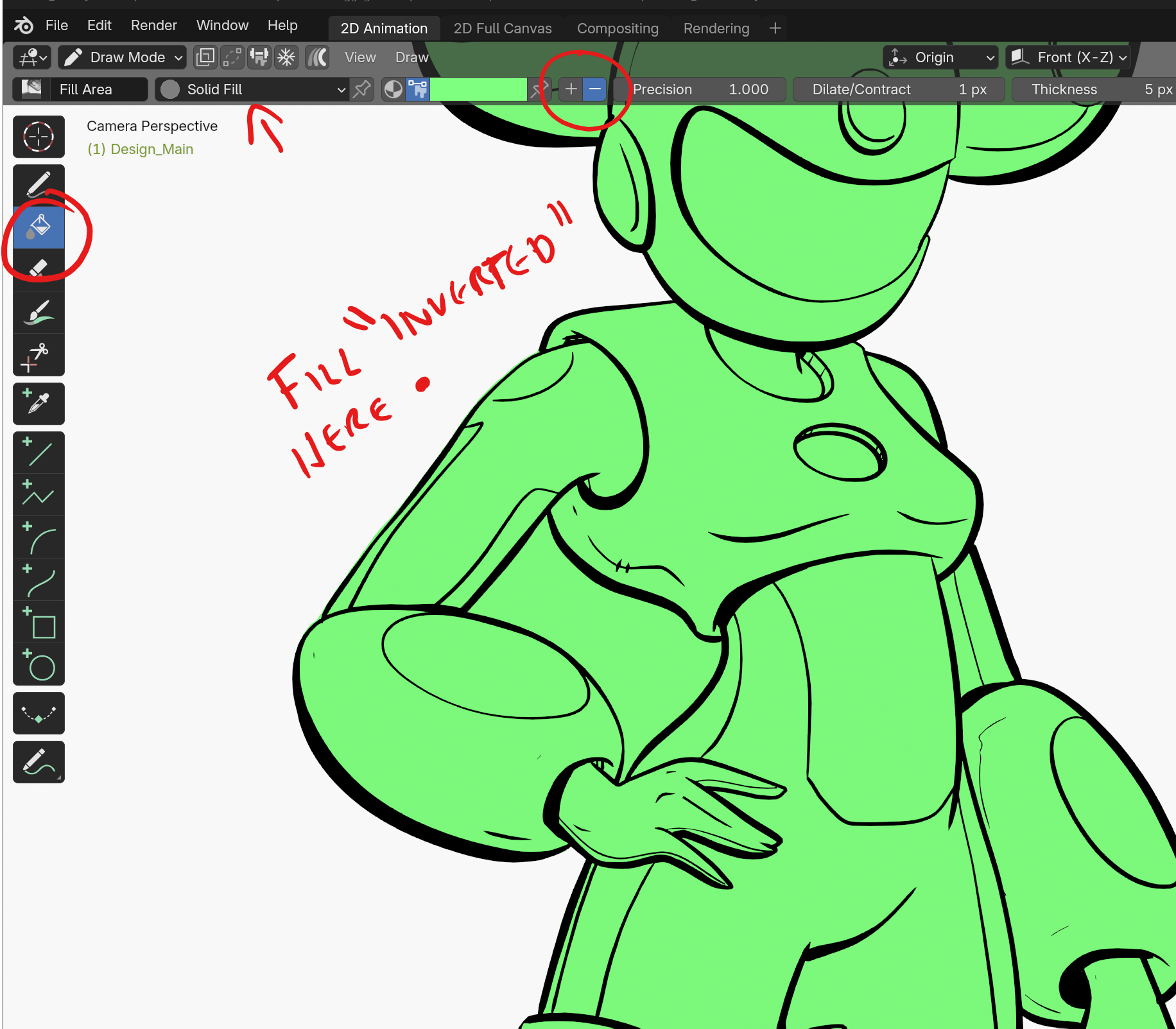
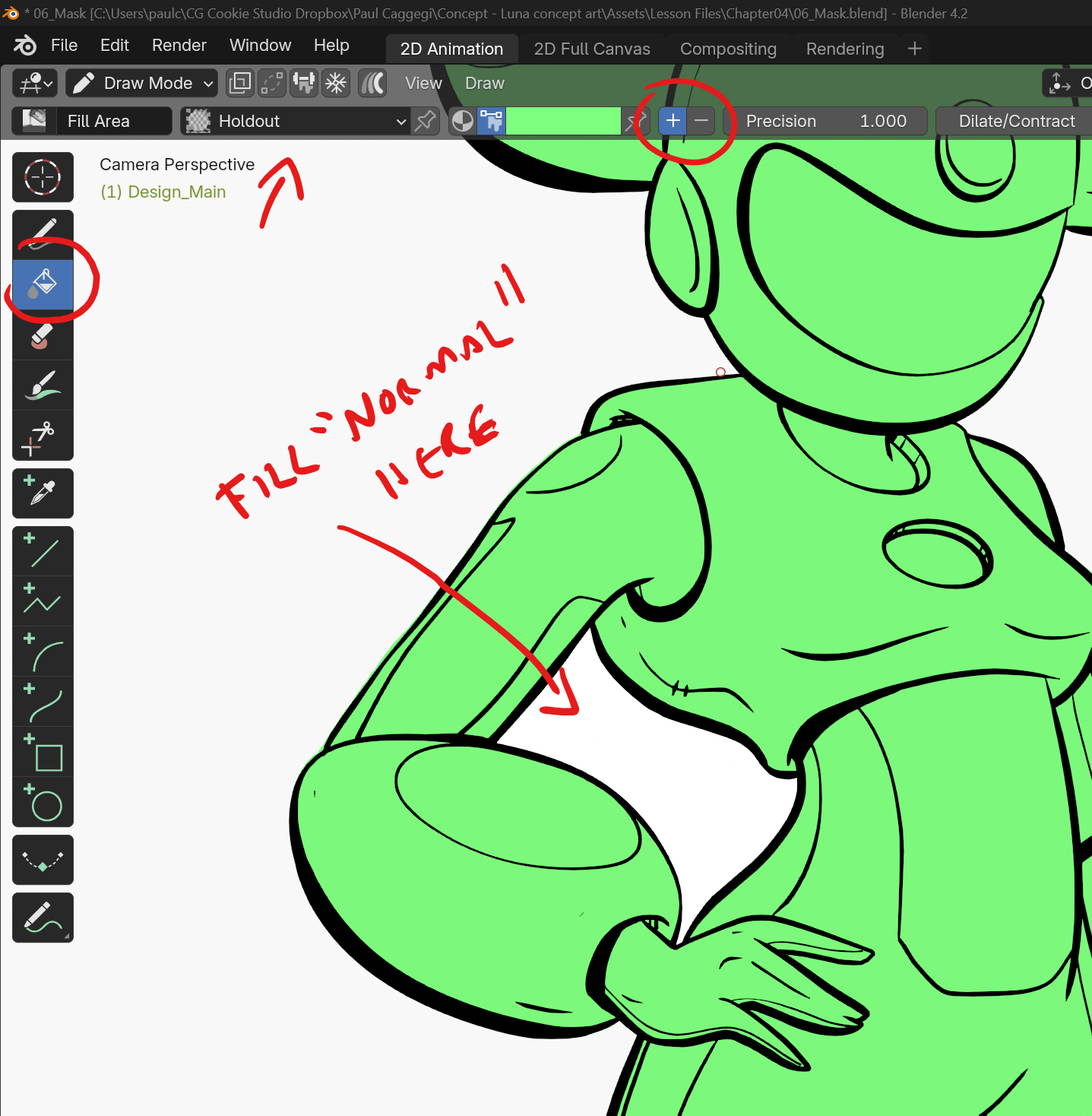
A couple of things to look out for – A holdout material works best if the material’s color is set to Black (not grey, or white)
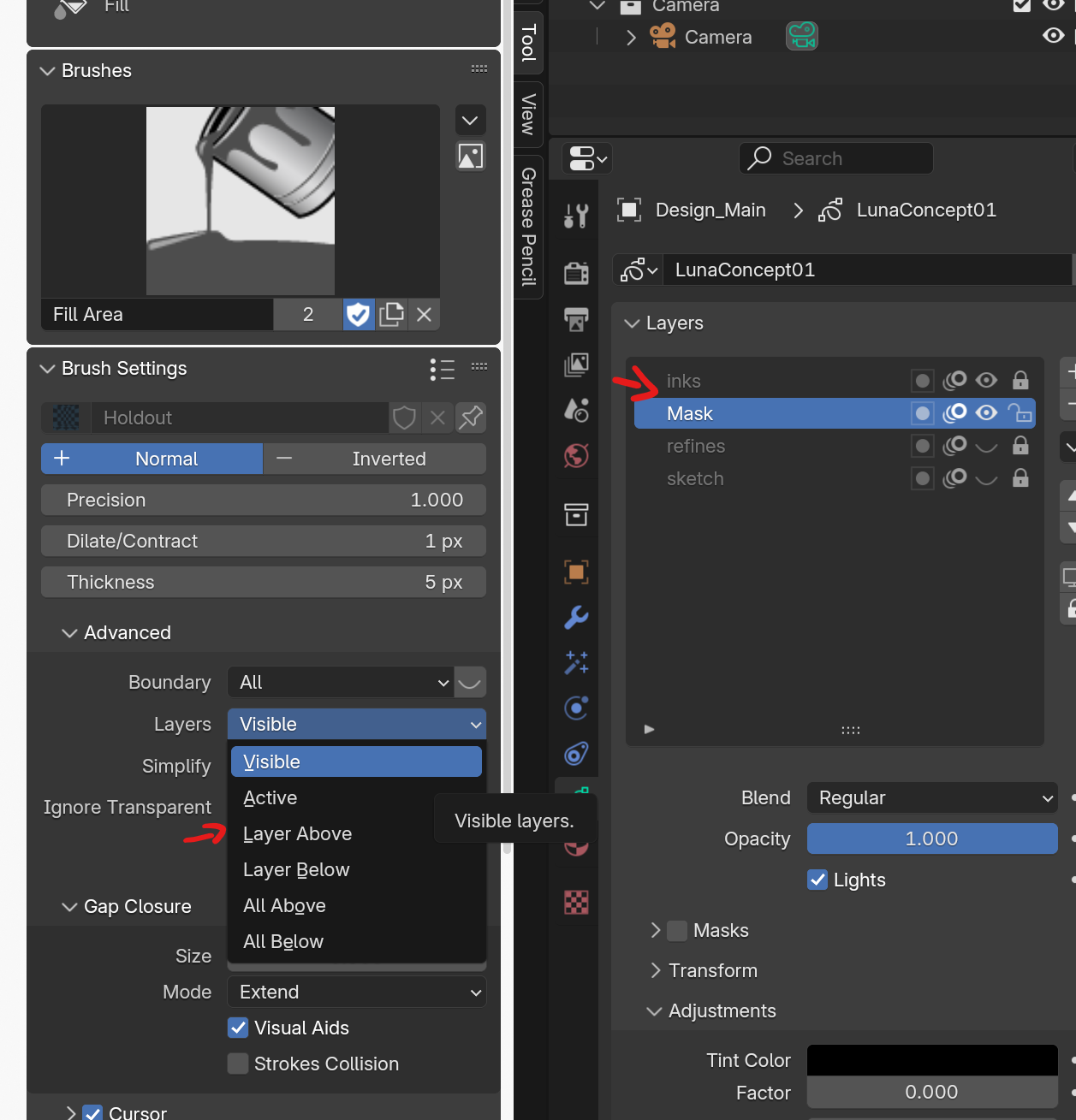
What is used to create a fill is also important. You can set layers to just what is above; what is visible; etc. In the case of the screengrab, The inks layer is both visible and above the Mask layer (which I am filling). The fill will ignore anything hidden (eg: refines and sketch) is set to “visible”. I could also set this to “Layer Above” and have those layers visible, and the fill tool will only take into acount the layer above the Mask.

