
Reply To: Blender Cloud Questions
Forum Archive › Blender Cloud Questions › Reply To: Blender Cloud Questions

Ok here is an example I used in a project a while back. The hair clippers have a light up battery and cut length gauge. I used emission shaders to light them up, but I had to tell Blender which parts to actually light up. To do this, I took my UV’s into Photoshop and flooded the background with red. I then made the logos in PS on their own layer and made the battery light green and length gauge blue (NOTE that this was not to tell blender the colour of the lights, that was done with the colour of the emission shaders, the fact that they matched the light colour was merely coincidental) Anyways, I positioned the two layer where they needed to be on the map by using the UV’s as a guide. I then used an RGB split node along with the map, to tell Blender which was to be the black material (RED on the map) , and which were to be the two emission shaders. Once plugged in, the logos lit up 🙂 There was also another map used, with another RGB split node that is shown in the decals section of the node group. This was to add the PHILLIPS decal on the body, but it was silver paint rather than emmisive so I used the second map to control that.
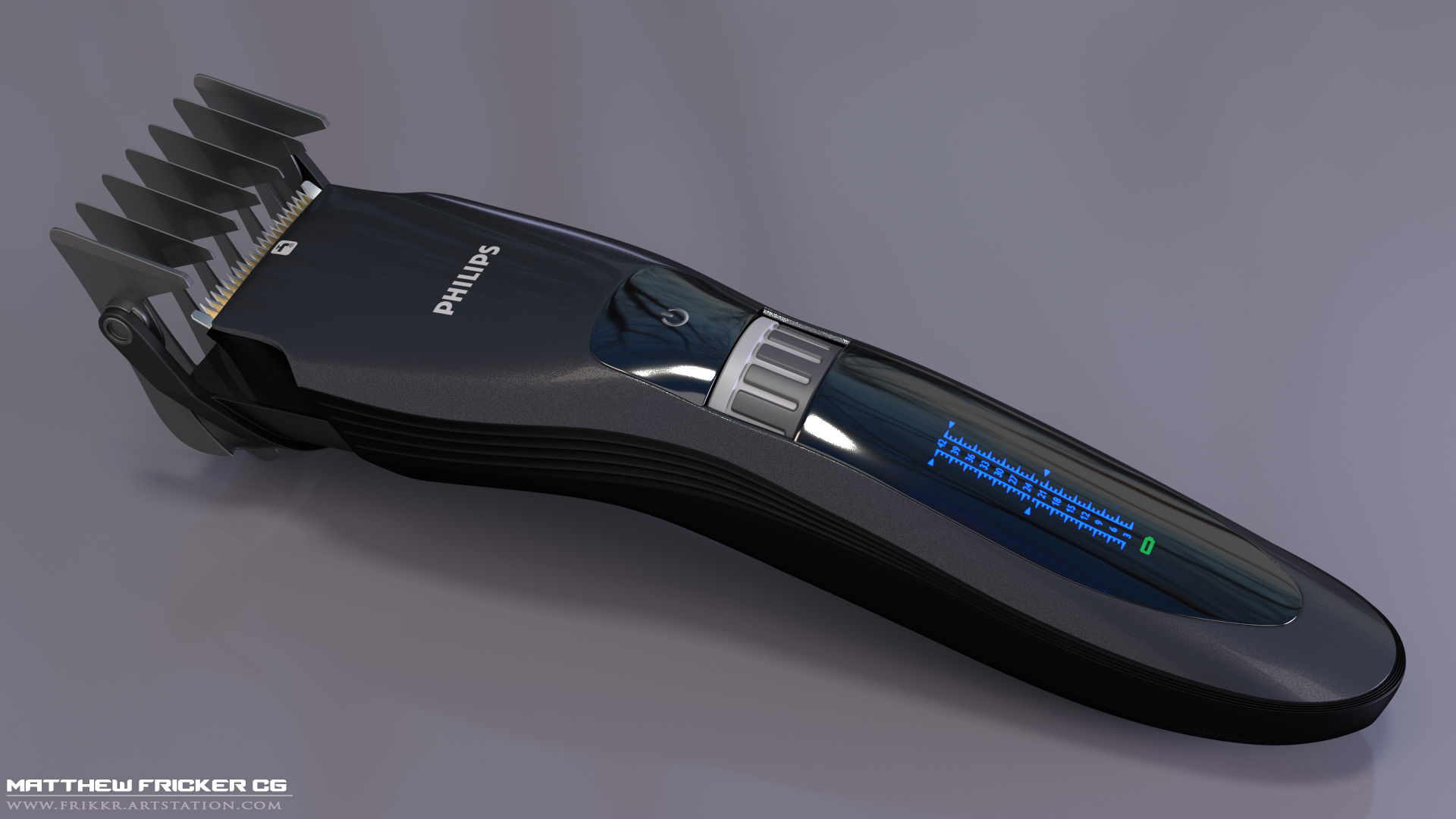
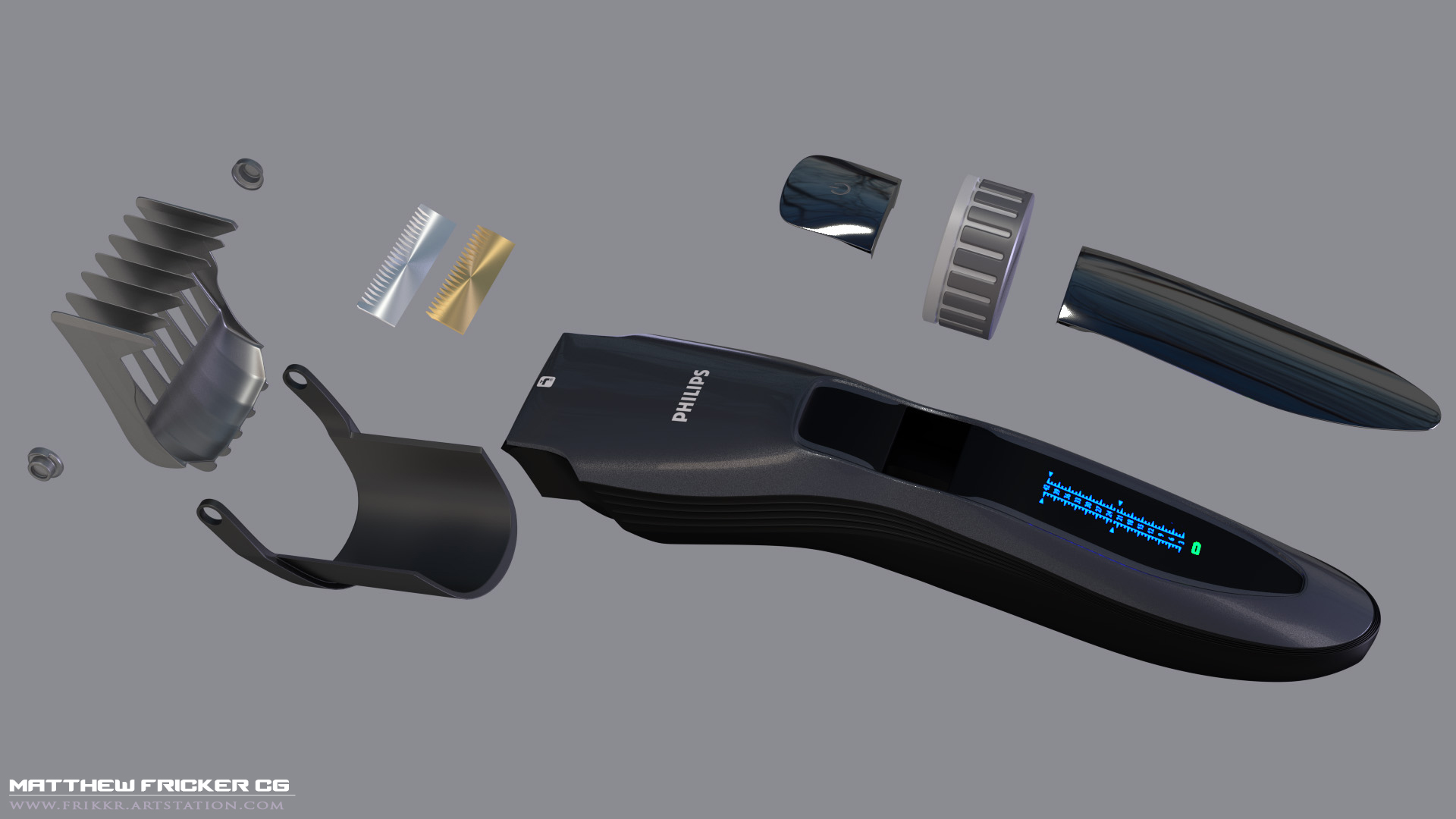
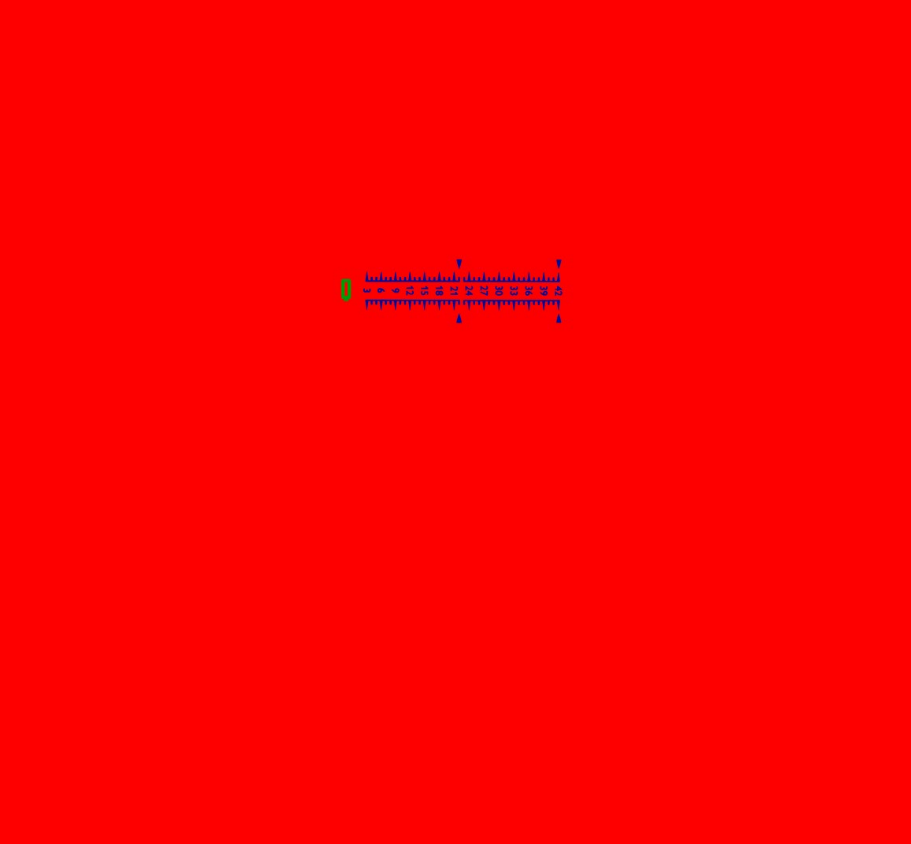
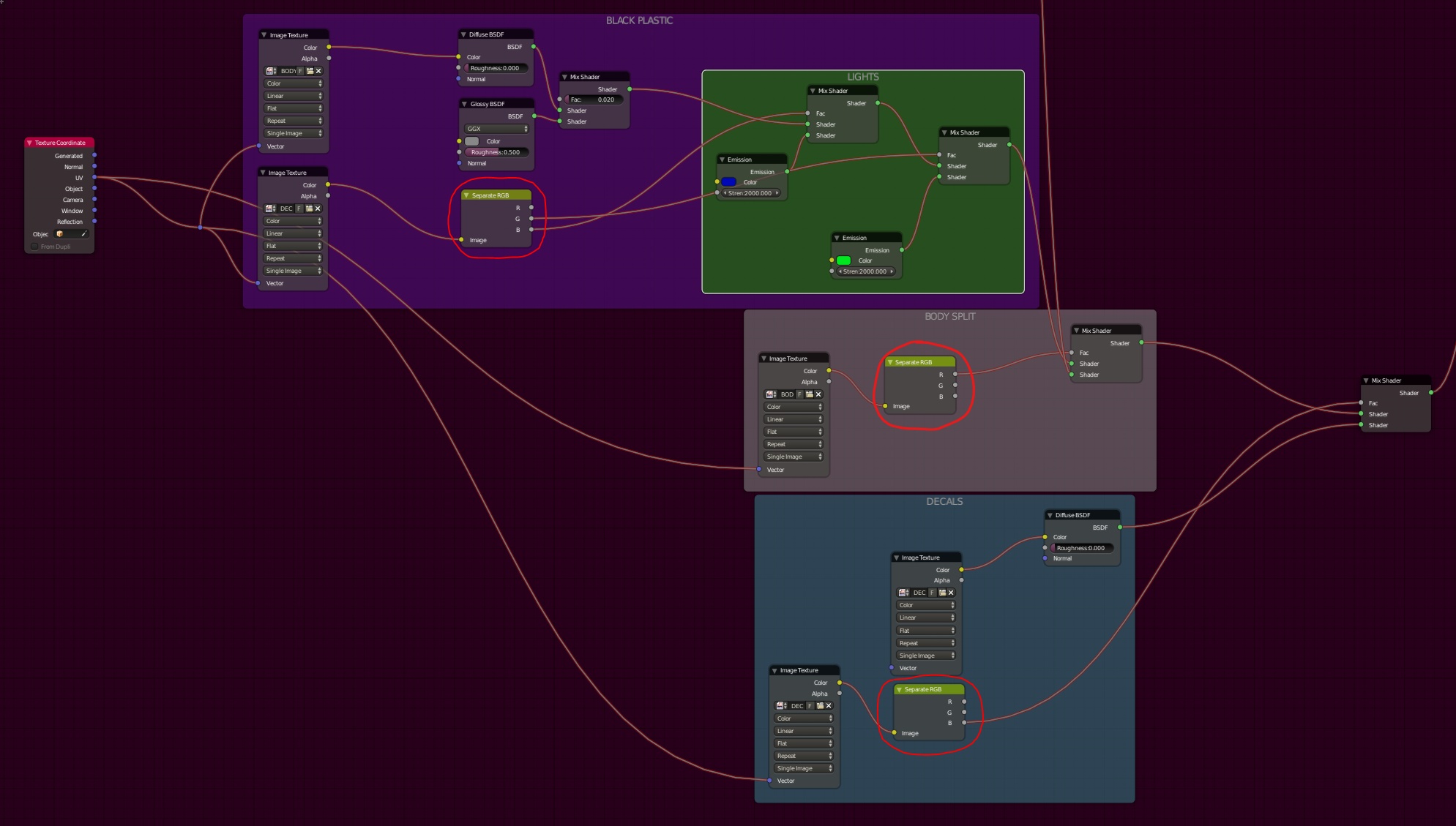
(Right Click image – open in new tab to view fullsize)
Hope this helps, give me a shout if you want a better explanation