@iii1brain that would mean that your Normals were flipped (before your fix). The easiest way to solve this is by using the hotkey SHIFT+N in Edit Mode, with everything selected. Remember this key combo, because you will be needing it a lot!
A simple way to see if you have a problem with your Normals, is to (temporarily) enable Face Orientation in the Overlays dropdown”
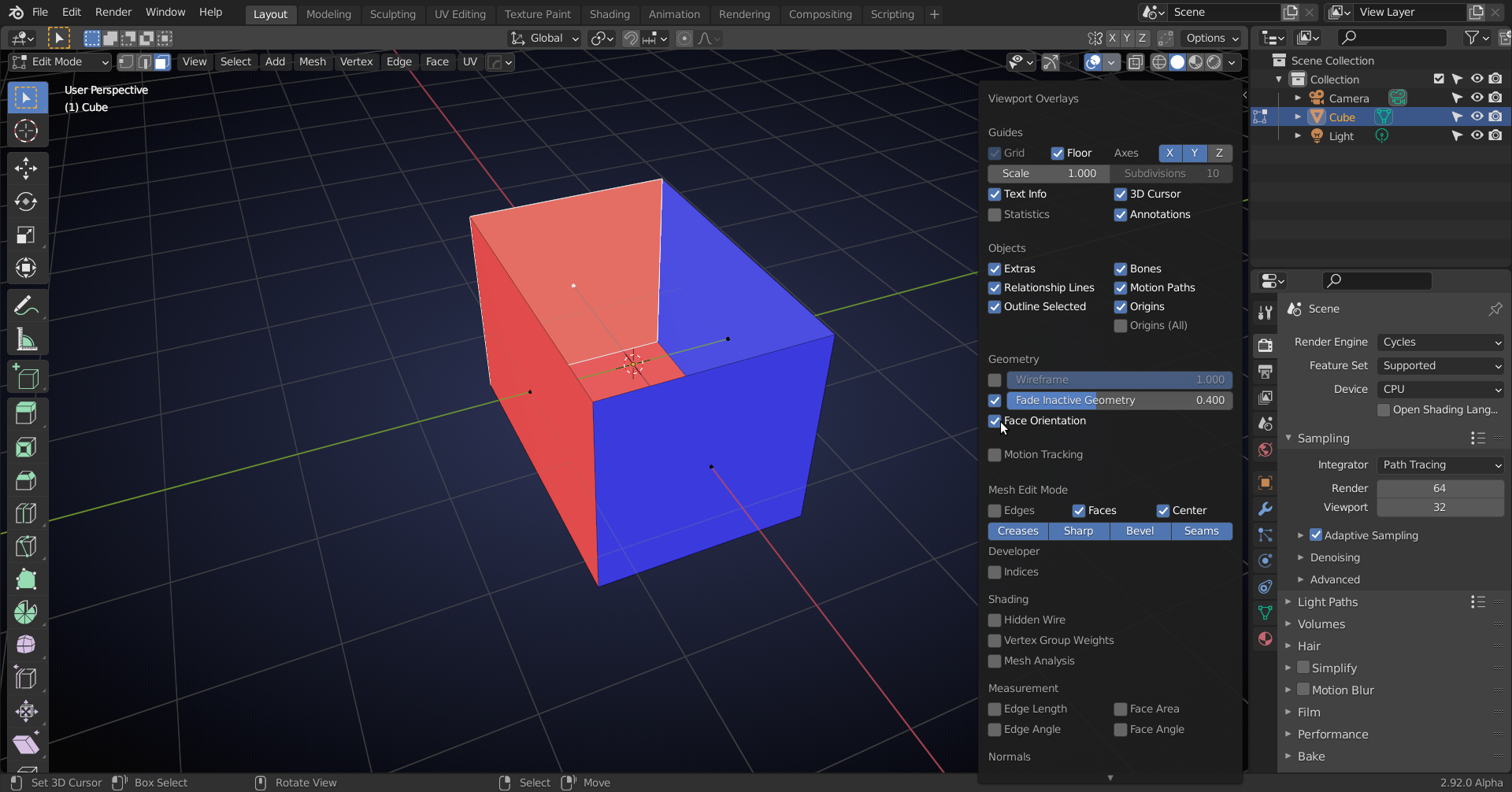
The outside of the box should be blue (front of the faces) and the inside red (backside of the faces).
SHIFT+N fixes all the Normals (of the selected Faces) at once (in more than 99% of all cases).

