
Reply To: BC4-1810Homework Leonardo Jimenez
Forum Archive › BC4-1810Homework Leonardo Jimenez › Reply To: BC4-1810Homework Leonardo Jimenez
October 15, 2018 at 3:34 pm
#43559

@lejimenezro Good work this week. I applaud your initiative to do a day and night version of your vehicle. Here’s my notes:
- Both renders are on the dark side. The day time scene’s sun doesn’t feel nearly bright enough. The sharp shadows on the ground suggest it’s a bright sunny day but the intensity isn’t there. In the night scene, yes it should be dark, but it should also be visible what we’re seeing. Even for artistic license I recommend you brighten the scene beyond reality for the sake of visibility. You can convey darkness with a blue-ish color too rather than with black. Here’s some quick levels adjustments and color balancing to illustrate what I mean:
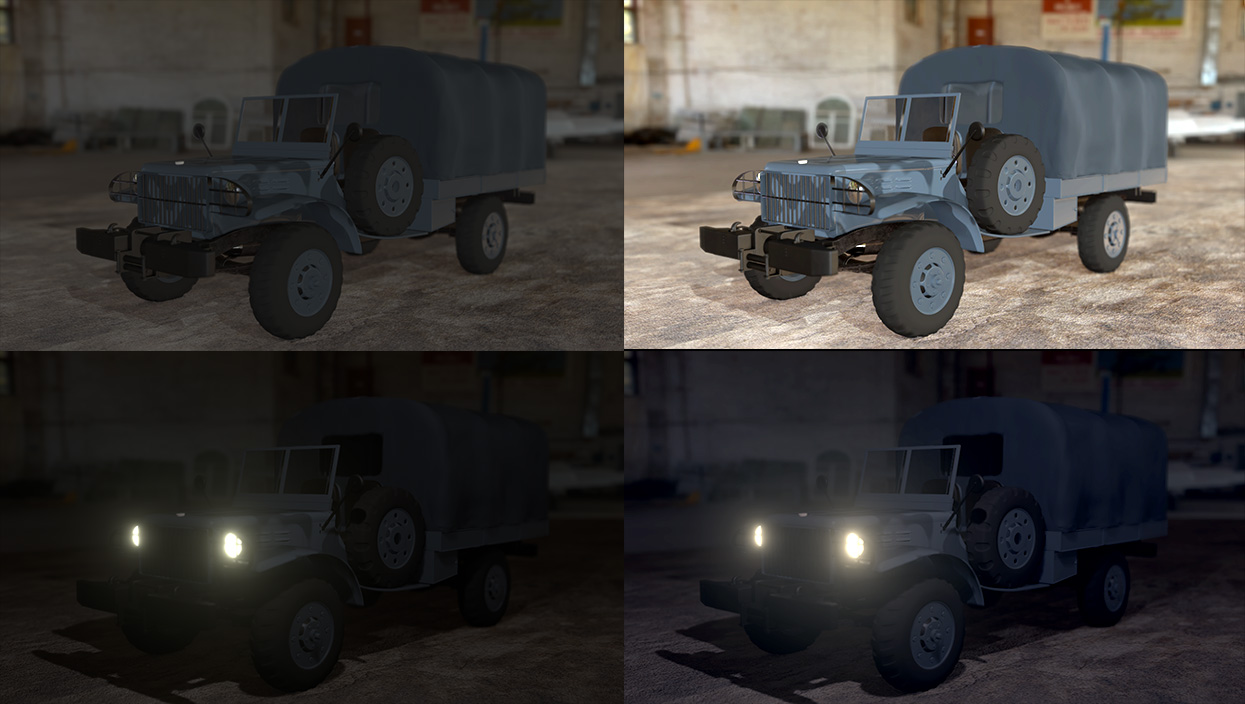
- No apparent reflectivity. I don’t know if it’s the darkness making reflection invisible or what, but I see no strong evidence for any reflection in the scene. No reflection is a big negative for realistic and believable lighting. Remember “everything is shiny” as that guy on wikipedia said.
- Contact shadows: Currently your render is lacking contact shadows which are crucial for making it look like objects are in close proximity and/or touching one another, like wheels to ground. I recommend A) turning on contact shadows for your light(s) and B) enabling AO (ambient occlusion) in your Eevee render settings.
Still I like the effort in these renders: It’s a B for this first half of the homework.
I think you’re really close with the light match. Lamp values, hues, saturations, and positioning look pretty spot on. The only note I have is again about contact shadows. In the image below, notice the darkening that’s taking place on the left where two objects touch / intersect:

It’s a B+ on the light match for me. Good work overall, Leonardo!