Hi Uma,
There’s a few ways to do this Uma.
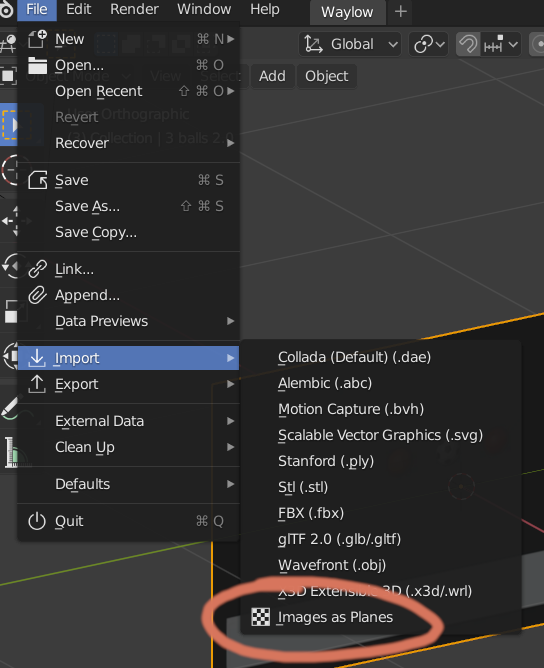
You can use the Import “Images as planes” add-on (which ships with Blender)
Just enable it and then drag the video into the viewport (or Choose File > Import > Images and Planes)
But you will need to make sure you enable “Texture” in the viewport if you want to see it in solid mode. Otherwise just switch the shading mode to Material Preview (or Rendered Mode works too)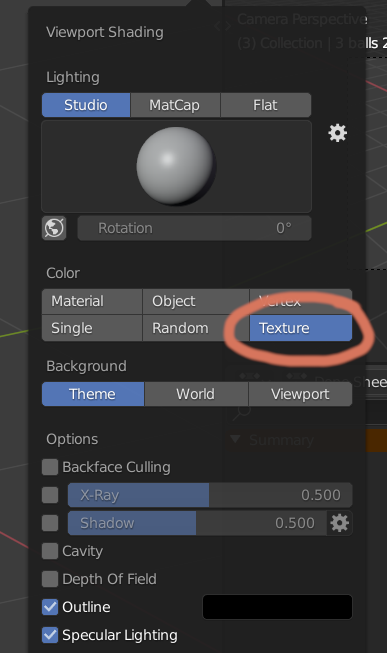
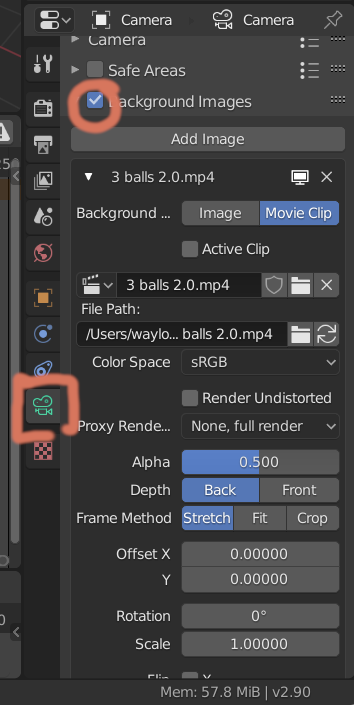
Another way is to attach it to the camera view. Then enable Background images.
But my personal preference is to have a seperate window and load the ref into the VSE and have them side by side (not over the top of the model)
Hope that helps.

