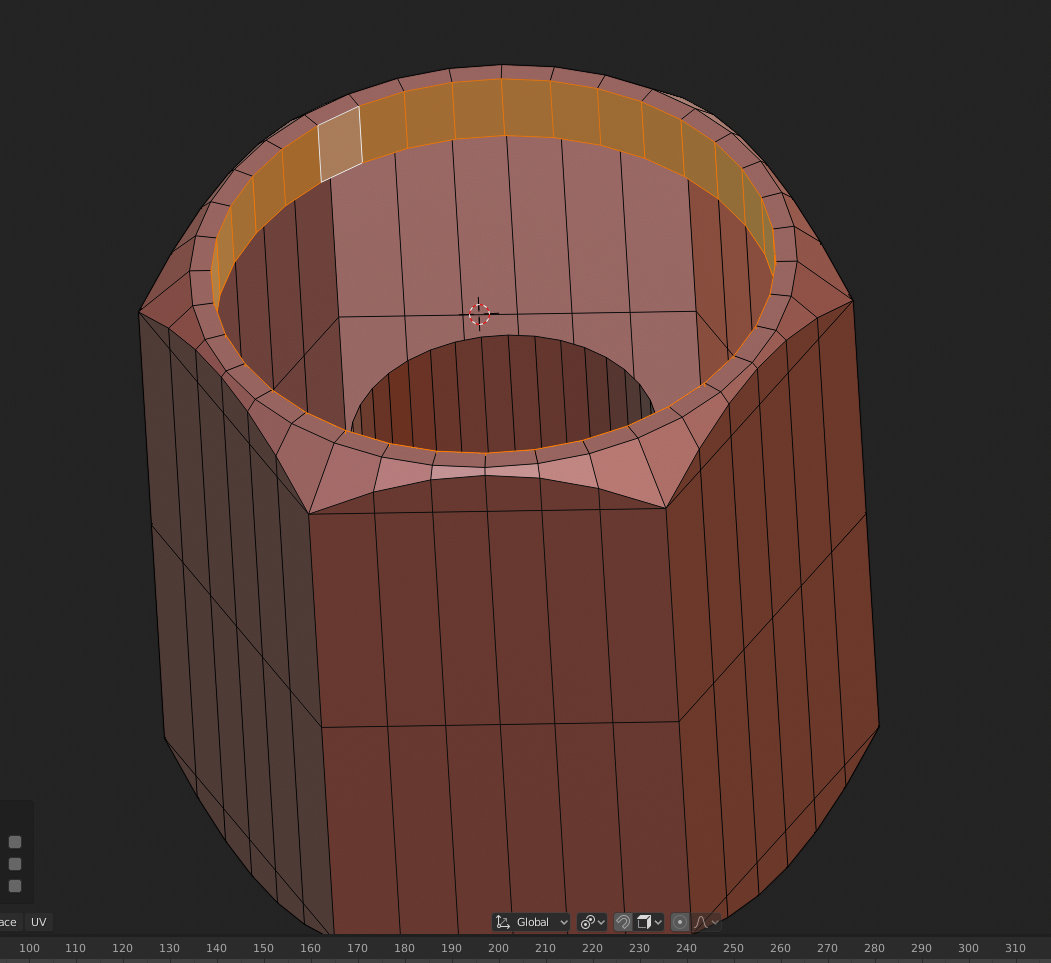
Anybody know how to scale a face loop on its normals in 2.8 ? Im sure it used to be ALT S , but now that shrinks/fattens……..
I want to scale the selected face loop in on itself so the diameter gets smaller without the faces getting shorter or the whole thing sinking down inside that nut :
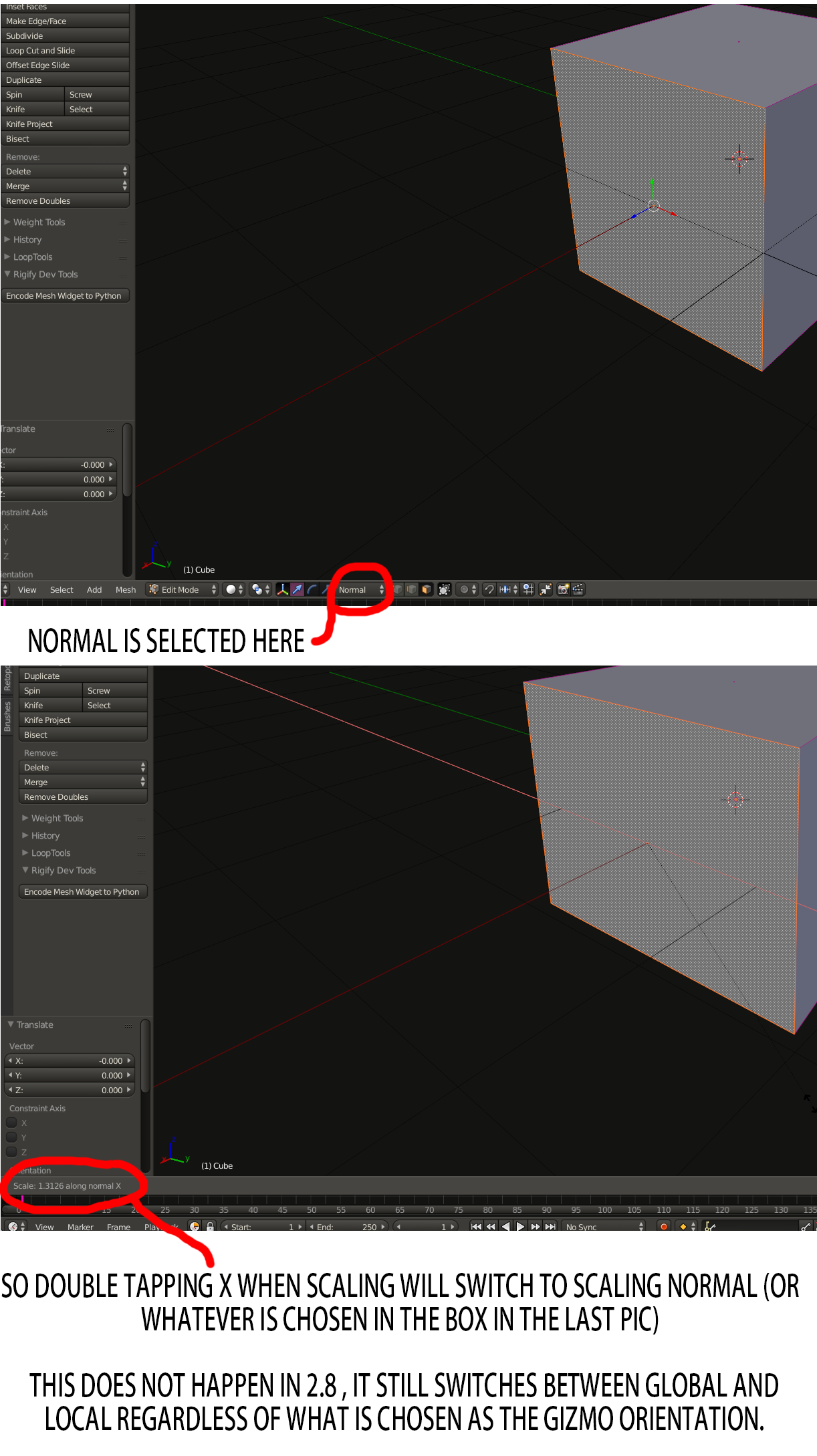
Also , I’m sure when scaling an object on an axis , if you tapped that axis again it would switch from global . to normal , and then finally to whatever you had selected in the menu for the gizmo – for example Normal , but it seems in 2.8 it will only switch between global and local , meaning you have to activate the gizmo and use it to scale on an objects normal , gimbal , or view , which is a minor inconvenience but was much easier when you could just cycle through when scaling by hitting the axis you were scaling on – am I missing something here?
2.79 example of what I used to do :