After some blender file archeology (i spent some time digging in my blender file from this summer), i realize that i was mistaken :
– Panel toggles are not for greying out or hiding subpanels.
– I don’t know what they are for 😅
– To grey out a panel you have indeed to use a switch menu, like this :
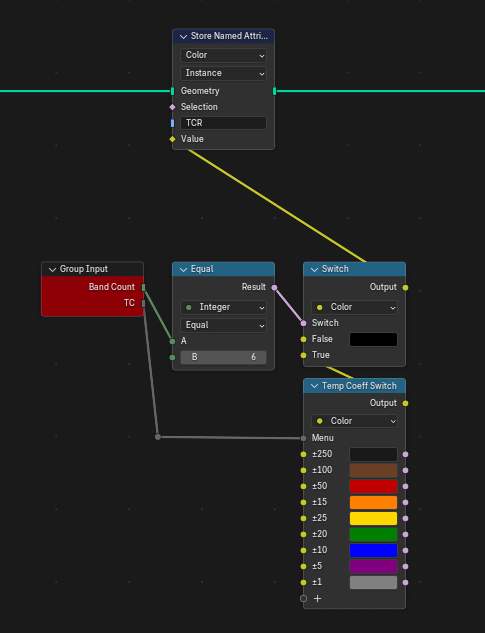
If Band count == 6, then use the Color value from the switch menu, else color == Black
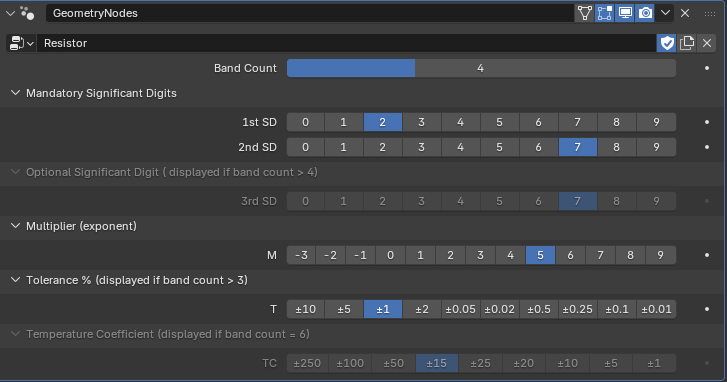
And here indeed, band count == 4, the Temperature Coefficient panel (and TC variable) are greyed out. Not hidden though, i still have not figured that out, but that’s already better, you can see the input is “useless” in this context.
Strangely, there is no way to use a driver on the “Hide in Modifier” toggle, which would then completely hide the panel :
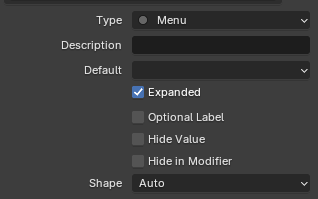
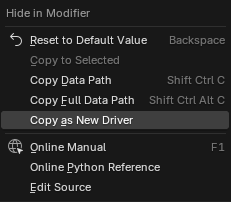
Add driver is missing here.
If i find the solution i’ll post it here.

