Okay Emma @martinezcorno ,
So you’ve Applied the Scale, but it’s still not working.
This is probably because you also have so-called ‘double Vertices’ in your Mesh. That would explain the difference in behavior of the Bevel Tool vs the Modifier. by default, Clamp Overlap is enabled in the Modifier, but disabled in the Bevel Tool:
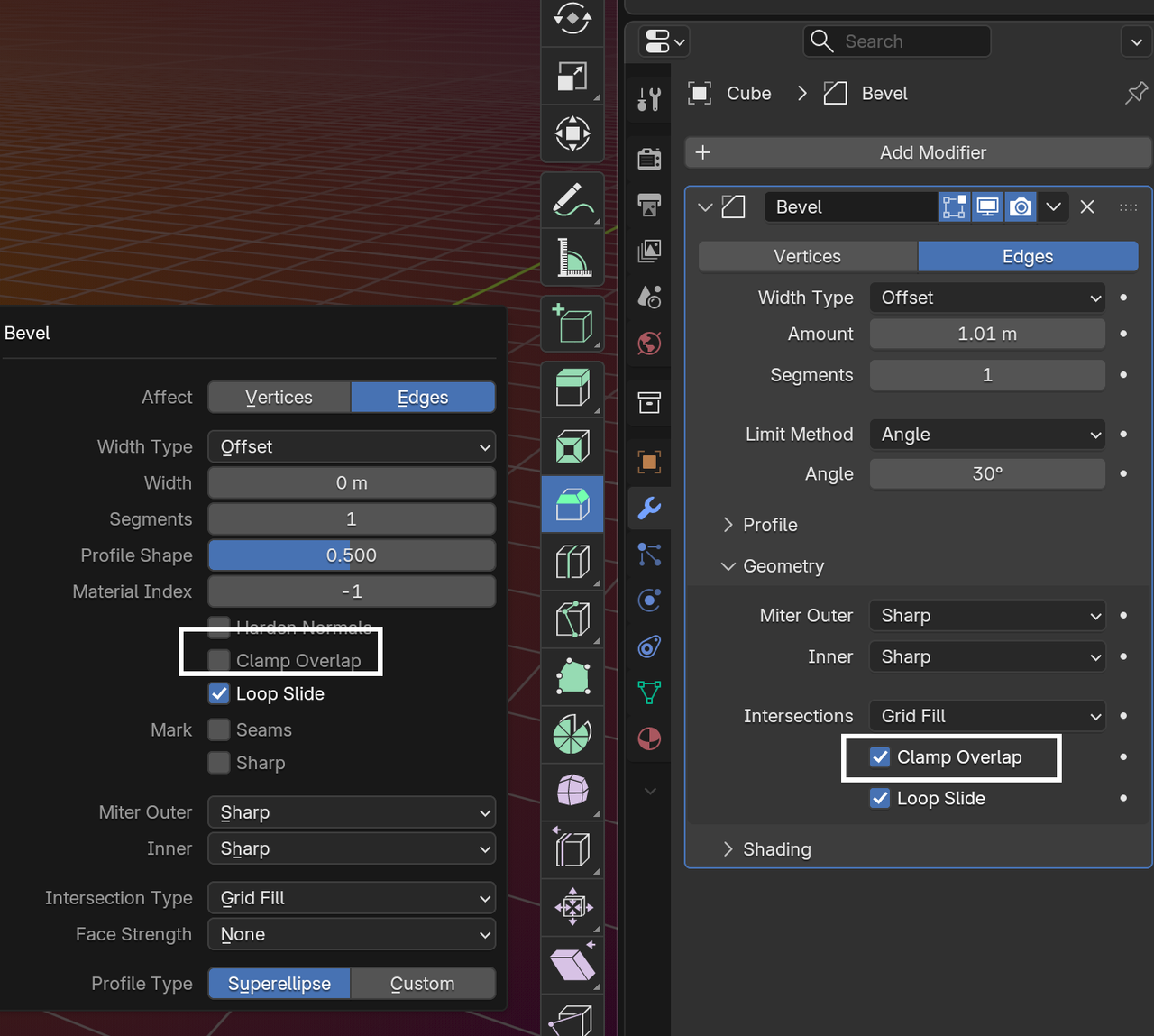
Solution (after Applying the Scale), in Edit Mode, Select all (with A) and then M > Merge > By Distance.
And after that, you can disable Clamp Overlap from the Bevel Modifier if you want.

