Hi Shale,
None of this should have anything to do with the version number. So don’t worry about that.
Let’s eliminate the usual suspects first to tackle the bevel issue. There might be a leftover double vertex somewhere. Have you tried in edit mode A to select everything and the M -> Merge by distance? Also make sure the scale is applied: In object mode CTRL+A -> Apply scale.
If that doesn’t help could you upload a screenshot of your cabinet in edit mode (vertex mode is perfect) and the settings of the bevel modifier?
That could help narrow it down further.
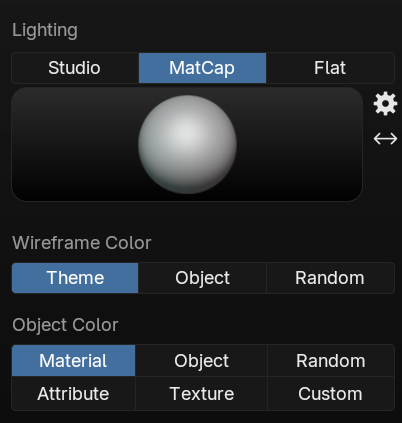
As for the material colour: Make sure your solid shading view is set to texture.
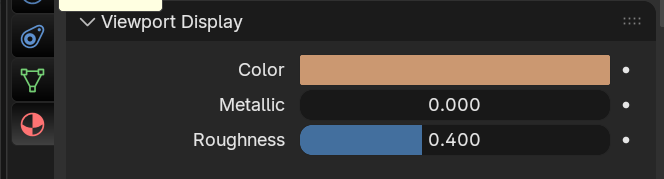
Also make sure you’ve given your material the colour under viewport display:
If none of these solutions help, you can always upload your .blend file to dropbox or google drive and post a link here and I’ll have a look at what might be going on. 🙂

