How to control mesh with rig with distortions

Forum Archive How to control mesh with rig with distortions

Viewing 4 posts - 1 through 4 (of 4 total)
  • Author
    Posts
  • #9555
    Jason Finney
    Participant

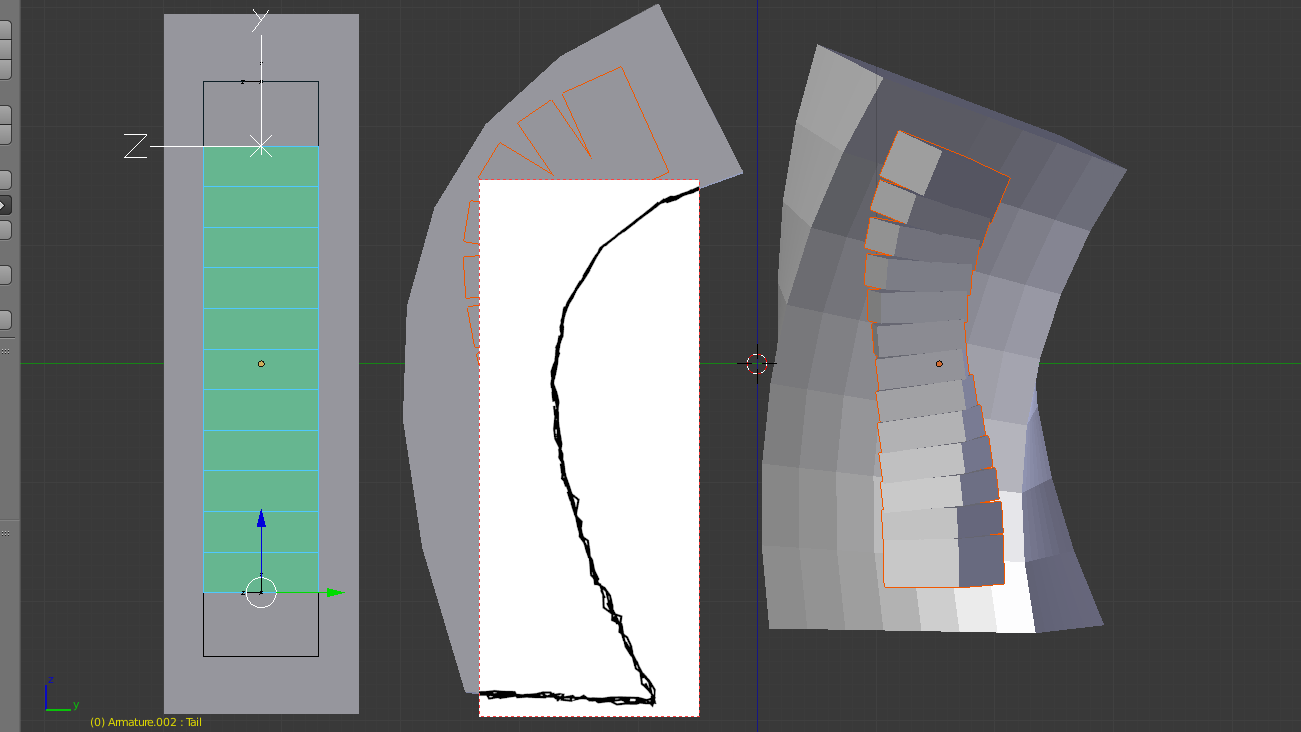
      I been doing a project for a couple months now and I believe I only have one final problem. I’m trying to rig a rectangle with a bendy bone and so far its been great, but when I bend it down it’s pinching in the y axis. (Second picture)

      A short of flexible rig perhaps?

      I would like to keep the mesh the same width no matter the pose like so:
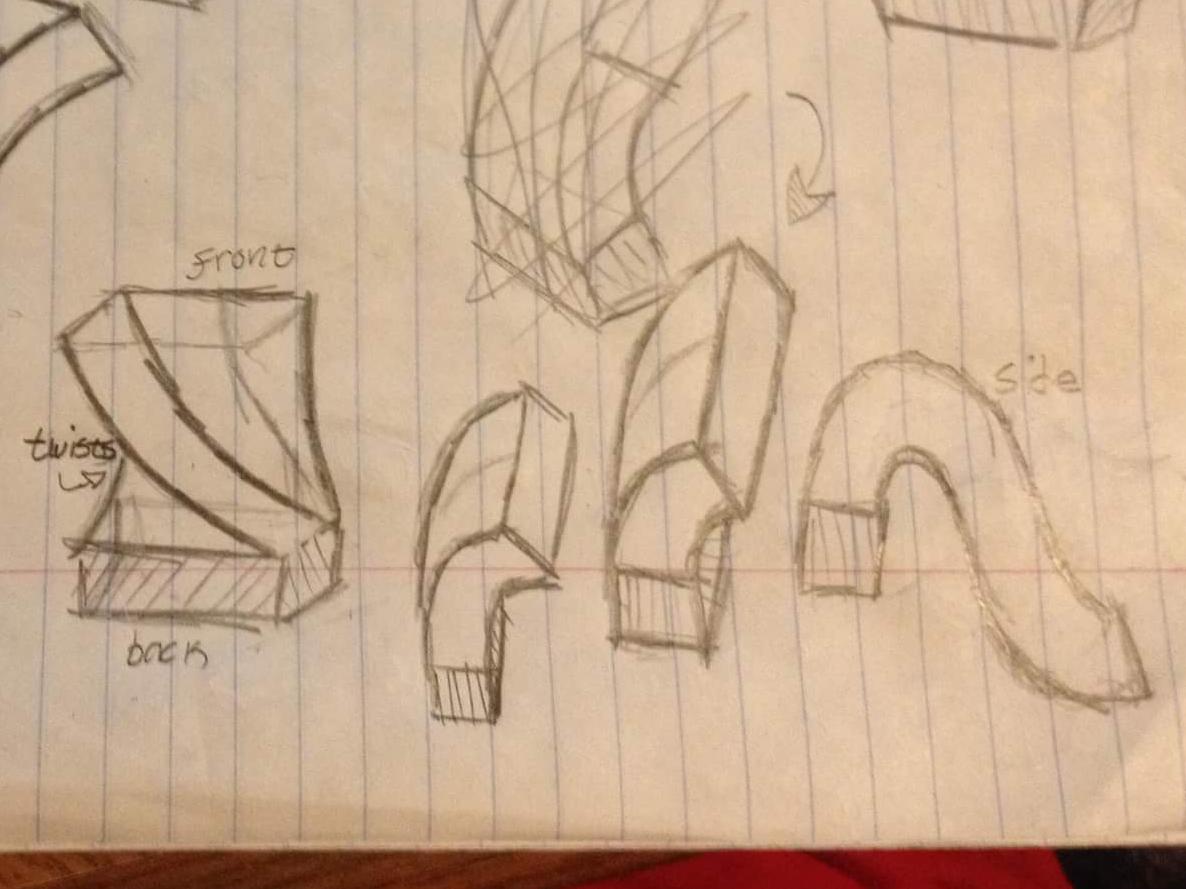
      But this is the result for the 3d model:
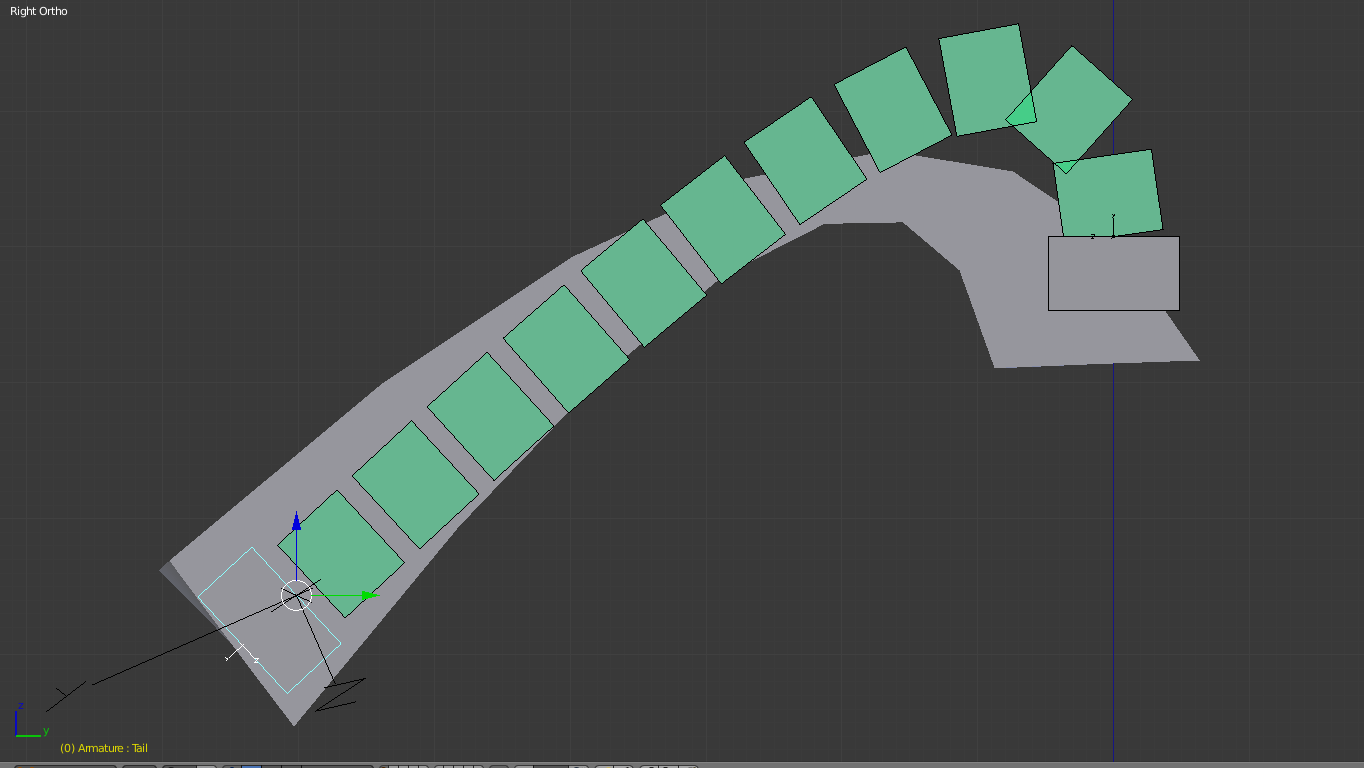
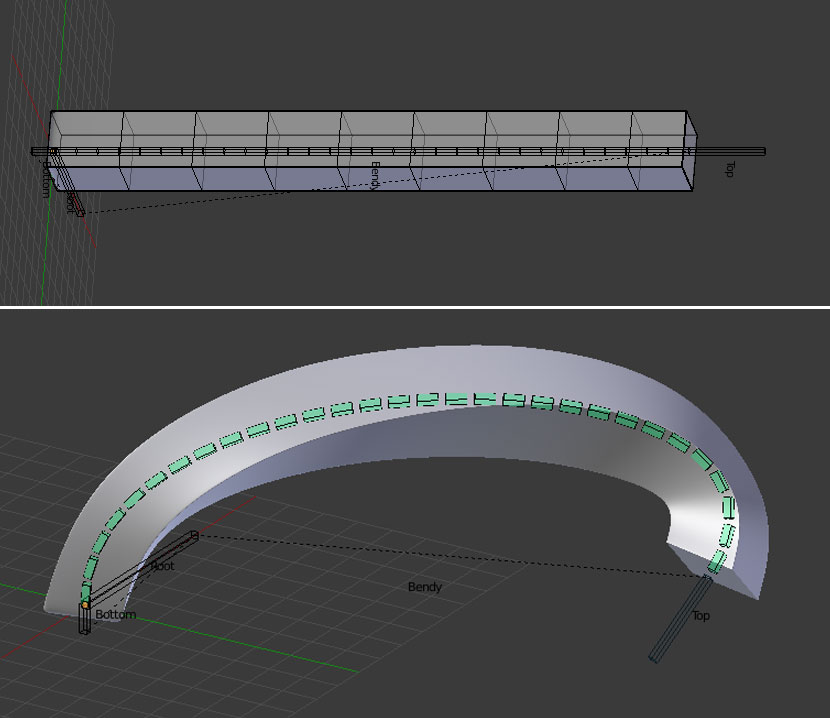
      The Twisting seems to be collapsing in on itself when around 180 degrees but on a simple twist it still looks concaved. (Third picture)

      I would like to keep the sides consistent without the bottom section moving, is this even possible? It seems so simple but I never seen it before. (First picture)

      —pls feel free to edit the question I’m still new to blender after a few years so I don’t know if this is a known topic or not.

      #34531
      Dolores 74
      Participant

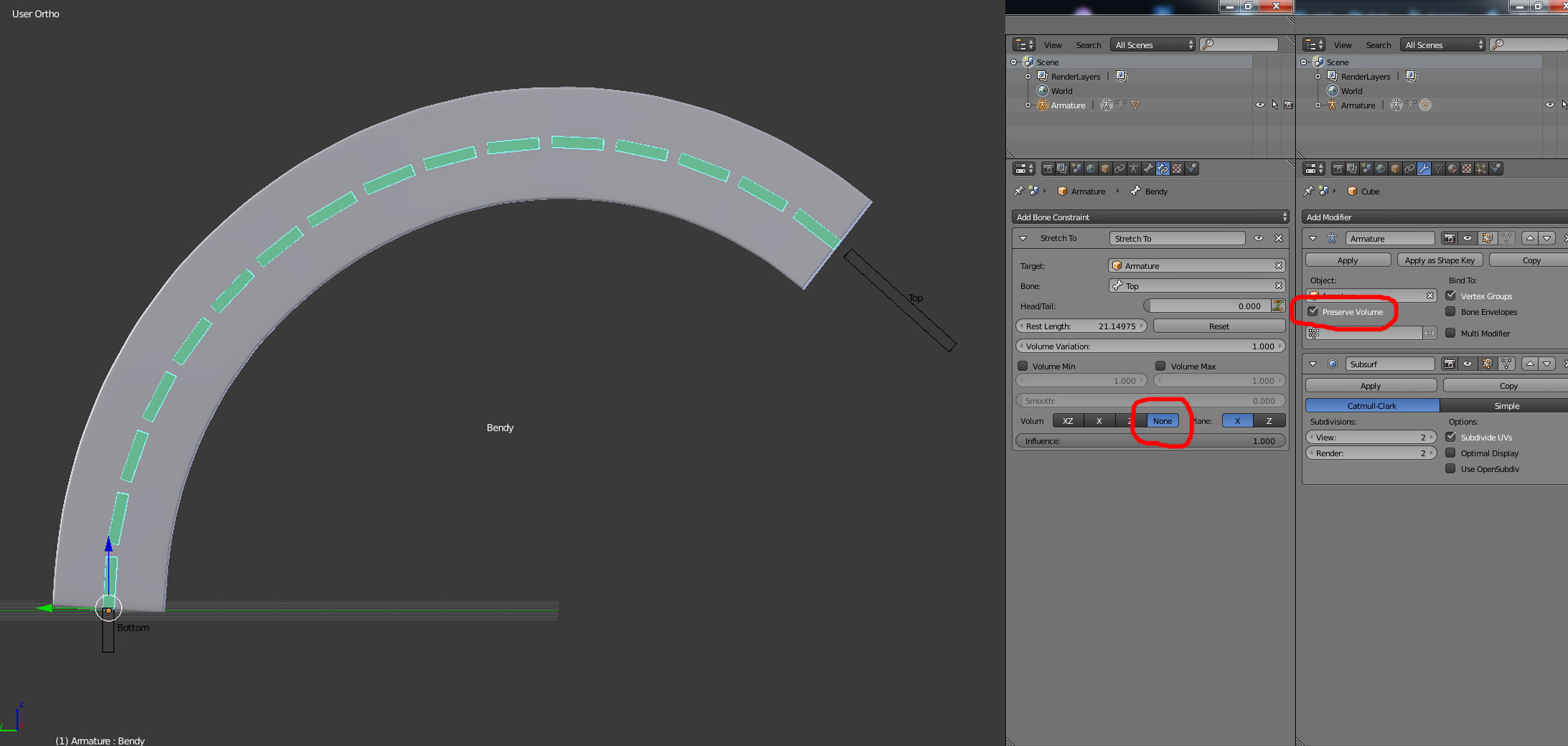
        The ‘Top’, ‘Bottom’ and ‘Root’ bones do not deform.

        In the ‘Stretch To’ constrain Volume = ‘None’

        In the ‘Armature Modifier’ check ‘Preserve volume’

        If you have a Subdivision Modifier, it comes after the Armature.

        Here’s the file.

        #34532
        Jason Finney
        Participant

          Thanks a lot 😀 but there is still some slight changes happening like when it curves/bends to a certain amount it turns itself inside out or still deform a little even with the preserve volume none selected. Should I have another bendy bone for more flexibility? My goal it to get to the right example on the first picture.

          #34533
          Dolores 74
          Participant

            If you decrease the number of loop cuts and give the bendybone more segments it looks better. I gave the bendybone 30 segments. You can also give it a subdivision level of 3. Experiment a bit with the loopcuts and segments to find the right balance.

            You can always delete loopcuts (press x and select ‘Edge Loop’ with a loopcut selected) and play with the number of segments wile parented. But if you add loopcuts you will have to re-parent again.

            If you wish more control for animating your cube I have to redirect you to our rigging expert DanPro.

            Blender Rigging Advanced Tentacle Rig Part 1

            There is also a rigging tutorial by Kent Trammel who tackles this in a different way.

             Rigging a Spiral Phone Chord in Blender

          Viewing 4 posts - 1 through 4 (of 4 total)
          • The topic ‘How to control mesh with rig with distortions’ is closed to new replies.