Wacom Bamboo not working?

Forum Archive Wacom Bamboo not working?

Viewing 5 posts - 1 through 5 (of 5 total)
  • Author
    Posts
  • #9467
    donut-slime
    Participant

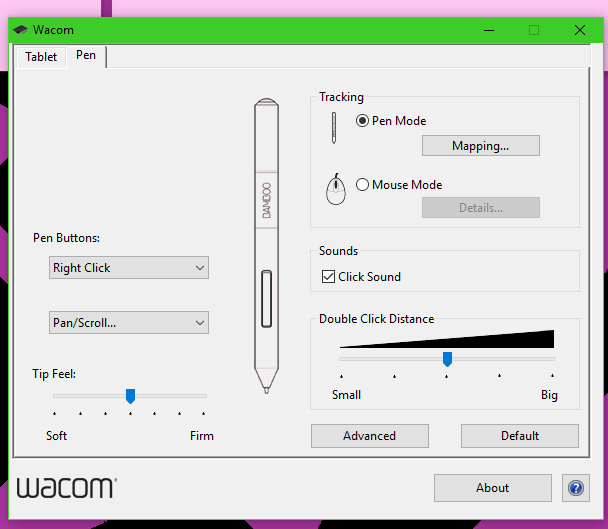
      Blender (2.79) zooms all the way in when I just hover the pen and all the buttons seem to be not doing what they were mapped to. The pen and tablet works fine in Photoshop.

      Anyone know how I can fix this? I’ve seen a few set up video but none of them seems to have this problem to deal with.

      #34117
      Ben Reynolds
      Participant

        Does the Wacom settings app let you map the buttons differently for each program? I have the Intuos Draw, not sure if the app is the same as the Bamboo, but in pen settings you can add a profile for Blender with its own button functions.

        #34118
        donut-slime
        Participant

          No, I can only map it to certain buttons for everything.

          the tablet tab only have right-handed and left-handed option.

          #34119
          donut-slime
          Participant

            I think I fixed it.

            I updated the driver for something names HID compliant mouse. I guess that’s for the pen?

            #34120
            Ben Reynolds
            Participant

              Yeah that must have been it, those input device drivers often have generic names. I just tested unplugging/re-plugging mine in with an eye on device manager. There were two HID compliant mouse entries under “Mice and other pointing devices” and sure enough one disappeared and reappeared.

            Viewing 5 posts - 1 through 5 (of 5 total)
            • The topic ‘Wacom Bamboo not working?’ is closed to new replies.