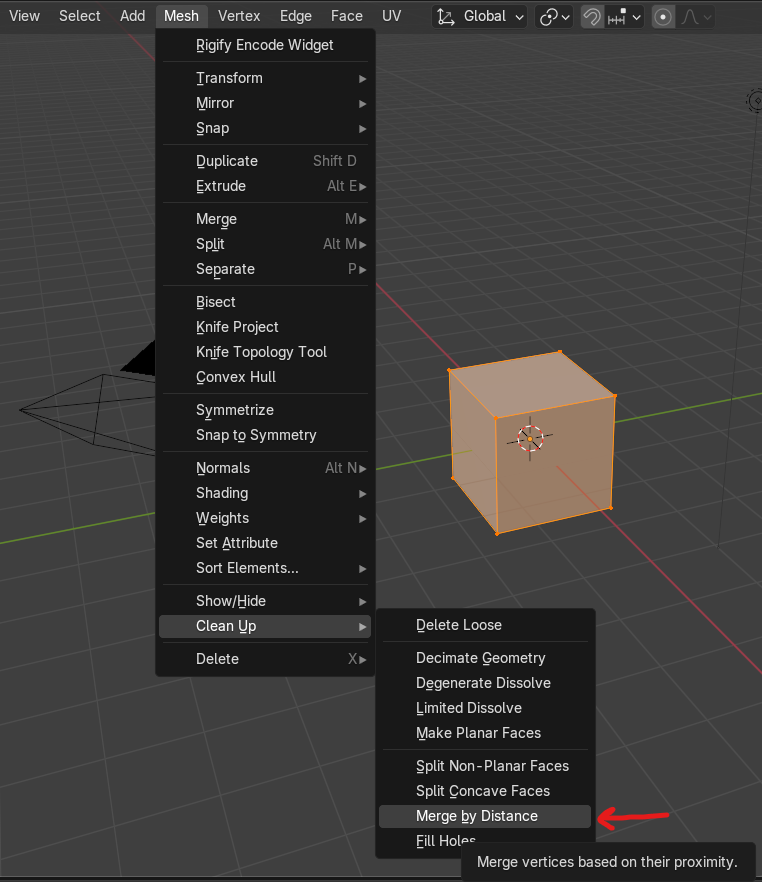
You may have duplicate vertices in your mesh that are on top of one-another. When that happens you can get issues like this. Not sure if enabling mirror mode clipping after the fact cleans up the duplicate vertices along that mirror point but you can perform a manual cleanup to be sure.
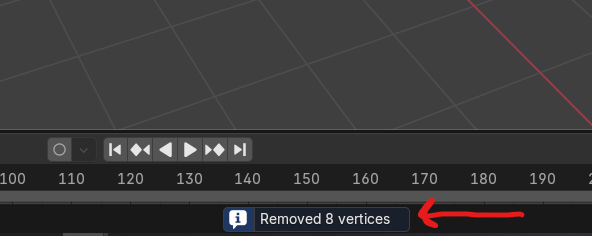
In edit mode, select all vertices by hitting the hotkey ‘A’, then go to and select Mesh->Clean Up->Merge by Distance. This will remove duplicate vertices. Then look in the bottom-middle of your Blender window and it should tell you how many vertices it removed in the process. If it’s more than zero, you had duplicates and it cleaned them up. After doing that try doing what you want to again. If that doesn’t work maybe post another screenshot or two with vertices showing.