how do I prevent paint stroke from getting darker with each brush pass?

Forum Archive how do I prevent paint stroke from getting darker with each brush pass?

Viewing 8 posts - 1 through 8 (of 8 total)
  • Author
    Posts
  • #9237
    aecii
    Participant

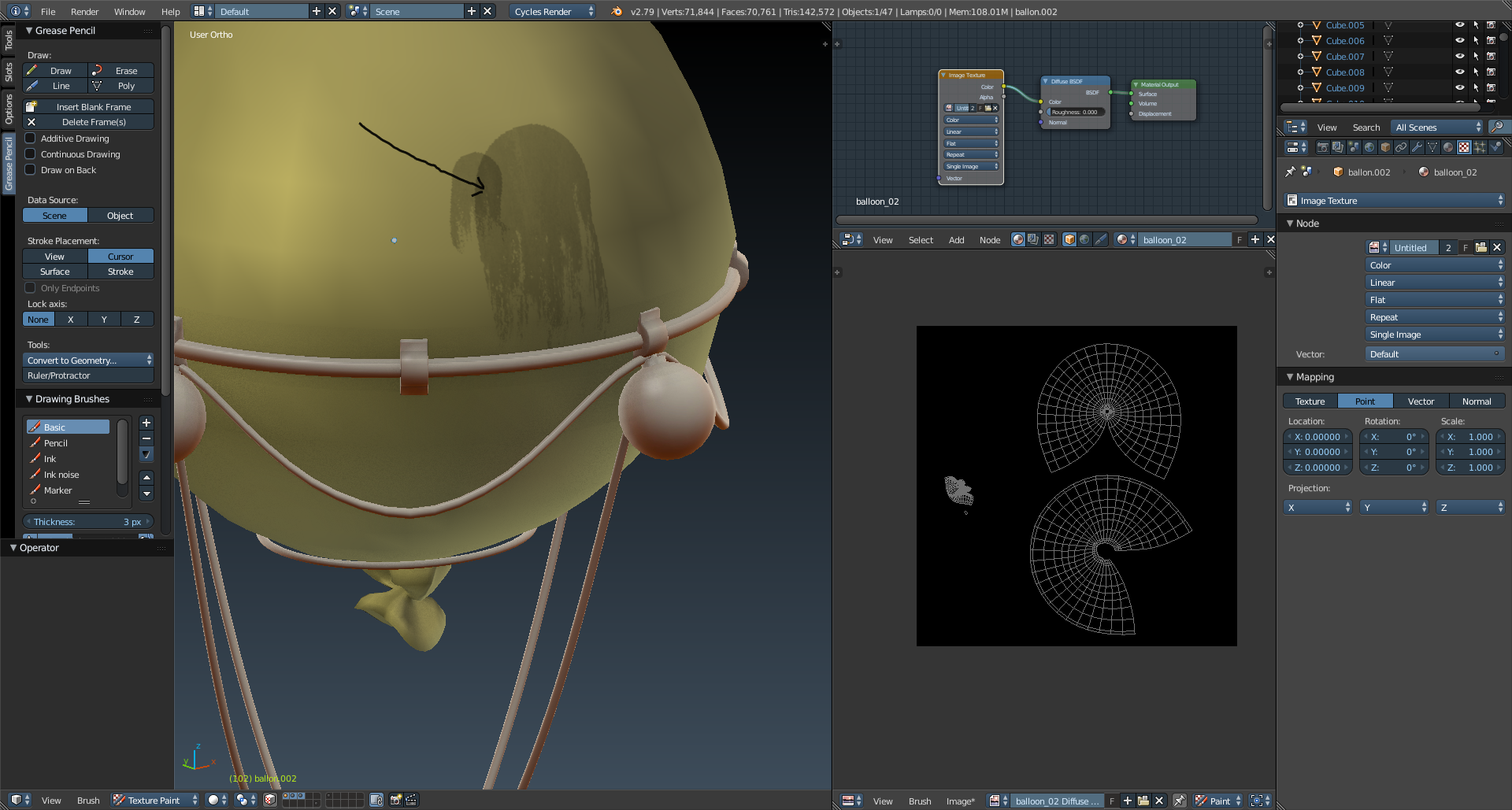
      Each time i lay a brush stroke, the next time I pass near or over it, it gets darker. Is there a way to set the brush to just 1 level regardless how many times i pass near it?

      see here:

      #31649
      Jonathan Lampel
      Participant

        Hey @aecii , is your strength set to 1 with pressure sensitivity turned off? It’s hard to tell which setting may be off since the toolbar in the screenshot is on grease pencil. 

        #31650
        aecii
        Participant

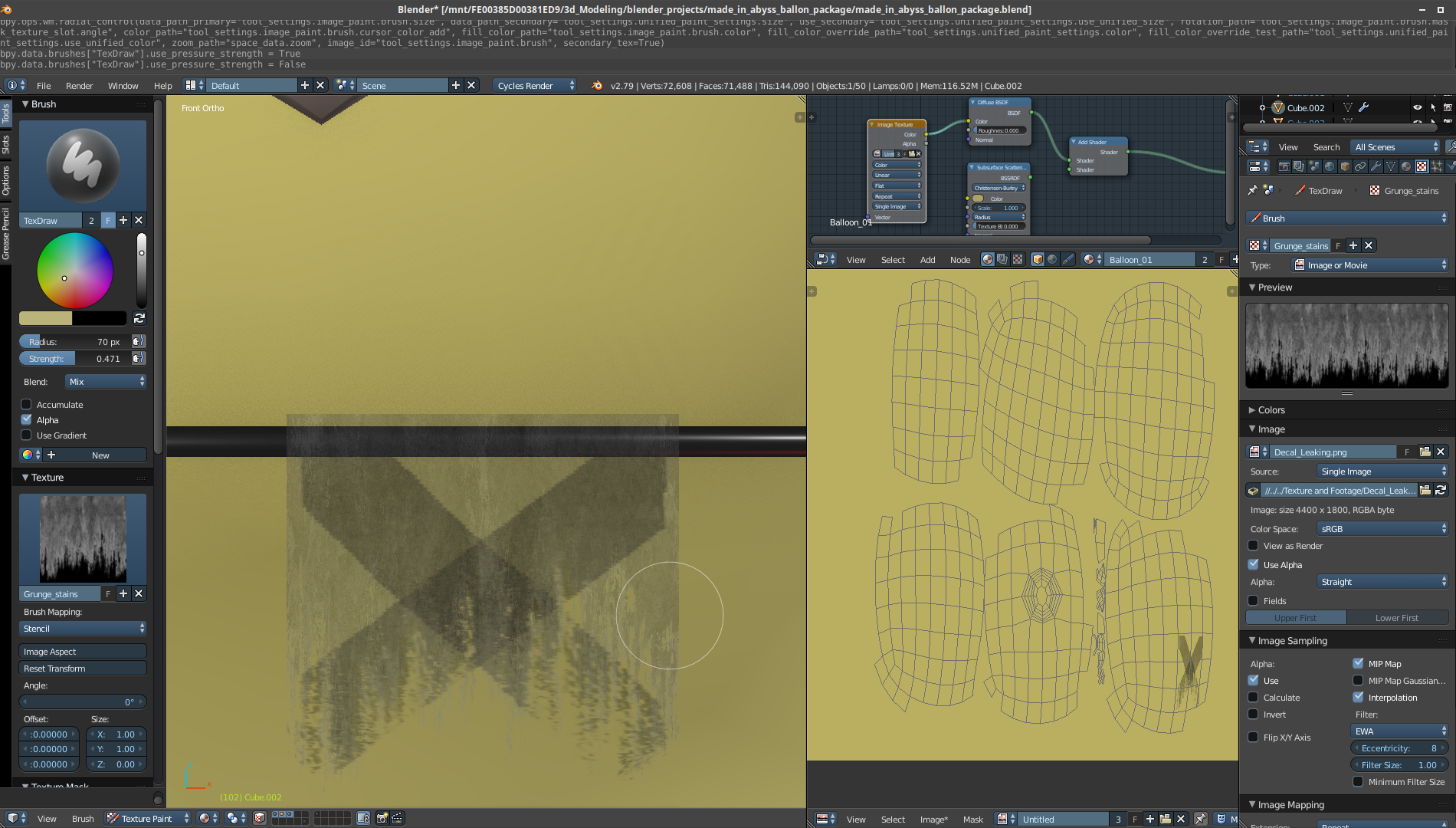
          My apologies. I didn’t realize i left it on grease pencil.  Here’s the re created settings.
          I made sure pressure sensitivity is off.

          Strength is at 0.47 because i dont want it as harsh…
          wait a minute….. OH!!  I think i get it  now;  So strength HAS to be set at 1 so it does not behave this way…  

          Therefore, if i want to soften the stencil image i have to lighten it in krita/gimp first because the source is too strong. (if i’m making  sense) If so, i would take the stencil into krita, create a new transparent layer, paste the stencil into that layer and set alpha to 50% so its half transparent. then bring it back to blender. Correct?

          If that’s the case, is there a way to do that within blender?
          Still learning my way around texture/paint features.

          Thanks! 

          #31651
          Jonathan Lampel
          Participant

            wait a minute….. OH!!  I think i get it  now;  So strength HAS to be set at 1 so it does not behave this way…

            Yep! And whatever color you’re painting with will tint the texture, so to soften it you could turn down the brightness of your brush to 0.5. Or you could do it the way you described, either way will work. 

            #31652
            aecii
            Participant

              Unfortunately,  It didn’t work. Or maybe im doing something wrong still.
              I reduced visibility of the stencil by 50% in krita over a transparent bg, exported to png, imported the stencil texture, set strength to 1 and sure it painted at half… but then when i painted over, it added more darkness same as having strength at 50% in blender.

              I guess now im trying to find where to adjust brightness of the brush you mention.  

              I’ll upload a video shortly showing the trouble im having. Maybe my approach is just wrong.

              Video:

              #31653
              Jonathan Lampel
              Participant

                Oh ok, that would make sense that the opacity of the brush would be the same 50% regardless of where you change it. For the brightness of the brush, you can lower the color on the color wheel in the toolbar so that it’s not pure white, or even pick a color that’s more tan so that it matches the color of the balloon a bit better. 

                #31654
                aecii
                Participant

                  Thanks much appreciated. 

                  #31655
                  pieriko
                  Participant

                    Blender will paint with 100% strenght throught a texture with grey scale levels.

                    So if your texture is not 100% white, blender will use grey value as a factor.

                    Any point under 1.0 or 100% white value will be painted as if you were multiplying your 100% stenght by the pixel value.

                    A 0.5 value of the texture pixel multiplied with a 100% stroke stenght will result in a 50% painted pixel.

                    If you paint again the same area you will get a 100% white pixel.

                    Using 100% strenght  white brush with texture will paint the texture as it is, transfering any colour information (grey scale or RGB). Using texture mask will transfer the brush colour, regardless of any mask colour infomration. Only the mask values will be considered.

                    hope it helps.

                  Viewing 8 posts - 1 through 8 (of 8 total)
                  • The topic ‘how do I prevent paint stroke from getting darker with each brush pass?’ is closed to new replies.