I’m struggeling to replicate the [Extrude & Alt + S] workfow used at 8:11 in the video.

Forum Archive I’m struggeling to replicate the [Extrude & Alt + S] workfow used at 8:11 in the video.

Viewing 3 posts - 1 through 3 (of 3 total)
  • Author
    Posts
  • #8742
    Michael Kimber
    Participant

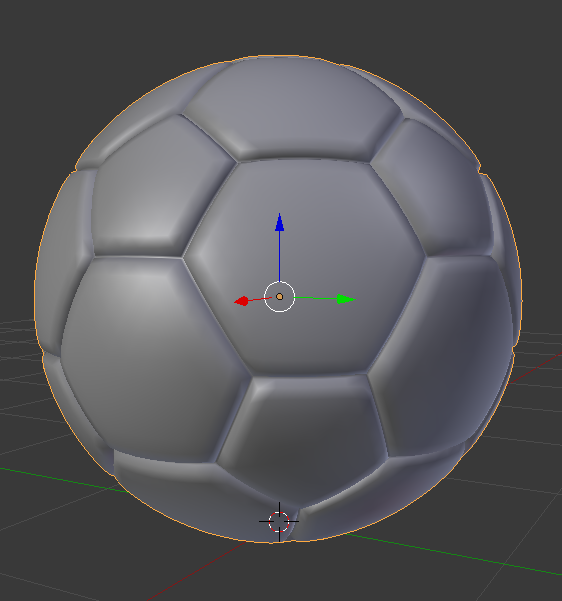
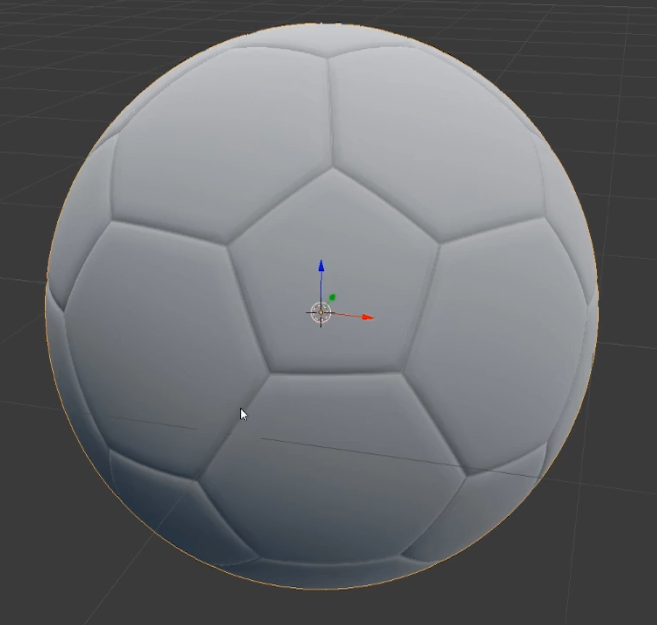
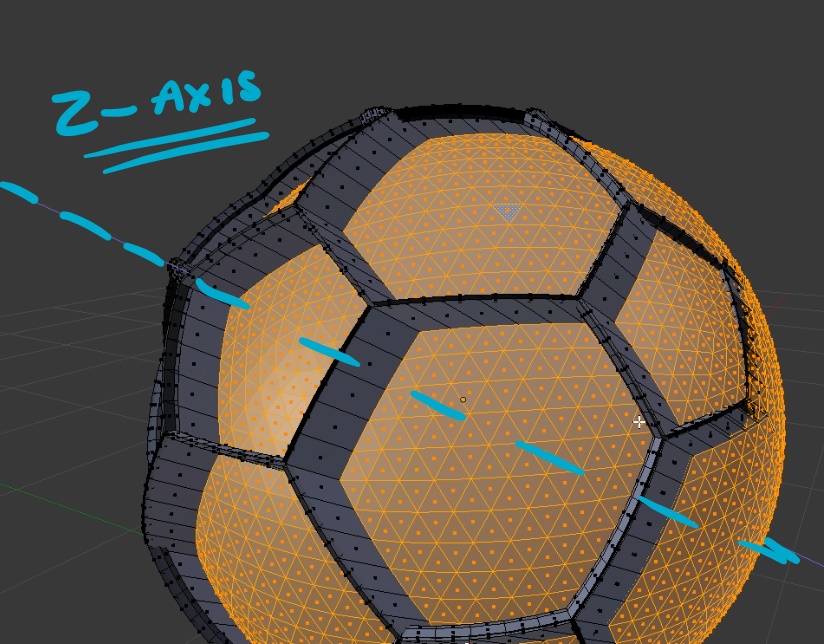
      I am having difficulty replicating the workflow whereby Jonathan Lampel scales along the face Normals to create more defined seams in the soccer ball. When I toggle the extrude tool my extrusions become locked to the Z-axis, as seen in figure 1. To combat this issue, I pressed Z to unlock my extrusion from the Z-axis. I then proceeded to use the ALT+S function to scale along the face Normals. This had resulted in the puffy appearance of the soccer ball, shown in figure 2. I am trying to match the reference shown in figure 3 however, I can’t seem to determine what is causing the puffy appearance in my model. I have included a video demonstrating the following workflow challenges.

      Figure 1.

      Figure 2.

      Figure 3.

      #29260
      Michael Kimber
      Participant

        I think I have managed to solve the problem. I was positioning the seams too far apart from each other. Also, Matcaps can dramatically change the appearance of your models.

        #29261
        Jonathan Lampel
        Participant

          I think you nailed it! The matcap I was using definitely does make it appear a little more flat. Good luck wit the rest of the course; keep up the good work! 

        Viewing 3 posts - 1 through 3 (of 3 total)
        • The topic ‘I’m struggeling to replicate the [Extrude & Alt + S] workfow used at 8:11 in the video.’ is closed to new replies.