x mirror the hair

Forum Archive x mirror the hair

Viewing 5 posts - 1 through 5 (of 5 total)
  • Author
    Posts
  • #8194
    ouad
    Participant

      i always do it from side and hit z to have the same result from both sides but its awful? so is there a way to just paint a side and its automatically the other?

      #28311
      Kent Trammell
      Participant

        I don’t believe there’s a way to mirror edit particle hair. Even with 2.8 I just tried and despite there being an “X-Mirror” option, it doesn’t seem to work. Hopefully that will be added in the near future 😕

        #28312
        Ingmar Franz
        Participant

          @theluthier It seems that the hair emitter must be symmetrical so that it works. See here.

          #28313
          Kent Trammell
          Participant

            Ah I guess that makes sense. Thanks for reporting this info @duerer! This is something I should have known for years but didn’t 😅

            #28314
            Ingmar Franz
            Participant

              @theluthier I’ve found a workaround for mirroring hairs on non-symmetrical meshes:

              (Note: I’ve tested it with a particle system where I had manually added a hair)

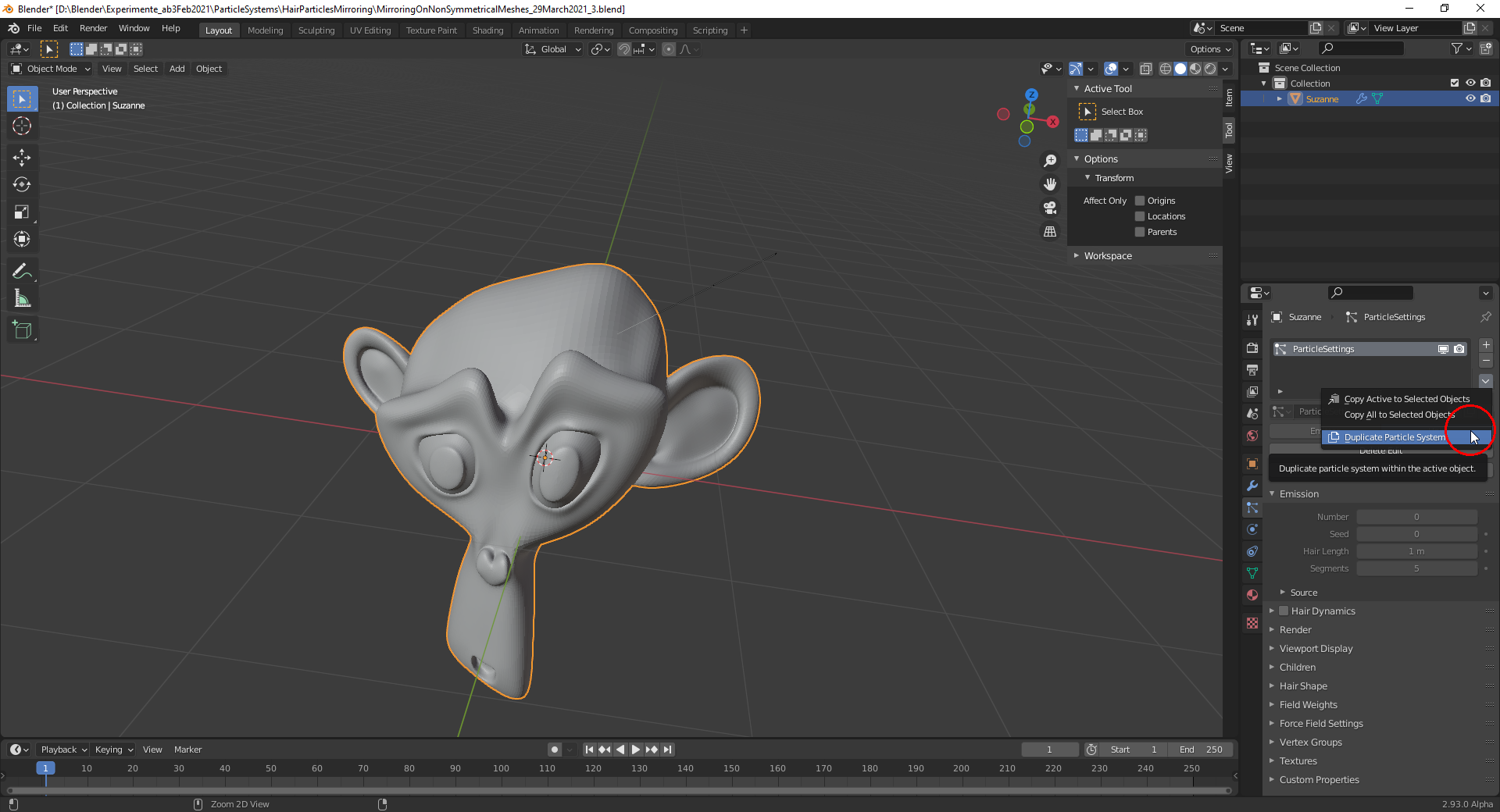
              1) Duplicate the particle system
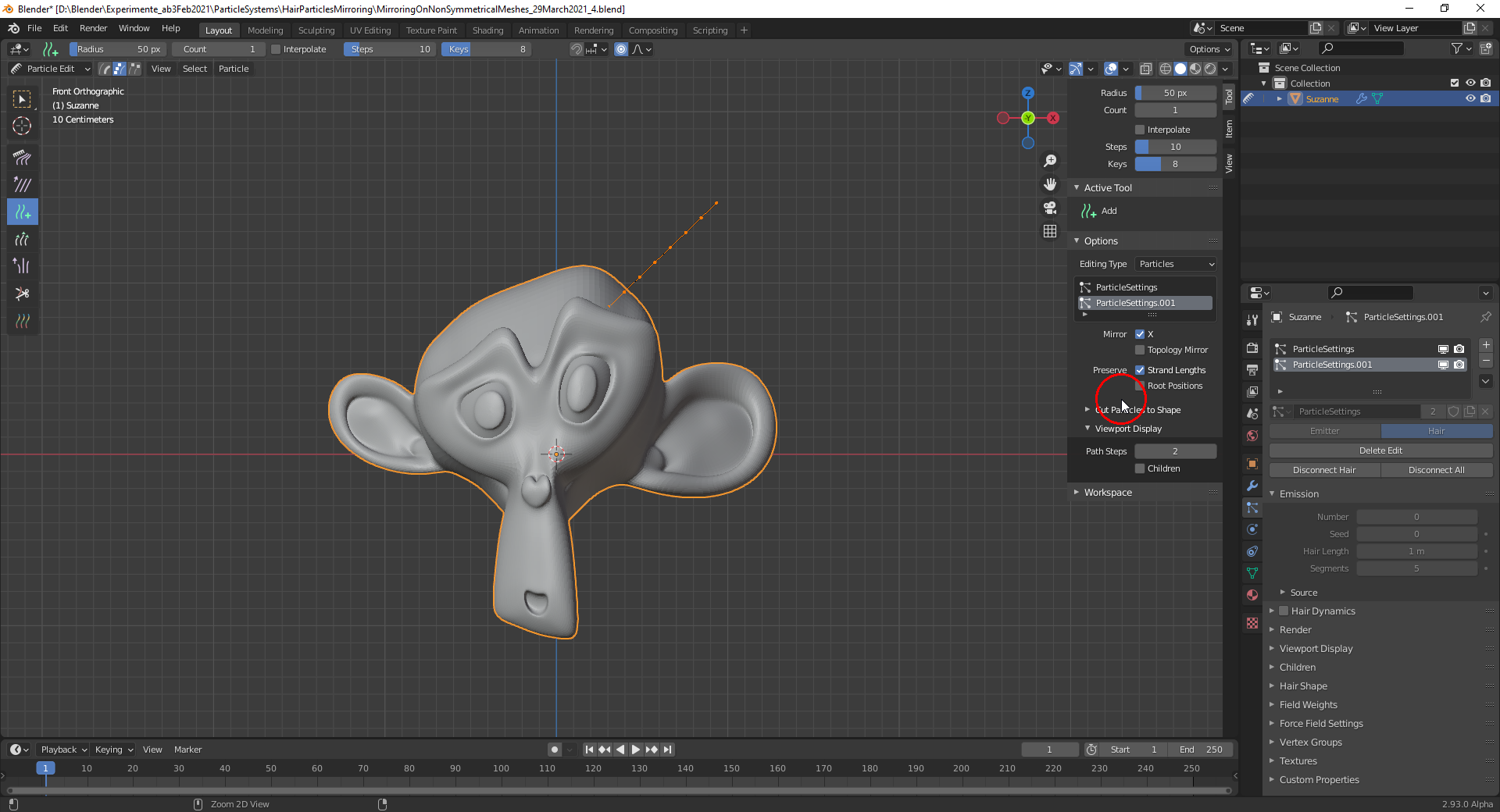
              2) With this duplicate selected change into “Particle Edit Mode” and uncheck “Preserve Root Positions”
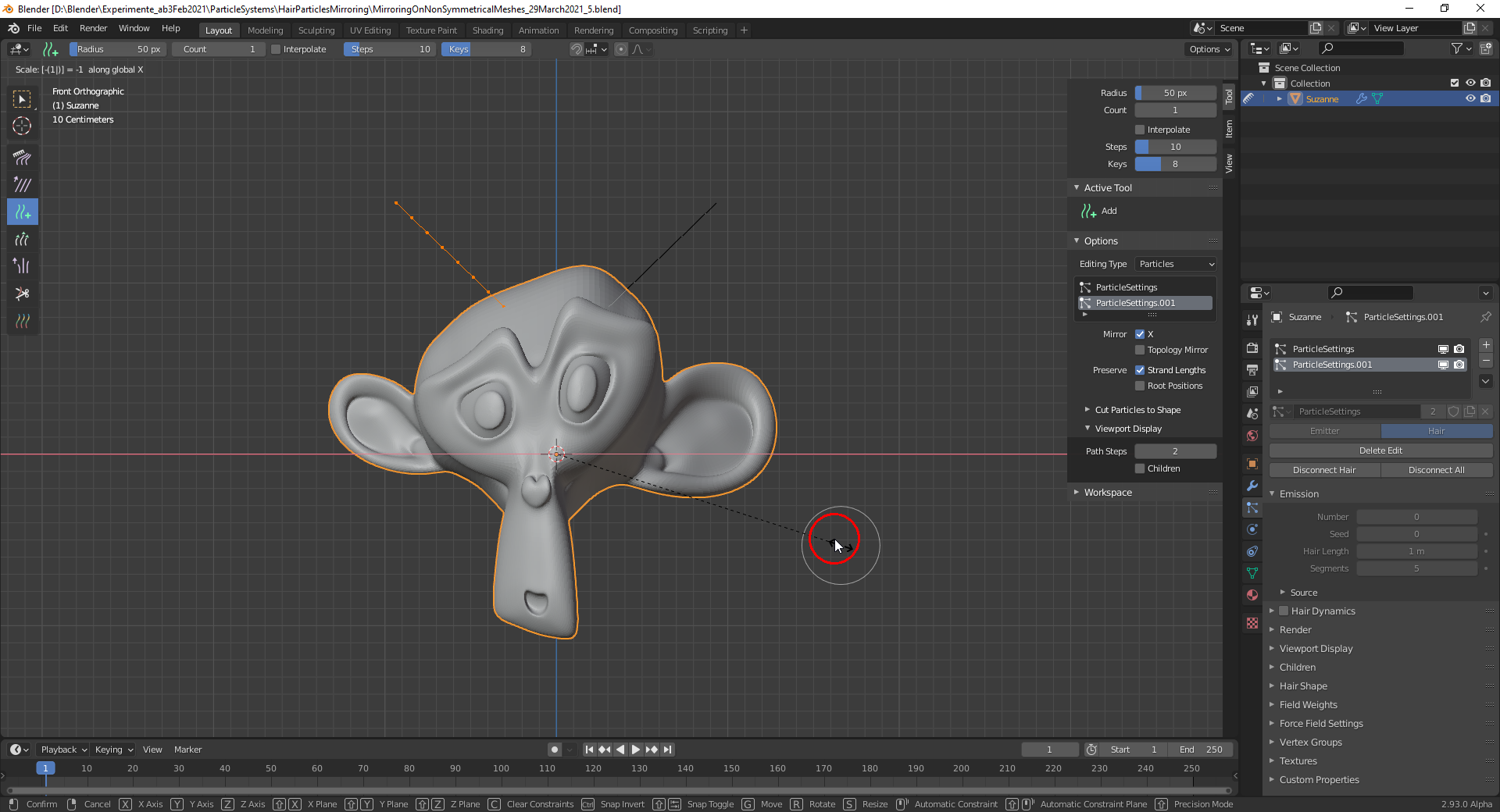
              3) Select the “3D  Cursor” as “Pivot Point” and position it where the “Mirror Plane” shall run through. Select all hairs and scale them with factor -1 along the “X Axis”. The result in “Front View”:
              And don’t forget to save, since at least Blender 2.93 Alpha crashes very often when selecting something 🤪! 

            Viewing 5 posts - 1 through 5 (of 5 total)
            • The topic ‘x mirror the hair’ is closed to new replies.