Hi @mauroornelas
Yes it seems you have figured out the changes in regards to layers migrating to collections.
Bone colours are a little different too.
They work on the bone level now, rather than a ‘group’ that was attached to the data level.
(There is a video coming in the next course that explains this update – in the next few weeks)
You can now apply different colours in pose and edit modes (on the same bone)
And you can also apply the same colour as the active bone to all the selected bones (see image)
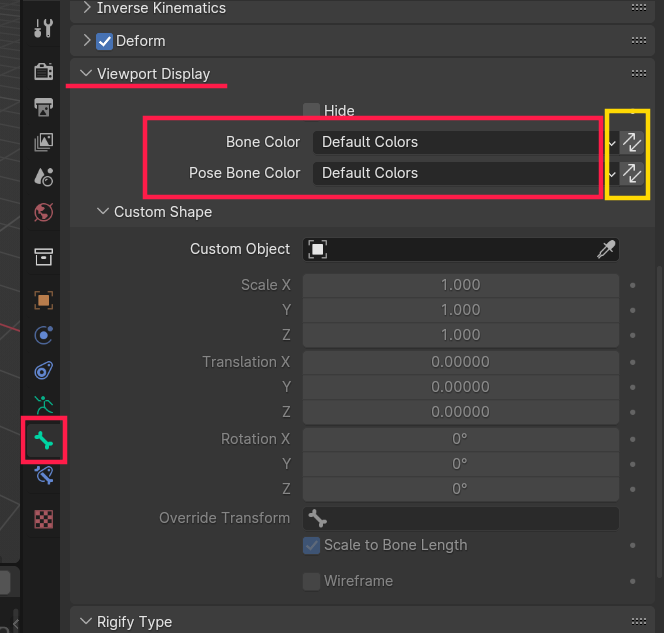
If you wanted to apply the same colour to all the selected bones in a collection, you would need to select them (there’s a button in the collections tab)
But then you can press the double arrows highlighted in Yellow.
You can set a different colour for both Edit and Pose mode, but if you want it to be the same you can just set the top one and ignore the Pose bone option (it is designed so that it will use the ‘Bone Color’ unless it is manually set to be different)
Hope that helps.

