Omar, I think @calebjosue is talking about the camera animation in the YouTube video.
Caleb that is a simple camera animation, the console itself is not animated.
To do this:
1. Add a Camera, add a BezierCircle, add an Empty.
2. Position the camera approximately where you want to view you model.
3. Scale the BezierCircle so the circle intersects the Camera position, press CTRL+A to apply the scale of the BezierCircle, or the camera position will be incorrect in the next step.
4. Select the camera and in the constraints tab add a Follow Path constraint and select the BezierCircle as the Target
5. With the camera still selected add a Track To constraint and select the Empty as the Target.
6. Hit the Play button in the timeline and view your animation through the camera with NUMPAD 0
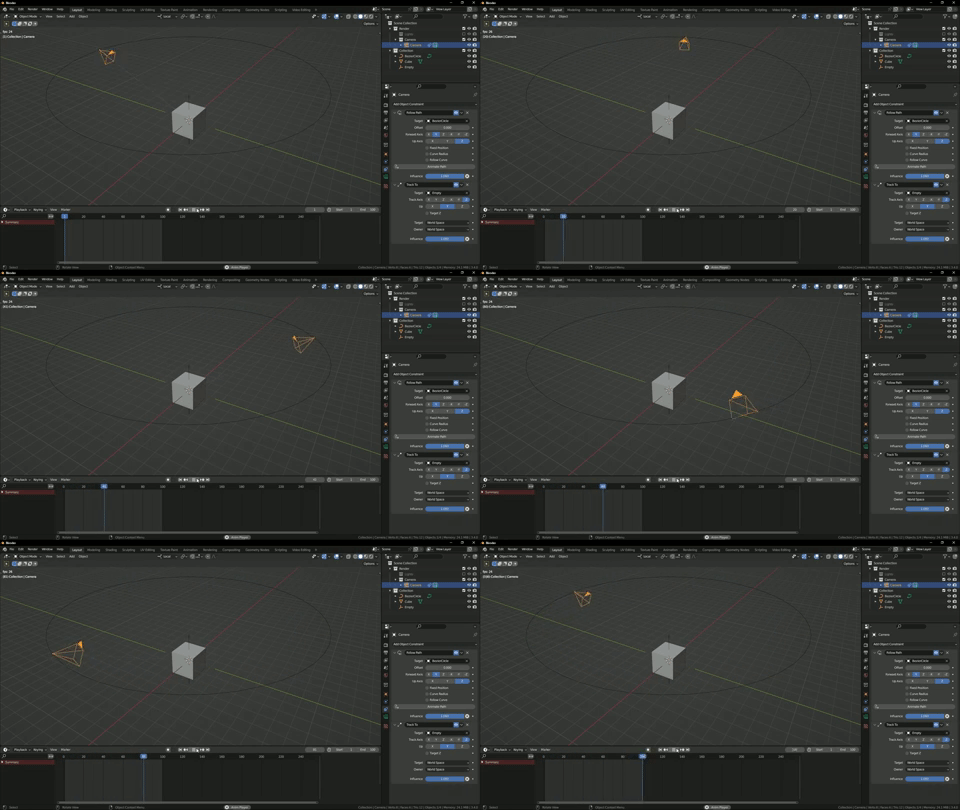
You could use the model (in this case a cube) as the target on the track to constraint, but the camera will point to the origin point. By using an empty you can position this at the focus point of the model. For example if you have a character you may want to focus on the head and the origin point is at the feet, you can position the empty at the head.
For more on this type of camera animation, take a look at the directing-the-camera-in-blender course.
Hope this helps.

