@naiad,
It’s difficult to give a screen shot as I don’t know if you’re on mobile, a desktop, or which browser you’re using. (MS Edge, Chrome, Firefox, Safari, etc.) Browsers have bookmark bars, and generally allow you to organize your bookmarks into folders.
So you could create a folder called “CGCookie”. Under that you could create a folder called “Forum Answers”, or something like that. Then you could bookmark whatever forum topics you want with your browser. (This would also allow you to create one called “Courses” for the courses you want to watch.)
It might not be quite as convenient as the old functionality on the site itself, but it should still work to keep track of content you care about.
Something like:
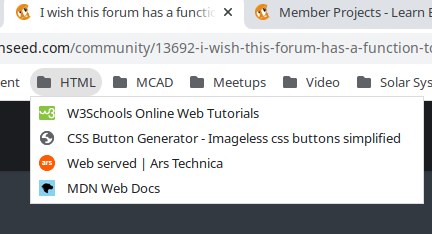
My bookmarks have some folders, one of which is HTML.

