Hey @fearguyq ,
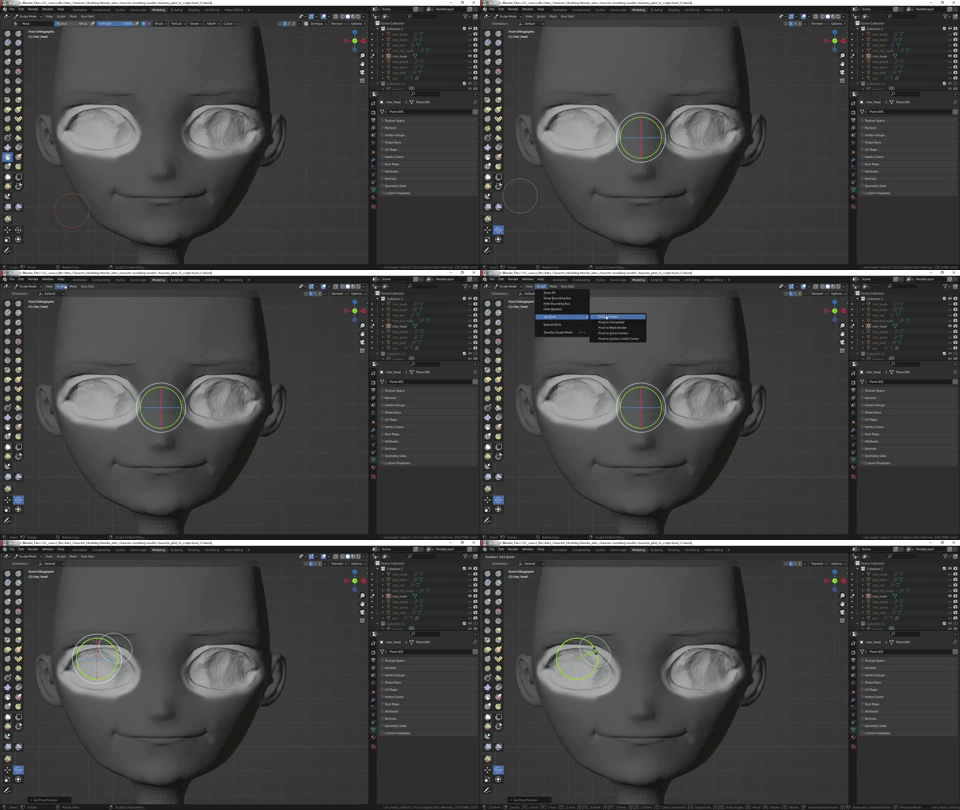
Tray using the rotate tool, mask off only the area you wish to rotate,
You may need to do some clean up with the grab brush, but try to have a smooth edge to the mask. Use the smooth option in the mask menu a couple of times.
In front view (numpad1), select the rotate tool, change the pivot to unmasked, use the rotate gizmo to adjust the eyes.
Happy Blending!

