Hey @xylef1 ,
The graph editor can be quite scary. Have you seen @waylow ‘s lesson Taming the Graph Editor in the Animation Bootcamp course.
Top Tips:-
- Activate Only Show Selected – This will only show the curves of the selected bone.
- Limit Visibility – To hide all the curves except the one you want to work on.
- Delete any channels you don’t need , e.g. X, Y and Z Scale channels.
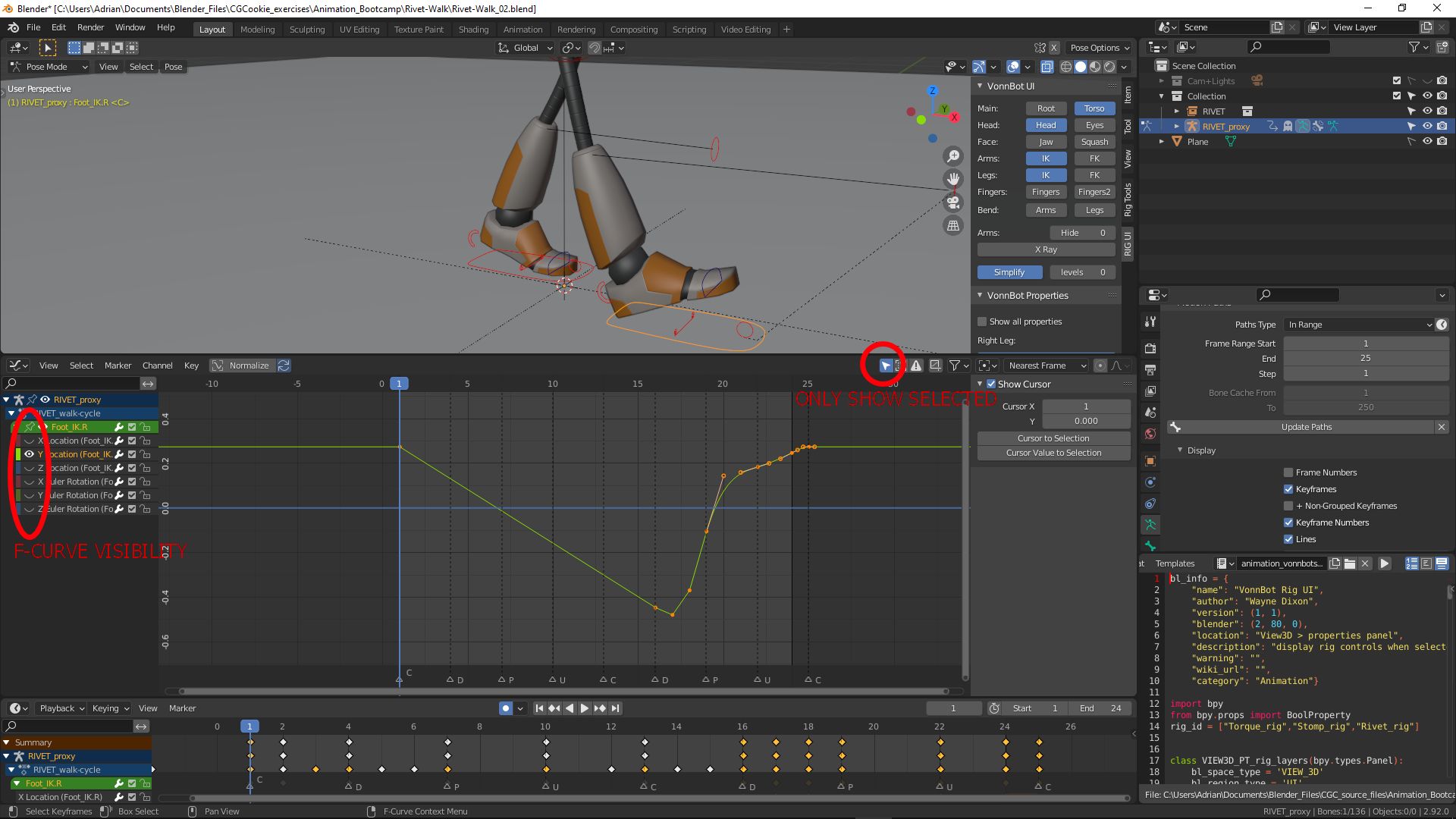
Some key points I have learned from Wayne’s courses,
Add key frames in the timeline for all key poses, then use the dope sheet to add in between poses where needed and refine key poses,
then use the graph editor to tweak the curve. Only moving to the next when I’m happy with the previous.
I’m sure Wayne can go a lot more in depth, I’m no master animator, but I hope these tips can help you.

