@aleem_m
If you enable Blenders Node Wrangler addon, then you can, with the Principled Shader selected, press SHIFT+CTRL+T.
This will open a file browser window:
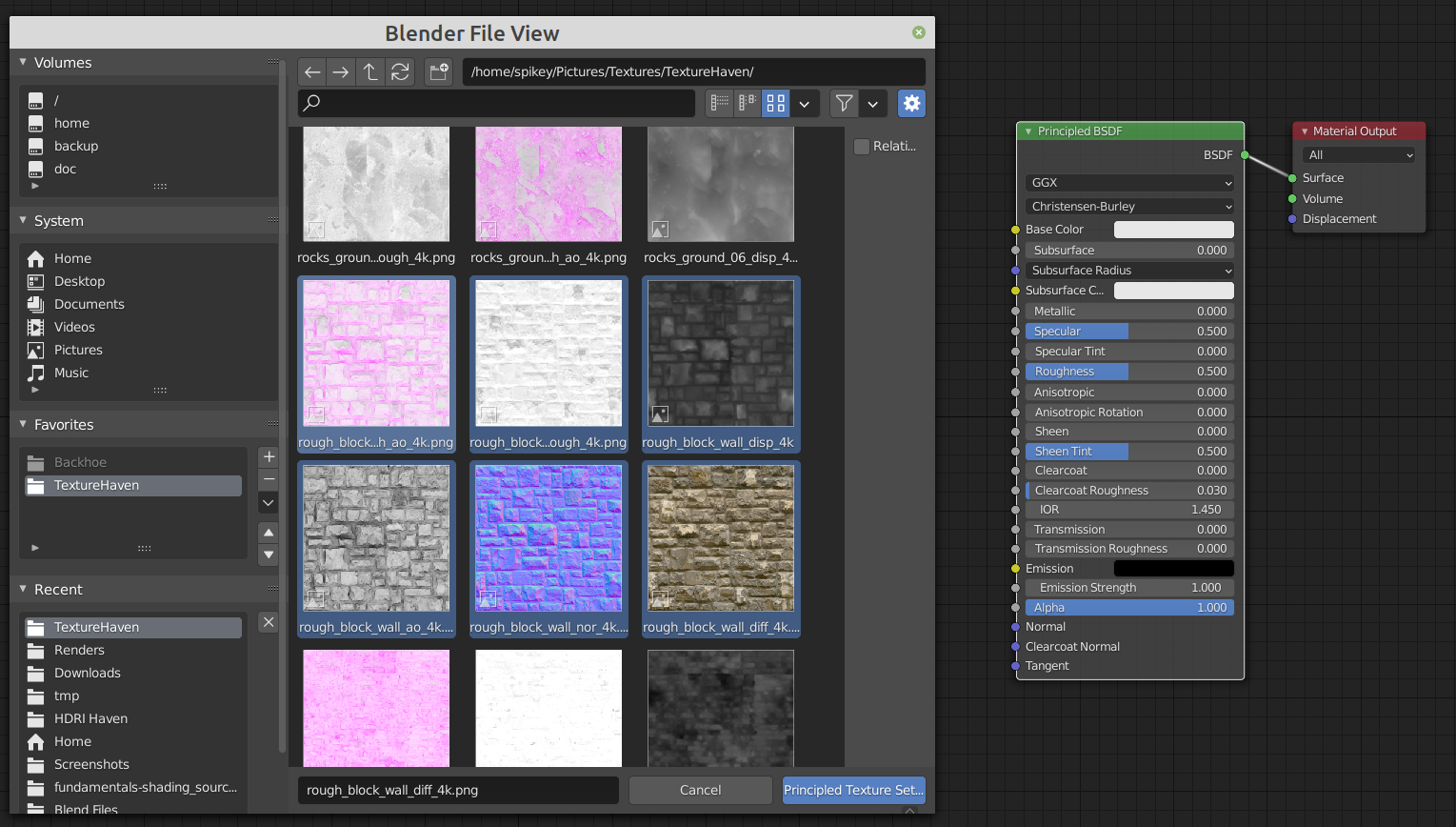 Here you can select the images you want to use and press Enter.
This immediately sets it up correctly:
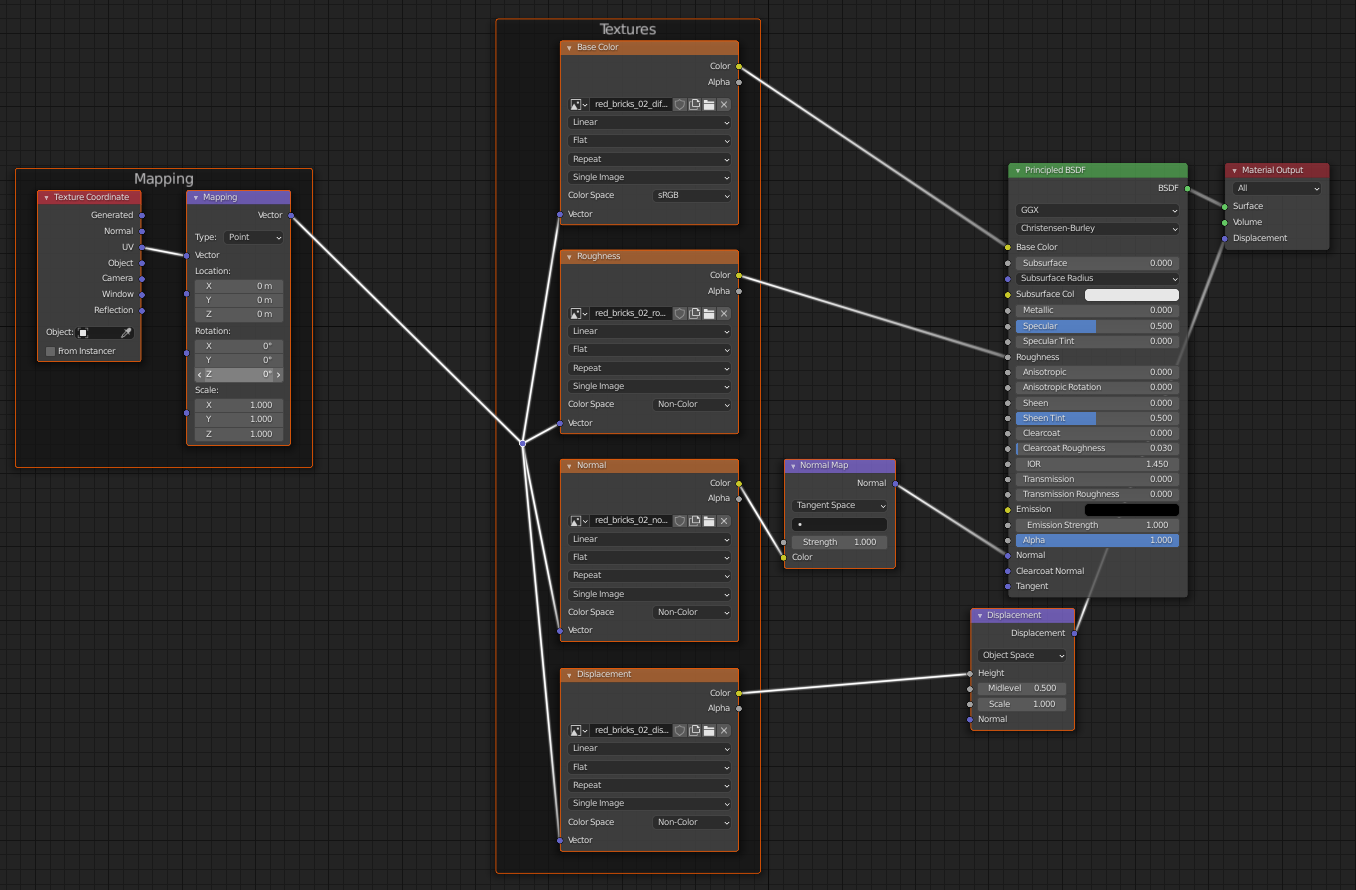 Although there might be images missing, that you will have to add by hand, the ones that are there are connected the right way. saves a lot of work 😉

