Course Library
Learning Paths
Free Courses
Learn Blender 3D in the way that’s right for you.
Inner Circle
Where members share progress and help each other learn.
›
The Commons
A free Blender community open to artists of all skill levels.
Forum Archive › How do I activate the options from the tool settings?, it does not appears to me , I am using the 2.80 version. › Reply To: How do I activate the options from the tool settings?, it does not appears to me , I am using the 2.80 version.
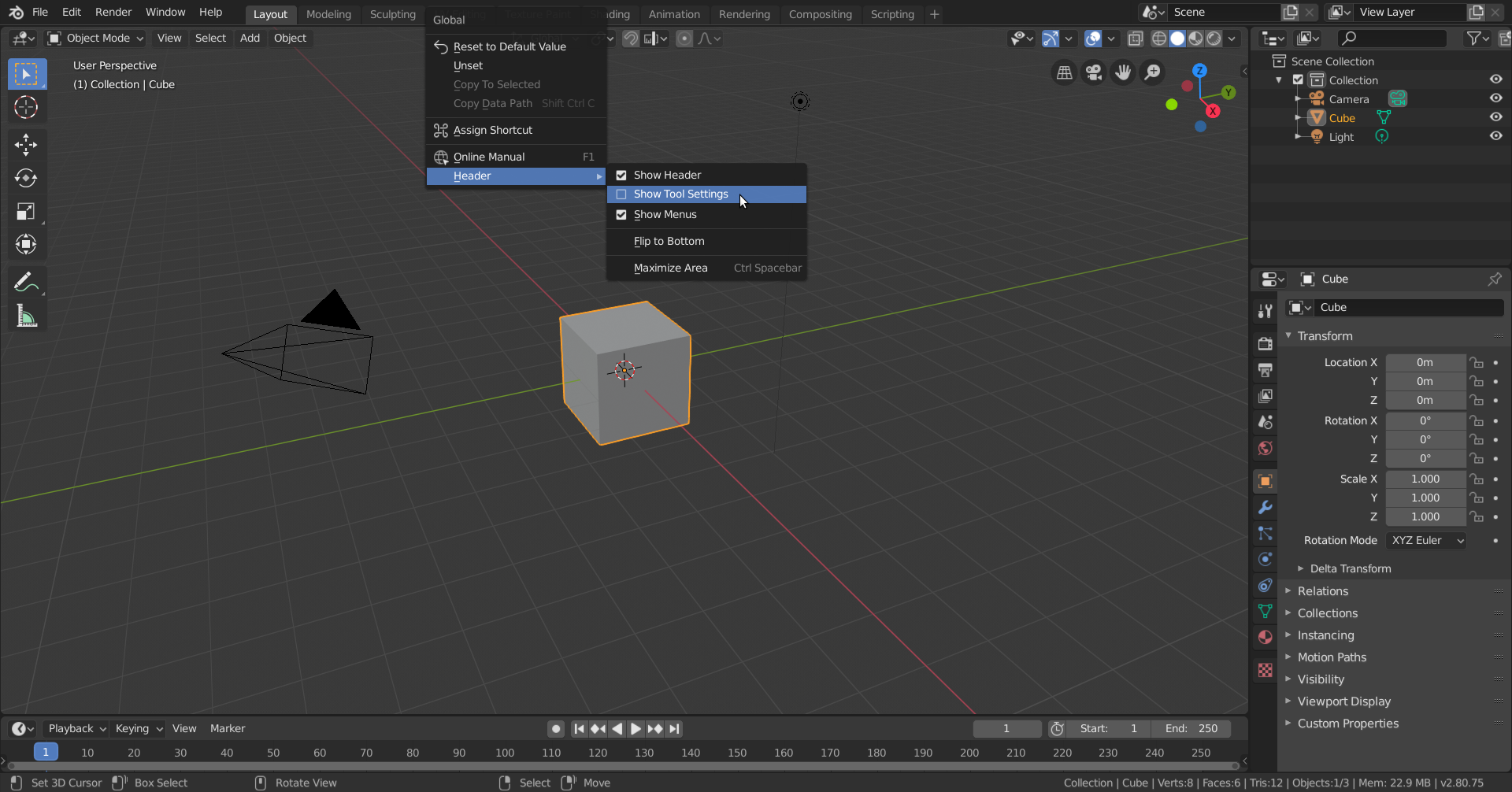
Right-click anywhere on the Header (where it says Editor Type, Object Mode,…Pivot Point,…etc) and then go to Header > Show Tool Settings:
Enable it there.