Hi Zack!
By the looks of it, you need to Apply the Scale of your Crate first:
in Object Mode: CTRL+A > Apply Scale.
Then in your Preferences enable the Loop Tools Addon.
Press W, or when you are using Left Click Select, RMB to get to the Context Menu and:
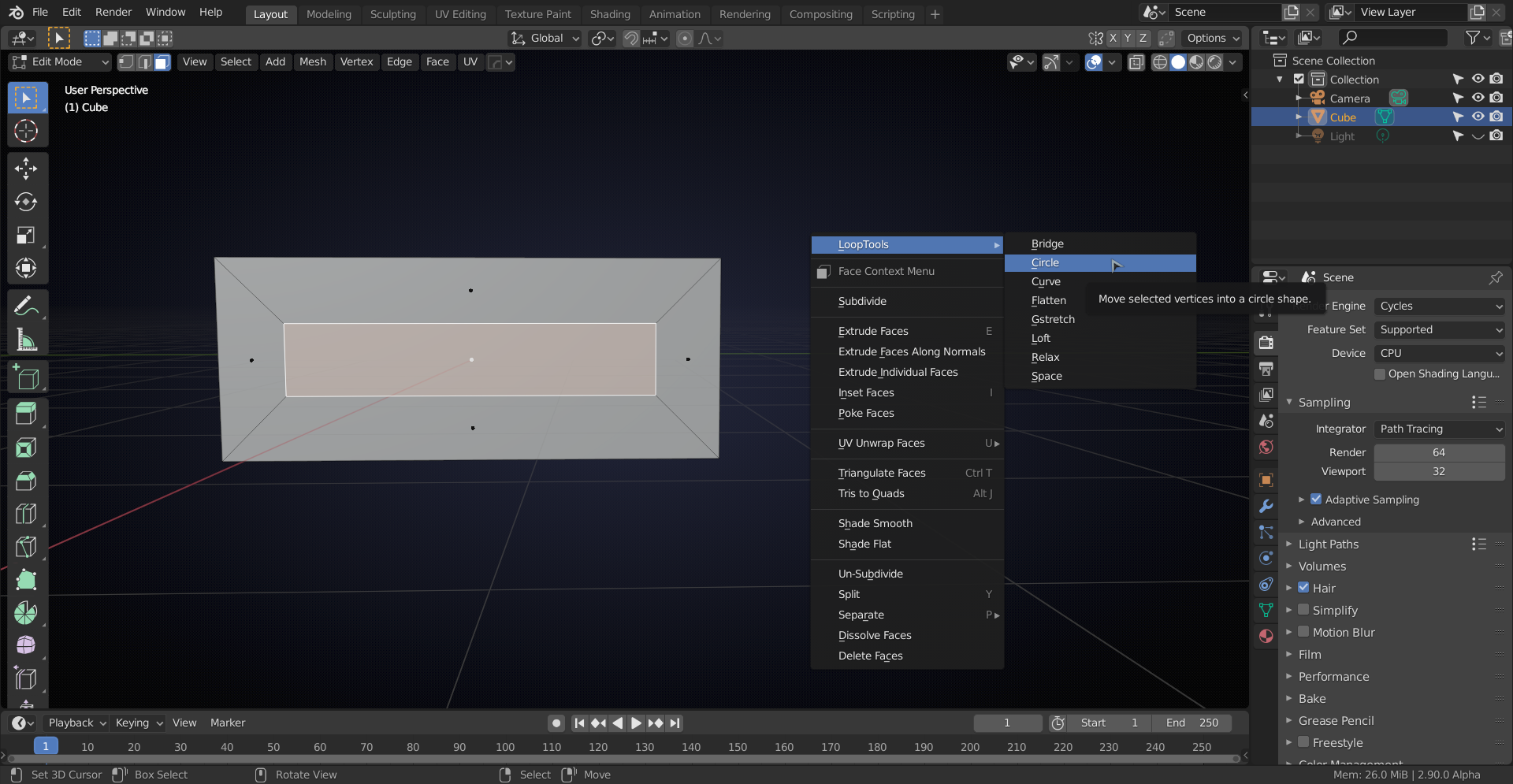
You might get a terrible mess, but check Radius to control the size of the square:
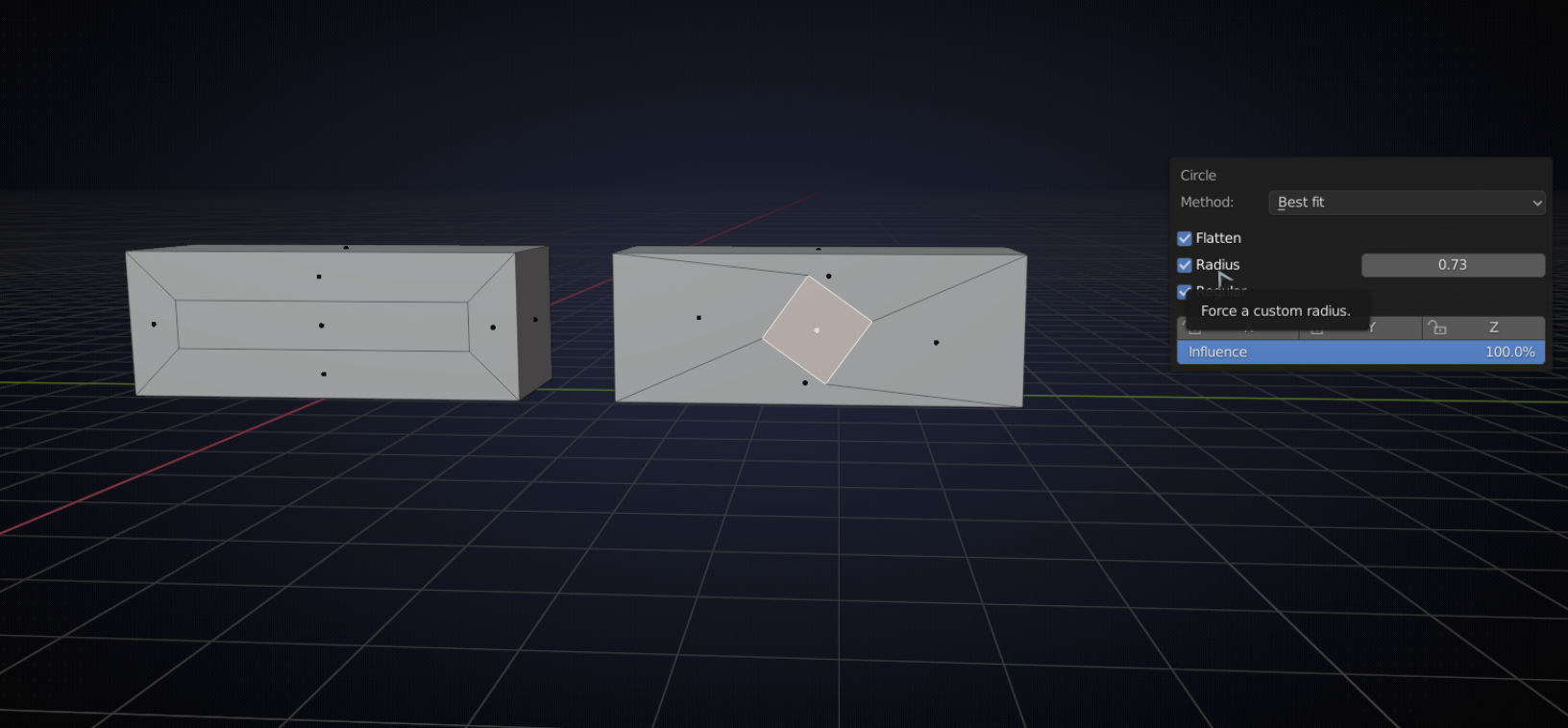
Now rotate the square so that it is ‘aligned’ or to get it exact:
select two parallel sides at a time and, using Individual Origins as Pivot Point, scale them to zero on the appropriate axes:
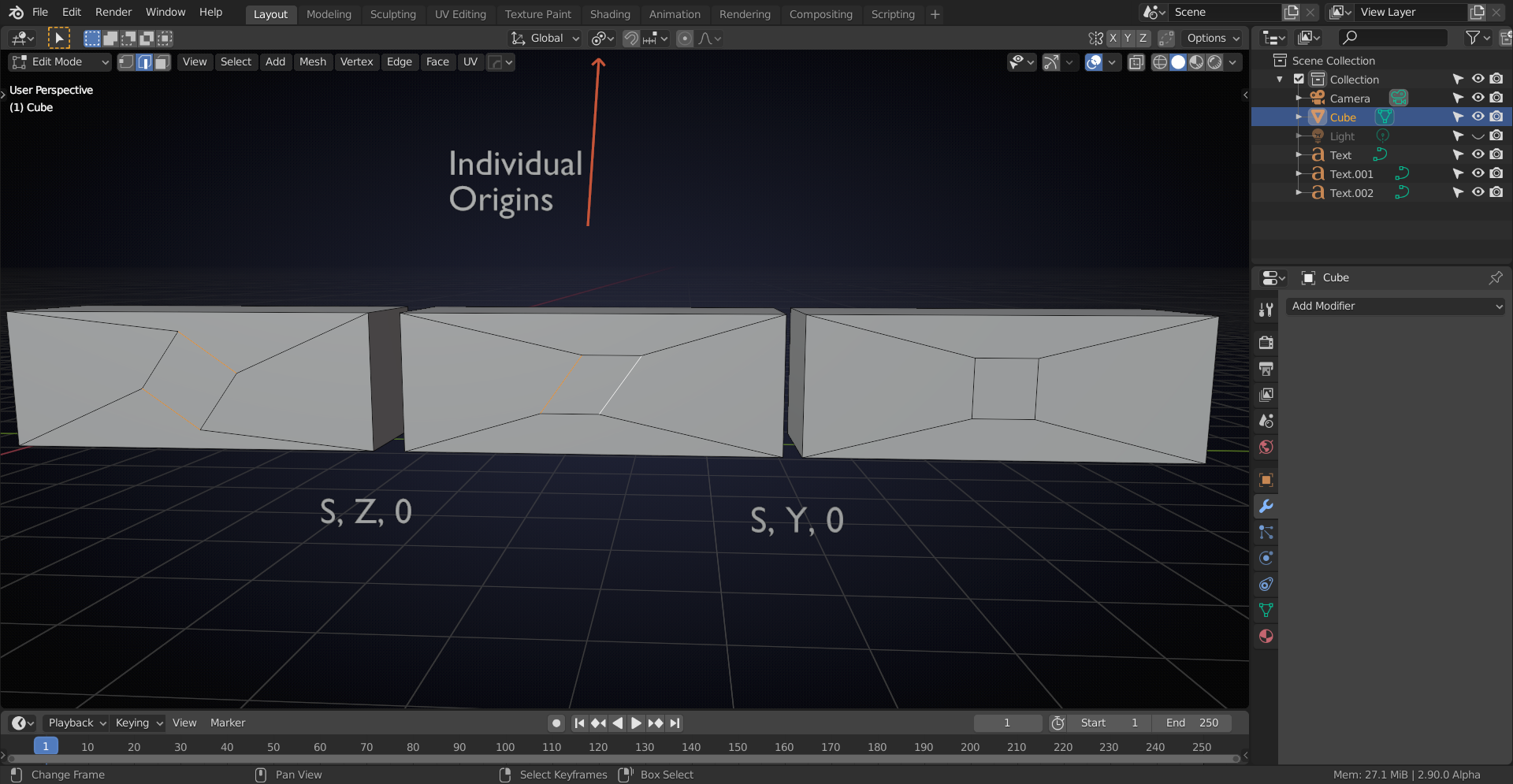
Or, alternatively use the Edge Length Overlay and scale by hand:
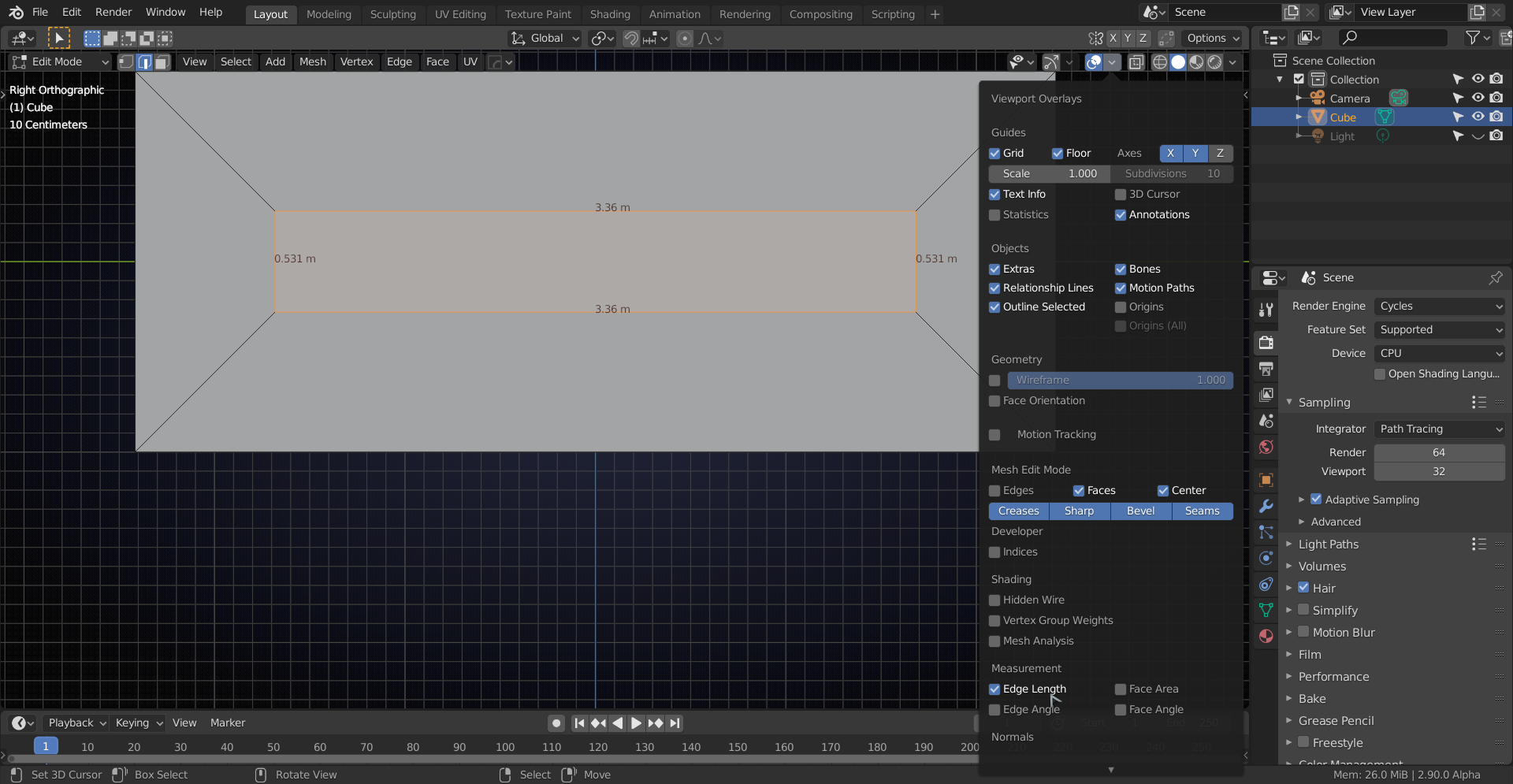
Or, with multiple Insets like the keys on a keypad, you can enable the Edit Mesh Tools Addon and under Edge Tools use Set Edge Length:
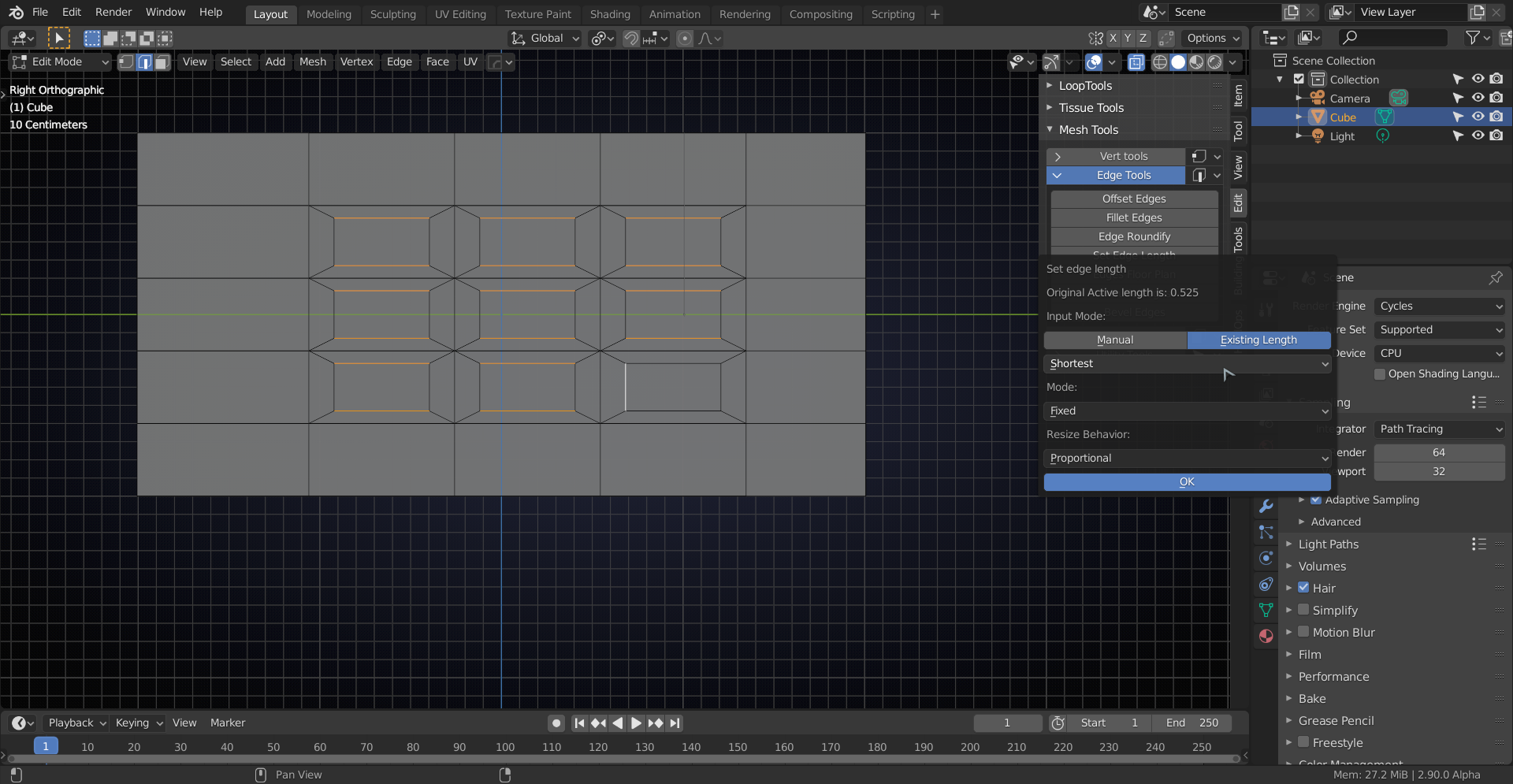
to get:
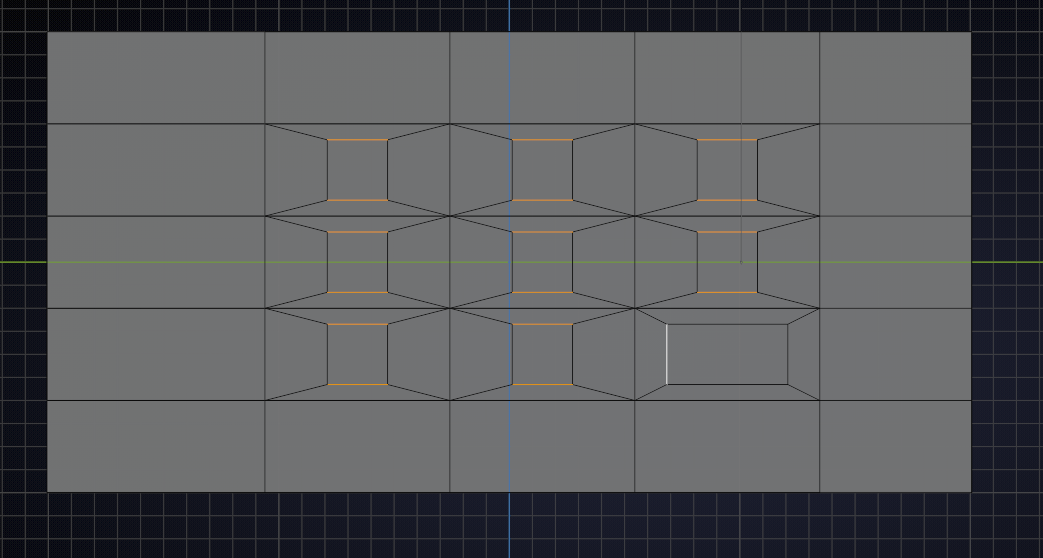
Notice that you’ll have to do that twice, because this tool doesn’t allow you to have Edges that share vertices selected.
And I’m sure there are many more ways to do this, but three’s a charm;)
Hope you find this useful.

