As to your other question: Kent mistakenly wrote ALT+A, that should be CTRL+A > Apply Location (in Object Mode).
If you Bevelled too much, you can (in this specific case) ‘repair’ it like this:
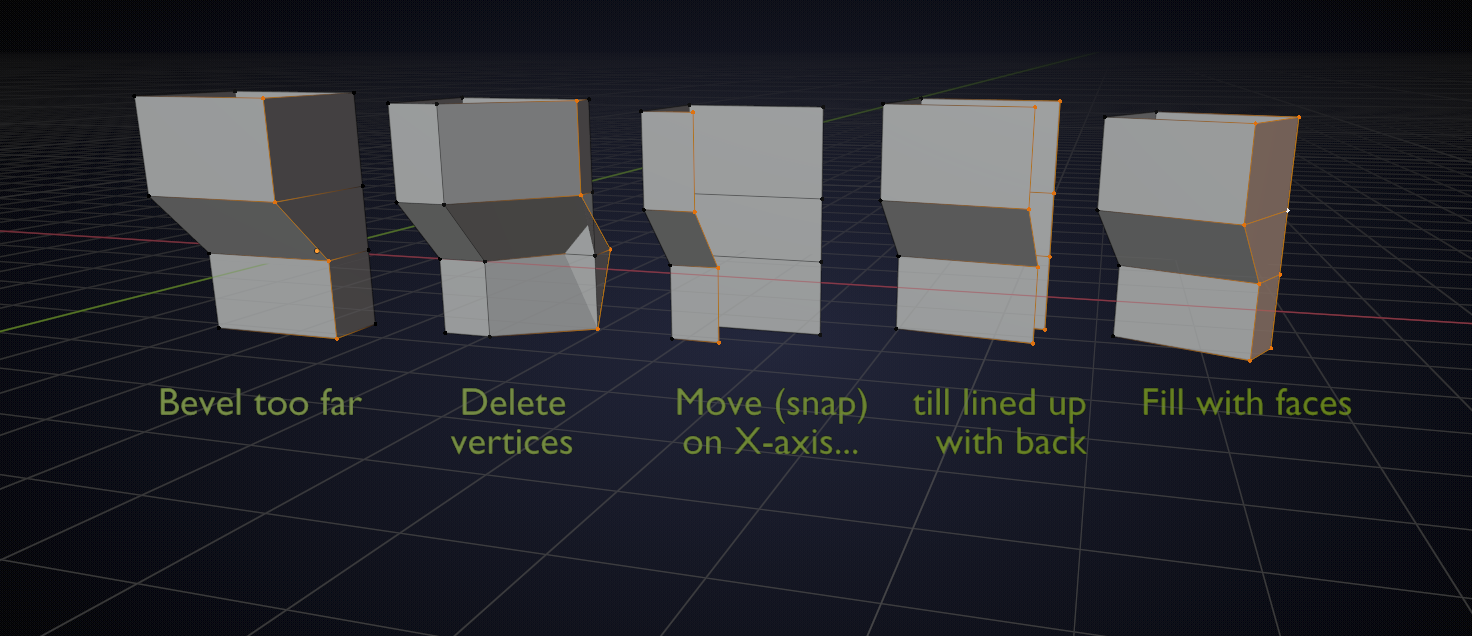
Hope this is clear enough;)
Now to the Normals:
basically, every Face has a front and a back side and by definition we say that the normal of a Face is a vector, perpendicular to the surface, pointing in the front (of the Face) direction. Something like this:
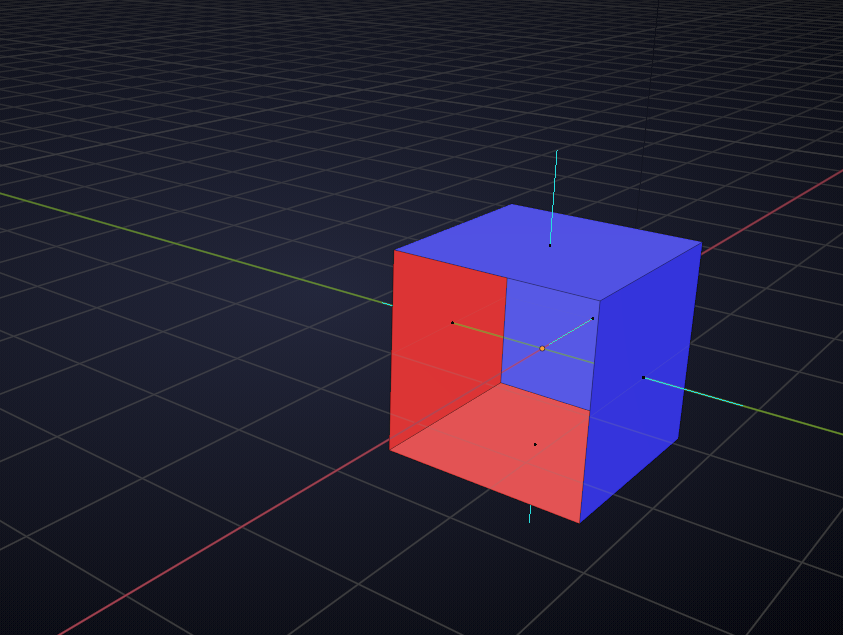
where the blue sides are the front and the red sides are the back of the Faces.
You should absolutely watch this: https://cgcookie.com/course/fundamentals-of-3d-mesh-modeling-in-blender
And don’t worry too much, with time you shall learn and understand. There is a lot to learn and it might seem overwhelming in the beginning, but it’s well worth it! (If you’re into 3D…)

