
Reply To: Character Rig/Polishing Armature
Forum Archive › Character Rig/Polishing Armature › Reply To: Character Rig/Polishing Armature

Hi Julien.
All of those issues look like it’s all related to topology and weight painting.
It’s hard to tell without seeing the wireframes but you will most likely need more loops at the joints so they can articulate nicely.
Automatic weights does a pretty good job but if the topology is bad, it can’t work its magic.
Here’s a couple pointers…
Pic 1. Is that the character’s nipple? Not sure, but it looks like those verts are weighted to the bicep when they shouldn’t be.
Weight painting to remove the un wanted weights should fix that.
One thing that confuses people is the normalizing of these weights. The deformation weights always add up to 1.0 under the hood no matter what the values actually represent.
What does that mean? If a vert is only assigned to one deformation group at .000001, this will be normalised to 1.0
If you have a vert weighted to 1.0 to two separate groups. this will be normalised to 0.5 to each of those groups.
When you are weight painting – turn on ‘auto-normalise’ so it will make this easier to understand.
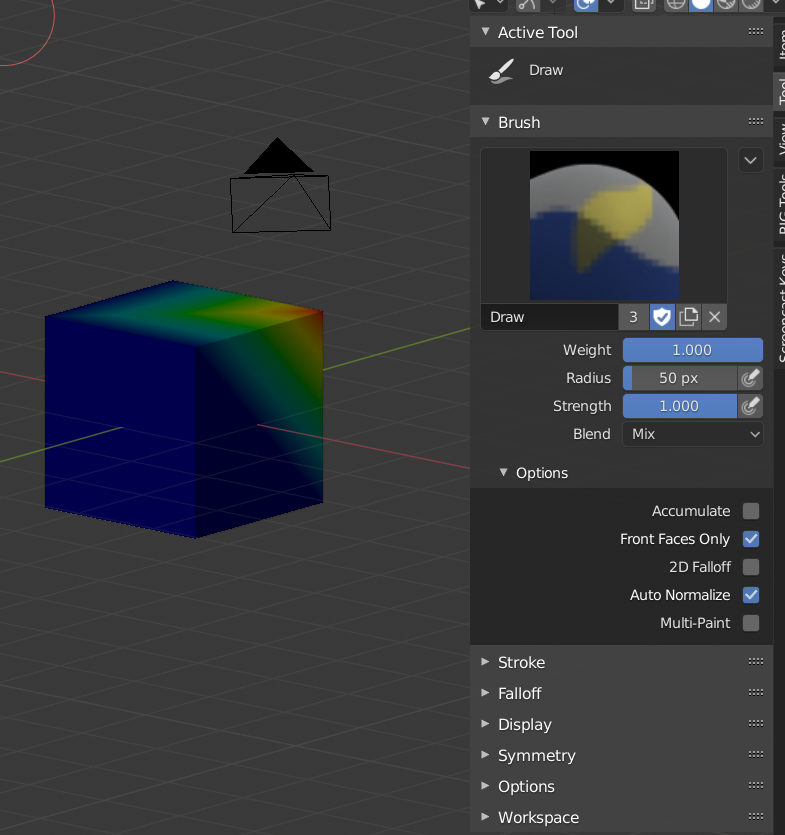
(see it on the right there?)
Pic 2 – 2.3:
This is all weight painting and topology.
The foot bone has too much influence over the shin. So when the foot rotates it takes the bottom of the shin with it. You can weight paint to fix this, but if you want to investigate what weights a specific vertex has have a look in edit mode with the vert selected.
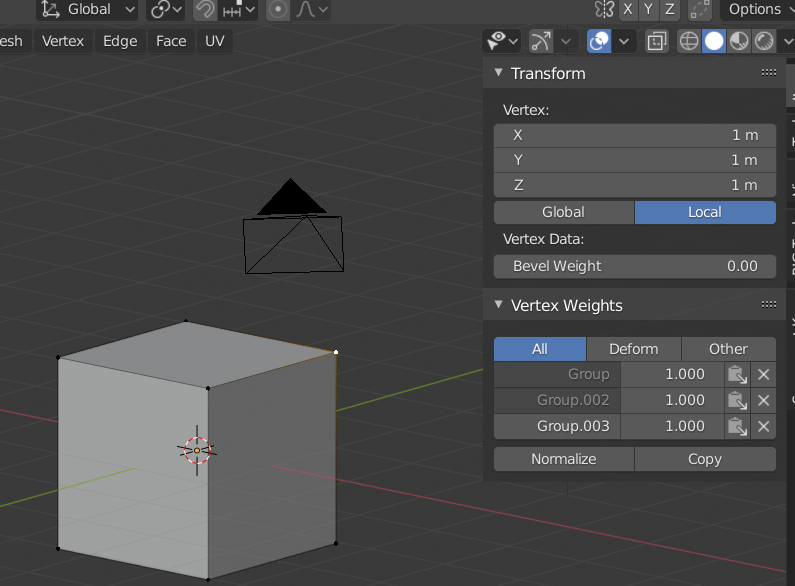
You can see that this vert has 1.0 weight to the groups listed above. you can actually edit those values manually so you can have finer control over the weights. I don’t think your model will have too many verts to edit all the problem areas by hand.
With the elbow joint you it looks like there is 100% influence of the forearm which stops at the elbow. Weighting like this will give a sharp crease. The forearm should have a little bit of influence up to the bicep and the bicep should have a little bit of influence past the elbow into the forearm. This will create a nicer deformation.
Weight painting is an artform onto itself.
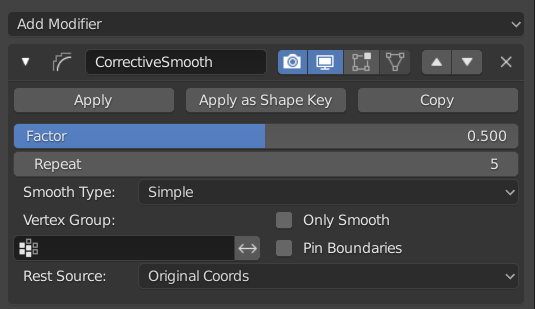
As a last resort you can always use a ‘Corrective Smooth’ modifier to help you out.
It’s important to place this after the armature modifier but you also need to be aware that it can often smooth out things more than you want it to. So you should try to get the weighting looking as good as possible before adding this modifier.
I hope this helps you out,