
Reply To: BC1-1808 Homework, Jake Korosi
Forum Archive › BC1-1808 Homework, Jake Korosi › Reply To: BC1-1808 Homework, Jake Korosi

Here is a big thing that I -think- helped with the realism (less cartoony). BUMP!
Most of the plastic on those objects has grain. If you look at almost any kind of plastic in the real world in fact, unless it’s actually shiny, glossy plastic, has a grainy surface of SOME level on it. I think that grain is very important with plastic, because the Roughness setting on the Principled shader isn’t enough by itself. The Roughness setting dulls reflections; but light interplays with that physical, rough grainyness in a certain way that just dulling the reflections alone can’t duplicate. I’m not sure how to explain it better than that.
If you look in my render you can see there is a very coarse grain on the joystick base for example, so it’s easy to see. But the other objects, even though you might not be able to see the grain directly with your eyes, it’s still there and it’s still producing the light effect.
Here’s how I add grain. There’s probably other ways and there may be a science to getting real-world accuracy, but this method works and it’s very simple:

Just a Texture Coordinate node as the vector for a Noise texture (Generated works just fine, there’s no need to UV unwrap for adding grain unless you really really want to). The Noise texture’s Color is plugged into the Height of a Bump node, and the Normal of the Bump plugs into the Normal of the Principled BSDF. And that’s all there is to it. The Scale of the noise texture controls the size of the grain, while the Strength value of the Bump node controls how high the grain stands up off the surface of the plastic. So play with those two values to achieve the effect you want.
Here is another screenshot, this time up close. Not only can you see from this angle that I cheated and didn’t model any feet on my computer parts (heh), but you can see the different grain in the different kinds of plastic. You may want to open the image in a new tab to see it full size.
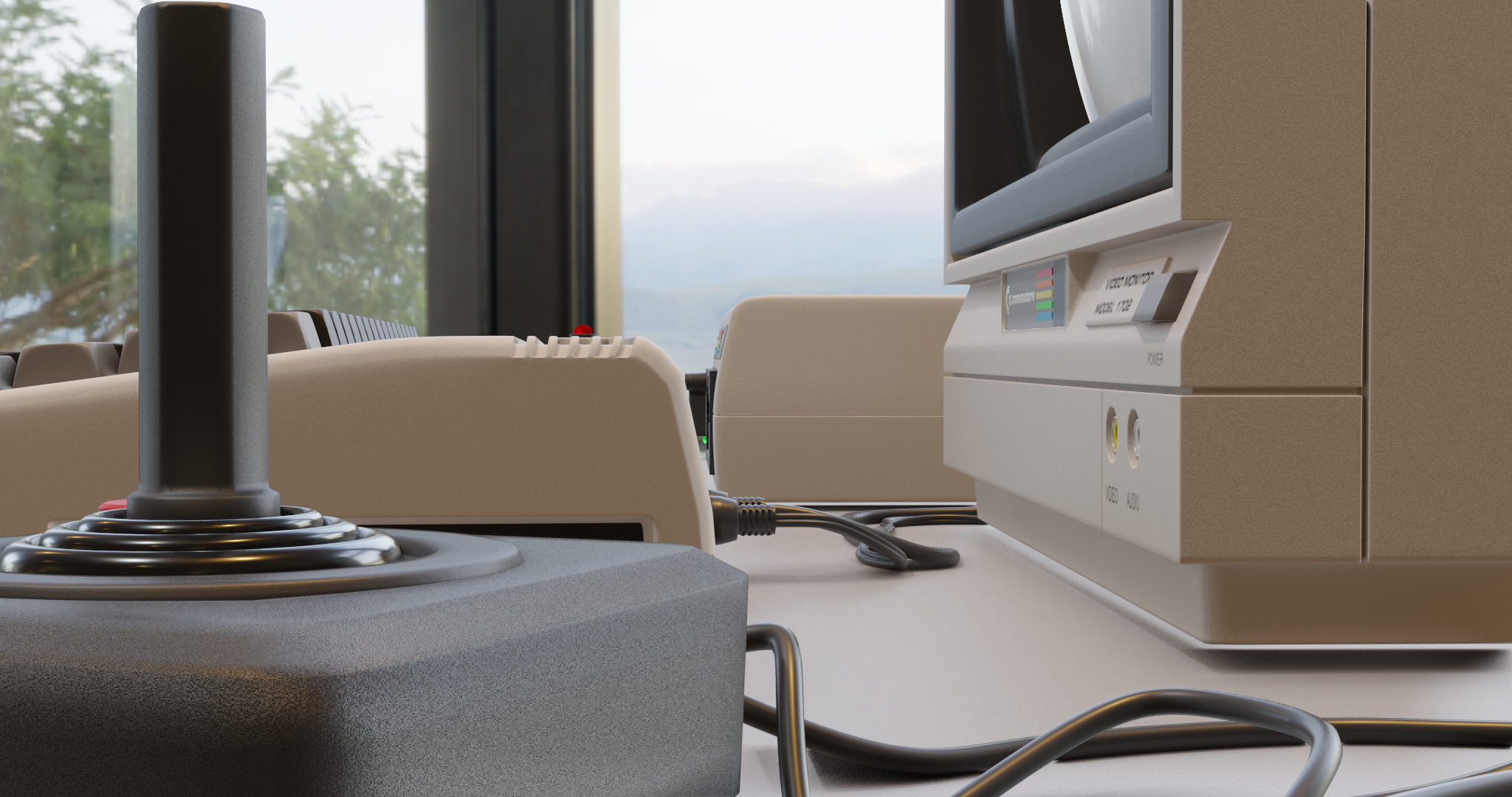
The joystick base has a very coarse grain, while the joystick handle has a very very fine, almost imperceptible grain – but it is there. The side of the monitor and the computer keyboard, on the other hand, has a moderate grain. Even the table surface has a subdued grain of some degree, as they do.
Rubber/soft parts, like the bellows boot on the joystick and the cables, don’t have any grain – rubber tends to be smooth like that, and the Roughness value on the shader works just fine for these.
Hope this is useful for you – and everyone else!