Color mix masking

Forum Archive Color mix masking

Viewing 6 posts - 1 through 6 (of 6 total)
  • Author
    Posts
  • #21350
    Sam Edgar
    Participant

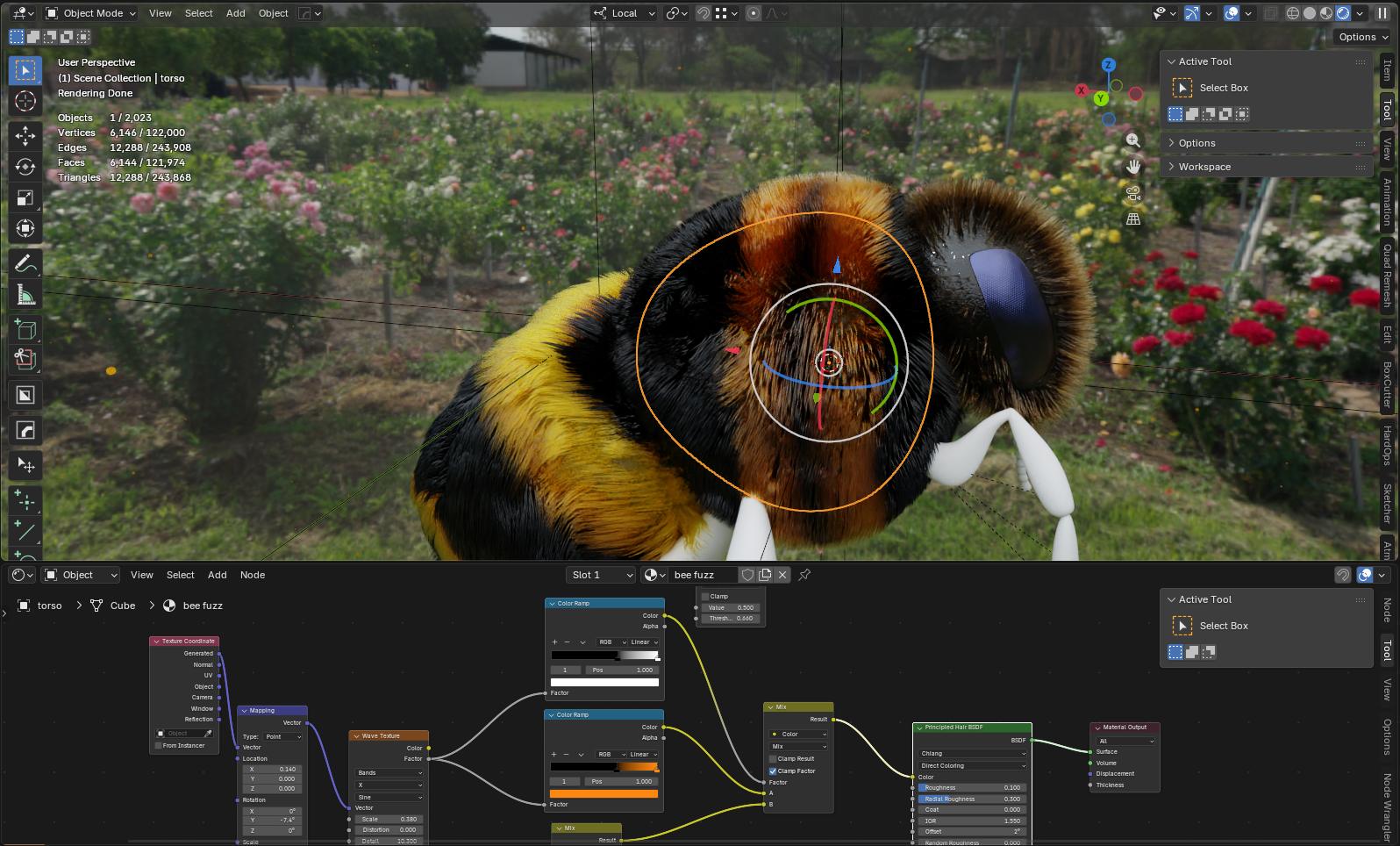
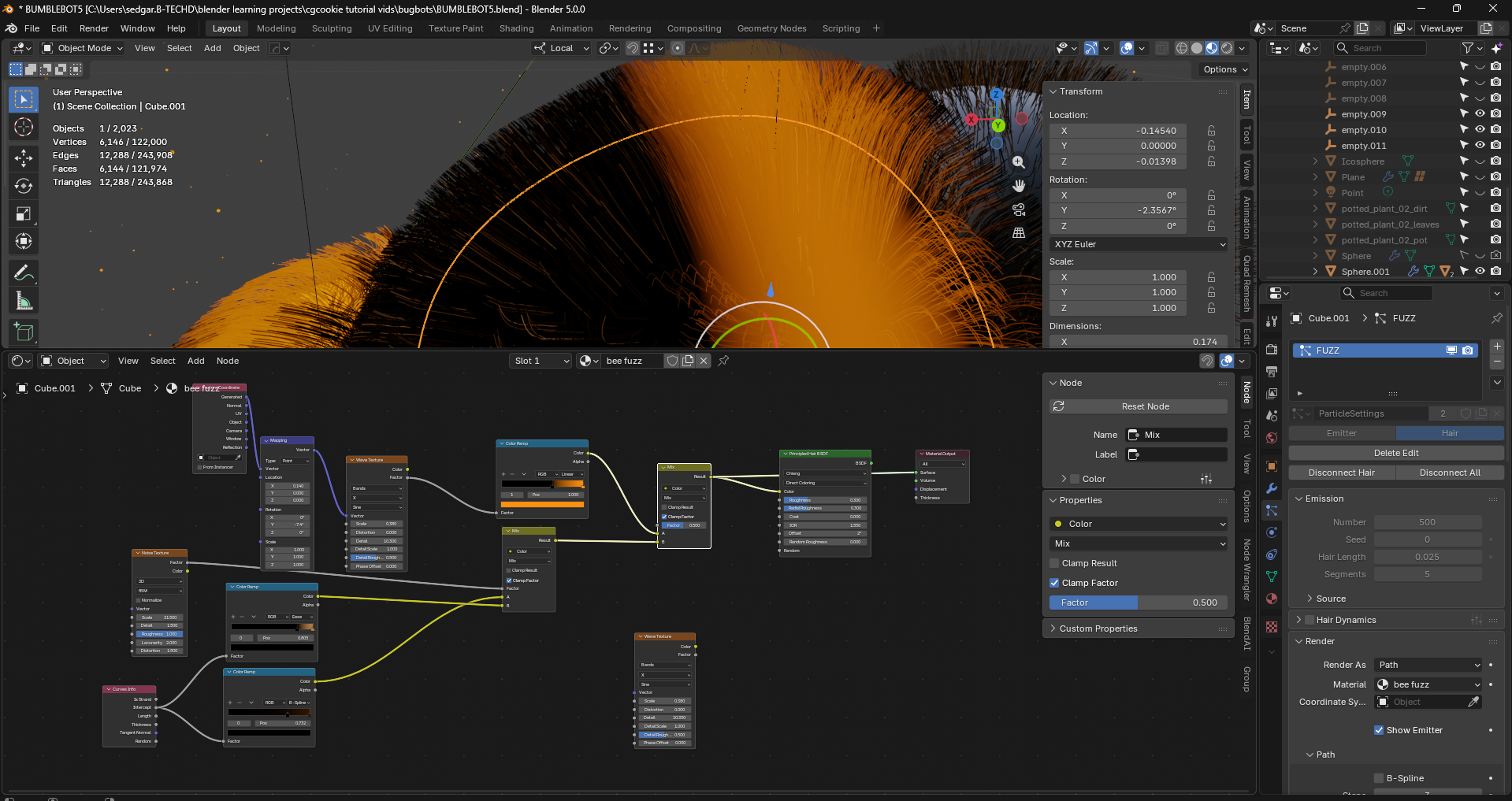
      Hey guys, I’ve created a hair gradient that I’m trying to use in my black hair but not my yellow hair in this shot. The ramp I’m using to make the striped pattern just isn’t working for some reason as a mask. Does anyone see what I’m doing wrong here so that I can have the hair gradient not affect the yellow and darken it?

      Current effect the mix is having

      #99578
      Martin Bergwerf
      Participant

        Hi Sam,

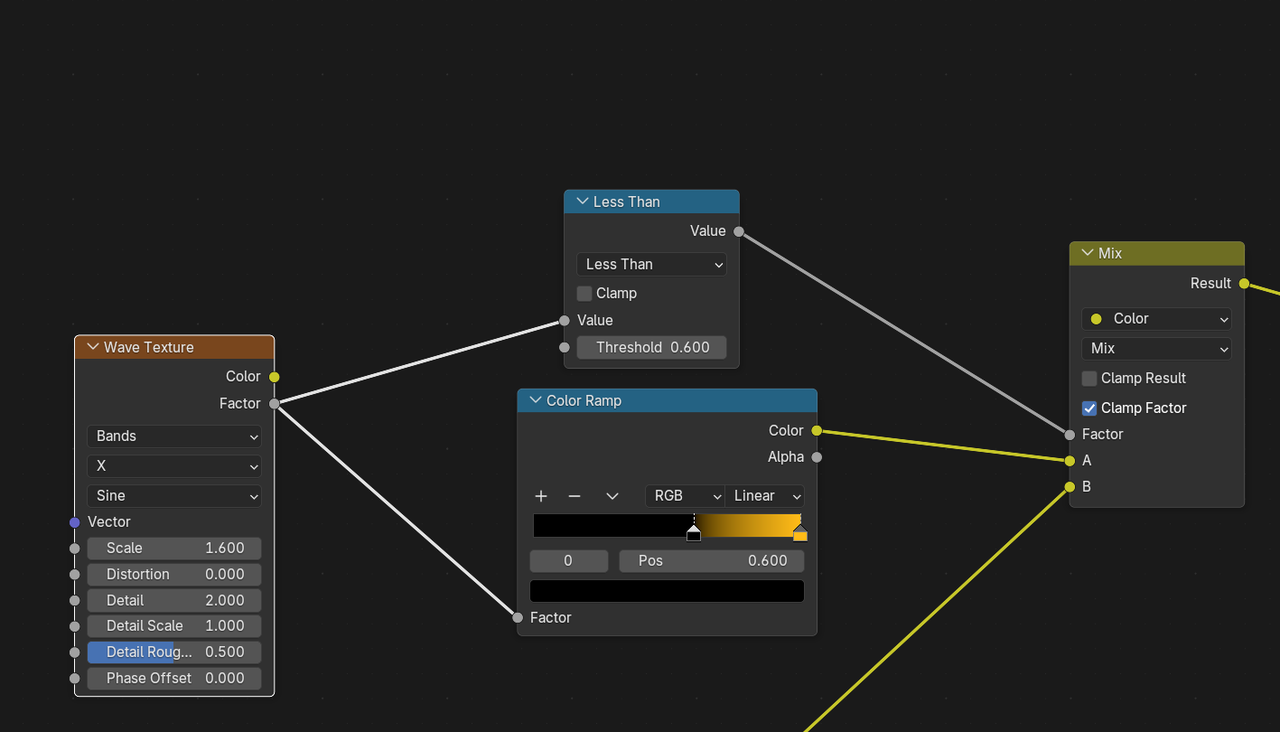
        You need to somehow use the Factor Output of the Wave texture and turn that into a B&W Mask, that you then use to control the Factor of the Mix Color Node. For instance:

        Fuzz_00.png

        #99579
        Sam Edgar
        Participant

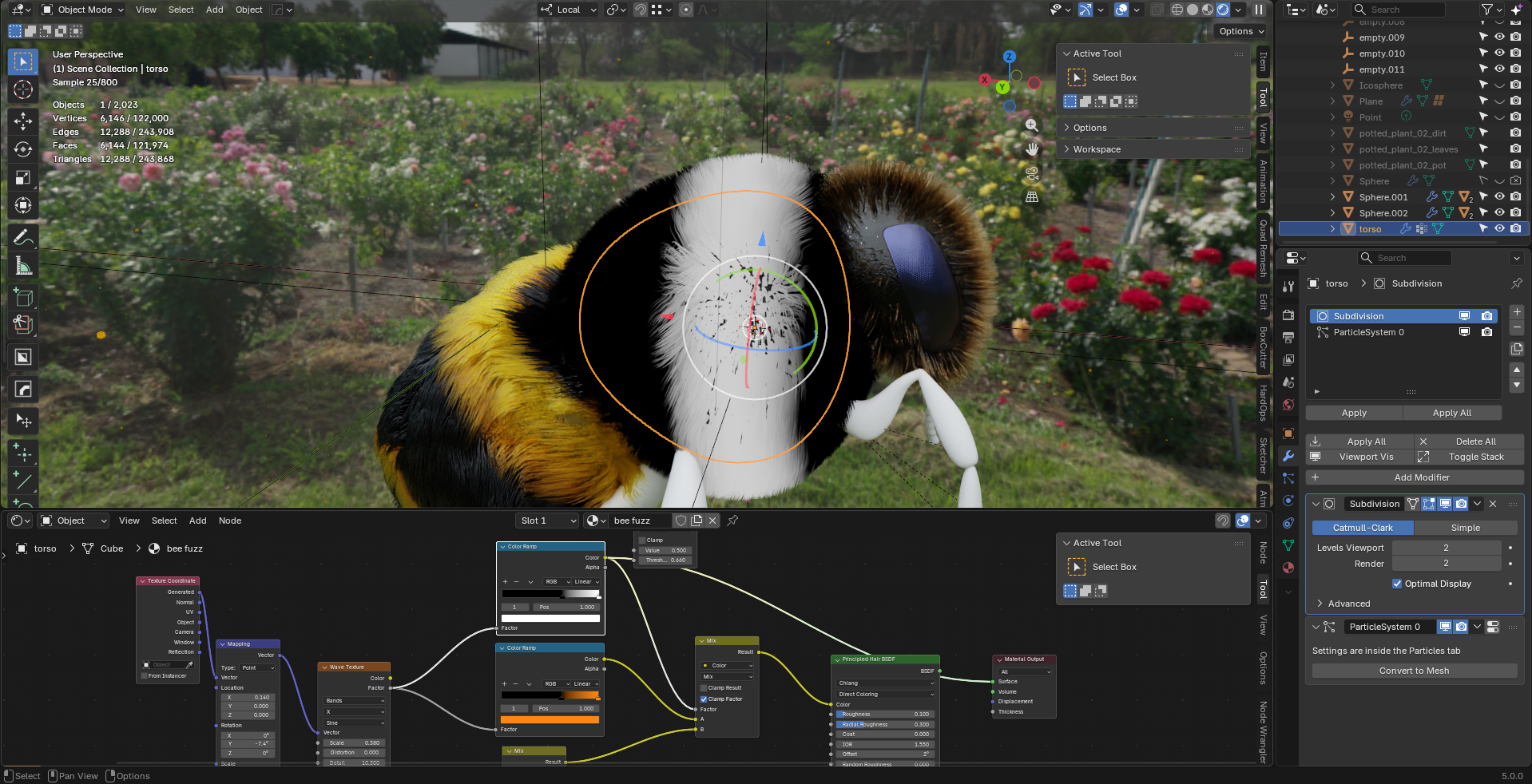
          Thanks Martin, I tried doing that with a black and white color ramp but it just caused this which was confusing

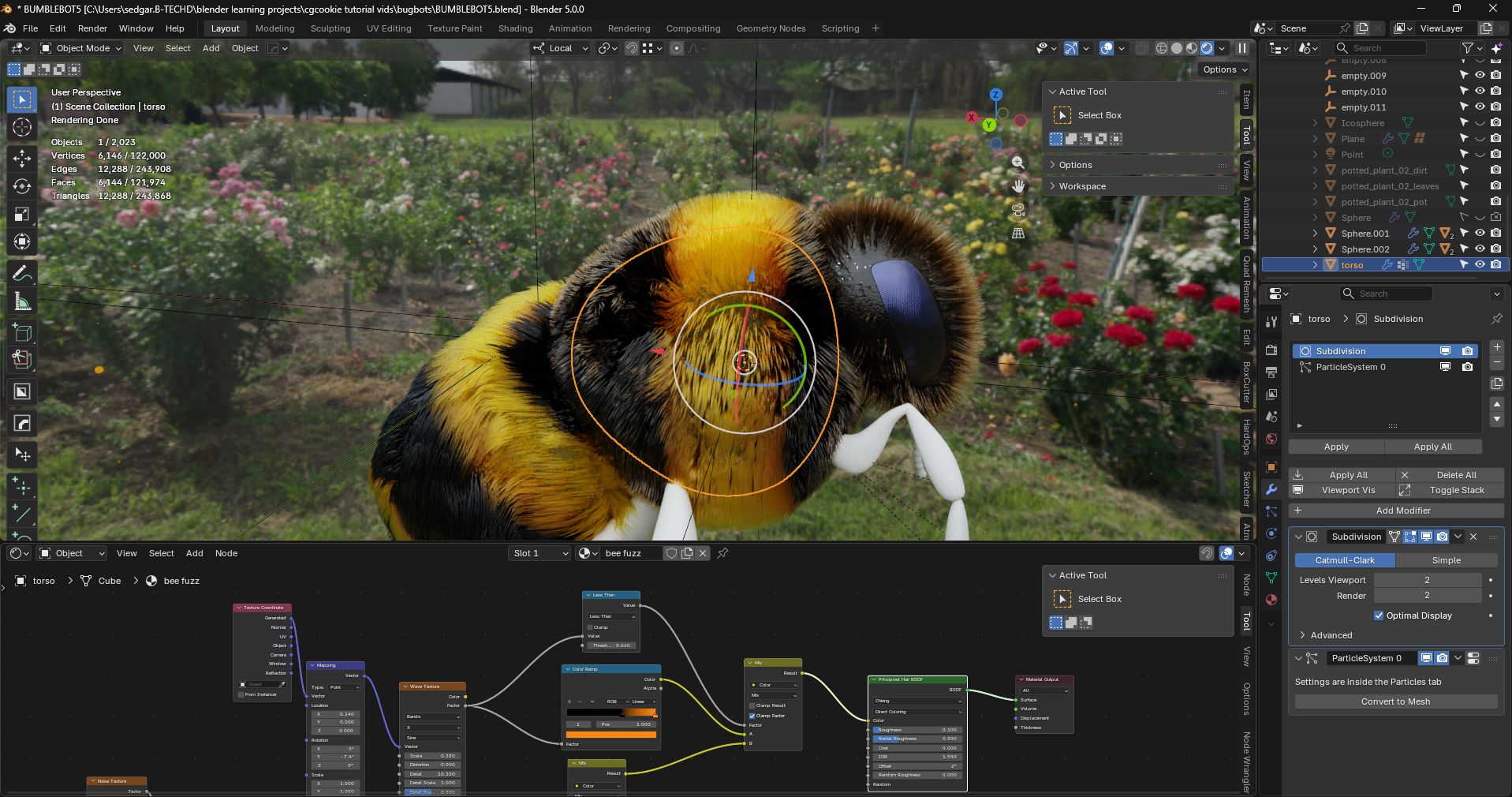
          The way you did it with the less than node worked fine though, I should probably fiddle with math nodes more!

          #99580
          Martin Bergwerf
          Participant

            Hi Sam,

            Your solution with the Color Ramp should work as well, but have given a slightly smoother cutoff….you just should have switched the A and B Inputs of the Mix Color then. Or Flip the B&W Color Ramp.

            Personally, I always like using Math Nodes, because they are so predictable (to me).

            #99581
            Charles
            Participant

              You bee looks cute. I’m looking forward to seeing the final render as much as I’m sure you’re looking forward to finally finishing it 🙂

              #99582
              Sam Edgar
              Participant

                @thehomme I Can. Not. Wait😮‍💨

              Viewing 6 posts - 1 through 6 (of 6 total)
              • The topic ‘Color mix masking’ is closed to new replies.