
How to model these flower petals?
Forum Archive › How to model these flower petals?
- This topic has 15 replies, 4 voices, and was last updated 7 months, 2 weeks ago by
Deb kanta Guin.
-
AuthorPosts
-
January 21, 2026 at 2:04 am #21279
I’m trying to finish my ornament, but it’s a bit embarrassing to say that I’m stuck on one of the simplest parts because I can’t figure out how to model it.
I’m confused about how to create this specific part. It looks like a smooth, rounded silhouette or shape,
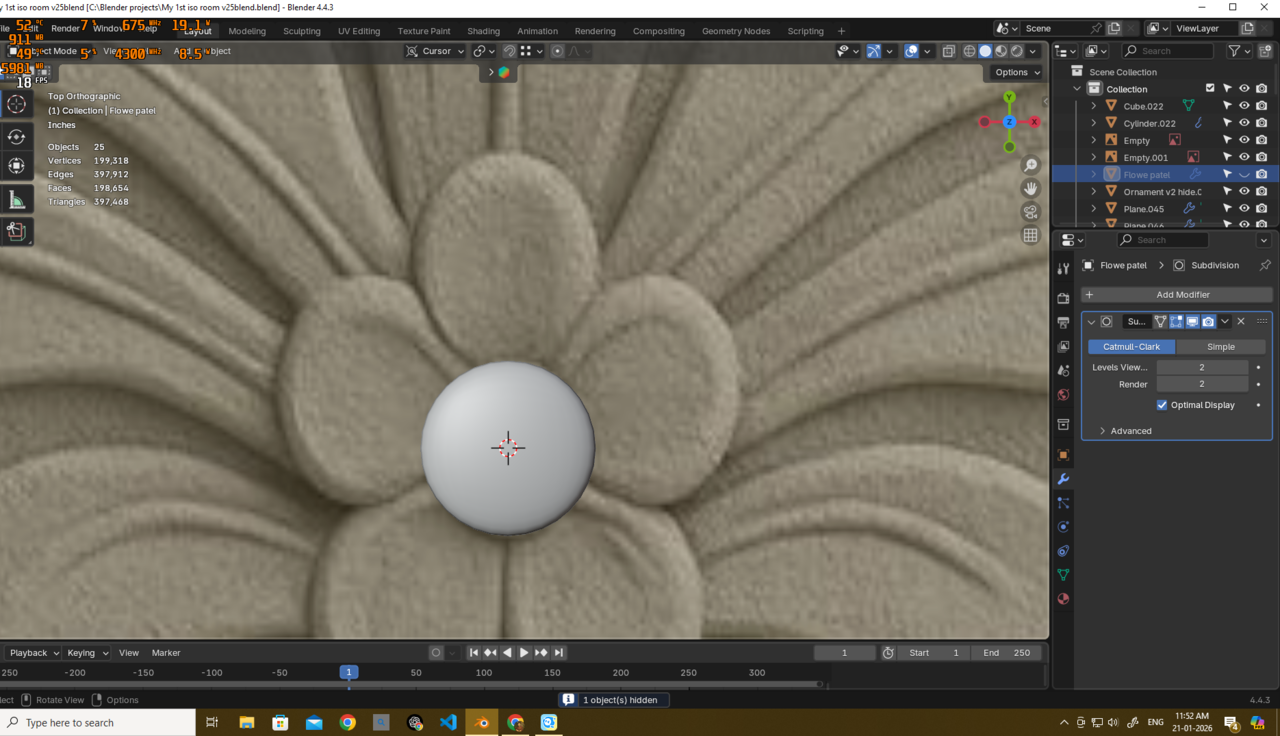
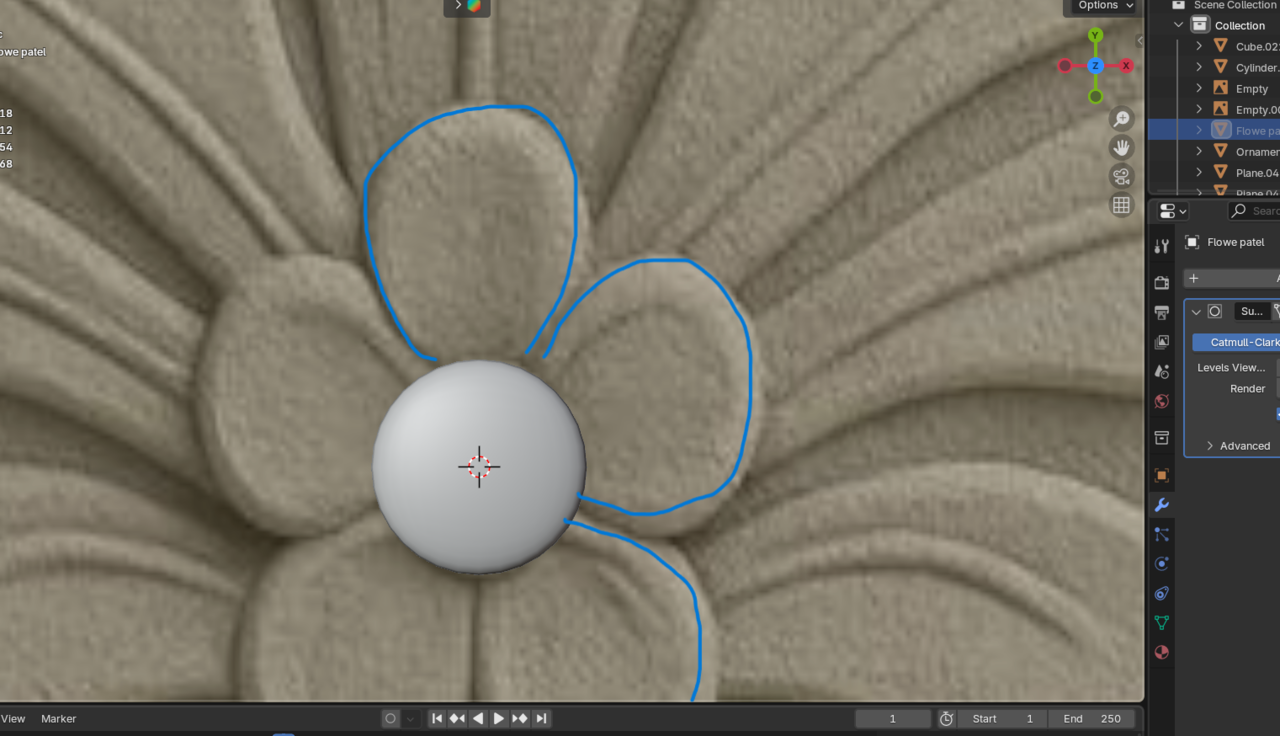
but it needs to be modeled in a way that doesn’t overlap and fits perfectly next to the other flower petals.
If I make it too rounded, it overlaps badlyand creates gaps between the shapes.

And it does not look sharpe in the edges so dont want to make it that way right now, I’m not sure what the correct approach is.
 January 21, 2026 at 2:55 am #99289
HI Deb,
These petals are all different. Just start by tracing the outlines and note, that some are partly overlapping:
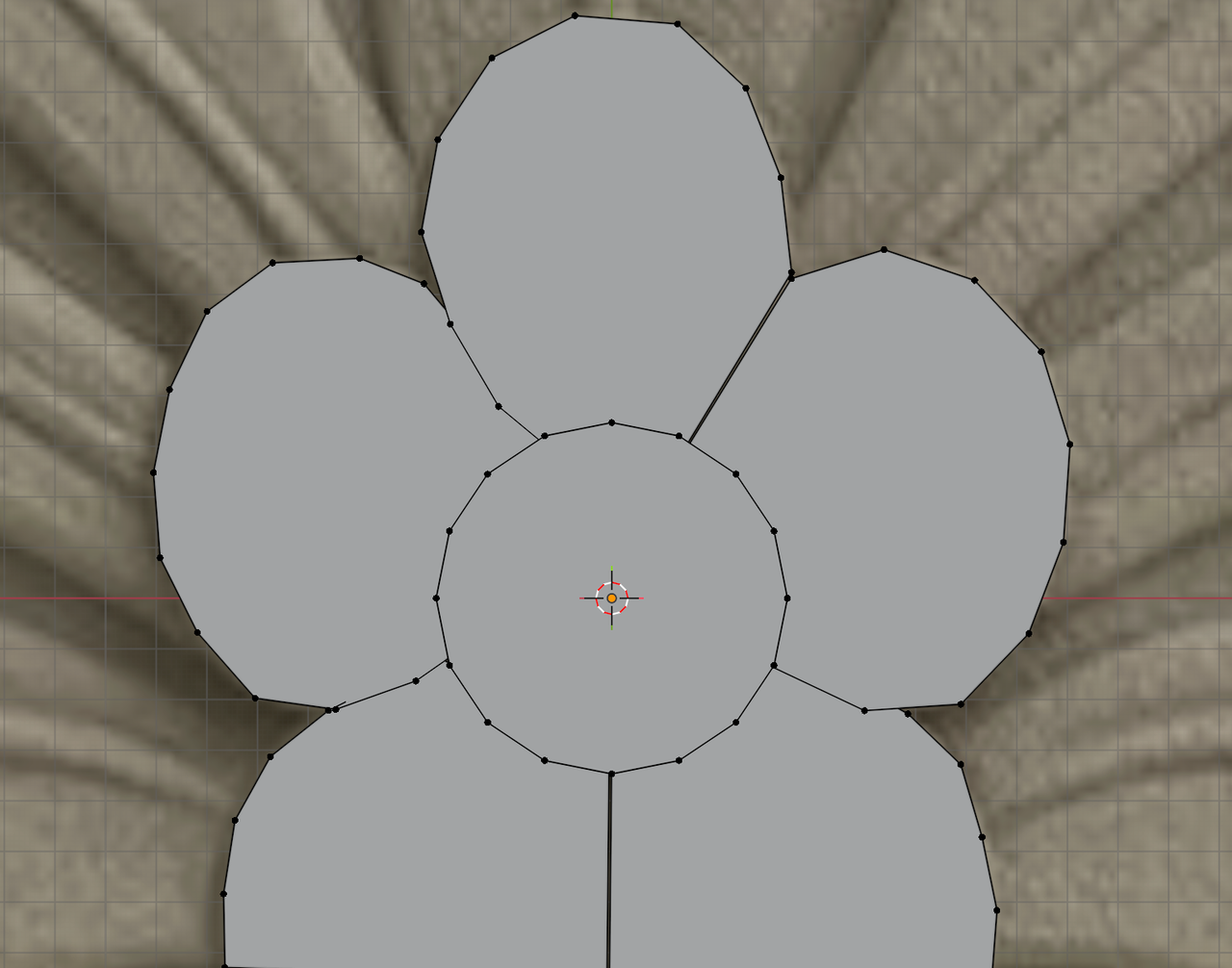
Then you can Inset them and Grid Fill the inside. And give them some thickness.
January 21, 2026 at 6:21 am #99290Treat it as one object and establish the edge flow to move/extrude the petals exactly the same as you did for the fleur de lis
January 21, 2026 at 9:18 am #99291Thank you very much, Martin and @thehomme.
Honestly, I’m still stuck and not able to clearly figure this out. I’m having trouble understanding the correct approach here. Could someone please point out what I’m doing wrong and what I should be doing instead?
I would truly appreciate the help—I’m struggling to see the solution right now.
here what i tried
separated
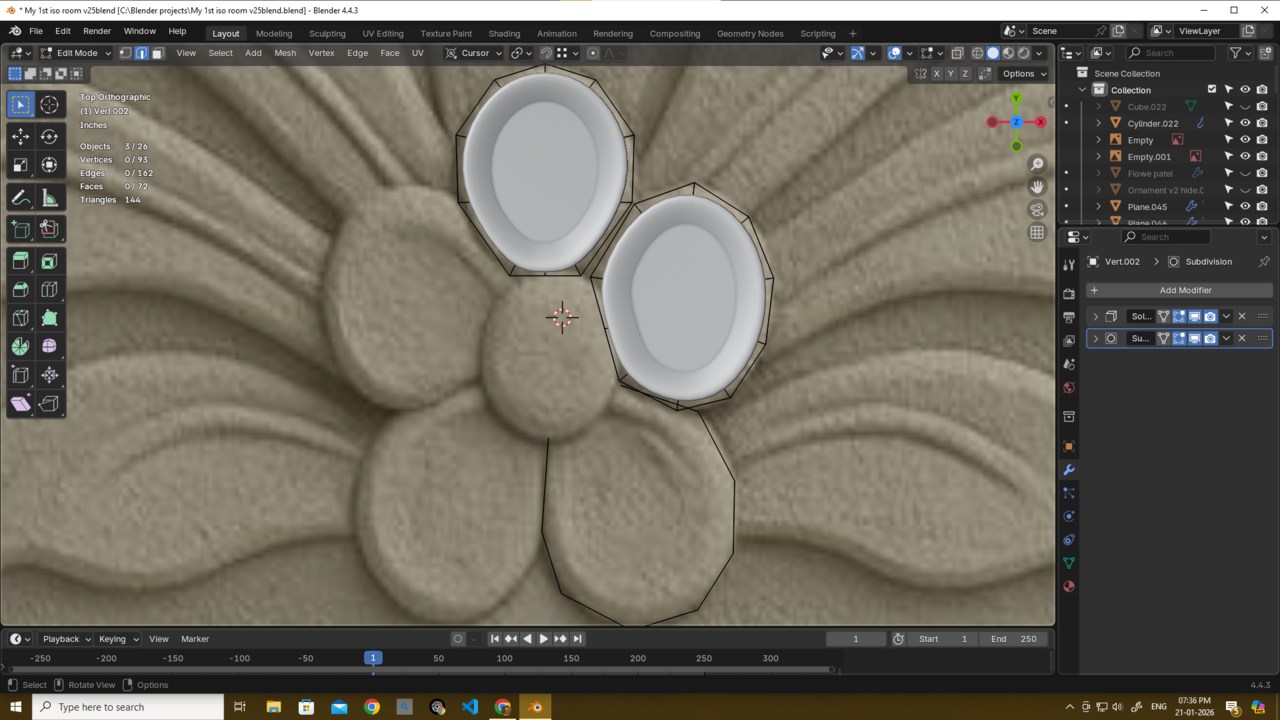
Joined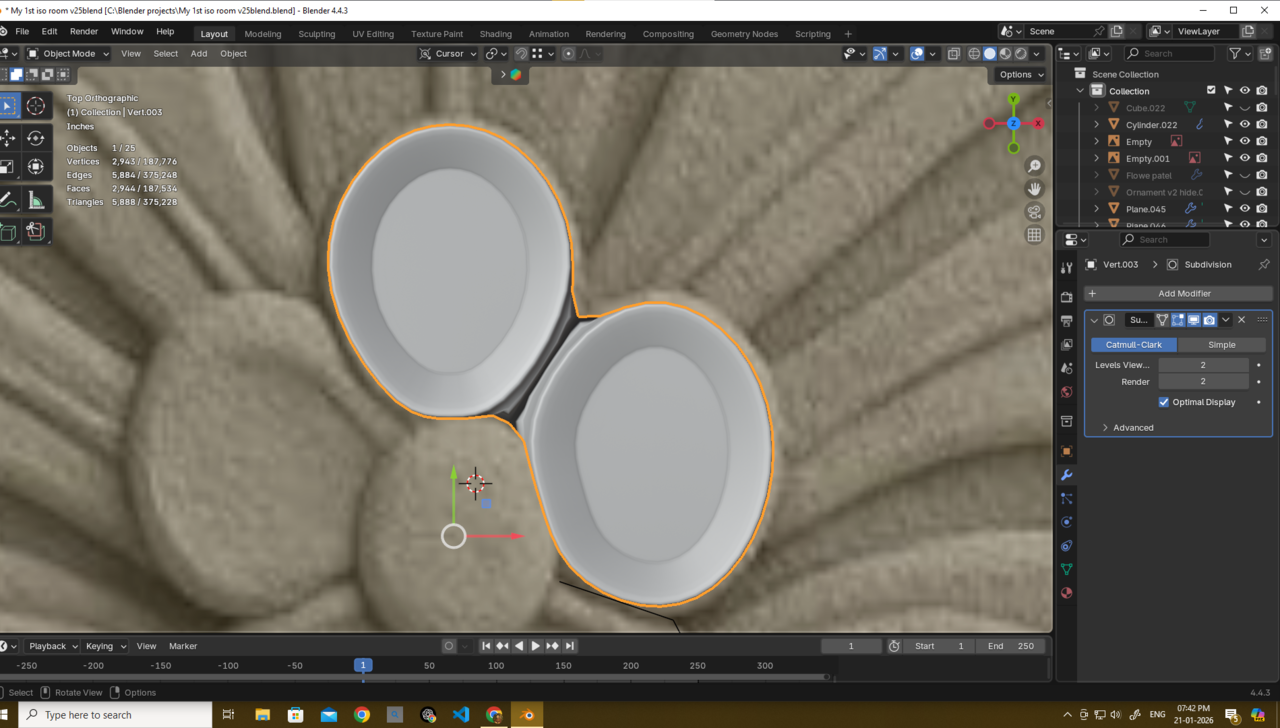
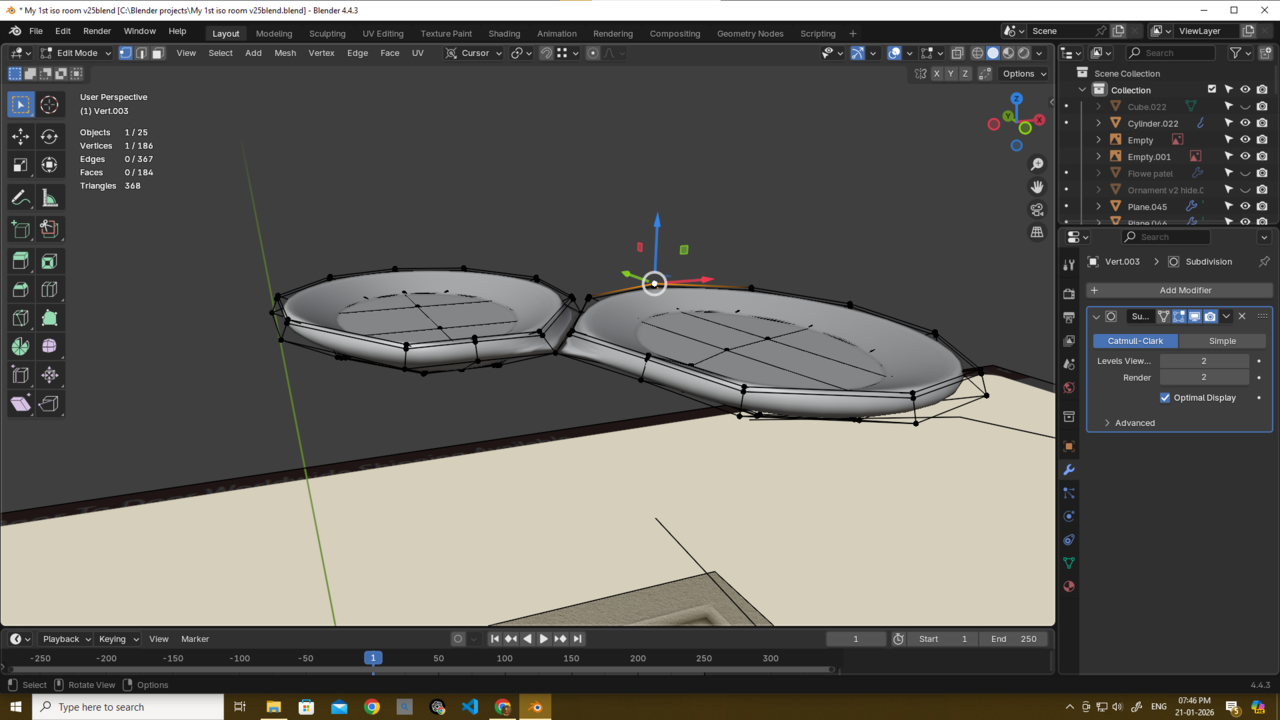 January 21, 2026 at 9:50 am #99292
Hi Deb
You can either Scale each petal up a bit, to compensate for the Subsurf.
Or Join them, but then probably ‘higher’, maybe like this:
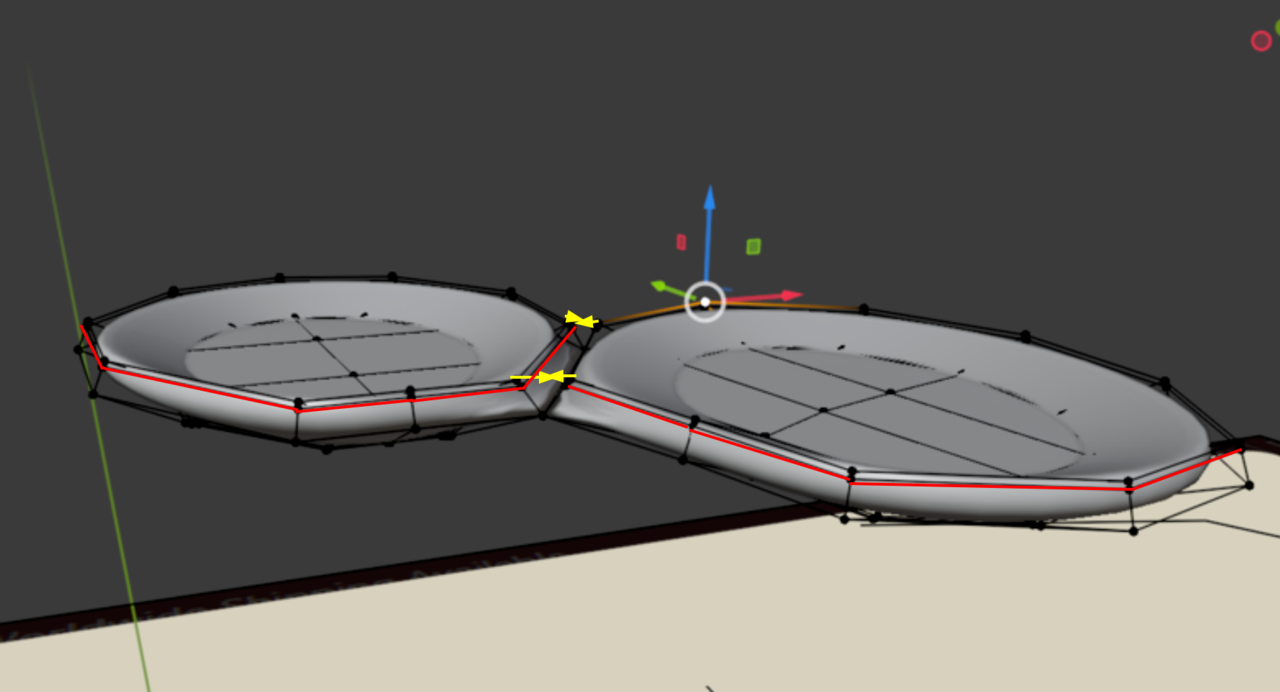
And I’d remove those holding Edges for now, you can re-Add them later, if needed.
January 21, 2026 at 10:02 am #99293Thank u martin very much..
if i choose join them what next? becasue its not looking what it should be?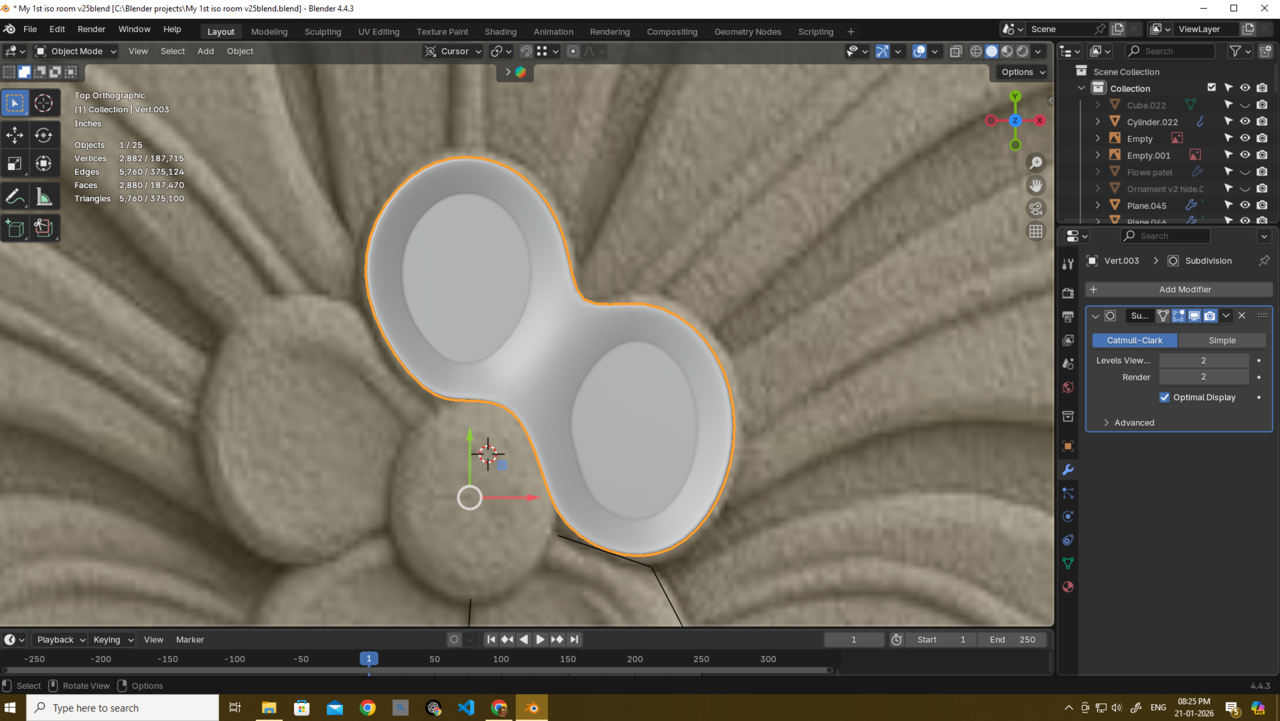
if i scale them they will oevrlap badly or have this gap and not gonna look as the ref image..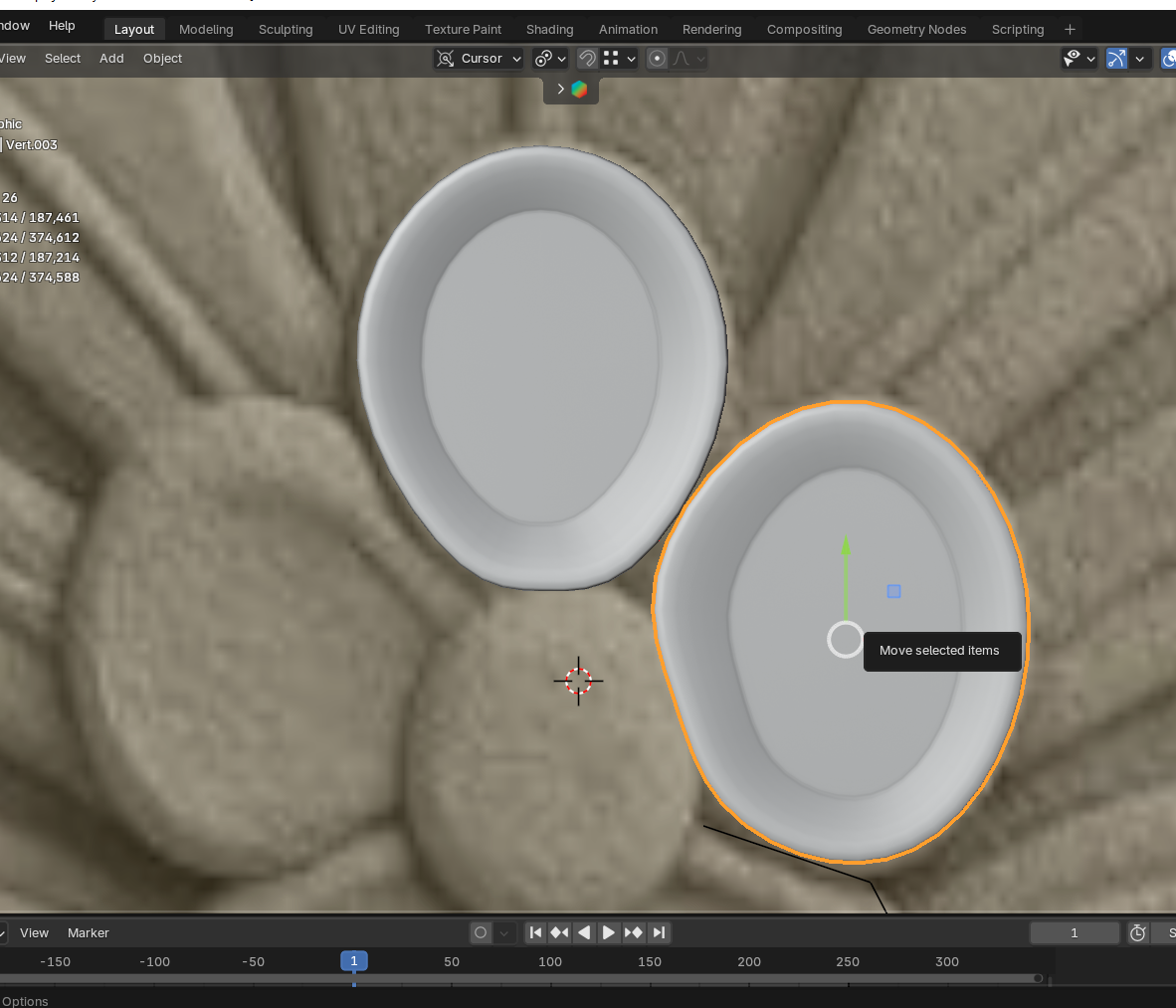 January 21, 2026 at 10:09 am #99294
You can move the inner corner Vertices further inwards, they disappear under the center anyway (intersecting Geometry is totally fine in this case):
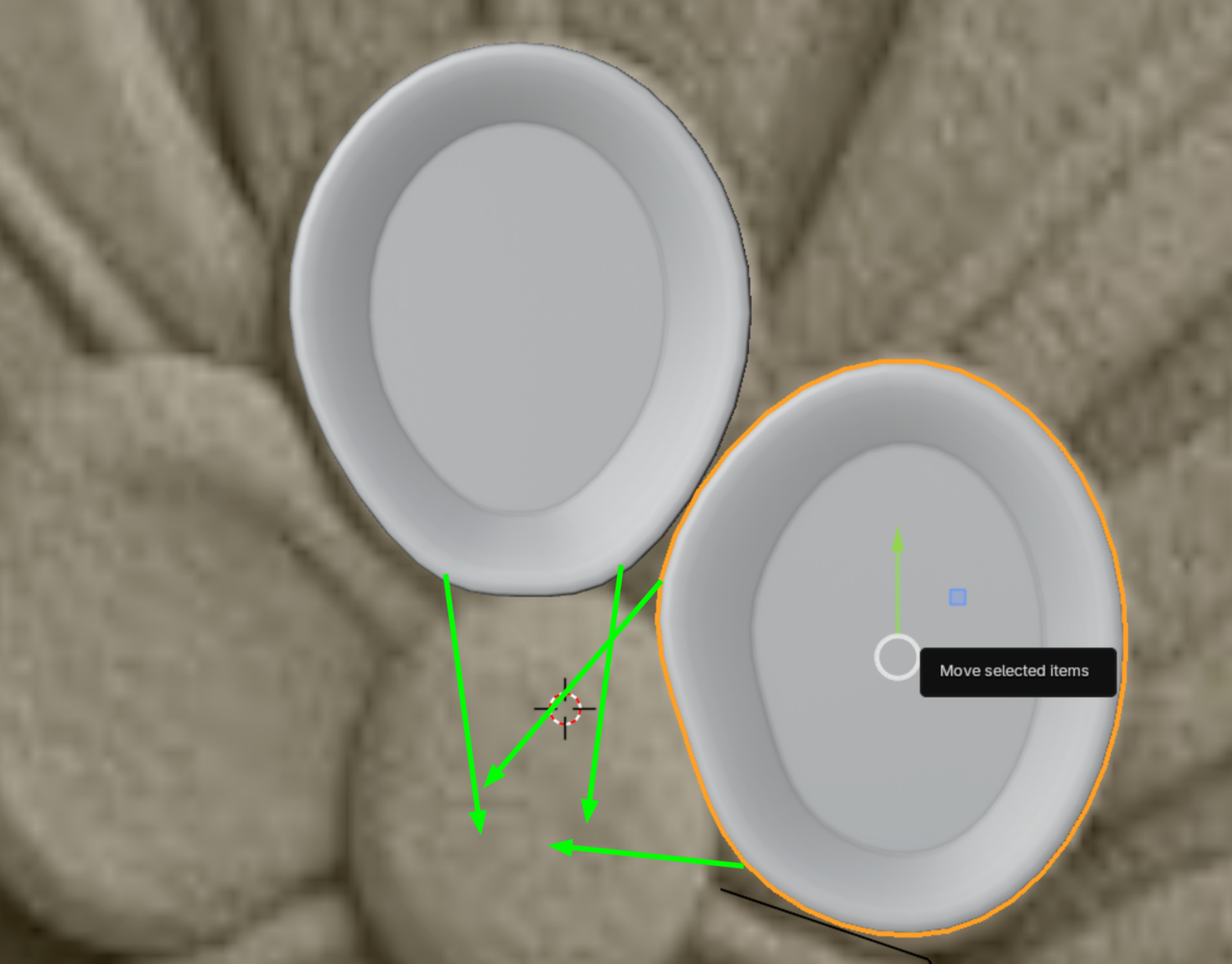
Not sure about the Joined version. Definitely not the way I’d do this.
January 21, 2026 at 10:11 am #99295Deb you have to figure things out by yourself in order to learn. If you keep relying on everyone only telling you what to do step by step, cumbersomely by text posts on a forum, you will hardly learn anything. You have to put your brain and mind in stress, make the mistakes and try to fix them, so you start to develop intuitions on what modeling is. I keep saying, modeling practically re-wires your brain, and that only comes from the struggle of problem solving, not by others solving all the problems for you.
We can only help as much before helping out starts giving diminishing returns. Try finishing the model on your own, even if it looks bad and messy, then try it again and you’ll see the next time around it will be a bit better and you will start to see what you did wrong. That’s how you develop.
January 21, 2026 at 11:31 am #99296Thank you, Martin and Omar — I really appreciate both of you taking the time to explain this.
Omar, thank you very much for your honest feedback. I do try to figure things out on my own, and this time was no exception. I deliberately choose difficult models because I believe deliberate practice helps me improve faster. That’s also why you often see me asking questions — not because I avoid trying, but because I genuinely get stuck even after spending days on a problem.
For this particular part, I tried for almost two days before asking. I can model the petals easily in isolation, but what confused me was understanding how overlapping can still look visually correct. That concept was completely new to me, and I became too focused on that specific issue. I think frustration also affected my problem-solving ability.
I also have limited time right now due to upcoming medical issues that will force me to take a long break. This ornament is part of a vintage bed model that is already about 90% complete, and I really wanted to finish it before that break, which made me a bit hasty.
You’re absolutely right — I need to accept that bad or messy models are part of learning, especially at the beginning. That’s something I’m actively trying to improve mentally as well.
Thank you again for your guidance. I truly appreciate the insight.Also, I was just about to reply again after trying a few more things, but you both had already replied — haha.
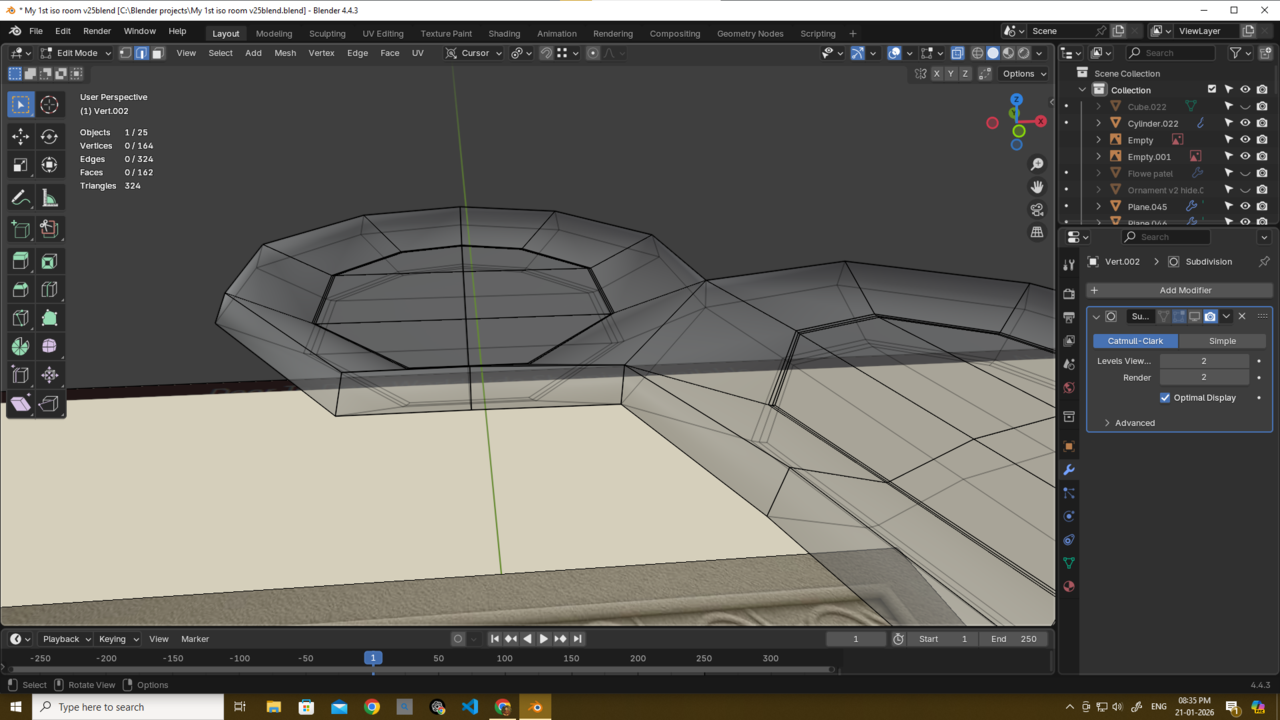
I was actually getting closer to the shape. After Martin suggested connecting the upper vertices, it started to make more sense. Now I can see a clear way to rebuild the whole piece from scratch in a cleaner and more elegant way. It may not be 100% identical to the reference, but I believe it will look better overall.
Thank you both again — I really appreciate the help.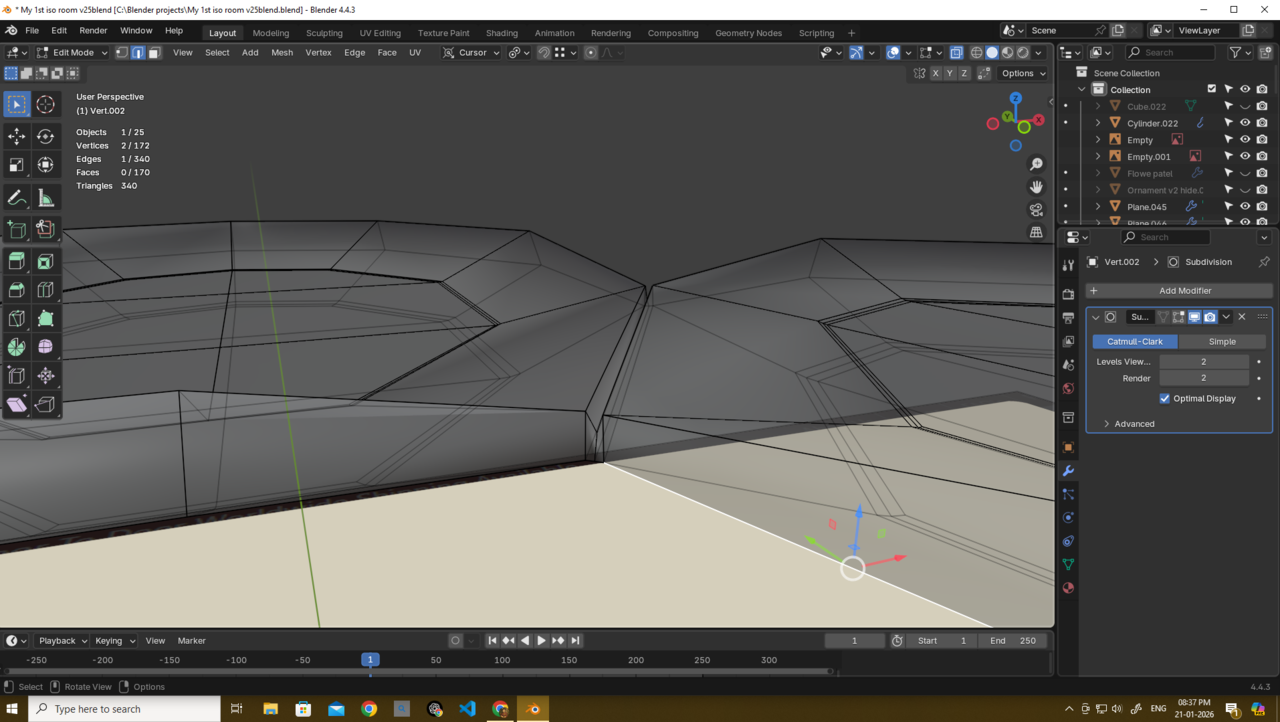
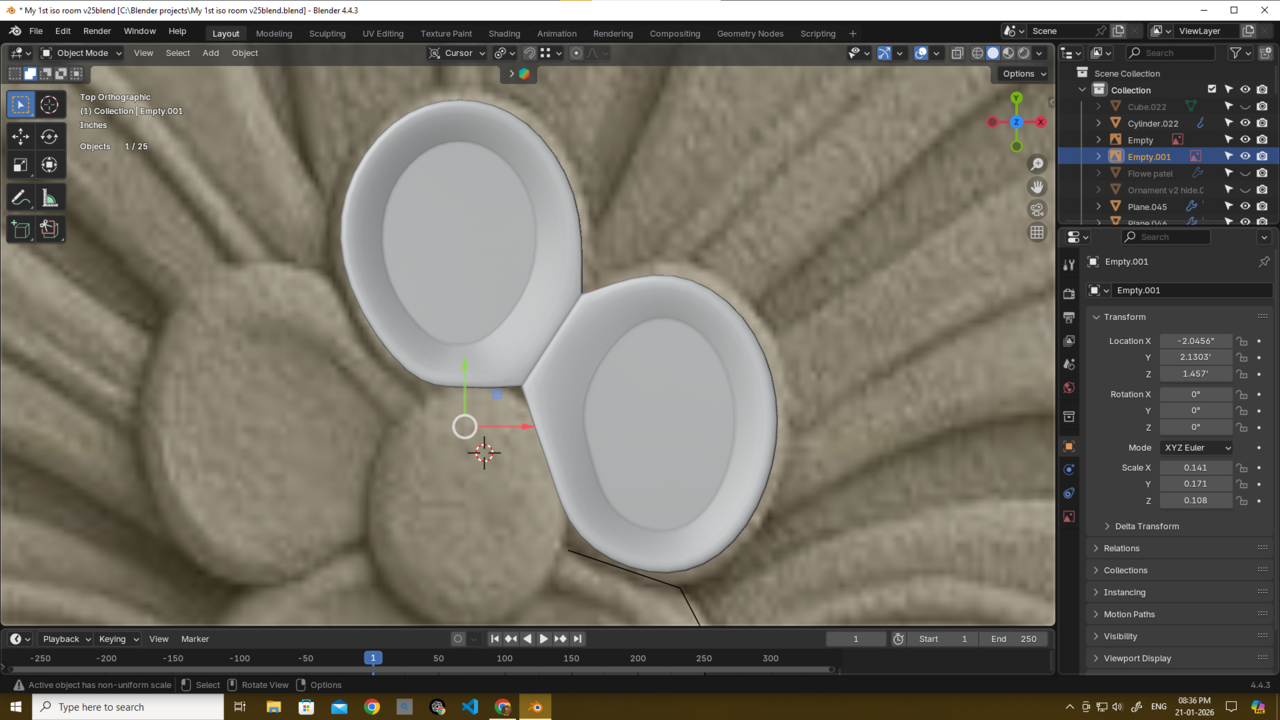 January 21, 2026 at 1:04 pm #99297
This is exactly the whole point, asking advice for enlightenment to an issue every once in a while is one thing, what we can’t do is troubleshoot things for you over and over and step by step, we’re actually doing you a disservice that way. We really want to see you get better as a 3D artist, and for that, we can’t really answer to every alarm ring, we can’t be like firefighters that answer to every little match that is lit. If you make everything a distress, we are like a father who over-protects his children, the kids wont grow up to be self-sufficient and independent and will actually fail.
Moreover, this forum barely works for troubleshooting small hiccups and issues, much less for practically whole tutoring sections. Remember, anyone can post on this forum, there’s people with and without CG Cookie subscriptions, it’s right there in everyone’s profiles. So we can easily be taken advantage of if we’re not careful. We don’t mind helping, but we are a limited resource.
January 21, 2026 at 1:37 pm #99298I think you’re right, Omar. Looking back, I was being a bit hasty and raised too many questions instead of stepping back and sitting with the problem longer.
I had already tried multiple times, and because the shape looked simple but wasn’t clicking for me, I got frustrated and let that turn into urgency. That’s something I need to manage better.
Thank you for pointing this out — I do appreciate the honesty, and I’ll take it seriously going forward.
I hope u gave me the rpg example too next time if I do something like this again haha.
Thank u omar 🙏😃
January 21, 2026 at 1:55 pm #99299Those flower petals can be cheated, they go under the main center circle, so they don’t have to be a single mesh. It can be achieved much simpler and since these are part of a bigger model, a small detail wont be as important. One thing you learn is to pick your battles and where to put all the effort, like triage. If you want to make them a single mesh just for the challenge, then go for it and try your best, make all the mistakes, don’t be afraid if the result is all skewed and blobby and you have to try again, because it’s your brain that has to get the hang of this, and the intuition will come with repetition. Post it here once you are done. You have posted other models you have modeled and they look super good.
Also you have to watch tutorials, the lessons will answer most of your questions as teachers explains most of the stuff.
January 22, 2026 at 4:20 am #99300Maybe this is a good problem / project to use as the basis for learning a sculpt / retopo / bake workflow? I’ve not done this yet but I know you can achieve some incredible results with this approach
i think what Omar says makes sense tho. This is a tiny detail. If you just modelled each individual petal, and then added the centre part you’ll never notice and it’ll appear fine
January 22, 2026 at 4:55 am #99301I am back and finished it!
Thank you guys: @thehomme, Omar, and Martin.
I wanted to tell you guys why I modeled it this way:
For this part, I had to find a balance. The real reference is naturally imperfect, but the rest of my model is perfectly symmetrical.
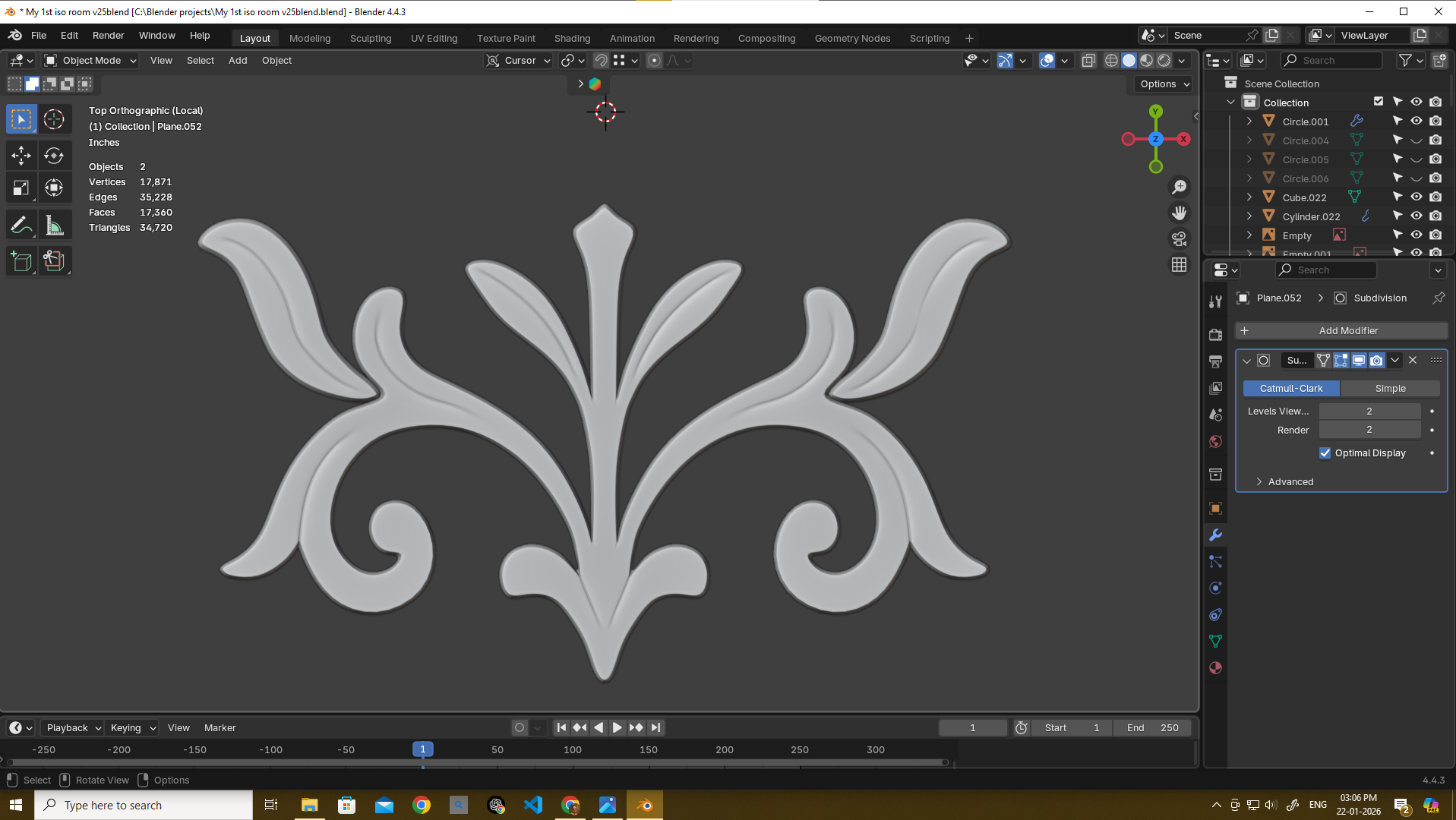
If I just traced the reference by hand, the result would be more accurate with the ref image and have imperfections here and there like the ref image but wouldn’t fit the clean look of the parts I already made.
So instead, I used circles to build the petals. This kept the geometry perfect and symmetrical (to match my style), but still allowed me to change up the shapes so they aren’t all identical. It gives me the best of both worlds: clean topology, but without that boring copy-paste look.
Thank you again, Martin and @thehomme!
This time I used both of your tips combined. @thehomme, you said to use it as a single mesh, so I did that. And Martin, you told me to merge the upper verts and remove the middle supporting loops—I did that too. Thank you guys very much!
Also Omar, thank you for being blunt and honest. I definitely needed that.And yes @thehomme, I will finish the task Jonathan Lampel gave us soon! I need to make an isometric room with at least 30-50 objects, and I’ve already completed 17. After that, I’ll jump right into sculpting… thanks for the tips, mate!
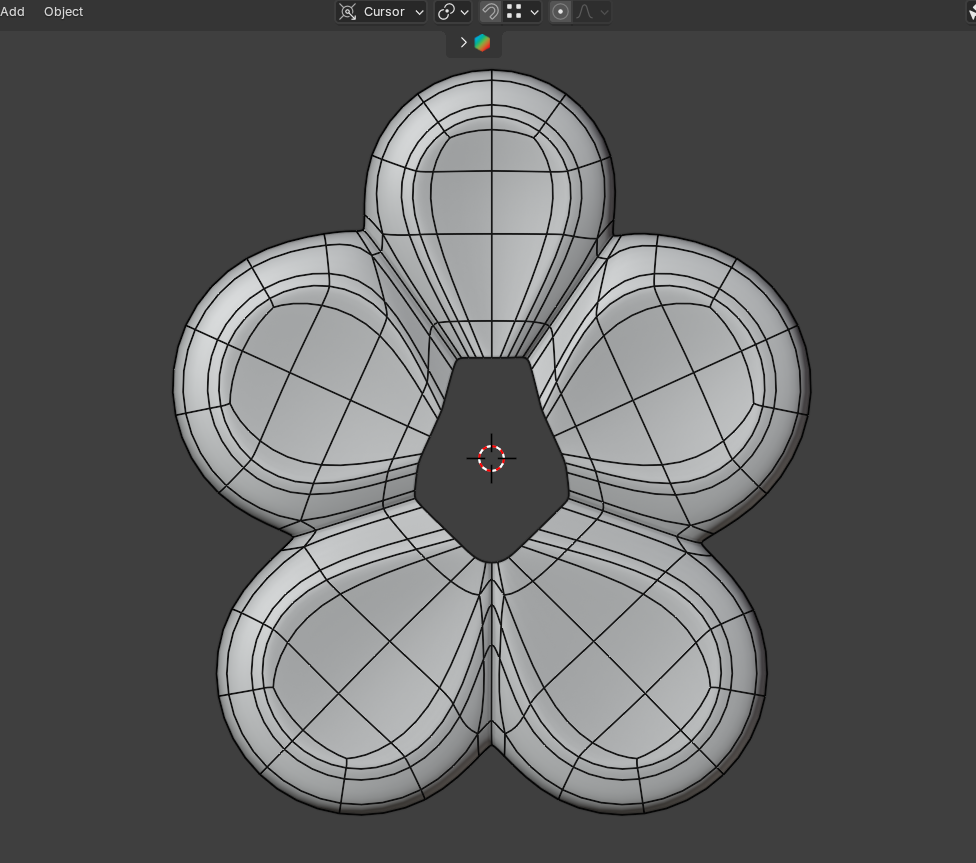
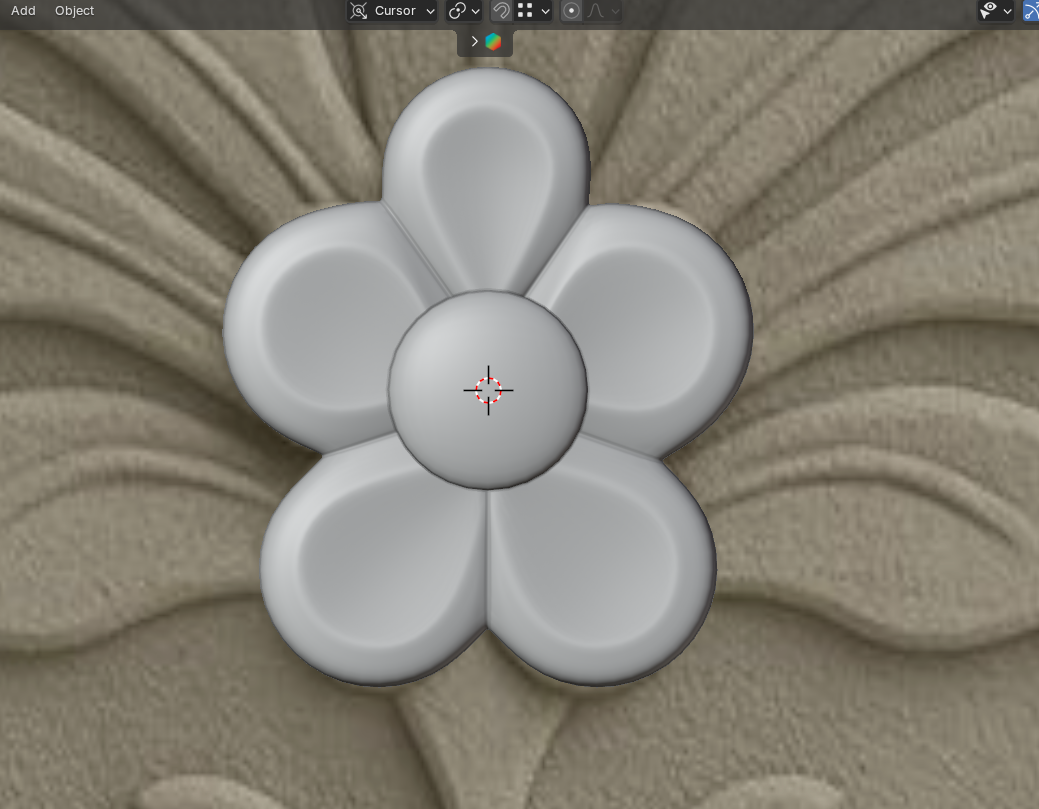 January 22, 2026 at 5:07 am #99302
Looking great, Deb!
A good decision to model it like this; fits the rest and nobody is going to compare it with the reference you used anyway 😉
-
AuthorPosts


- The topic ‘How to model these flower petals?’ is closed to new replies.