
Edge Loop (Alt + Click) not working in Blender 4.5 & 5.0.1
Forum Archive › Edge Loop (Alt + Click) not working in Blender 4.5 & 5.0.1
- This topic has 11 replies, 6 voices, and was last updated 8 months, 3 weeks ago by
coyo.
-
AuthorPosts
-
December 18, 2025 at 12:56 pm #21127
What we have tried (but issue still persists)
Tested in Blender 4.5 LTS and Blender 5.0.1 (same behavior in both)
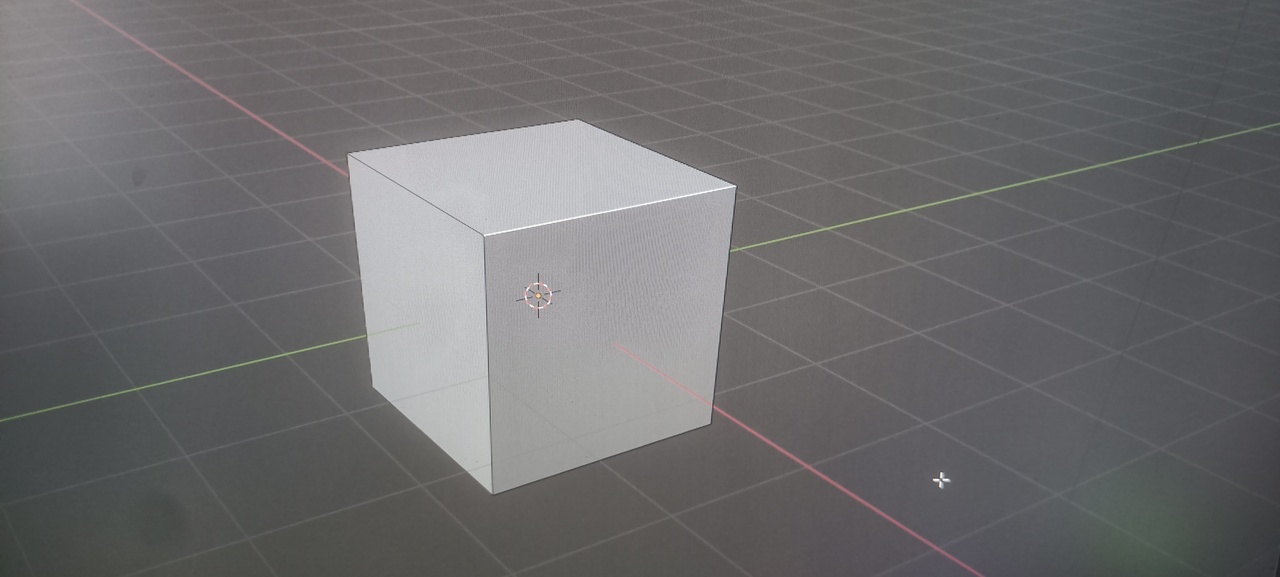
Issue occurs even on default cube (no topology problems)
Edge turns white (pre-selection) instead of orange on click
Face selection works normally, problem only with edges
Ctrl + Alt + Click (Edge Ring) works, only Edge Loop fails
Reset Blender preferences to default
Restored default keymap
Switched between Select Tool and Box Select
Checked Edge Select mode only (not mixed with vertex/face)
Toggled Emulate 3 Button Mouse ON and OFF
Disabled Xbox Game Bar / Windows overlays
Disabled NVIDIA in-game overlay
Updated GPU drivers (NVIDIA + Intel)
Tested with no addons installed
Issue started recently (was working earlier)
December 18, 2025 at 1:29 pm #98571If you’re not on a laptop, can you try plugging your mouse and keyboard on a different computer and test thingsthere? Just to see if it’s not your peripherals that are broken all of a sudden?
Martin says it may be hardware breaking, but it’s hard to diagnose from a distance.
Maybe even try on a couple older Blender versions, to really make sure is not a recent bug that is persisting?
December 18, 2025 at 2:02 pm #98572If you’re using emulate 3 button mouse then you need to double click instead of alt+left click
December 18, 2025 at 5:31 pm #98573You’ve tried on a default cube? Maybe what you’re trying to alt-click select isn’t an edge loop, because the default cube doesn’t have edge loops.
For the alt-click to work you have to select edges that are connected end-to-end in a line. When you hit a pole, like on the cube where the edge ends on a vertex connected to three edges, then the loop selection stops there.
You can read more on it with examples here: https://docs.blender.org/manual/en/latest/modeling/meshes/selecting/loops.htmlDecember 18, 2025 at 10:11 pm #98574What is happening (tested on default cube)
Alt + Left Click does NOT select an edge loop
Select → Edge Loop (menu) also does NOT work
Loop Cut (Ctrl + R) inner loop selection works
Edge Ring selection (Ctrl + Alt + Click) works
Selecting edges connected on the same axis/plane works
Happens on a fresh default cube, no extra geometry
What I have already tried
Tested on Blender 3.6, 4.5 LTS, and 5.0.1
Changed mouse (hardware test)
Checked Emulate 3 Button Mouse
Reset preferences to factory defaults
Verified Blender Default keymap
Disabled Xbox Game Bar and Windows overlays
Disabled NVIDIA in-game overlay
Issue started recently (was working earlier)
December 18, 2025 at 10:13 pm #98575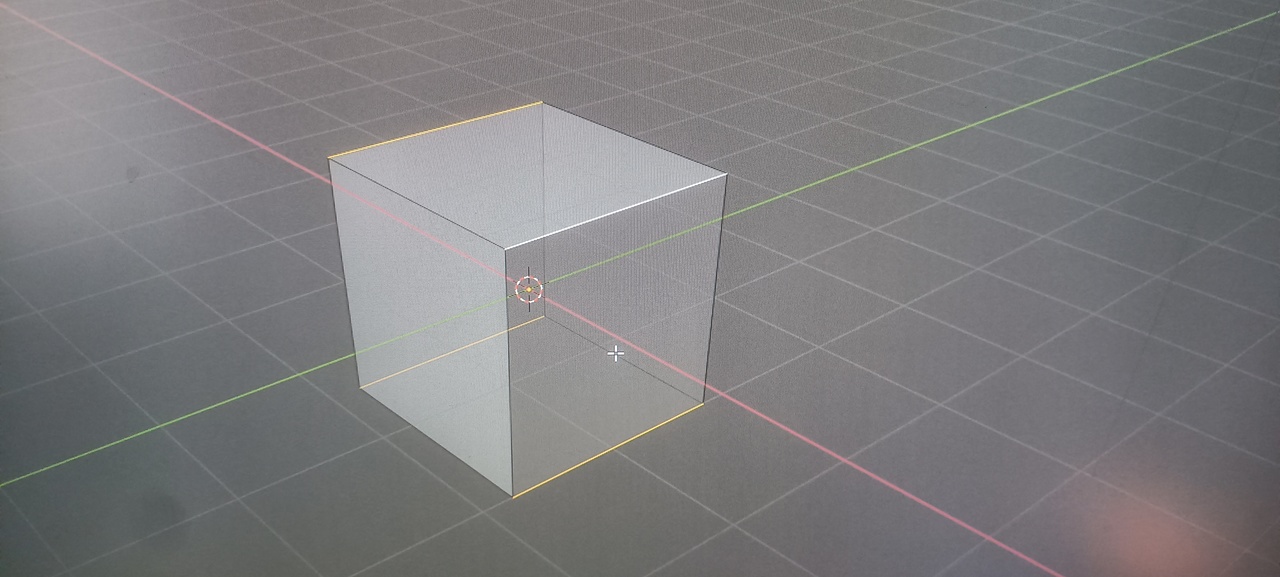
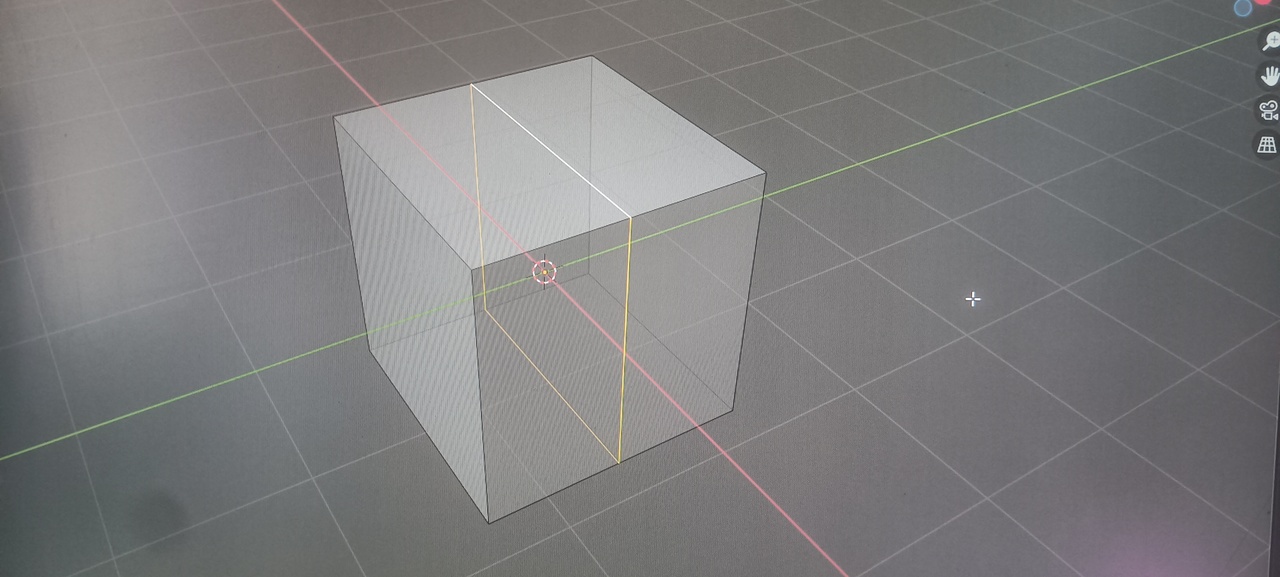
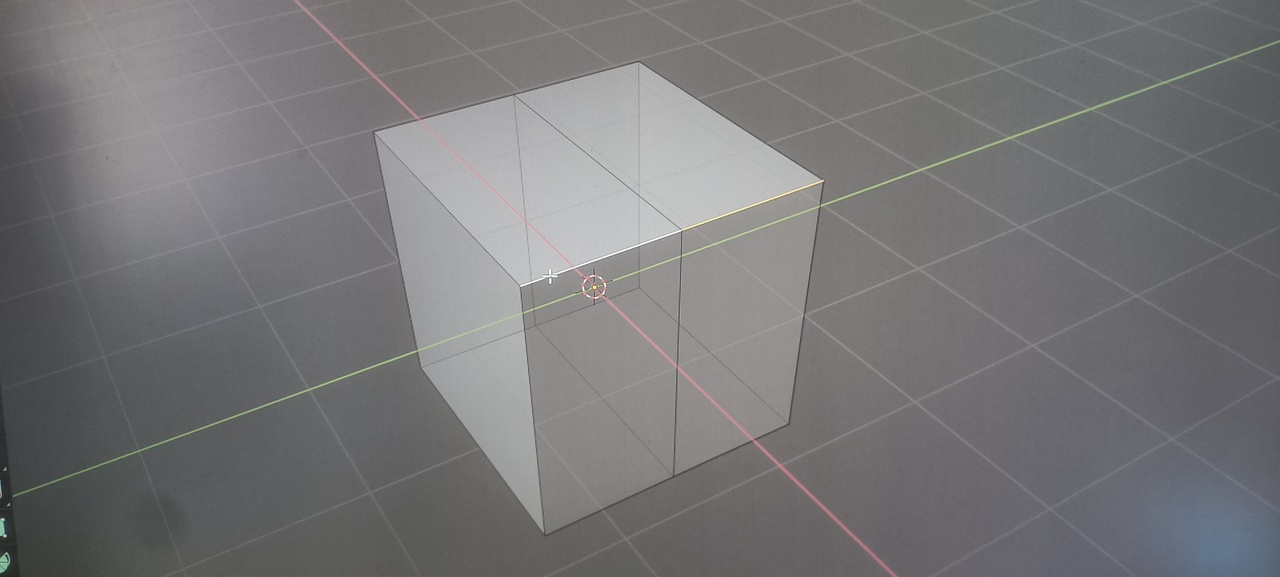
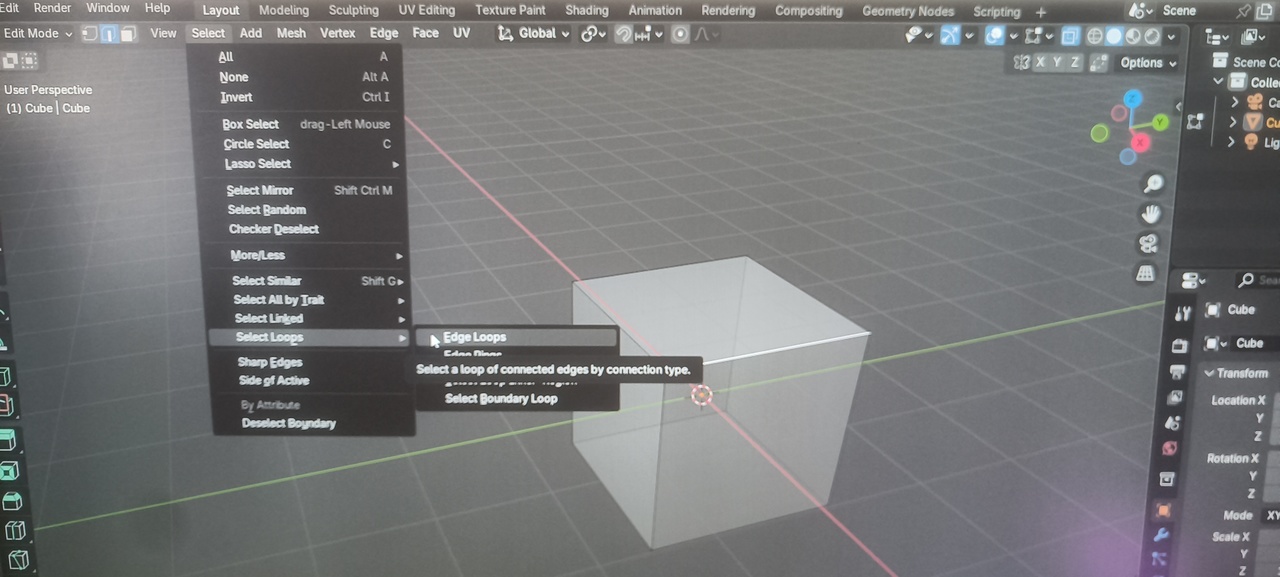
 December 19, 2025 at 1:24 am #98576
What you’re describing is totally normal behaviour. Your are not trying to select an edge loop, when you select one of the outer edges on a cube. The edges on a cube end in a pole, in this case a vertex connected to three edges. An edge loop will not continue there.
When you add an edge loop down the middle of the cube, that’s an edge loop, because you don’t run into a pole. So alt-clicking one of the default edges on a default cube does note select an edge loop, because there is none.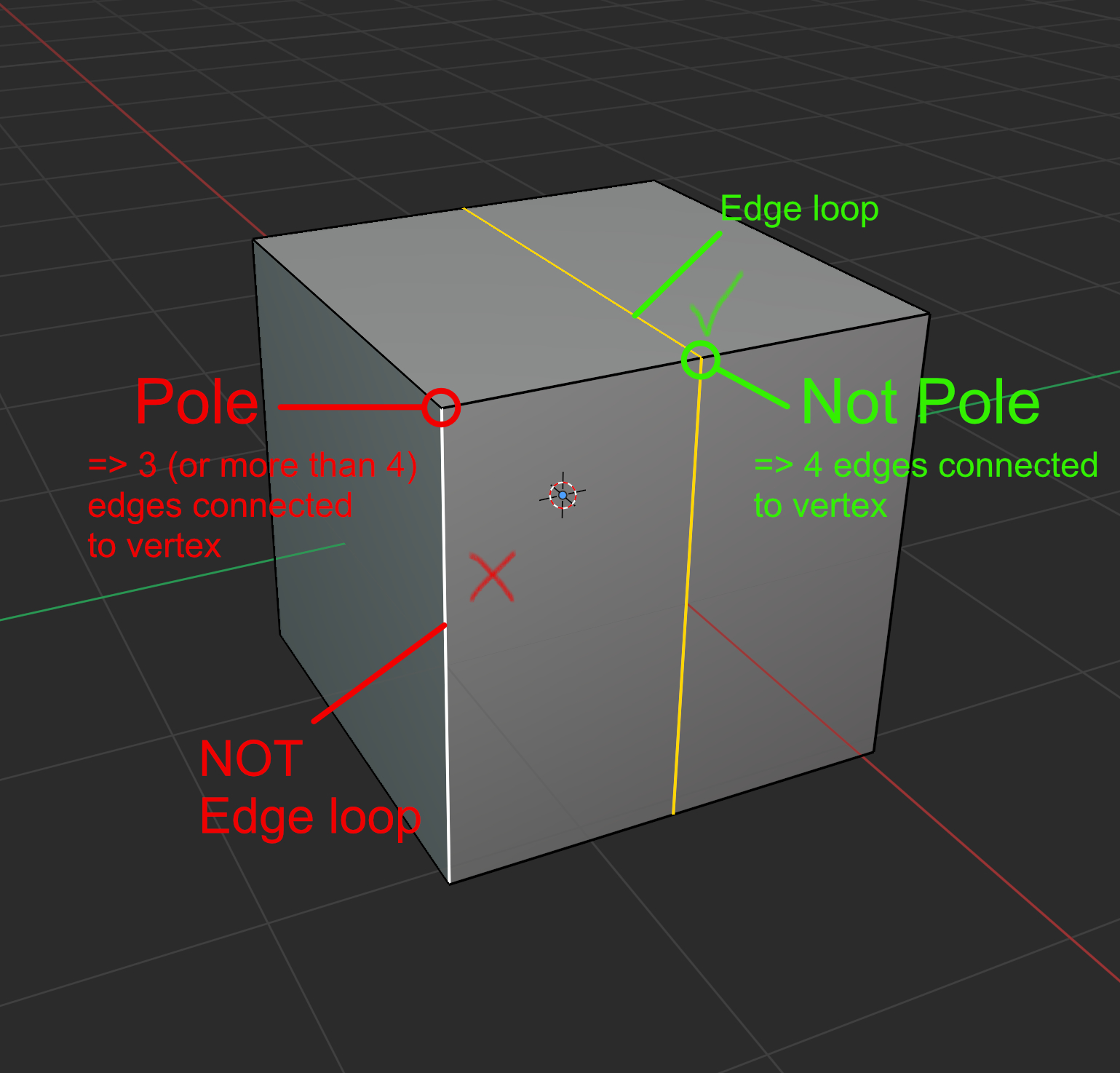 December 19, 2025 at 3:06 am #98577
Sacha is right, but ALT+Select, can also Select Boundary Edge Loops, like here (Default Cube, top Face Deleted):
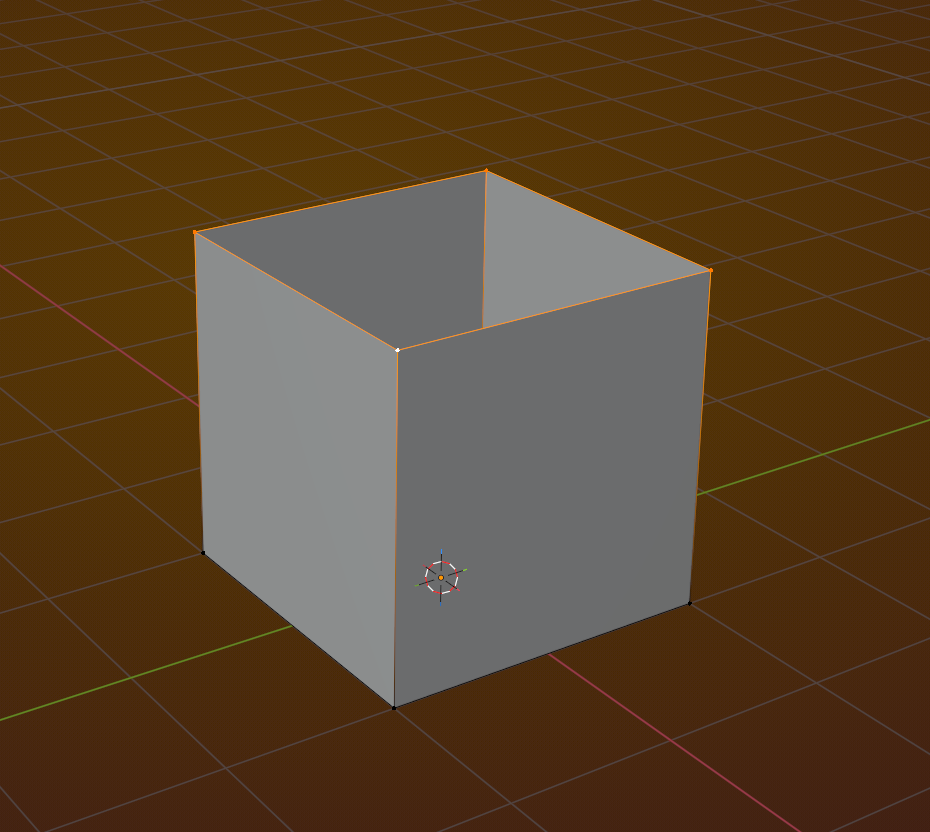
Terminology: a Boundary Edge, is an Edge that is connected to exactly 1 Face.
Maybe that’s where you get confused and say: it worked before.
December 19, 2025 at 3:13 am #98578Fun fact:
If ALT+Select only Selects part of a Boundary Edge Loop (like if you try this on a Plane Primitive), then ALT+Clicking on the same Edge again will Select the whole Boundary Loop.
December 19, 2025 at 5:11 am #98579Mystery solved. I’m glad your mouse and keyboard are just fine.
December 19, 2025 at 5:15 am #98580Thank you, CG Cookie community.
It turned out to be a silly beginner confusion — I’m still learning.
The issue was the n-gon pole.
December 19, 2025 at 2:38 pm #98581“Silly beginner confusion” is a big reason we are here to help! Blender has so many little things that can, and will, catch you up sooner or later. Learning how to troubleshoot, what questions to ask, and how to ask them often seems like half the process. You did an excellent job breaking down what you tried and that helps so much!
-
AuthorPosts


- The topic ‘Edge Loop (Alt + Click) not working in Blender 4.5 & 5.0.1’ is closed to new replies.