Is there a shortcut to straightening edge loops along the normal’s/local’s xyz axis?

Forum Archive Is there a shortcut to straightening edge loops along the normal’s/local’s xyz axis?

Viewing 6 posts - 1 through 6 (of 6 total)
  • Author
    Posts
  • #21004
    Kimberly T.
    Participant

      -12 13-18-54-522.jpg

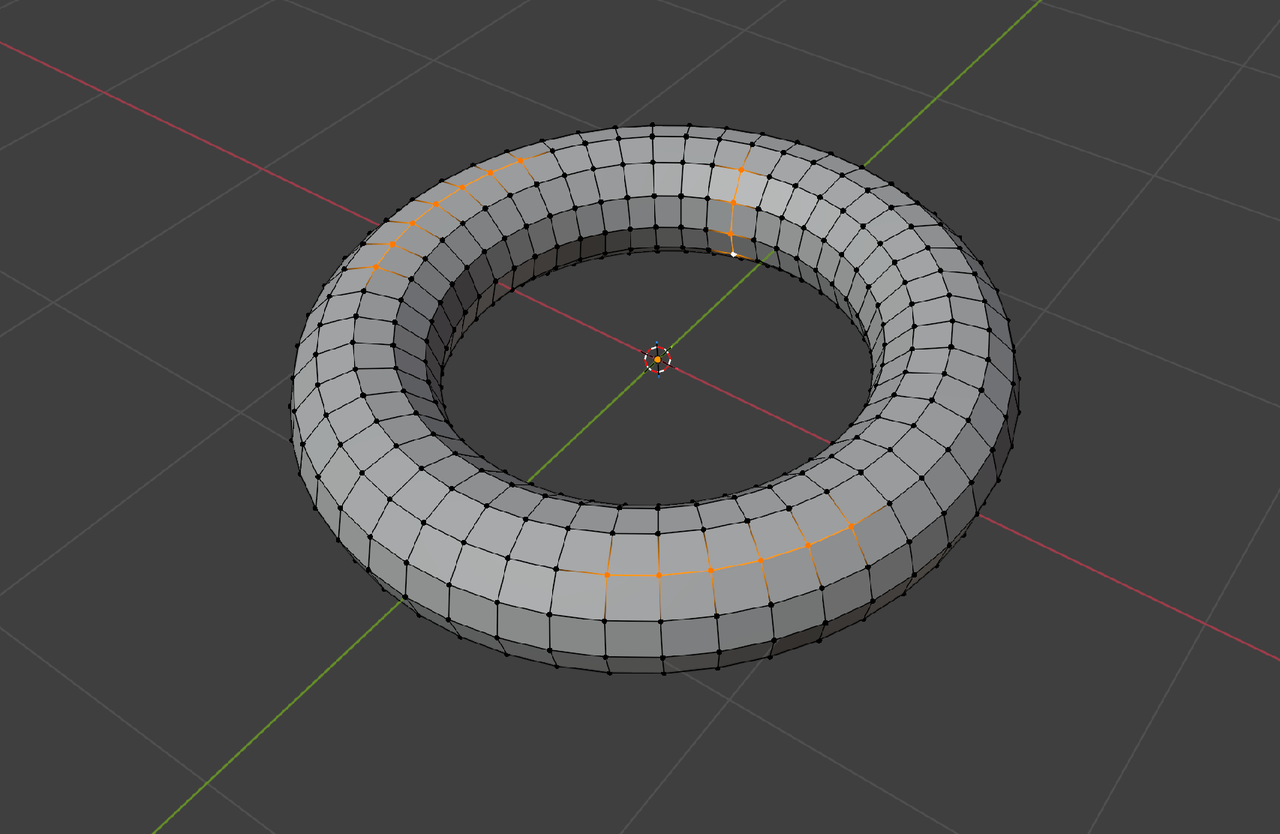
      For example, if I wanted to straighten these edge loops based on the direction of a specific edge loop. I did Scale + X/Y/Z + 0 but it always straightens according to Global Axis mode. I thought maybe changing my Transformation Orientation in the dropdown above to Local or Normal will change it, but it hasn’t. Thank you.

      #97941
      Omar Domenech
      Participant

        That’s exactly how you do it, it’s just that sometimes things don’t line up. It’s trickier that it seems. You scale to zero, but things don’t always follow the normal you want. But also when it works, it can cause a mess and pinching. 

        You know, there’s so ugly poles there that will give you problems. I’m not sure if that’s your topology you’re going to go with, but that middle one seems to have 8 edges connected to it. A pole has maximum 5, when you go up to 6 that is bad news. Also the one at the top that is open, if you extend it upwards, it’ll become a six sided pole. 

        #97942
        Omar Domenech
        Participant

          Maybe watching this video of JL working on Pothead will give you an idea how to go about it. At around 17:54 in the video:

          https://cgcookie.com/lessons/modeling-the-left-leg-i

          #97943
          Martin Bergwerf
          Participant

            HI Kimberly,

            I don’t know what you want to do exactly (there is no general solution, but there might be an easy way to do what you want).

            Setting the Transform Orientation to Normal, takes the Average Normal of your Selection. That is why it most likely won’t work as you would like.

            #97944
            Martin Bergwerf
            Participant

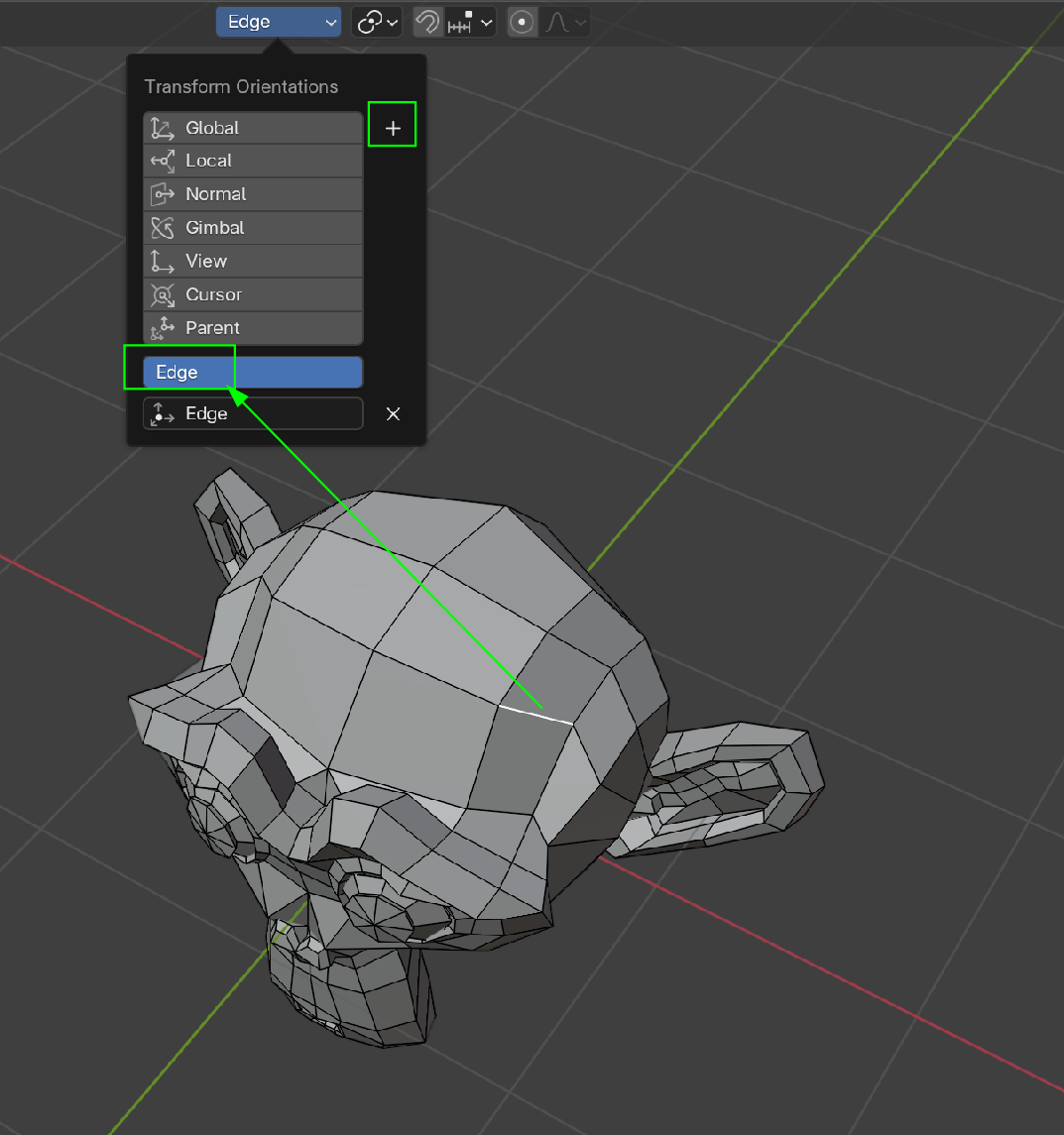
              Oh, maybe you mean straighten Edge Loops in the direction of a specific Edge.

              That could be done by Selecting that specific Edge and then click on the plus in the Transform Orientations to make a Custom Transform Orientation:

              stom Orientation.png

              Then you can Select the Edge Loop that you want to straighten and Scale: S, SHIFT Y, 0.

              #97945
              Martin Bergwerf
              Participant

                A completely different straightening tool is to use Loop Tools (you need to enable the Addon if you haven’t already).

                Gstretch straightens Selected (partial) Edge Loops between their end Vertices. Also works on more than 1 Edge Loop at the same time;

                For instance:

                Straighten_00.png

                would result in this:

                Straighten_01.png

              Viewing 6 posts - 1 through 6 (of 6 total)
              • The topic ‘Is there a shortcut to straightening edge loops along the normal’s/local’s xyz axis?’ is closed to new replies.