Render

Forum Archive Render

Viewing 4 posts - 1 through 4 (of 4 total)
  • Author
    Posts
  • #20976
    Nazanin Eslami
    Participant

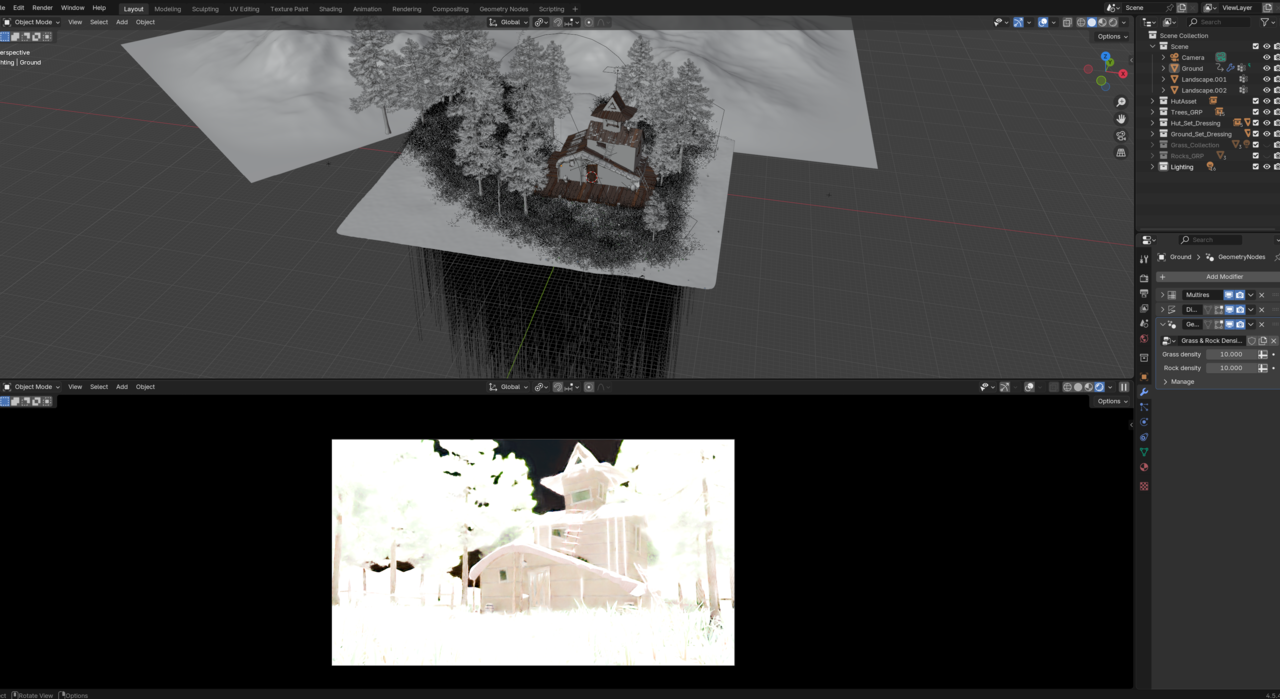
      Why my rendering time takes for ever? I followed all the steps but I can’t take a render. I tried both CPU (Ryzen 9) and GPU (RTX 5070) for this but still nothing.

      #97834
      Nazanin Eslami
      Participant

        I guess it’s because of my Geo node, as soon as I turned the modifier on this happens. but I can’t tell what’s wrong.

        025-11-05 165435.png

        #97835
        Martin Bergwerf
        Participant

          Hi Nazanin @Nazanin ,

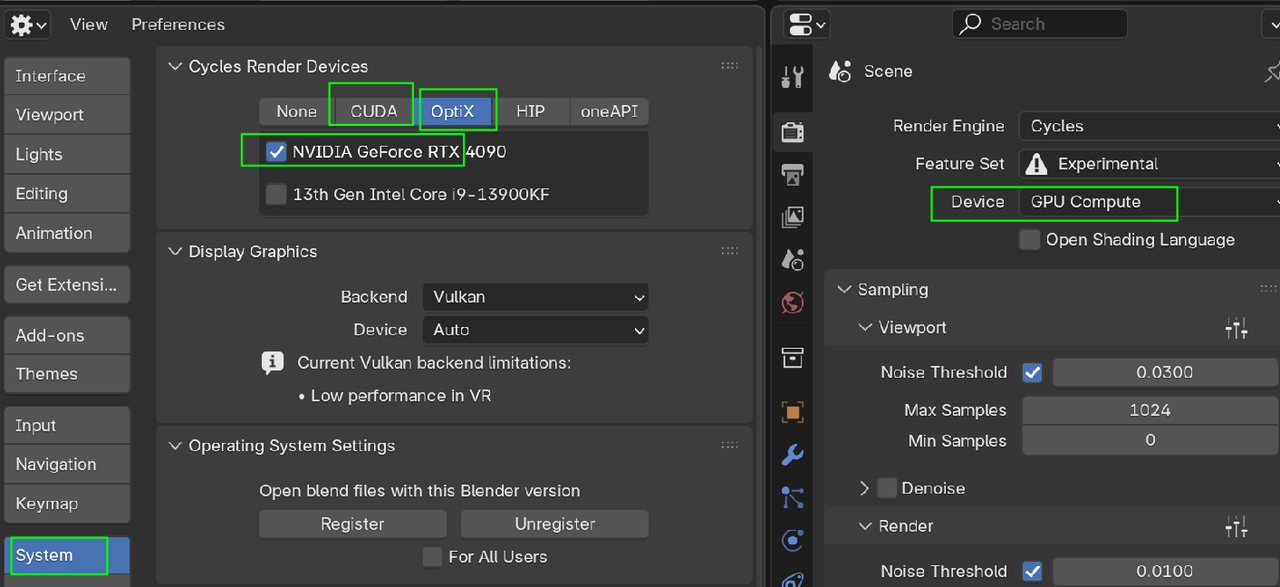
          Are you actually Rendering with your GPU?  (I think Blender doesn’t do that by default.):

          GPU.png

          Also, don’t try to Render, while the Viewport is set to  Rendered Mode.

          And Rendering a Scene like this will take some time.

          #97836
          Omar Domenech
          Participant

            It basically comes down to computer specs and how heavy your 3D scene is. All that geometry and shaders and stuff on screen takes up memory and resources. Specially if you have too much geometry to the point that is wasteful. We start with simple scenes when we are learning Blender and we don’t pay attention to computer resources, because all we do is simple stuff and we slowly build up in complexity, and it is then when we hit a wall, we max out our computer resources and then we have to start thinking how to work around limitations. So congrats, you’re leveling up, you’re doing more complex things now. 

          Viewing 4 posts - 1 through 4 (of 4 total)
          • The topic ‘Render’ is closed to new replies.