11:55 What did he use!?

Forum Archive 11:55 What did he use!?

Viewing 6 posts - 1 through 6 (of 6 total)
  • Author
    Posts
  • #20964
    Wyatt Arthur
    Participant

      Doesn’t explain it, but I have never seen anybody do that before. What did he use to fill that part? it went to scroll wheel circle and then he created a vertex out of thin air to fill in the quad. I can’t see what tool either because half the screen is cut off. I kind of get how to fill I have made it this far, but I have never seen that kind of tool at 11:55

      #97778
      Chunck Trafagander
      Participant

        I have been using it for so long, I often forget that it isn’t default Blender functionality!

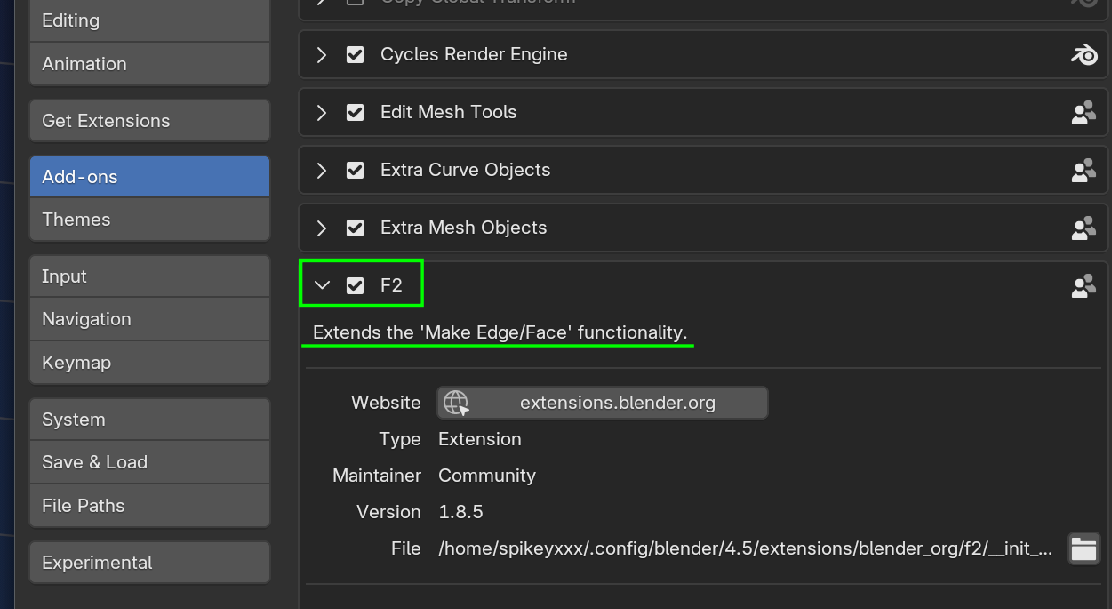
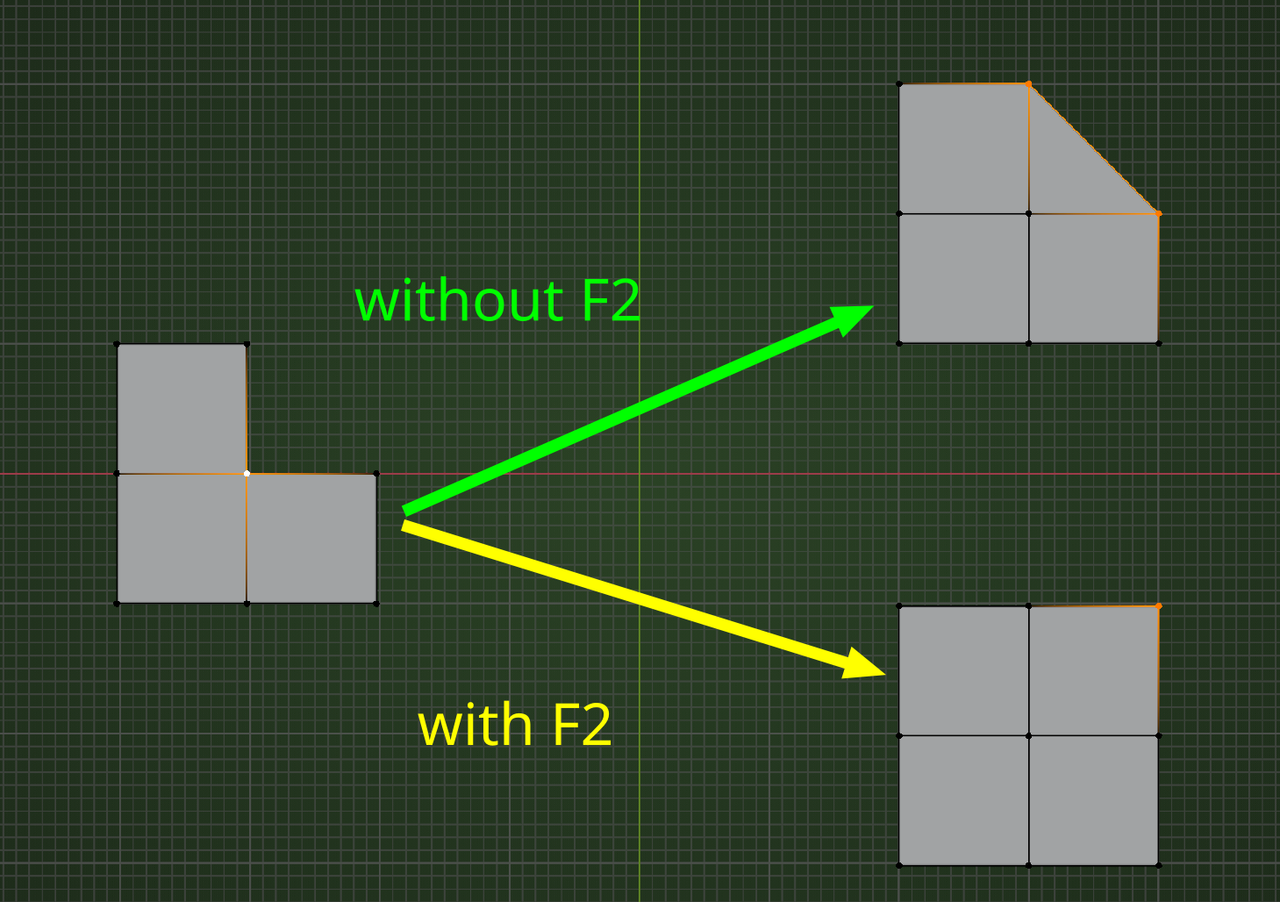
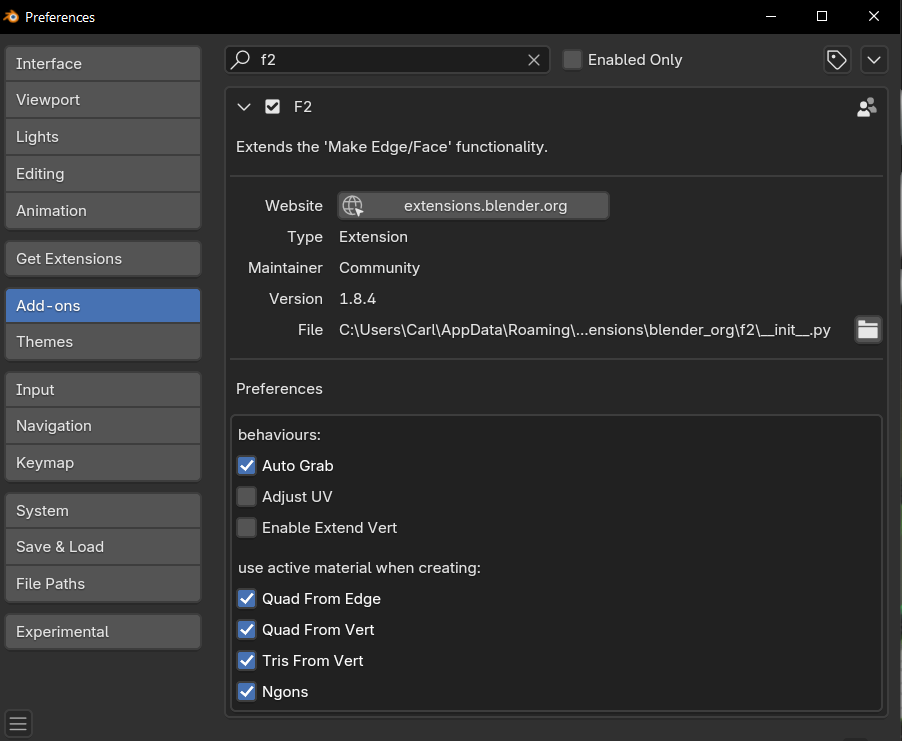
        It is an addon called F2, which comes with Blender but is not enabled by default. You should be able to find it in the Addons part of your preferences. I would highly recommend enabling this, as it will increase your modeling speed exponentially. In the video, you will actually be able to see that I have pressed the “F” key to create faces with just one vertex selected. It also requires context of your mouse position to know where to create that face, and will require a bit of trial and error to get a feel for how to use it. I guarantee that once you get comfortable with it, however, you won’t know how you modeled in Blender without it!

        #97779
        Martin Bergwerf
        Participant

          Hi Wyatt @Horriblypink ,

          He used the F shortcut, but you need to have the F2 Addon enabled for this to work:

          Addon F2.png

          It is something that a most (?) modelers have enabled and forget about, but apart from many other functionalities, it makes a Quad out of a Vertex like this:

          Fill_02.png

          #97780
          Martin Bergwerf
          Participant

            Oh, Chunck was faster.

            #97781
            Omar Domenech
            Participant

              It’s ok Martin. Chunck lives in another country were time works differently, much like Australia is in the future. So Chunck probable had that advantage. 

              #97782
              Dwayne Savage
              Participant

                Just a side note: If you are using 4.2 or newer version of blender, you will need to install the F2. Go to extensions and search for F2 and click install. If you don’t want to enable blender to access internet or your blender system isn’t connected to internet you can download it from here: https://extensions.blender.org/add-ons/f2/

                Click Get Addon. Then under where it say drag and drop into blender click the download text and install just like any other addon. There is a link next to download that gives instructions if you don’t know how to install an addon. For those wondering, Yes you can click and hold down the mouse button in the Click and drag box and drag and drop it into blender and it will install the extension. 

              Viewing 6 posts - 1 through 6 (of 6 total)
              • The topic ‘11:55 What did he use!?’ is closed to new replies.