
is this consider to be bad practice?
Forum Archive › is this consider to be bad practice?
- This topic has 15 replies, 3 voices, and was last updated 11 months, 2 weeks ago by
Deb kanta Guin.
-
AuthorPosts
-
September 26, 2025 at 3:11 am #20804
As you can see, I added some extra edge loops only where needed to properly connect my Boolean object. That part looks denser than the rest, but I don’t see any major problem. So is this okay, or do I always need to keep the same gap and even spacing between edge loops?

Also, if I just added the cylinder and placed it without using Boolean, but then the meshes were simply overlapping underneath.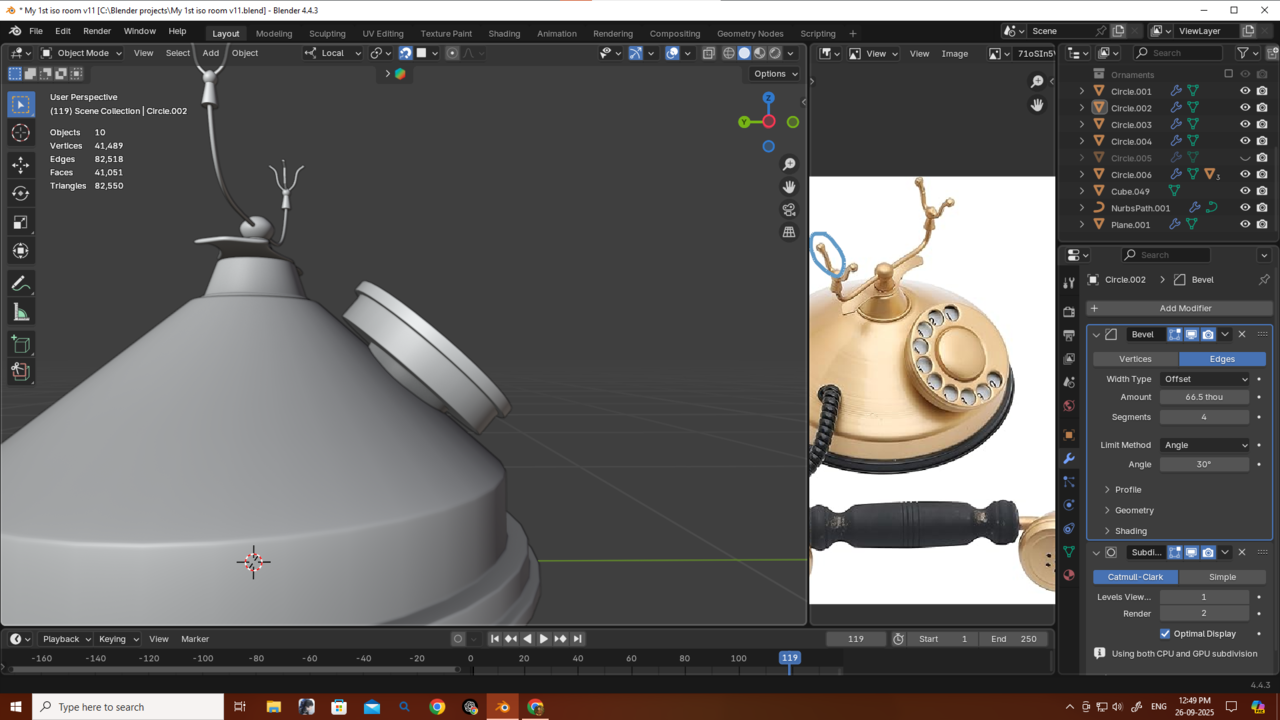
 I don’t really like that because I prefer my objects to look solid. So is it always necessary to use Boolean Union for cases like this, where objects would actually be joined together in real life? Or is it not needed everywhere? In what situations is Boolean Union actually required?
Also, I’m using n-gons in some parts — for example, beneath the base. Those areas won’t be deformed or seen up close, but potential employers who might hire me could inspect my topology closely. In that case, would this be considered bad practice? Should I always use Grid Fill for cases like this?
Also, I used Boolean Difference here,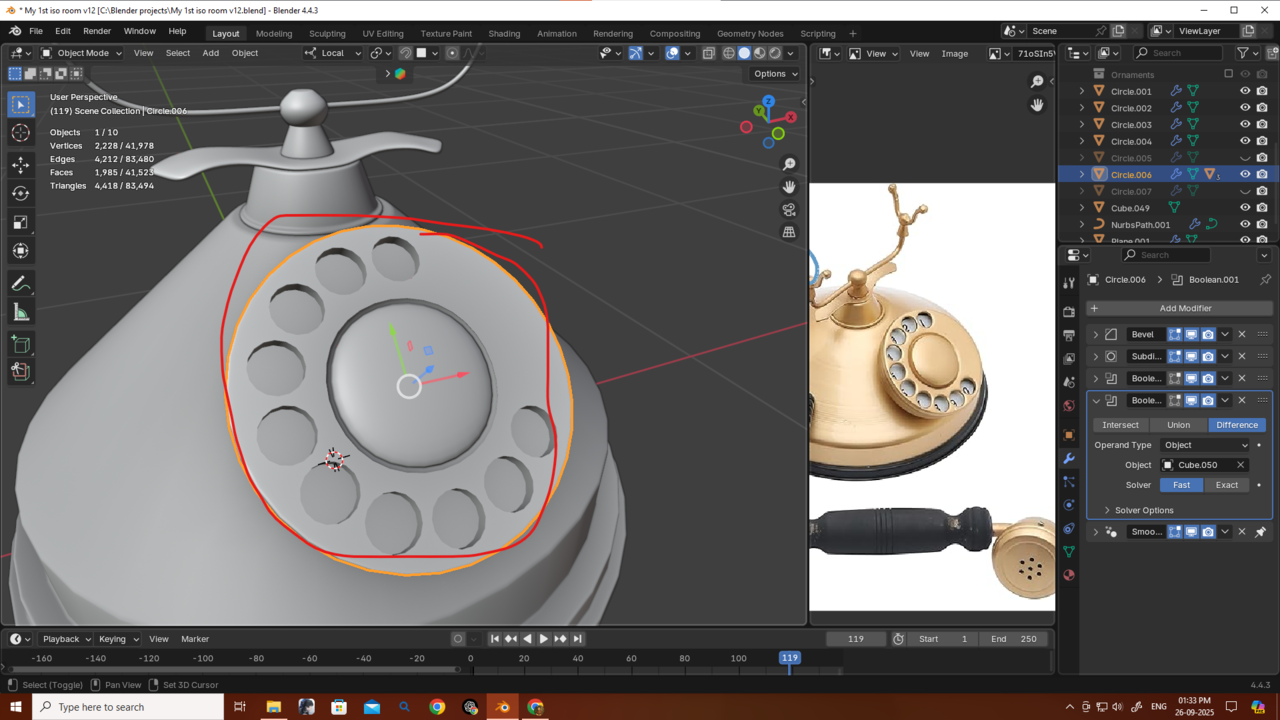 so my mesh has n-gons as a result. Is that acceptable for this kind of model, or do I need to correct the mesh manually and convert everything to quads? That would be a lot of work.
I know I’m asking many questions, so if you have time please answer patiently I really appreciate your help and answers.
Thank you.September 26, 2025 at 4:05 am #97246Hi Deb,
If you don’t get any Shading issues because of those unevenly spaced Edge Loops, you’re good (unless you are going to show it to a potential employer, then I’d even them out a bit, to make it look prettier0.
Don’t worry about N-Gons in a non-deforming Mesh.
Booleans are ‘a choice’; you can use them when you like, but it is hardly ever the only way to acchieve something.
There is no set of Modeling rules, as for when to use what; it often depends on personal preferences and lesss on bad practice, or so.
September 26, 2025 at 7:18 am #97247Yeah as long as it works and looks god, anything is fine. This is one of those occasions in life where the end do justify the means.
September 26, 2025 at 8:16 am #97248Okay Martin and Omar, thanks a lot guys.
One thing I realized is that I could’ve made the extrude part from the base that connects to the round dial without using Boolean. I could’ve just added more edge loops in that area to get a smoother rounded shape when using loop tools to create a circle so it matches better with the other objects. Then inset and extrude — no Boolean needed there. But I’m not sure, even with subdiv it might still look a bit blocky.
For the dial pad though, I used Boolean to cut the holes. Could I achieve those without Boolean? Is there another way?
September 26, 2025 at 9:55 am #97249Hi DEb,
Booleans are probably the easiest way to go, for the dial.
An alternative would be straight forward modeling; the trick the is, to start with the holes:
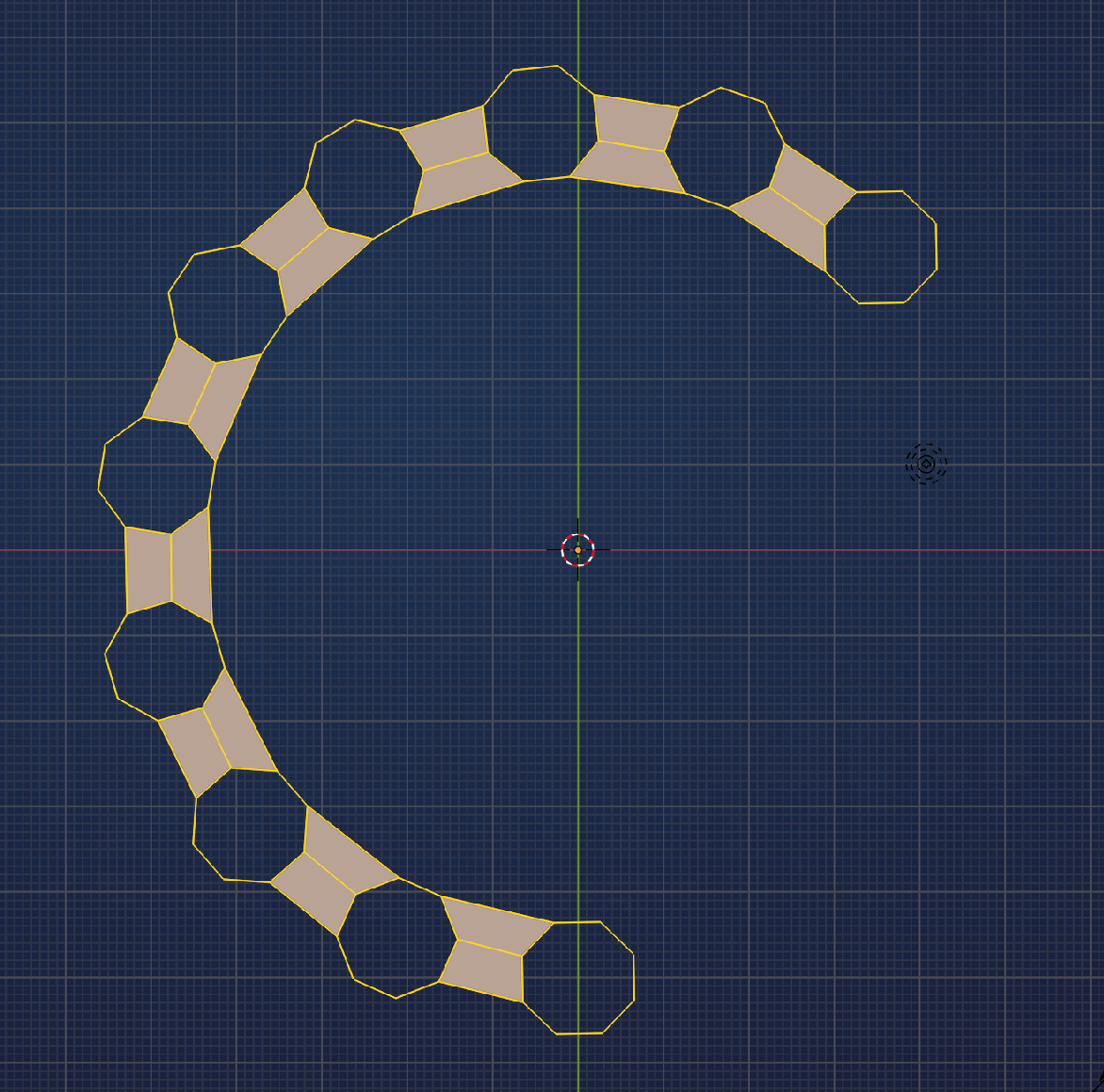 September 26, 2025 at 10:00 am #97250
yoo what thats not even cross my mind even for a sec..u guys are so pro damn..So much thinking power.
Thanks martin as allways.September 26, 2025 at 11:00 am #97251Guys another problem. Please dont get annoy with me na.
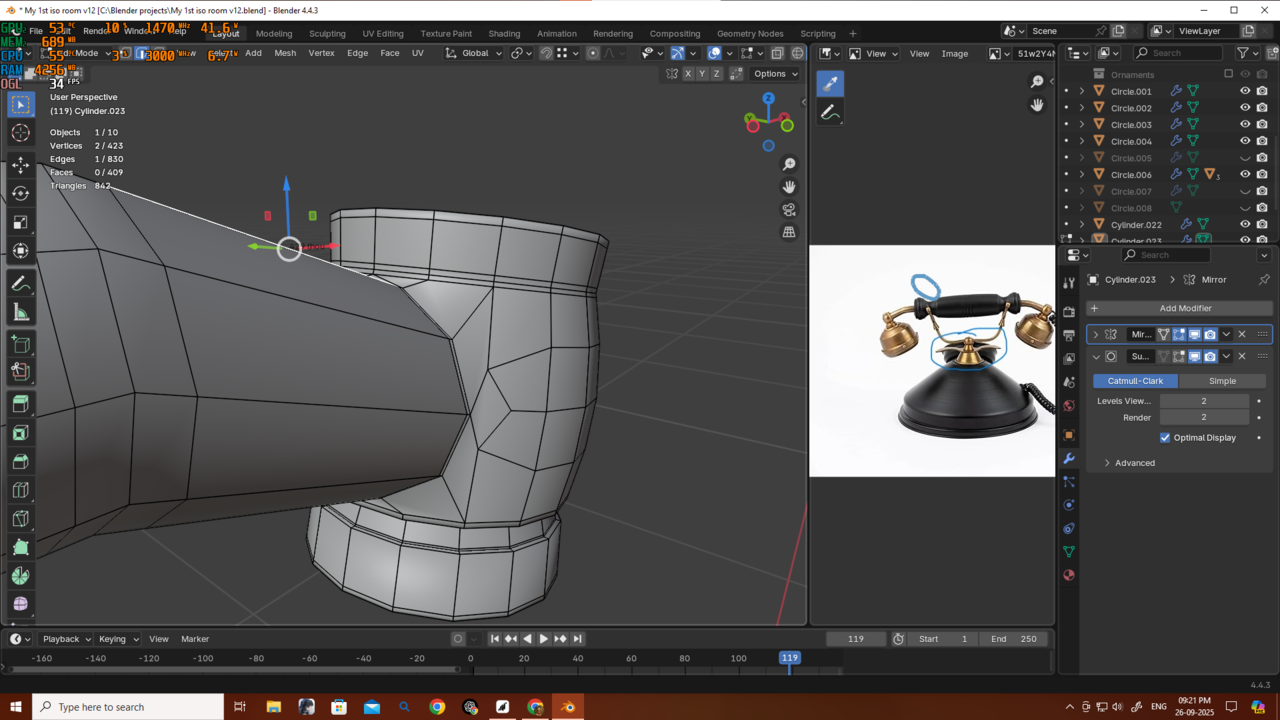
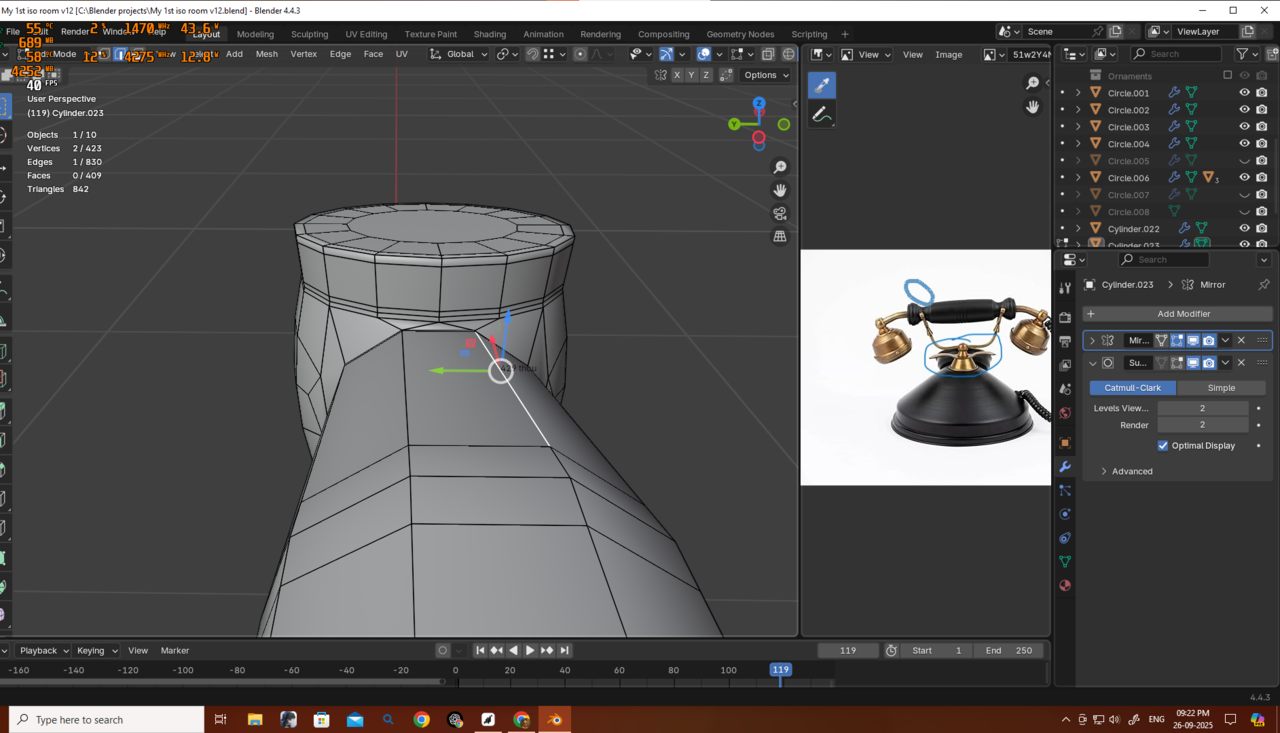
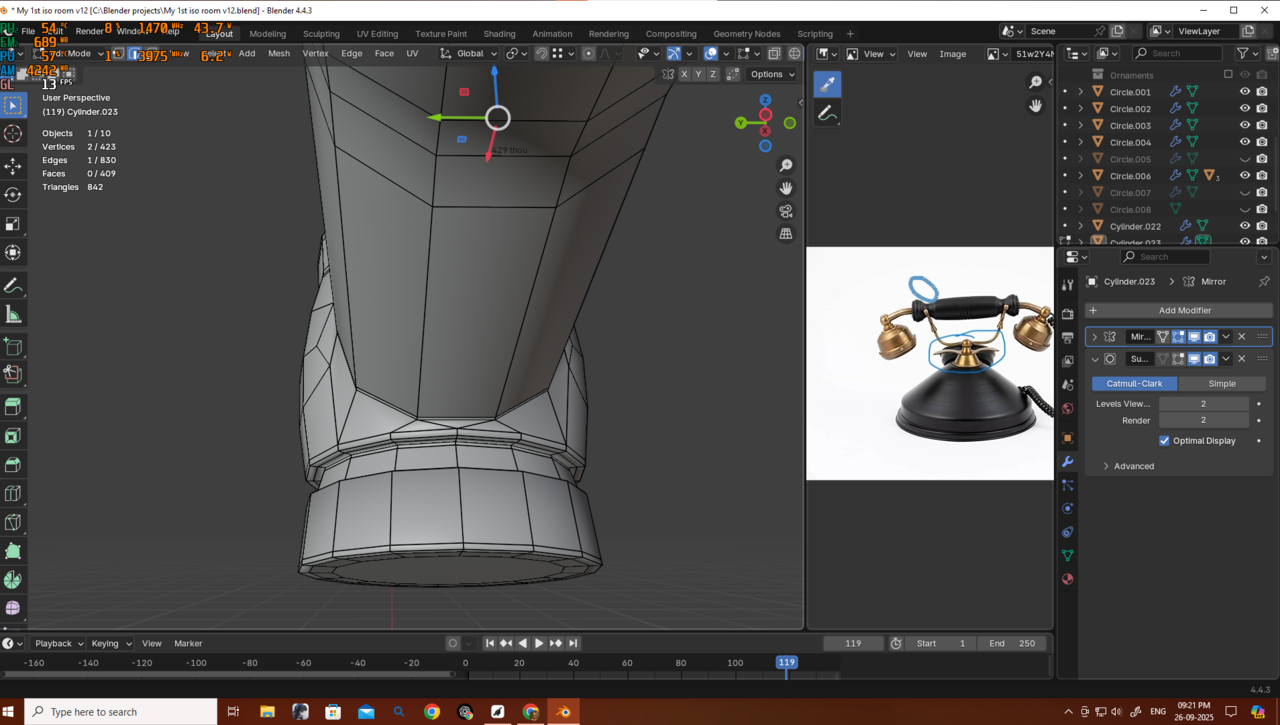
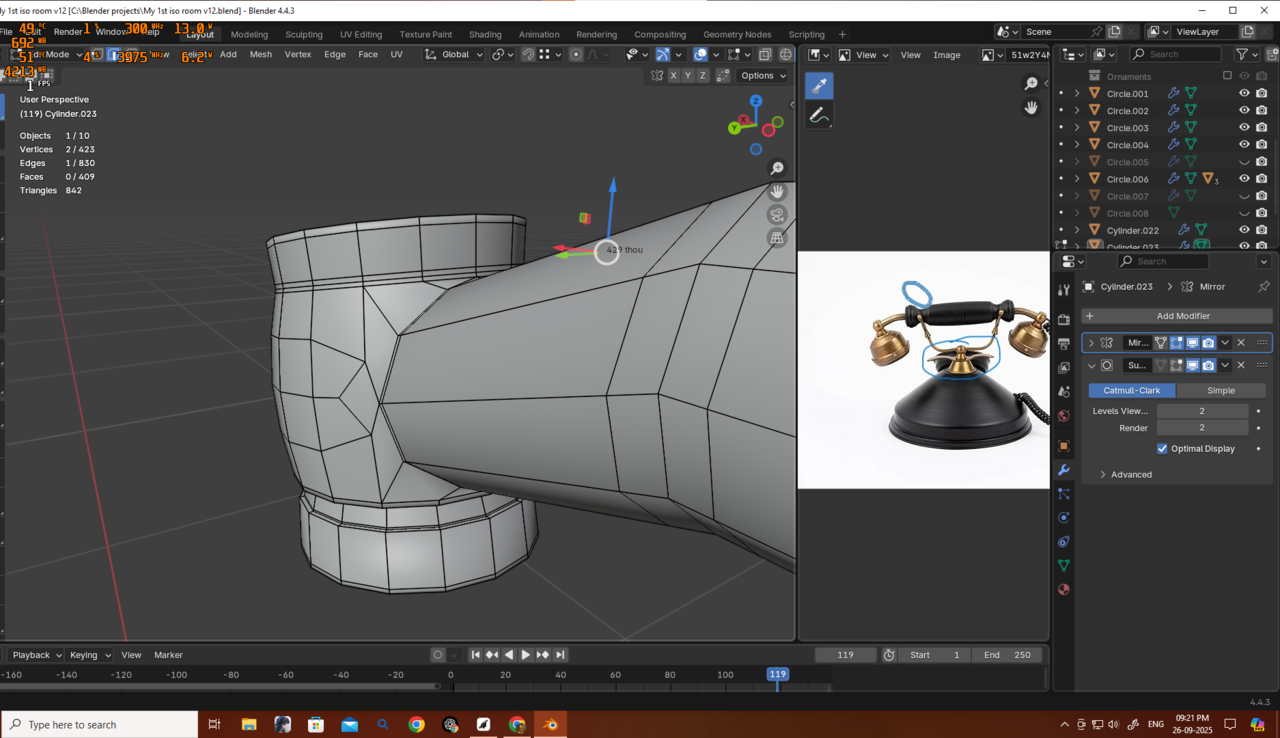
again same thing with boolean operation. a slight pinching issue. what colud i have done better here?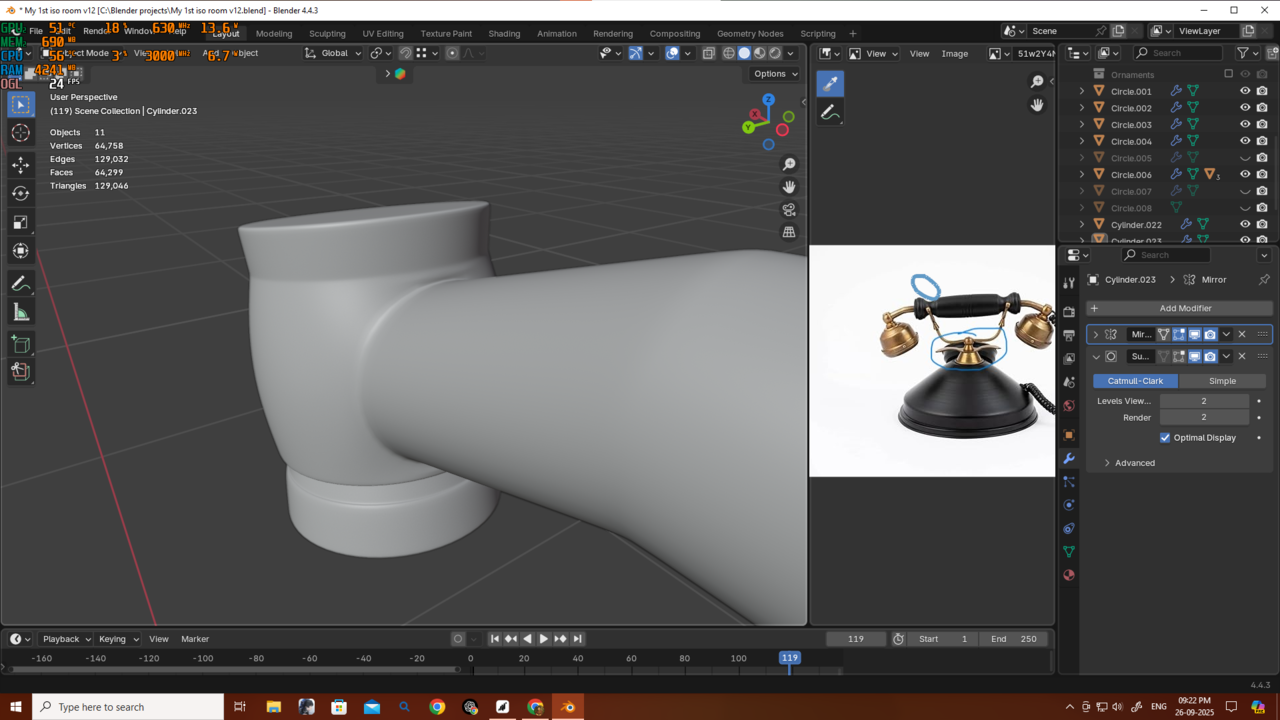
 September 26, 2025 at 11:45 am #97252
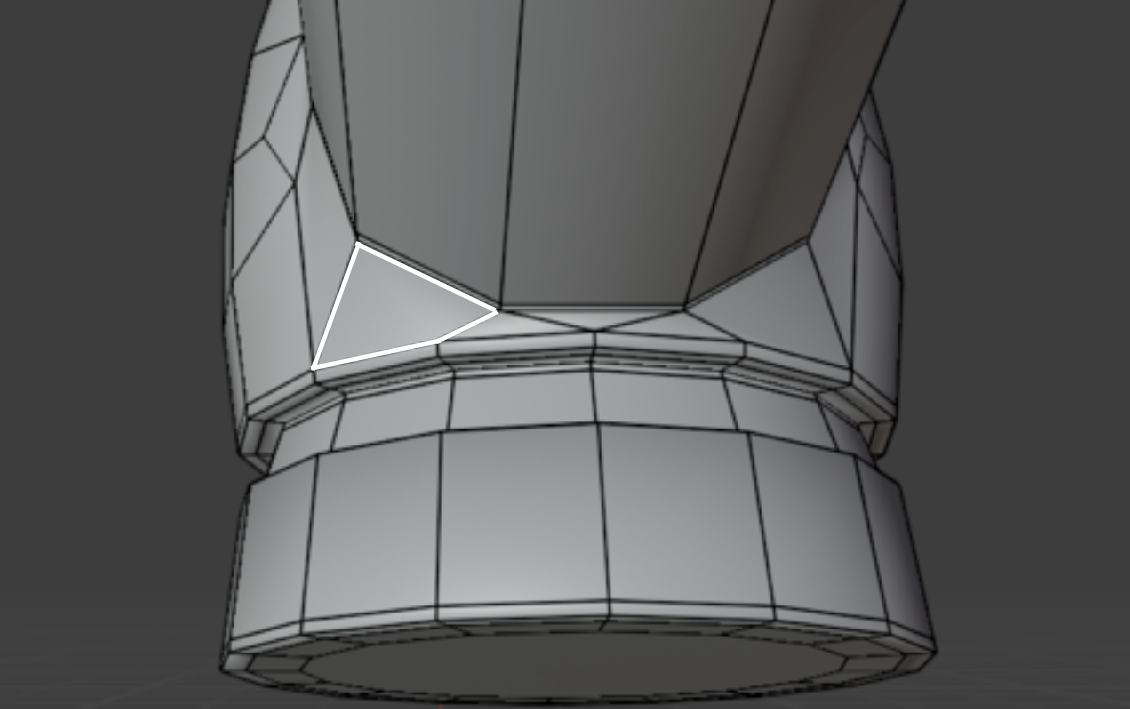
Well, to be honest, it wouldn’t even have crossed my mind to use Booleans for this…but I am also not sure if it’s the Boolean causing the pinching.
The problem are the heavily distorted Faces like here:
 September 26, 2025 at 12:02 pm #97253
Thanks martin so what should I do now? Should I use any other method to join them together other than Boolean union…and get rid of tose faces?
September 26, 2025 at 12:26 pm #97254When a difficult shape is giving me troubles, what I usually do is take that one I already have, imperfect as it is, and just draw over it with shrinkwrap or kind of retopology vertex by vertex. because now I have a base from where I can jump start from and I can basically draw good topology over it. Use snapping over the surface to retopo and now I don’t have to worry about shape and form, just focus good on perfect topology and solve the puzzle.
September 26, 2025 at 2:14 pm #97255WOW Thanks a lot, Omar — your method is going to be a game-changer for me.
But for this one, I gave it a try myself again and added two loops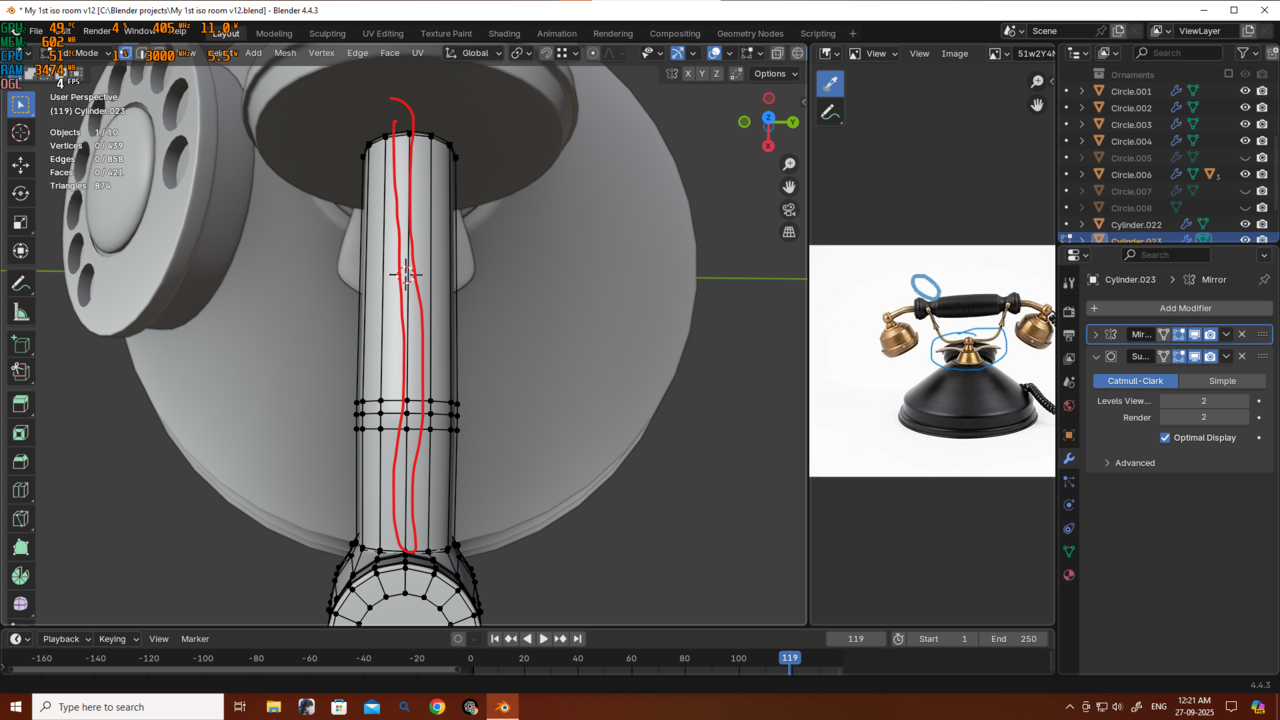
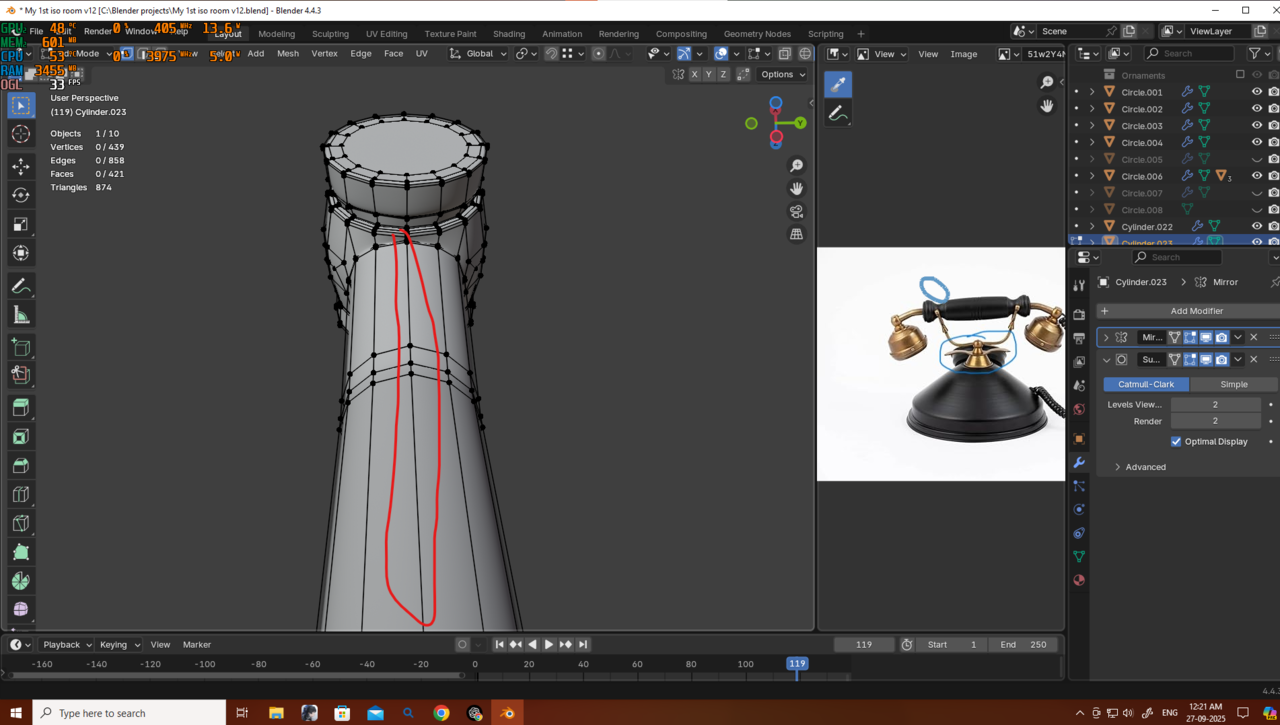 to turn those triangles into quads, and the problem was gone. Yes, I could have done that from the beginning, but when I was adding those edges, the area looked blocky even with Subdivision. That spot had more edges than the rest, so the Subdivision was tightening there. To fix it, I added more loops in between, thinking that would help me get even spacing (I know, that was a bit dumb), but it only made things look blockier.
Then I remembered what you guys mentioned before — sometimes we need to massage those edges and vertices to get even spacing and reduce shading issues. I tried that, and now it looks fine.
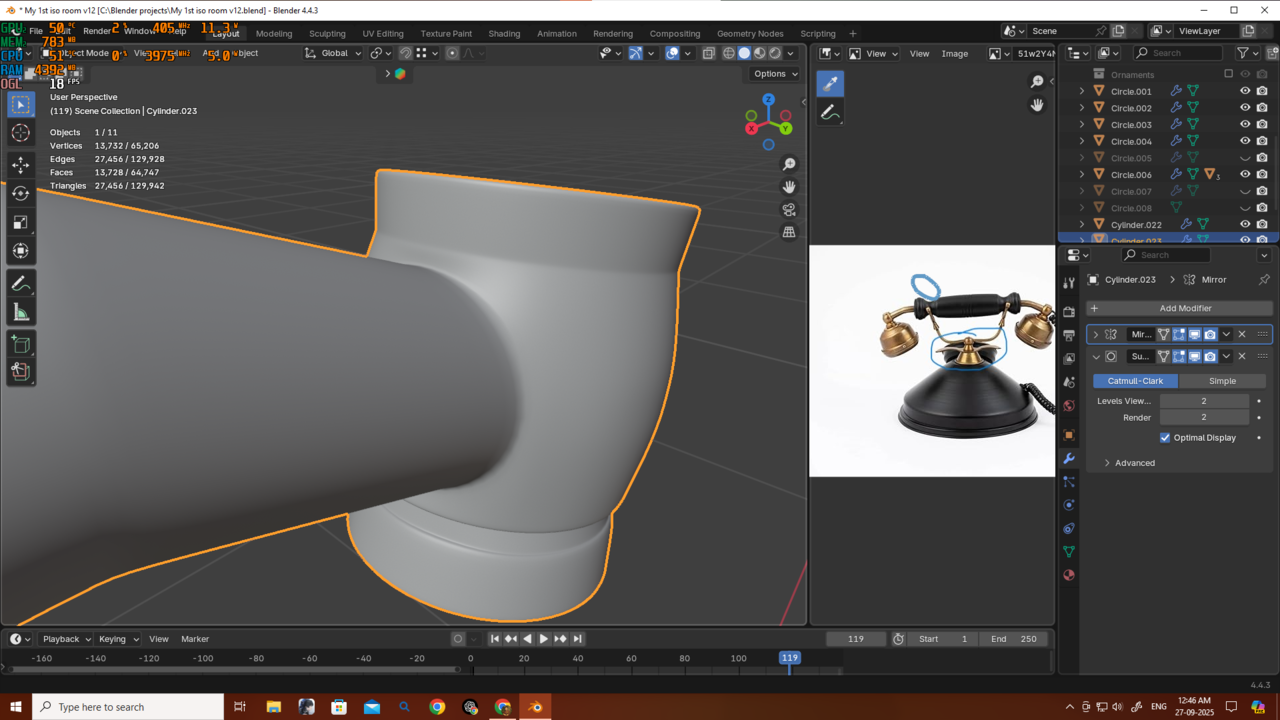
Thank you, Omar and Martin — because of you guys, another problem is solved, and I’ve learned some new problem-solving skills. Thanks a lot!September 26, 2025 at 2:17 pm #97256Here is the result
 September 26, 2025 at 11:49 pm #97257
Sorry guys here i am again with another problem with boolean
as u can see i am getting this probem and exact is not solving either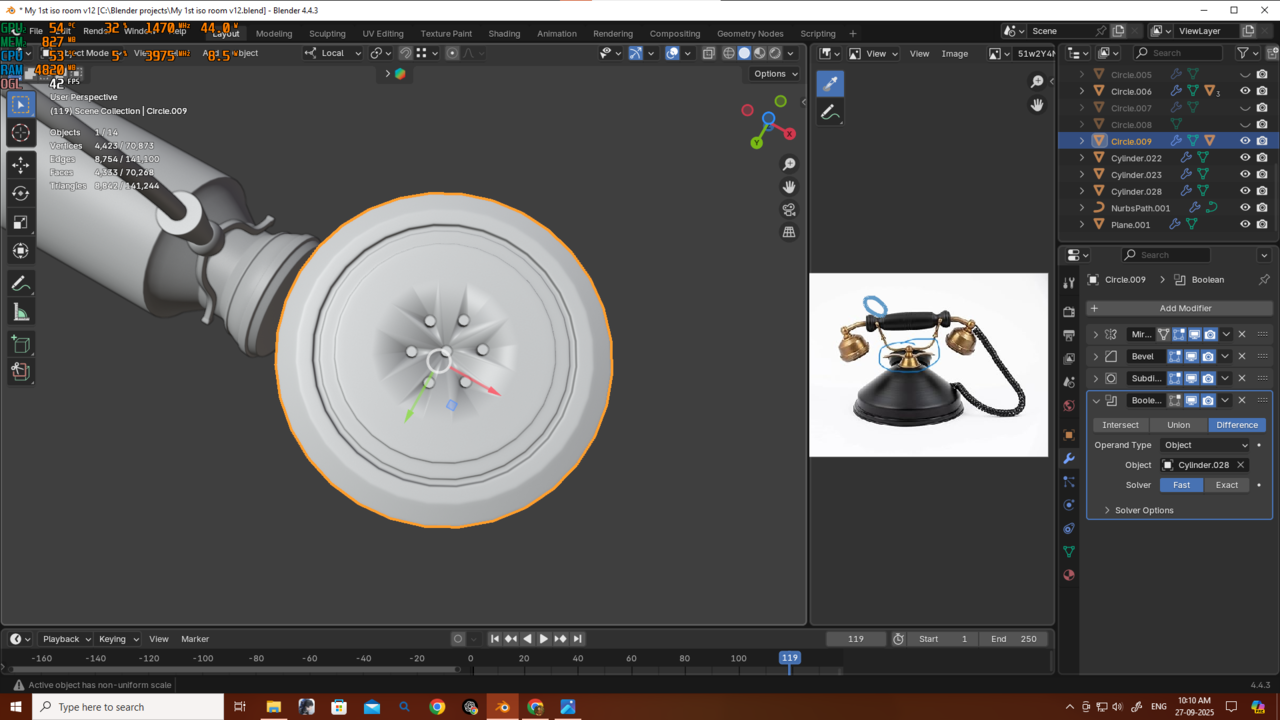
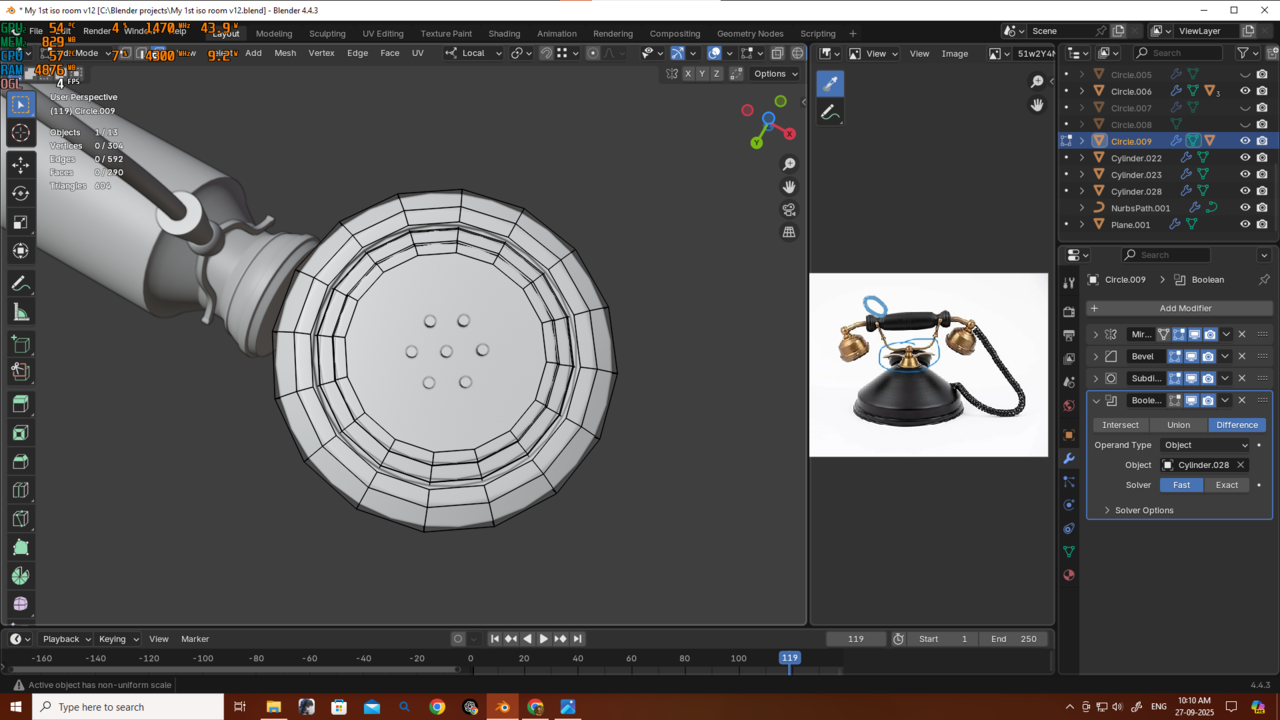
The only way its solving is if i just separate this face. is this a correct method?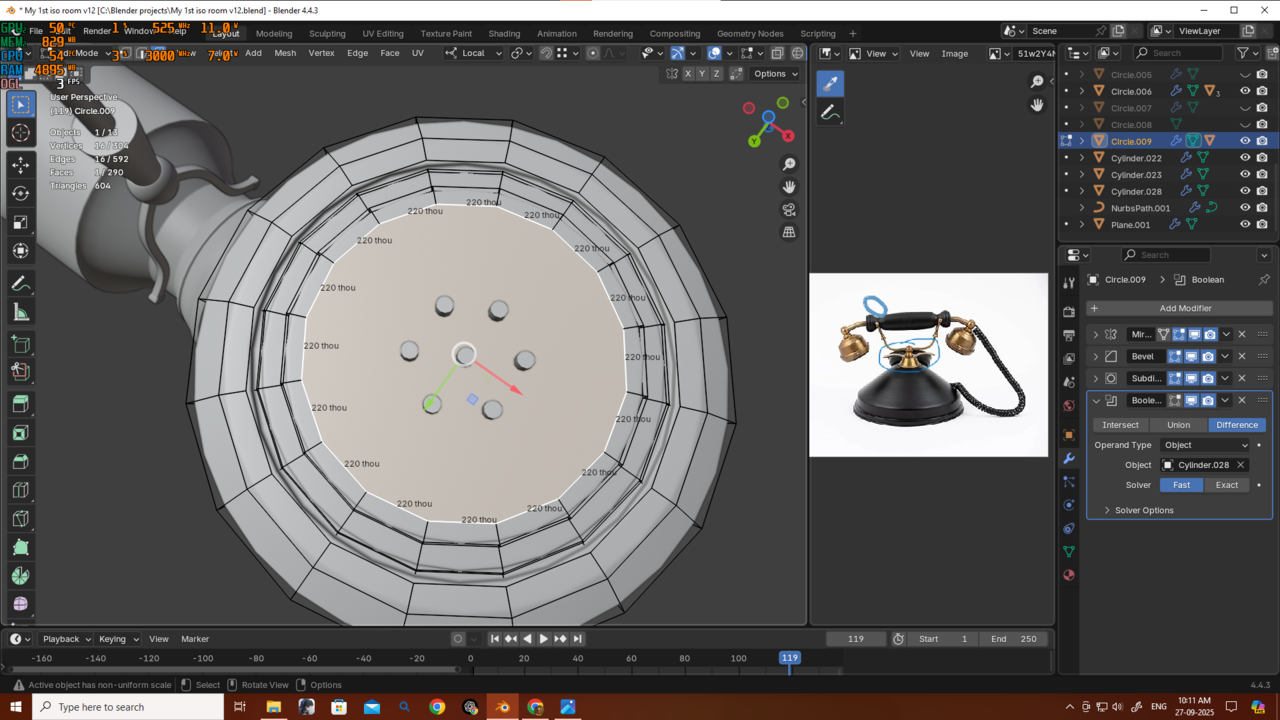
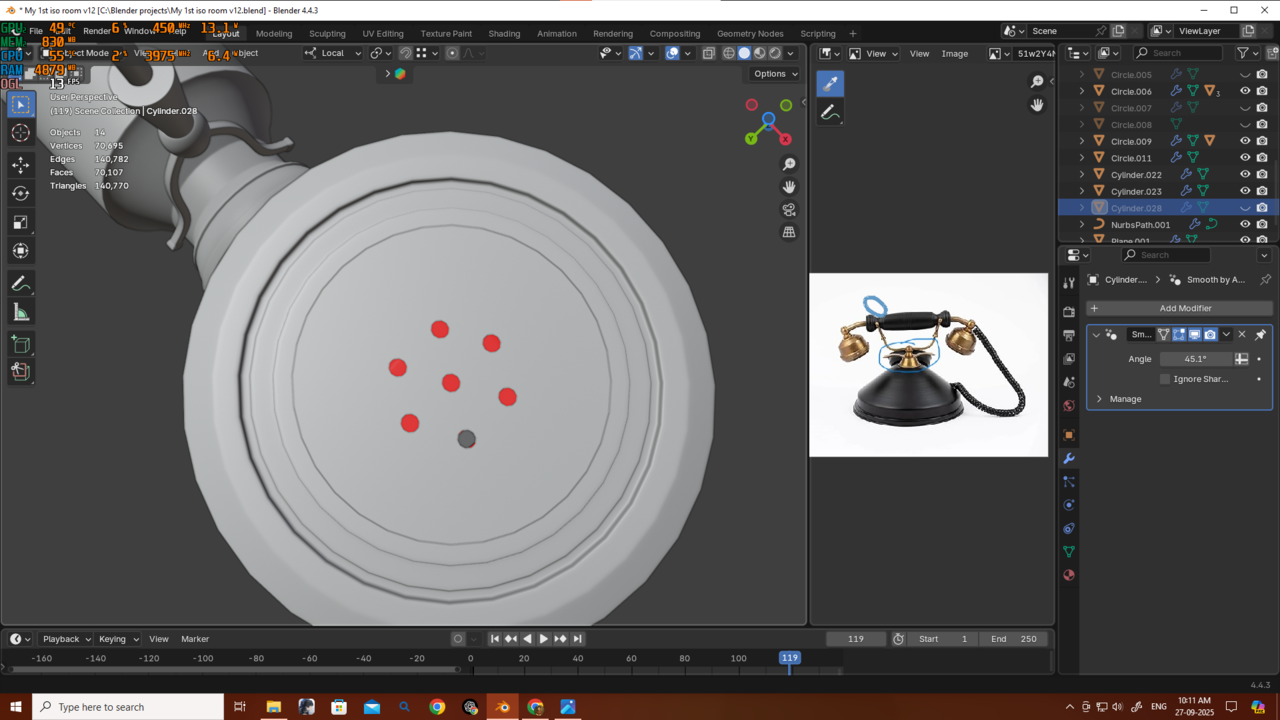
Also its creating these holes i dont want that because i can now see through my mesh
any idea what to do now?September 27, 2025 at 12:55 am #97258Solved i just needed to use shade auto smooth instead of shade smooth.
September 27, 2025 at 12:56 am #97259Hi Deb,
I don’t know exactly what is going wrong. Booleans can be vey finnicky and can cause a lot of frustration (and are very hard to troubleshoot from screenshots).
Anyway, the holes should be easy enough to Fill.
Also, sometimes, the Knife Project Tool can be easier to work with than the Boolean Difference…but works best if you can cut from Axis Aligned, Orthographic Views.
-
AuthorPosts


- The topic ‘is this consider to be bad practice?’ is closed to new replies.