I don’t see drawing keyframes, is that because I’m on blender 4.2?

Forum Archive I don’t see drawing keyframes, is that because I’m on blender 4.2?

Viewing 11 posts - 1 through 11 (of 11 total)
  • Author
    Posts
  • #20460
    Ford Grimm
    Participant

      ^

      #95873
      Martin Bergwerf
      Participant

        Hey Ford,

        What do you mean exactly? 

        I don’t think there is a huge difference in Grease Penciil between 4.0 (video Version) and 4.2.

        #95874
        Dwayne Savage
        Participant

          Are you in draw mode? 

          #95875
          Omar Domenech
          Participant

            Perhaps you mean that feature that you hit play and move your mouse and keyframes get added automatically and records your mouse movements? 

            #95876
            Ford Grimm
            Participant

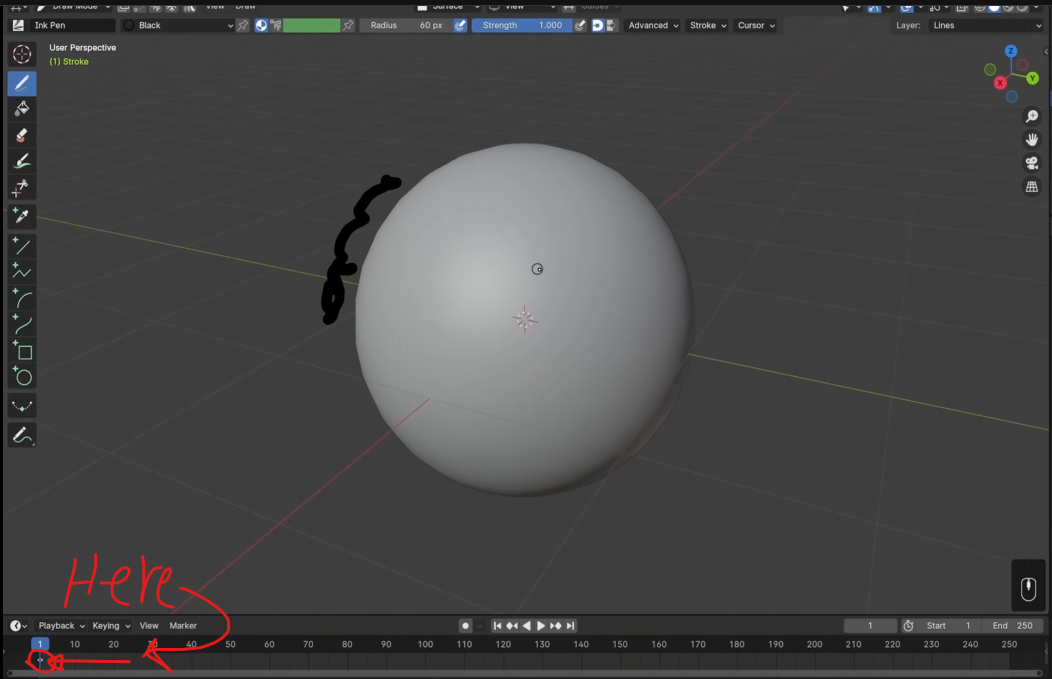
              Sorry this is what I mean this is the keyframe I don’t see in blender, in the bottom left hand

              keyframe.png

              #95877
              Ford Grimm
              Participant

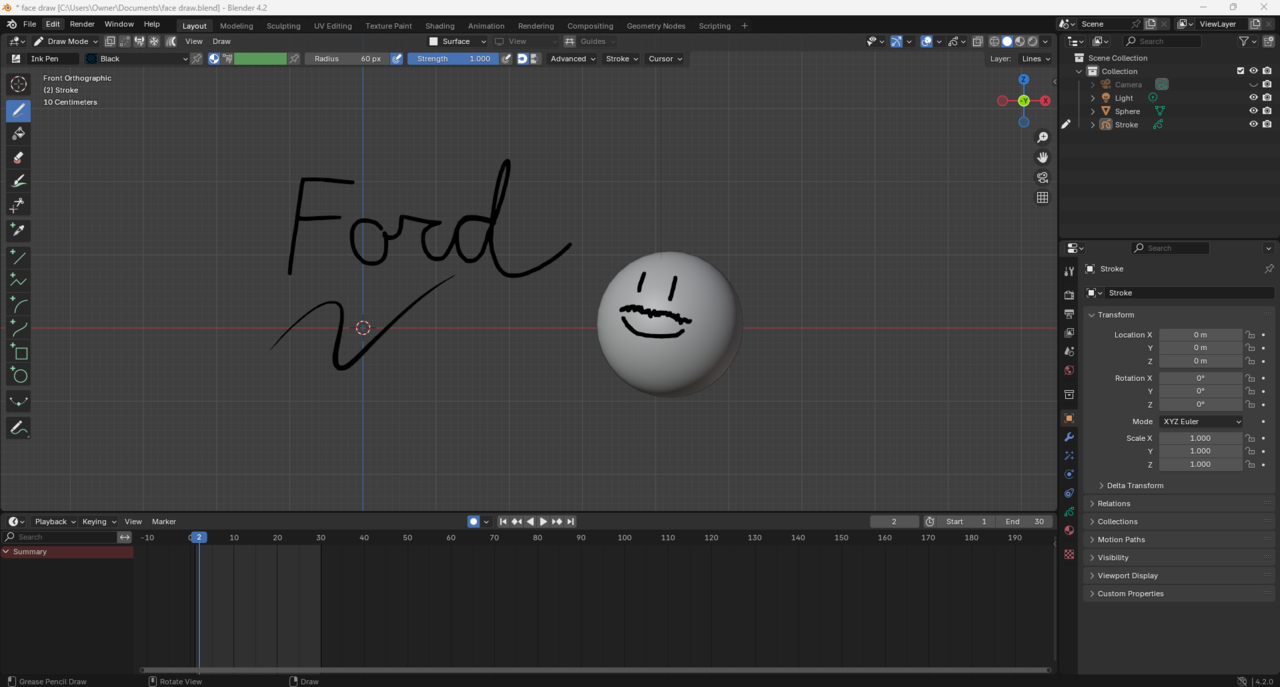
                my screen 

                no keyframe.png

                #95878
                Martin Bergwerf
                Participant

                  HI Fprd,

                  First of all, you are using 4.2.0. 4.2 is an LTS and the lates revision is 4.2.12. I highly recommend you update that (although that probably won’t fix this issue).

                  Speaking of updating, try updating your GPU driver. That might help.

                  #95879
                  Dwayne Savage
                  Participant

                    I’m not sure how you managed to do this, but the Grease Pencil object(Stroke) is active, but isn’t selected. Click on the Stroke object in the outliner(It should highlight with blue) and then you should see the keyframe. If you don’t then you may have filtering in dopesheet. With mouse cursor over timeline editor press Shift+F12 or change the editor type from timeline to dopesheet in first icon on the header. Click on the funnel icon and make sure that grease pencil is turned on(Blue). 

                    #95880
                    Ford Grimm
                    Participant

                      Dwayne that’s what it was, I didn’t have the stroke selected, thank you!

                      #95881
                      Martin Bergwerf
                      Participant

                        Hi Ford,

                        Thanks Dwayne @dillenbata3  ,

                        Here’s what I think has happened:.

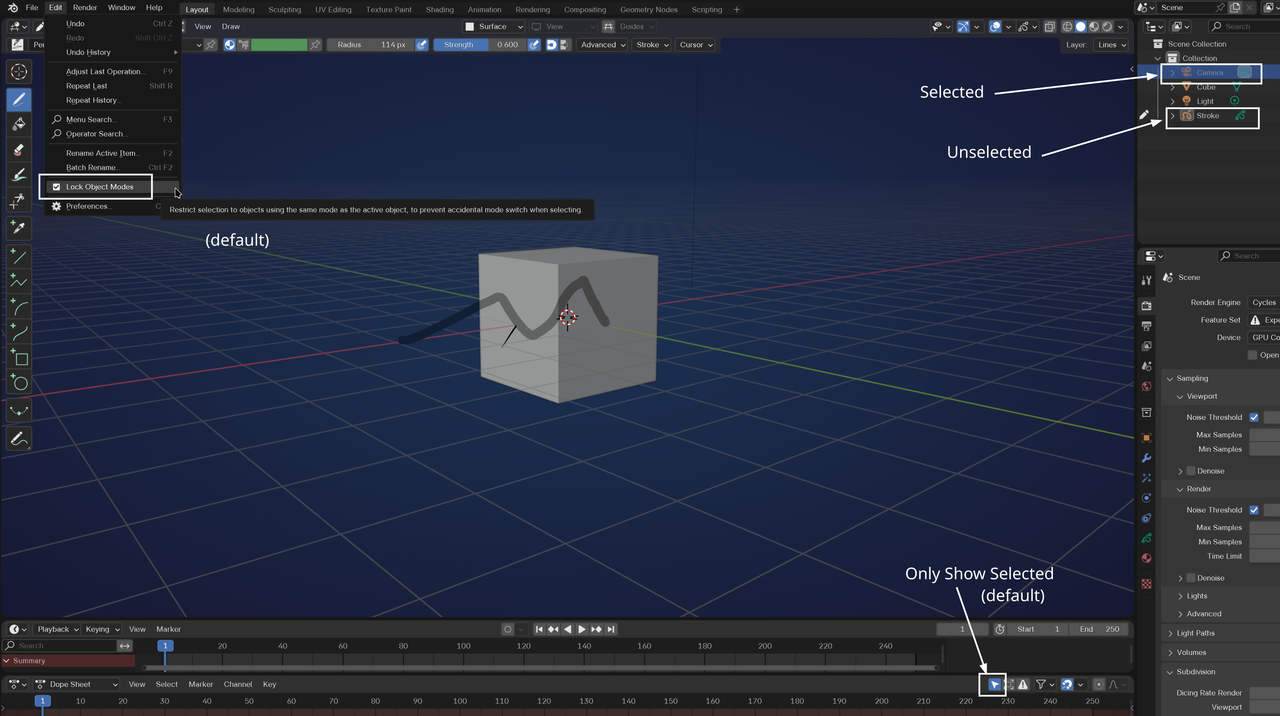
                        There are some default Settings, that made this weird situation possible, the one I would recommend to turn off immediately and leave turned off forever, is the Edit > Lock Object Modes.; I don’t knwo of any advantages, only disadvantages, of leaving that on. Because of that Setting, you were able to Deselect the GP Stroke, by Selecting the Camera and because of the Only Show Selected Button, you couldn’t see the Keyframe anymore. And you couldn’t Draw anymore either.

                        Keyframe.png

                        #95882
                        Ford Grimm
                        Participant

                          Martin Bergwerf it claims “to prevent accidental mode switches when selecting” but I turned it off! Thanks for the advice! Every little thing helps!

                        Viewing 11 posts - 1 through 11 (of 11 total)
                        • The topic ‘I don’t see drawing keyframes, is that because I’m on blender 4.2?’ is closed to new replies.