How to Extrude Edges & Inset Outward in Blender

Forum Archive How to Extrude Edges & Inset Outward in Blender

Viewing 10 posts - 1 through 10 (of 10 total)
  • Author
    Posts
  • #20272
    ash dash
    Participant

      Hi,

      I was trying to extrude edges individually — for example, I want to select the 4 edges of a plane at once and extrude them separately. Is there a way to do that?

      Also, I was trying to offset edges outward from the shape while keeping the same distance around it. I can use “Inset” to go inward, but I can’t figure out how to do it outward.

      For example, if I wanted to select the outer edge loop of a star-shaped mesh and scale it outward while keeping the same spacing, how could I achieve that?

      Thanks

      025-06-05 102154.png

      #95309
      Martin Bergwerf
      Participant

        HI @Blendash ,

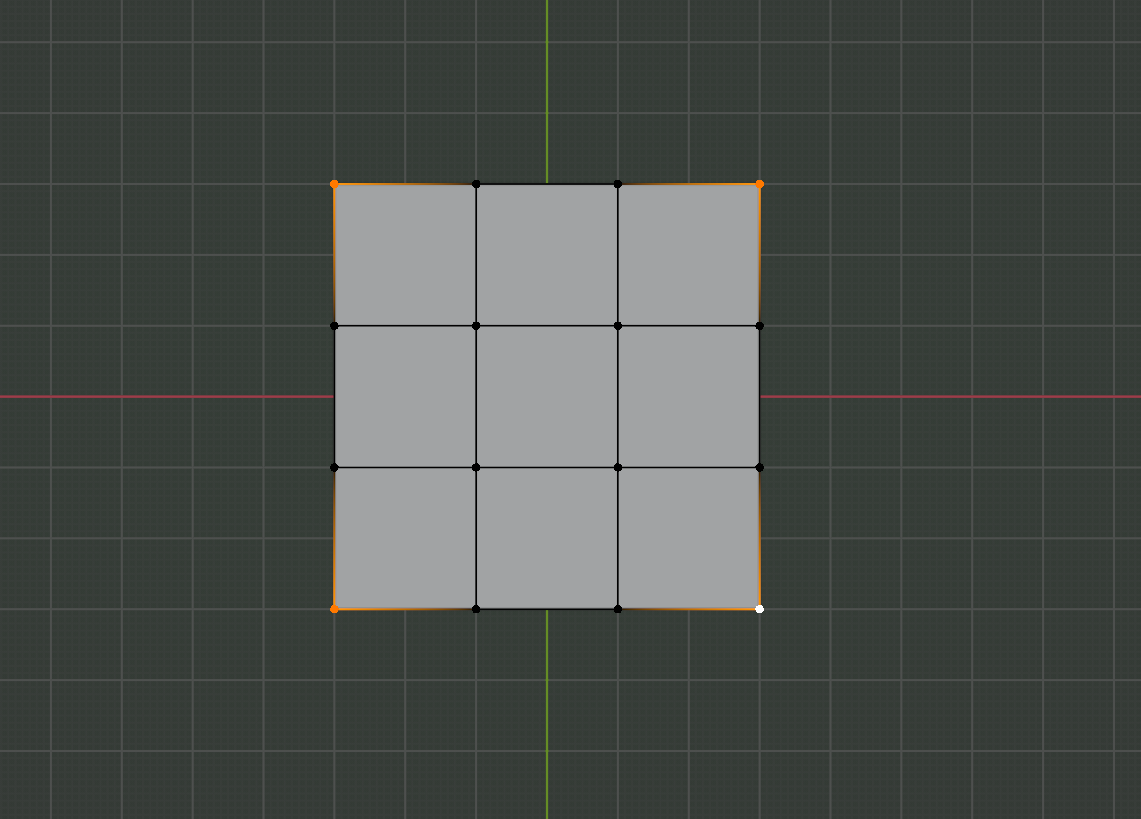
        In the case of the Plane, I’d Subdivide it (2 Cuts) and Delete the corner Vertices:

        Subdiide.png

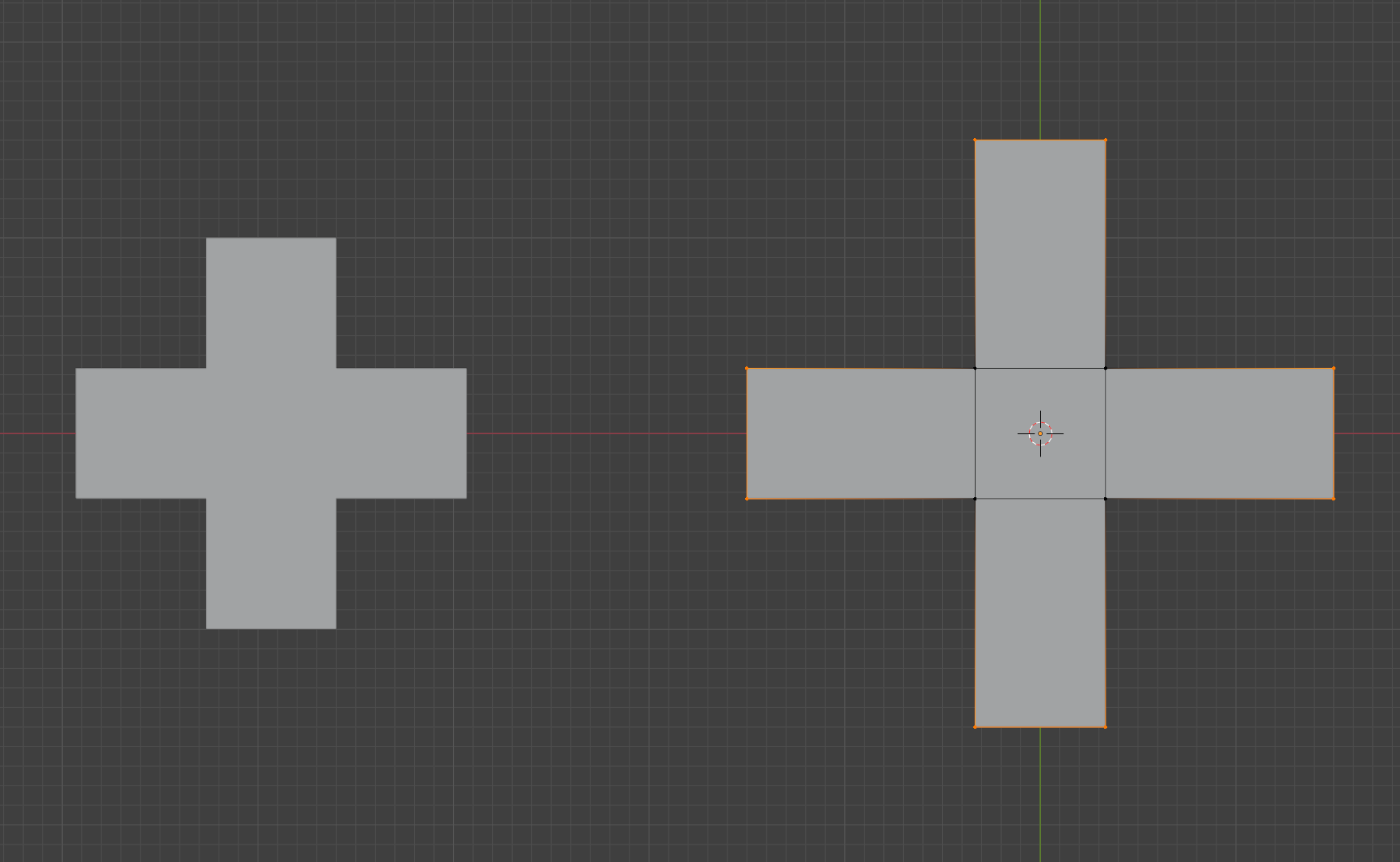
        You can also temporarily give the Plane some Thickness and then you can Extrude the side Faces (individually).

        With the other figure, you can also give the Mesh Thickness and Extrude the side Faces.

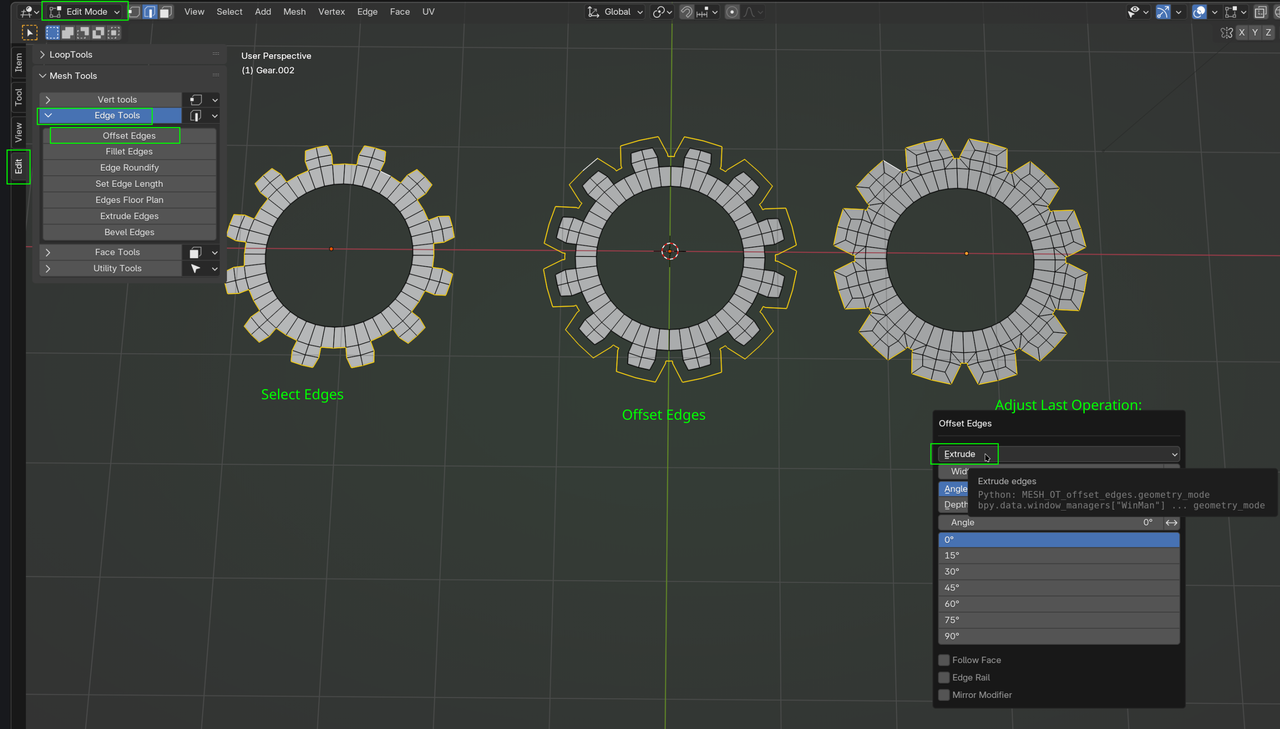
        Or use the Edit Mesh Tools Addon:

        Edit Mesh.png

        #95310
        Martin Bergwerf
        Participant
          #95311
          Omar Domenech
          Participant

            If you press ALT + E you get the extrude menu and it changes if you’re on vertex, edge or face select. You have a couple of options. But I guess the way I have always done it is to extrude and right click to cancel, then ALT + S to scale along the normals. Or maybe even the scale cage, if you click and hold on the scale tool, you can use the cage which lets you scale in different ways. 

            #95312
            jason b
            Participant

              That addon looks like it can be beneficial!

              #95313
              ash dash
              Participant

                Thank you @Martin and Omar   for your help.

                one question if I want to to make the extruded edges taller?  saclling them not work, the only way i figuer out to move every edge on one axise at once and repeate this for the 4 edges. Maybe there is a better way?

                #95314
                Martin Bergwerf
                Participant

                  Hi @Blendash ,

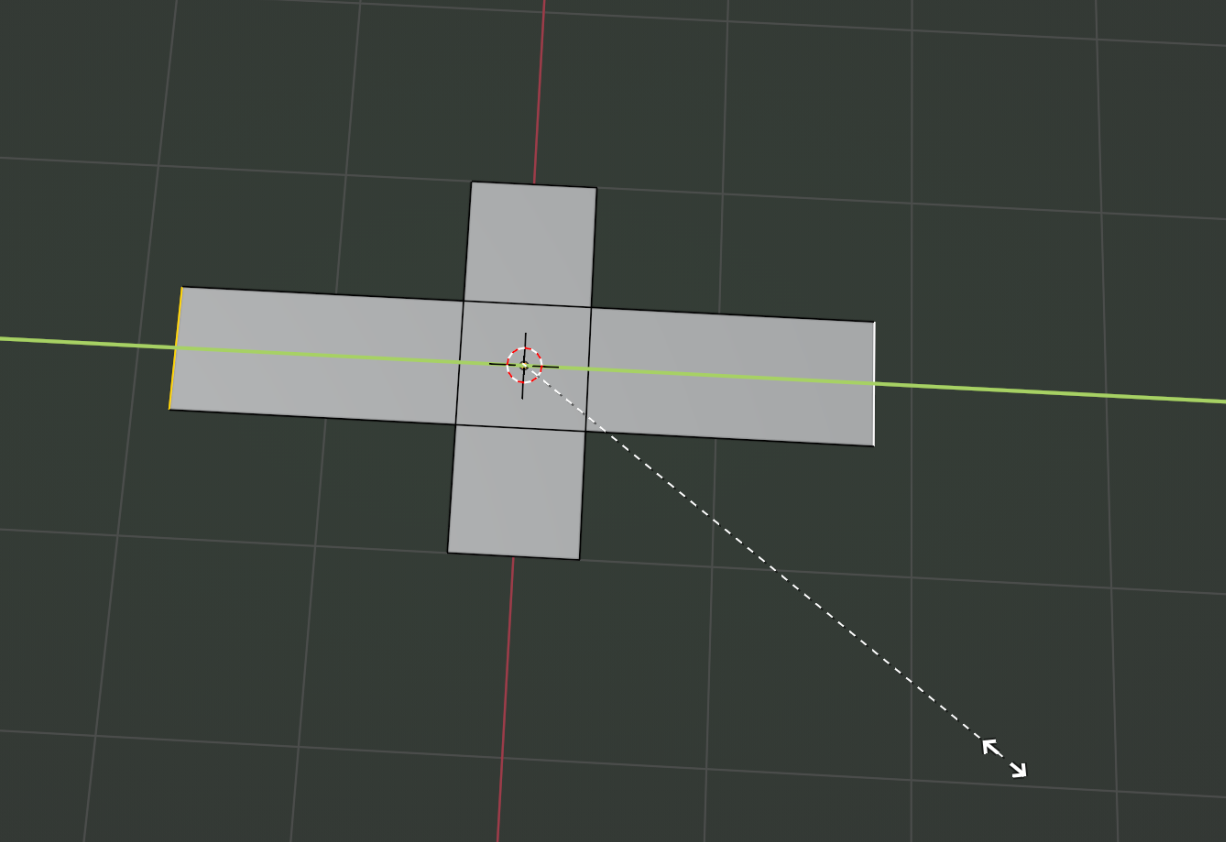
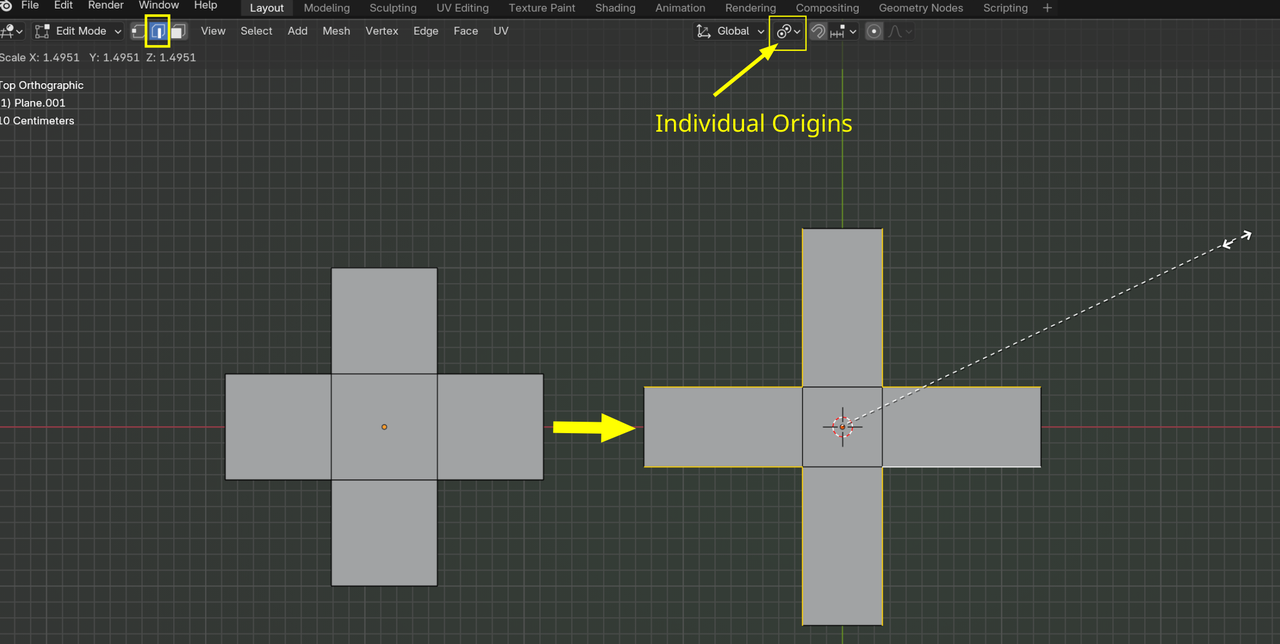
                  You can Select 2 opposite Edges and Scale on 1 Axis:

                  Scaling.png

                  Then repeat that for the remaining 2 Edges.

                  #95315
                  Martin Bergwerf
                  Participant

                    …or use the Edit Mesh Tools again to Extrude the Edges and then CTRL+X to Dissolve the ‘halfway’ Edges that you don’t need.

                    #95316
                    Omar Domenech
                    Participant

                      Also I know it’s not modeling per say, but a mirror modifier is always cool. It saves you potentially 1/3 of the work, or is it 3/4? I’m not sure, math is confusing. 

                      #95317
                      Martin Bergwerf
                      Participant

                        It depends, Omar, how much you are going to do, modeling-wise, if this is the only thing, it would be more work to set up a Mirror Modifier, but in other cases it might save you 99% of the work, or more.

                        @Blendash , you can also first Scale these Edges:

                        Scale_00.png

                        and after that,  Scale the whole model to get the center square back to its original size.

                        And there’s probably 50 more ways to do this 😉

                      Viewing 10 posts - 1 through 10 (of 10 total)
                      • The topic ‘How to Extrude Edges & Inset Outward in Blender’ is closed to new replies.