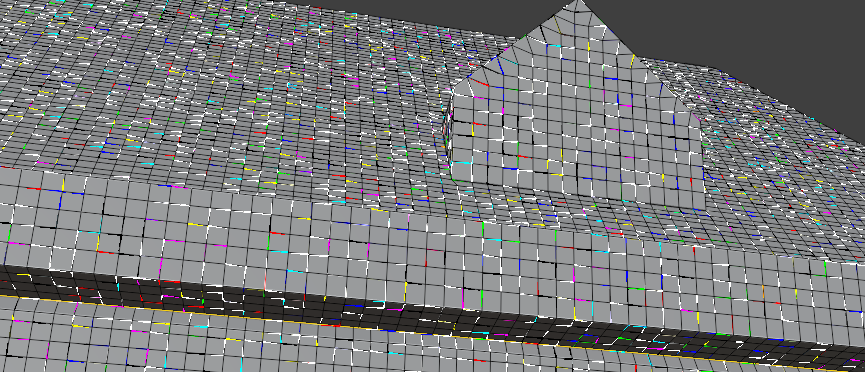
I got a model and am asked to make some small modifications. When i go into edit mode i see all kinda colors. Where do these originate from, can i reset that ? Is this an artefact due to the fact that it is probably made in another software?
By the way, the original model does not consists of quads, this is after remesh. The colours however exist in both versions (original anda fter remesh)
Hard to tell, but it looks more like a render glitch to me. Is your graphics driver up to date (you might even need to try an older driver, if your’re using the latest)? Are you using OpenGL or Vulkan as backend?
Do you know in what software the model was made and how it was exported (what format)?
I had never seen that, it’s got to be one of the most trippiest glitches ever. If you add a cube and subdivide it a lot, does the cube have all those edge colors as well? And if you go into edit mode on that weird alien object and then add the cube there as part of that object data and you subdivide the cube there, does the cube inherit the colorful edges? That’s more out of curiosity testing than anything else. But I think the fact that it comes from another software has everything to do with it.
ah well, should have known. Again on my laptop from work. Posted an issues previously that was generated on that laptop as well. At home no problems at all.

.