Course Library
Learning Paths
Free Courses
Learn Blender 3D in the way that’s right for you.
Inner Circle
Where members share progress and help each other learn.
›
The Commons
A free Blender community open to artists of all skill levels.
Forum Archive › How do i apply?
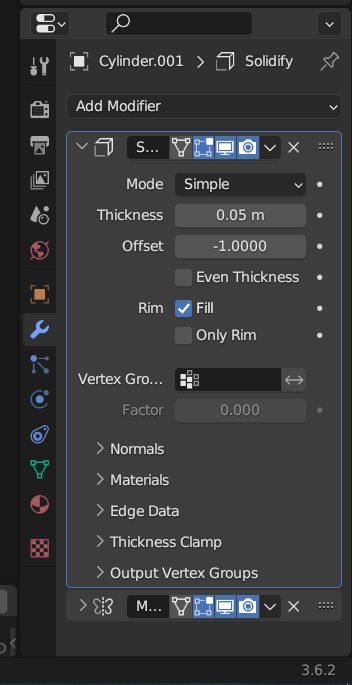
I have blender version 3.6 im new to blender and i dont see the apply button, how do i use it?
Hi Mischa,
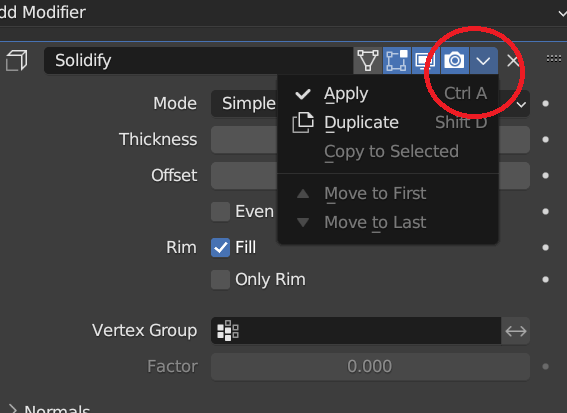
There’s a drop down menu behind the little arrow, which opens up and you can click on apply.Or you can hover your mouse over the modifier and press ctrl+A.Note that you can only apply those in object mode. 🙂
TYSM