Totally can’t get the Torus part to work

Forum Archive Totally can’t get the Torus part to work

Viewing 5 posts - 1 through 5 (of 5 total)
  • Author
    Posts
  • #19567
    Joe Schulte
    Participant

      What I’ve done is…

      Created plain axis at origin of geometry. 

      Created an 18-segment Torus, and then deleted everything but one of the segments (so I’ve got a 20 degree torus). 

      Follow the Array settings for fixed count 2, object offset, object empty, and I’ve suddenly got another object appearing. And nowhere near where it should be: 

      What fundamental piece am I looking at? 

      #92733
      Omar Domenech
      Participant

        Looks like all you need to do is apply the empty’s scale. It takes that into account. Try it and see hat happens.

        #92734
        Paul Caggegi
        Participant

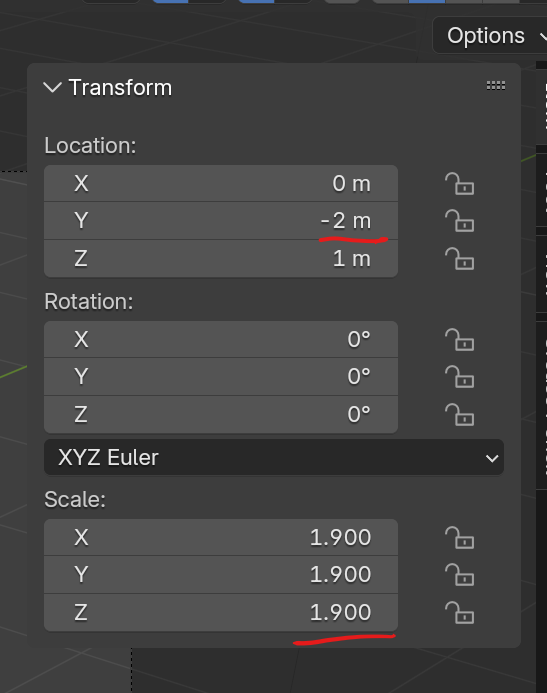
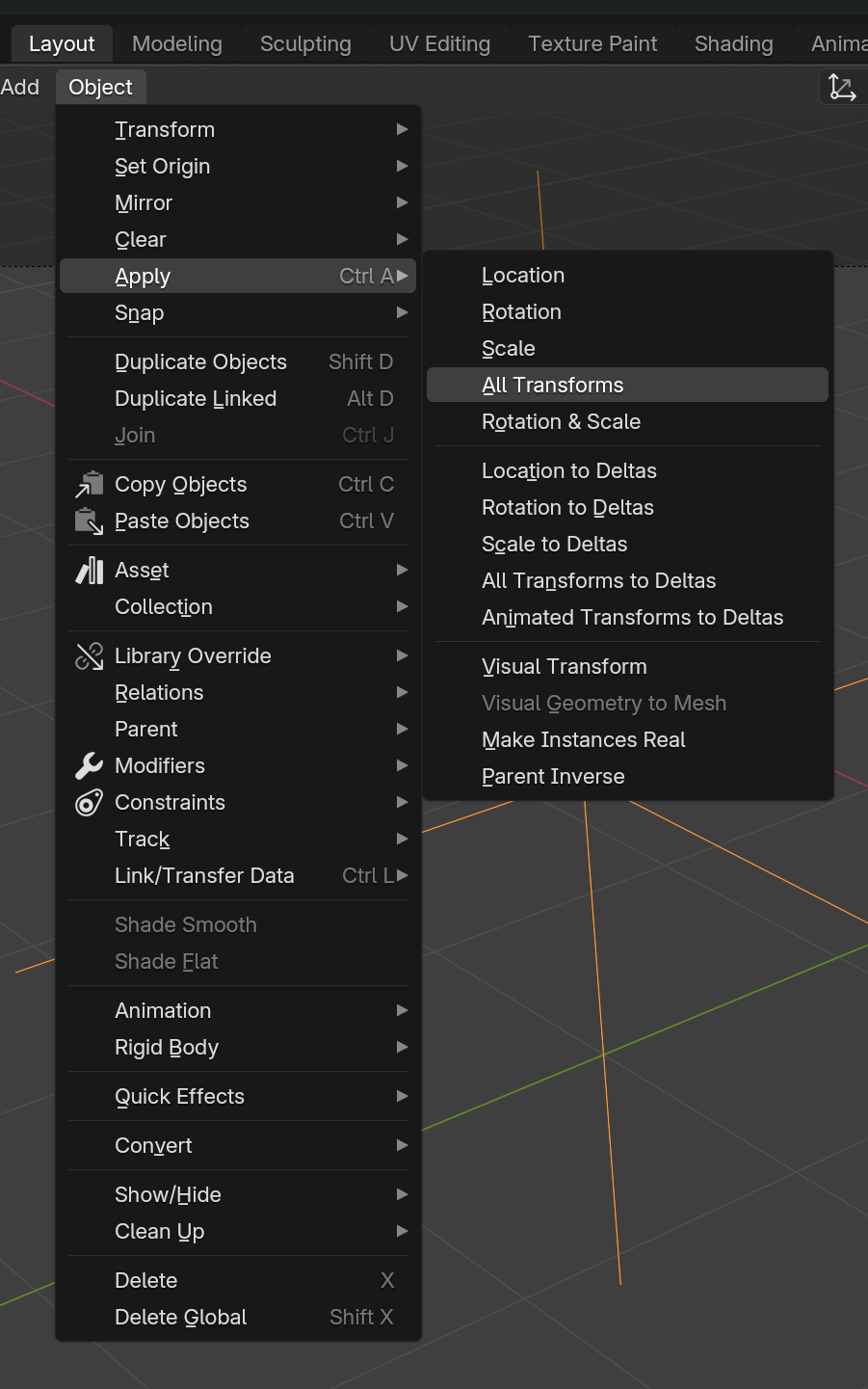
          Yes, Empties are STILL tricky. You need to apply all transforms. You can check its location, rotation scale in the right-hand side panel.

          If the Location is not 0, and scale is not 1, select the Empty, Go to Object>>Apply>>All Transforms

          This should correct the issue.

          #92735
          Joe Schulte
          Participant

            That did it. Thanks, everyone. It didn’t occur to me that I had to apply transforms to an empty. Which, considering we’re rotating and scaling it, obviously that would matter.

            #92736
            Martin Bergwerf
            Participant

              Hi Joe @Merijeek,

              This comes with a warning; this is especially true when working with Meshes:

              Please do not get into the habit to Apply All Transforms (‘ever’). Only Apply the Scale (‘always’).

              You might sometimes want to ‘reset’ the Rotation and/or Location with ALT+R and ALT+G, but Applying the Rotation should be avoided (if possible) and Applying the Location is almost never what you want. Applying a Transform is done to the Origin (Coordinate System) of an Object, leaving the Mesh as it is (visually), while Clearing a Transform sets the whole Mesh (with its Origin) back.

              Now, an Empty is just an Origin, so Clearing and Applying a Transform does exactly the same thing (i.e. has the same result).

            Viewing 5 posts - 1 through 5 (of 5 total)
            • The topic ‘Totally can’t get the Torus part to work’ is closed to new replies.