Any means to render armatures/bones? (other than viewport render)

Forum Archive Any means to render armatures/bones? (other than viewport render)

Viewing 10 posts - 1 through 10 (of 10 total)
  • Author
    Posts
  • #19063

    Curious if I can render armatures/bones with Workbench/Eevee/Cycles – I haven’t been able to & curious if it’s something obvious I’m missing.

    #90757
    Wayne Dixon
    Participant

      Hi Motion Bones (cool name btw)

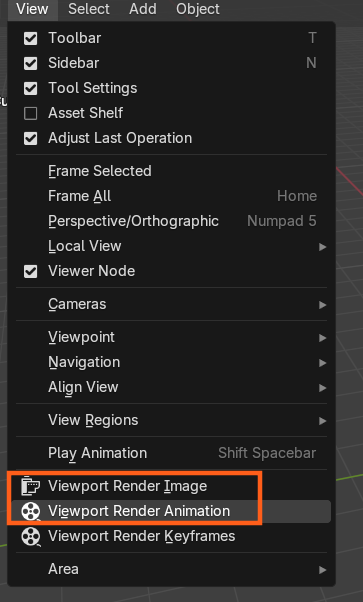
      Armatures are invisible in a ‘real’ render (ie – when you hit F12 with cycles or Evee)

      But they are visible when you render the viewport.

      View> Viewport Render Image
      or 
      View > Viewport Render Animation
      The next option will work too, but it’s really for only rendering the stepped blocking of your animation w/o changing all the curves. (it’s an animation thing)
      a_20241031125409.png

      Mind you, it doesn’t render everything you see in the viewport, but it does render most things (all be design)

      #90758

      Thanks for the reply Wayne!
      Ah… that’s a shame…. this will seriously affect the “presentation” of my armature creature creations as tasked by your video – lol.

      Quick follow up question while I have your attention please:
      Am I able to “move” the 3d cursor… like transforming any other objects or their pivots etc?  (as opposed to clicking to where I want it in 3d space and having it appear/jump there)

      Cheers for all your help & guidance!

      #90759
      Dwayne Savage
      Participant

        Yes. Thru the n-panel, view tab you can set the 3D cursor’s location and rotation. 

        #90760
        Martin Bergwerf
        Participant

          Hi @Motionbones ,

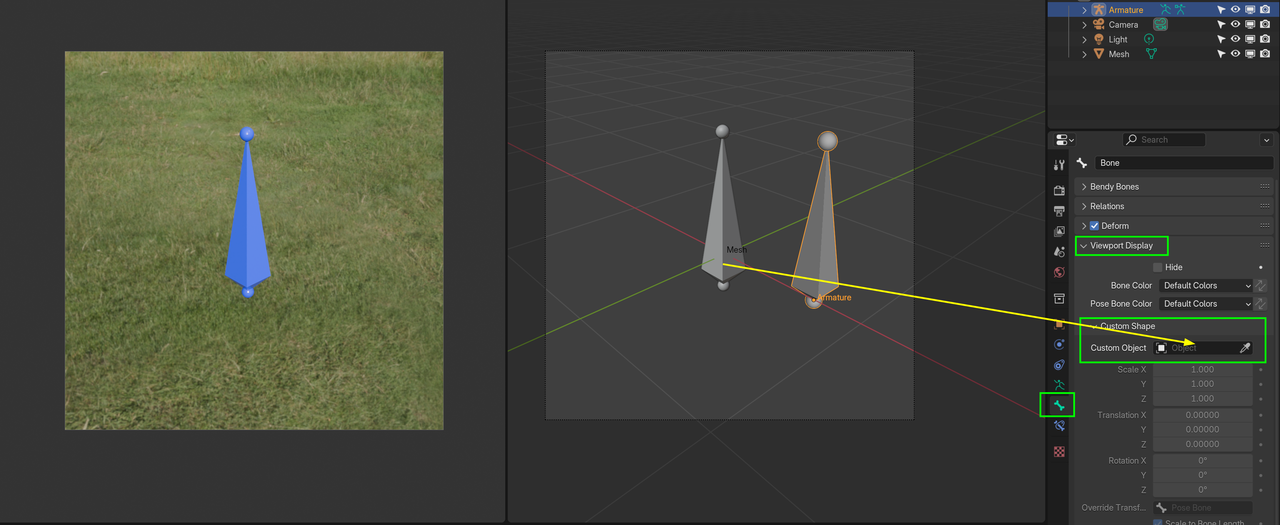
          If you really want to go super fancy, you can go advanced and model a Bone shape as a Mesh and then use the Custom Shape Option to display the Bone as that Mesh and then you can fully Render your Bones with Materials in Cycles or EEVEE:

          BoneRender.png

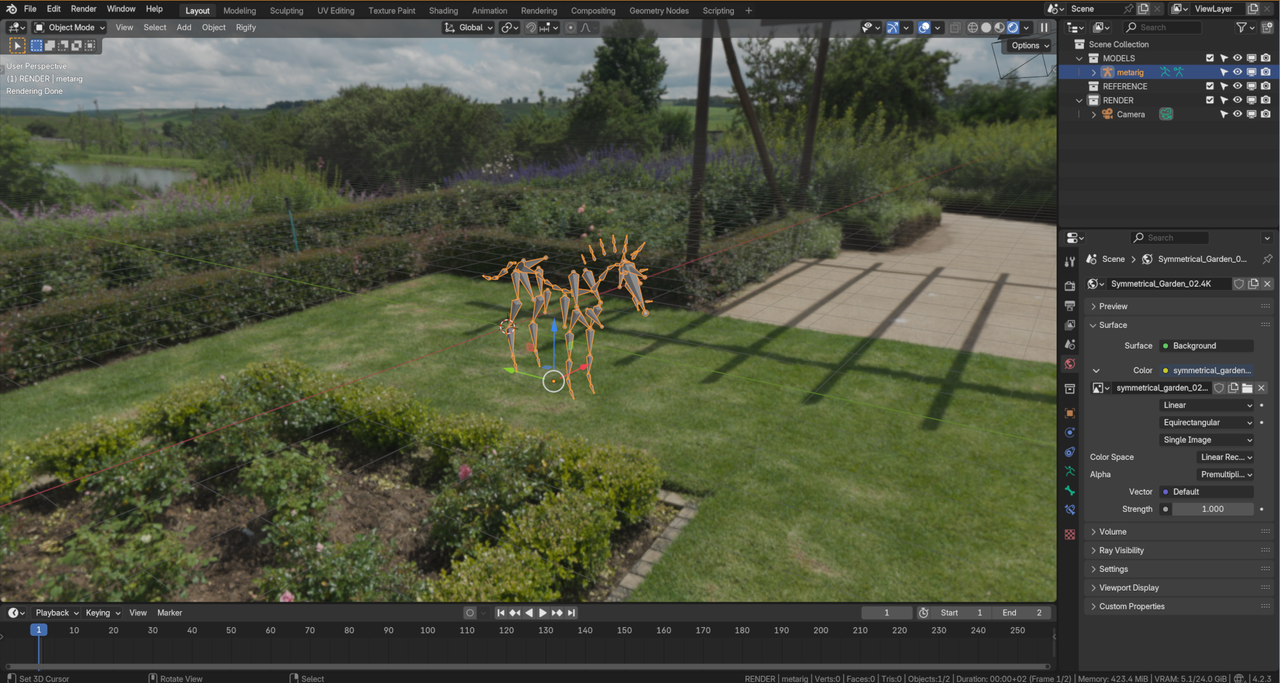
          Alternatively, you can Install the UI Animation Render Addon (Get Extensions), which Renders the whole UI as you see it:

          Horse.png

          #90761

          Now that’s some out-of-the-box thinking! Thanks.

          #90762
          Nathi Tappan
          Participant

            Nice tip Martin! I didn’t know about this extension! Bookmarking it for future reference, thanks!

            ps1. Oops. Turns out I don’t know how to bookmark questions. Am I missing something? I can also just make a note on the lesson 🤔

            ps2. Dang it! I forgot how to make notes. I remember Wes mentioned it once… could you guys remind me, please? Sorry… I’m oh-for-two today.

            #90763
            Dwayne Savage
            Participant

              At the top above where the video plays in a course is the save and notes button. As for book marking a comment, I don’t know how to do that. 

              #90764
              Nathi Tappan
              Participant

                That’s what I thought! But I don’t see it. Weird 🤔 Thanks Dwayne!

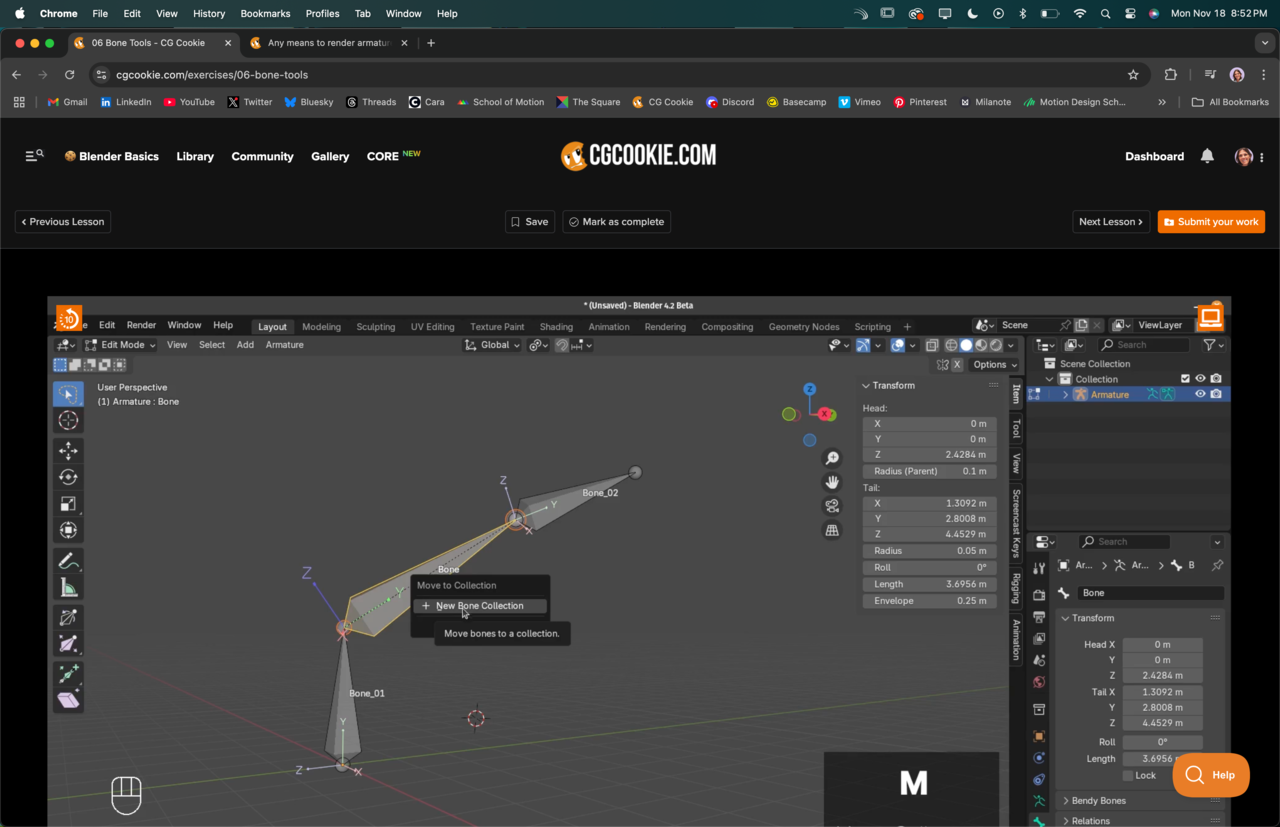
                It does show on my mobile screen though. Just a note for the CGC crew then… Chrome has one less button! That’s probably why it too me so long to learn about taking notes straight on the videos lol.

                Screenshot showing no notes button on Google Chrome browser.

                #90765
                Dwayne Savage
                Participant

                  Weird? Yeah my only interest connection is thru my phone. I’m hoping to change that soon. 

                Viewing 10 posts - 1 through 10 (of 10 total)
                • The topic ‘Any means to render armatures/bones? (other than viewport render)’ is closed to new replies.